¶ Compatibility
This article applies to the following model and module. Please take note when referencing:
Model: U1
¶ Issue Description
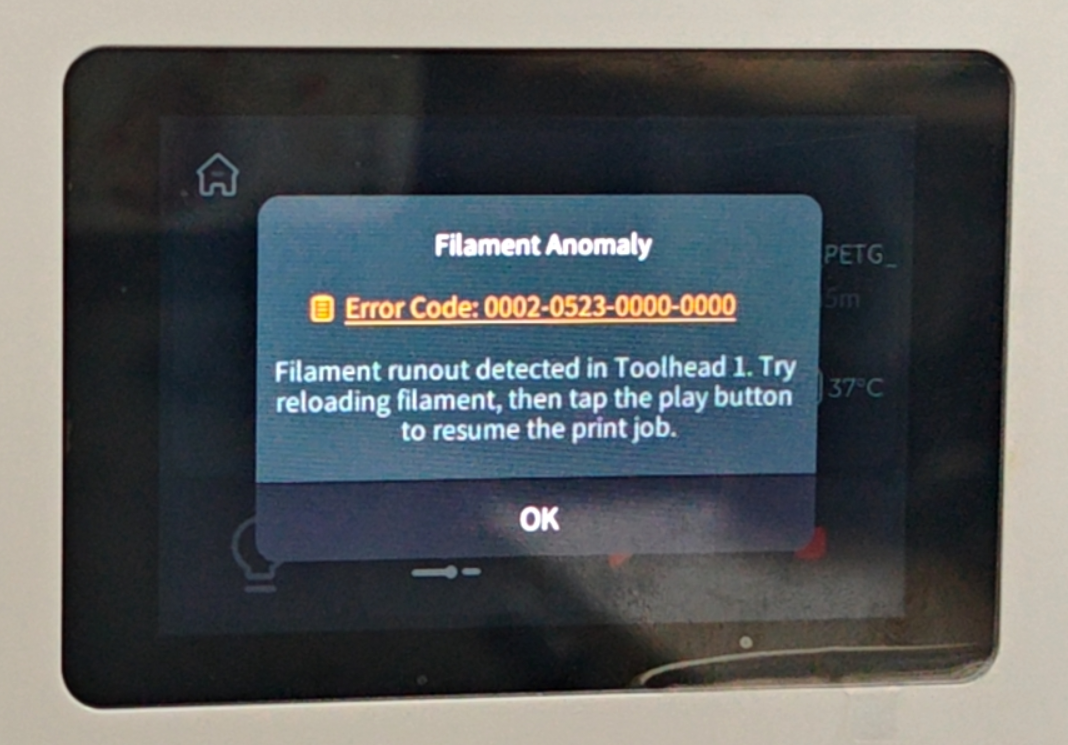
When the screen displays the following error codes:
-
Toolhead 1 filament runout, print paused: 0002-0523-0000-0000
-
Toolhead 2 filament runout, print paused: 0002-0523-0001-0000
-
Toolhead 3 filament runout, print paused: 0002-0523-0002-0000
-
Toolhead 4 filament runout, print paused: 0002-0523-0003-0000
¶ Possible Causes
-
Loose cable connection for the filament runout sensor
-
Damaged cable for the filament runout sensor
-
Software recognition error
¶ Troubleshooting Steps
¶ Step 1. Reload filament test
-
Click "Unload" to completely retract the filament from the filament feeder and the toolhead.
-
Reload the filament and observe if the alarm clears.
-
If the alarm clears, you can resume normal operation.
-
If the alarm persists, please continue with the following steps.
¶ Step 2. Manual filament placement test
-
Click "Unload" again to ensure the filament is completely retracted from the filament feeder and the toolhead.
-
Navigate to the "Load Filament" page on the screen.
-
Take a small piece of filament and manually insert it into the toolhead.
-
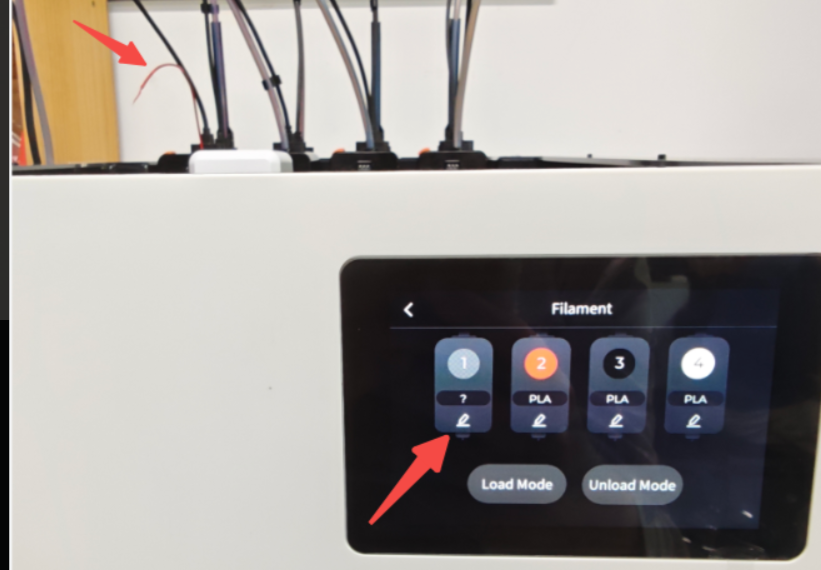
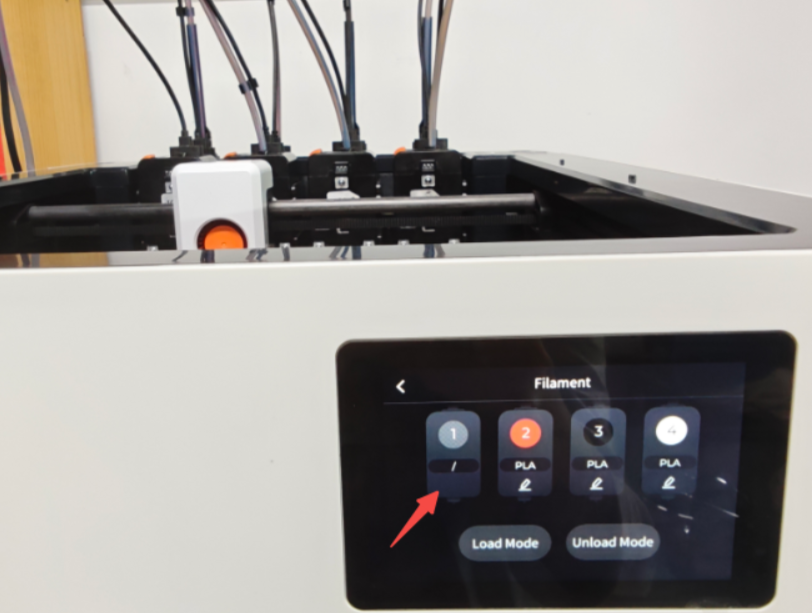
Observe if the "Edit Filament" icon on the screen changes:
If the filament is inserted correctly, the editing page will be accessible.
The editing page will not be accessible if the filament is removed.
¶ Case 1
If the edit page becomes unavailable after inserting the filament and becomes available after removing it:
-
Check the filament runout sensor
-
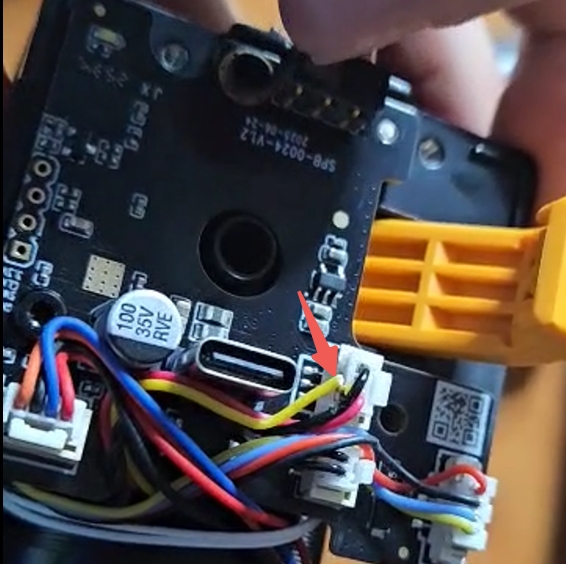
Check if the filament runout sensor cable is loose at both ends. If loose, reconnect the cable.
-
Check the cable for any physical damage.
-
If the cable connection is secure and undamaged, please contact technical support to replace the filament runout sensor.
-

¶ Case 2
If the edit page becomes available after inserting the filament and becomes unavailable after removing it, but the alarm is not cleared:
- Please How to export log files on Snapmaker U1 and submit them to technical support for analysis.
¶ Case 3
If the edit page remains available regardless of inserting or removing the filament:
- Check for any residual filament blocking the filament runout sensor.
¶ Reach out to Snapmaker Support
After following the troubleshooting steps, if you find it difficult to resolve your issue, kindly submit a support ticket through https://snapmaker.formcrafts.com/u1-troubleshooting-request and share your troubleshooting results with some pictures/videos.
Our dedicated support team will be more than willing to assist you in resolving the issue.