¶ 💡 Compatibility
This article applies to the following machine. Please note when referencing:
- Machine Model: U1
¶ 📝 Issue Description
If you encounter the following system anomaly while using U1, refer to this guide for troubleshooting:
-
Error Code: 0003-0522-0001-0016;
-
Mainboard MCU control timed out. System has shut down for protection. Contact technical support.
¶ ✅ Solution
¶ Step 1: Check and Update Firmware
The latest firmware version includes optimizations for this issue.
-
Refer to the U1 firmware update procedure to update your firmware to the latest version.
-
Try printing again and see if the problem is resolved.
- If the problem persists, please continue to step 2.
¶ Step 2: Share Log and G-code Files
Sharing the log files and G-code file used when the anomaly occurred will help locate your issue faster.
-
Refer to U1 how to export log files to obtain the machine's log files.
-
Follow the steps below to export the G-code file used when the anomaly occurred:
Click here for details
¶ (1) Obtain the machine's IP address
- On the machine's touchscreen, go to the home screen, tap
Settings>Wi-Fi, and check the machine's IP address.
For example, the machine's IP address in the image is
172.18.0.102.
¶ (2) Access the machine's Fluidd interface
Fluidd is ready to use after purchasing a Snapmaker printer and can be accessed through a web browser without any additional downloads.
- Open a web browser.
- Enter the machine's IP address in the browser's
address bar, and visit the address to be redirected to the machine's Fluidd interface.
¶ (3) Obtain the G-code file
- On the Fluidd
Homepage, scroll down to locate theJobssection.
- In the
Jobssection, find the G-code file that was used when the anomaly occurred.
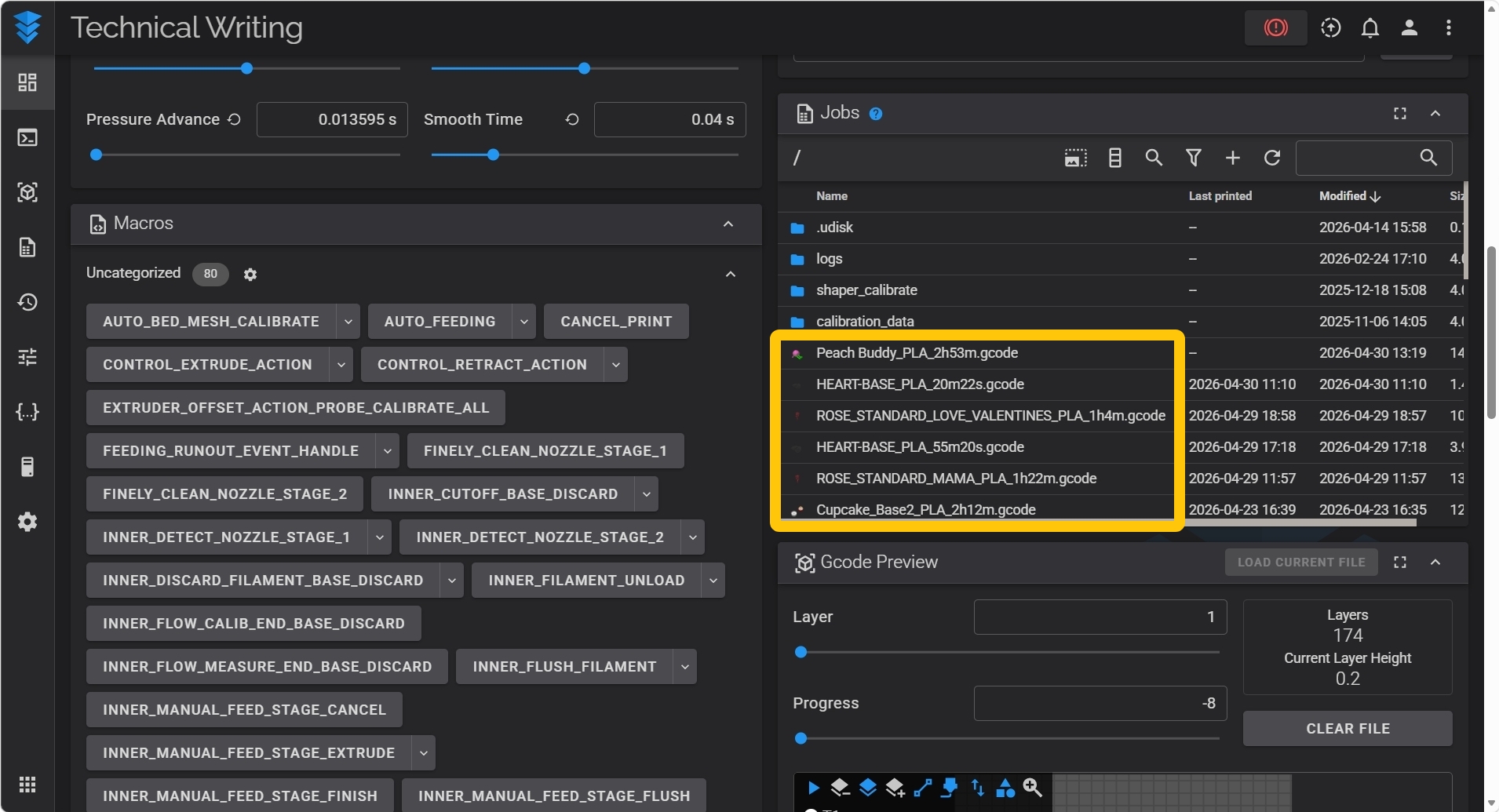
- Right-click on the G-code file.
- In the pop-up menu, left-click
Downloadto obtain the file.
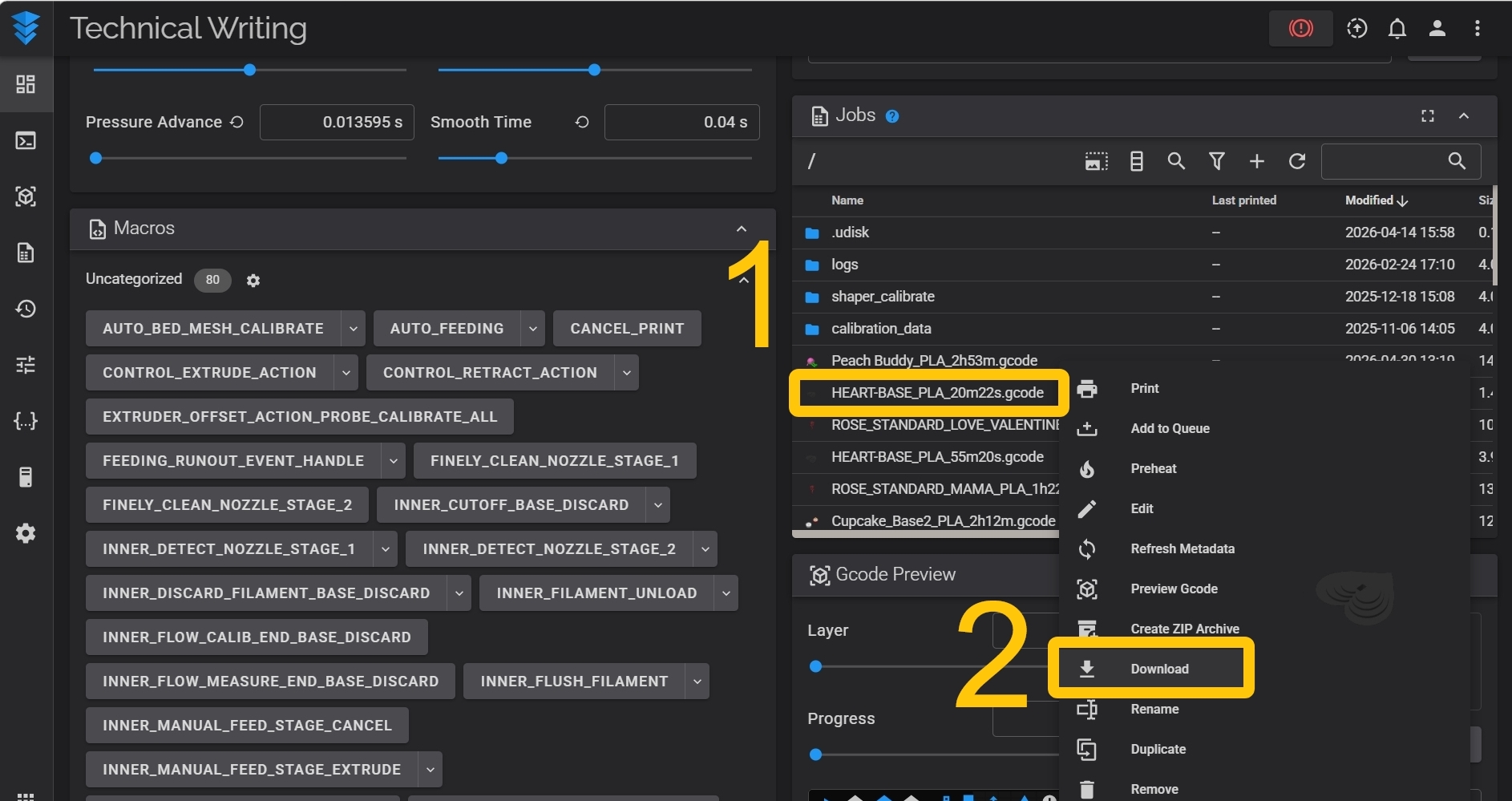
- Please share the exported log files and the G-code file with Snapmaker Support, and we will further diagnose the issue for you.
¶ 💬 Reach out to Snapmaker Support
After following the troubleshooting steps, if you find it difficult to resolve your issue, kindly submit a support ticket through https://snapmaker.formcrafts.com/u1-troubleshooting-request and share your troubleshooting results with pictures or videos. Our dedicated support team will be more than willing to assist you in resolving the issue.