¶ Compatibility
This article applies to the following model and module. Please take note when referencing:
Model: U1
¶ Error Codes
This troubleshooting guide applies when the screen displays the following error codes:
| 0003-0528-0000-0002 | 0003-0528-0001-0002 |
| 0003-0528-0002-0002 | 0003-0528-0000-0003 |
| 0003-0528-0001-0003 | 0003-0528-0002-0003 |
| 0003-0528-0000-0004 | 0003-0528-0001-0004 |
| 0003-0528-0002-0004 | 0003-0528-0000-0005 |
| 0003-0528-0000-0006 |
¶ Issue Description
- Failed to return to the XY axis origin
- Failed to return to the Z axis origin
- Failed to calibrate the sensor
¶ Possible Causes
- Excessive resistance in XY-axis movement
-
Improper tension of the XY-axis timing belt
-
Obstruction by foreign object on the XY-axis timing belt
-
The front cover of the machine is loose.
- Excessive resistance in Z-axis movement
-
Improper tension of the Z-axis timing belt
-
Restricted movement of the Z-axis synchronous pulley
- Abnormal detection system
-
Interference from the heat sink fan cable
-
Residual filament on the nozzle or PEI steel sheet
-
Faulty calibration sensor
¶ Troubleshooting steps
¶ Step 1.Check for excessive resistance in XY-axis movement
- Re-tension the timing belt
-
If you already adjusted the timing belt once during assembly, please follow the guide to adjust it three additional times.
-
Manual tensioning can vary slightly, and repeating the adjustment helps ensure proper belt tension. Follow the instructions below and check whether the issue is resolved.
- Manually move the toolhead along the X and Y axes with the power off. Check for any feeling of sticking or binding.
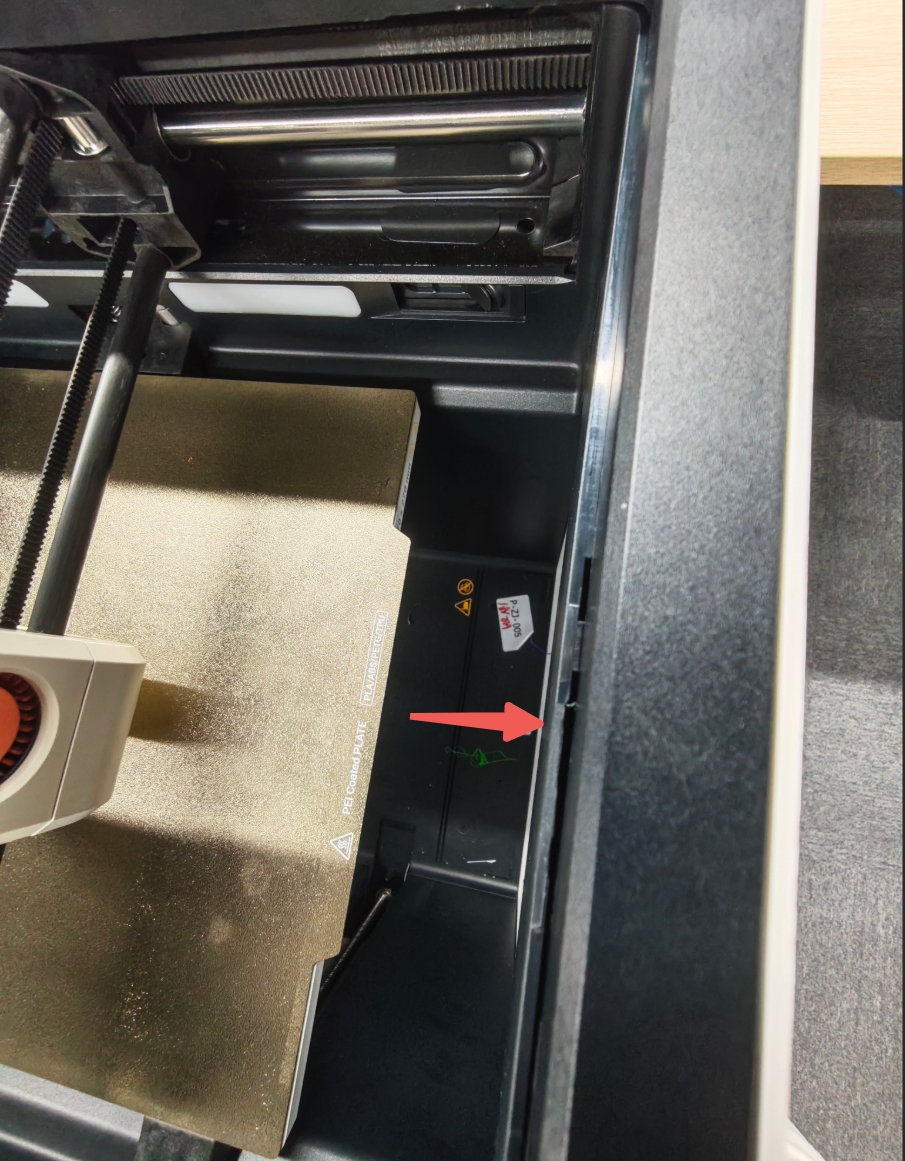
- Please ensure that the front cover of the machine is not loose. If it is protruding, please press the front cover into place.
¶ Step 2. Check for excessive resistance in Z-axis movement
- Inspect the surfaces of the Z-axis lead screws and smooth rods. Ensure they are free of any foreign object.
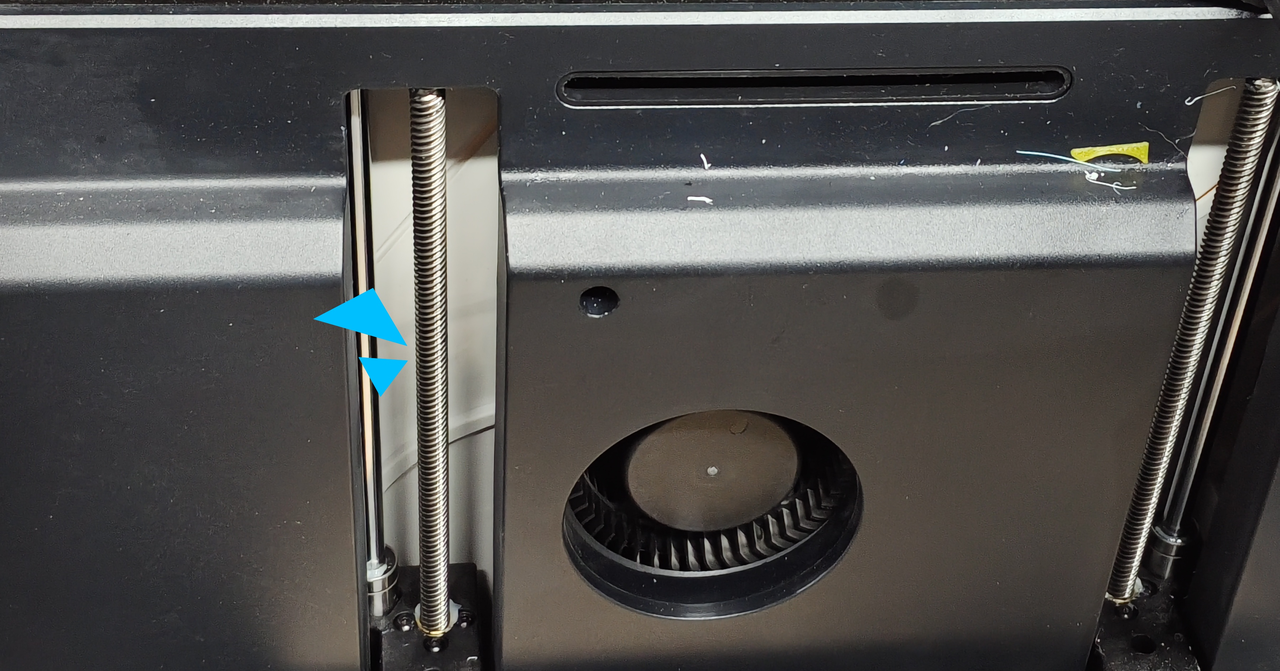
- Turn off the machine, lift the front part slightly, and manually pull the Z-axis timing belt. The Z-axis should move up and down accordingly. Check for any signs of sticking or binding during the movement.
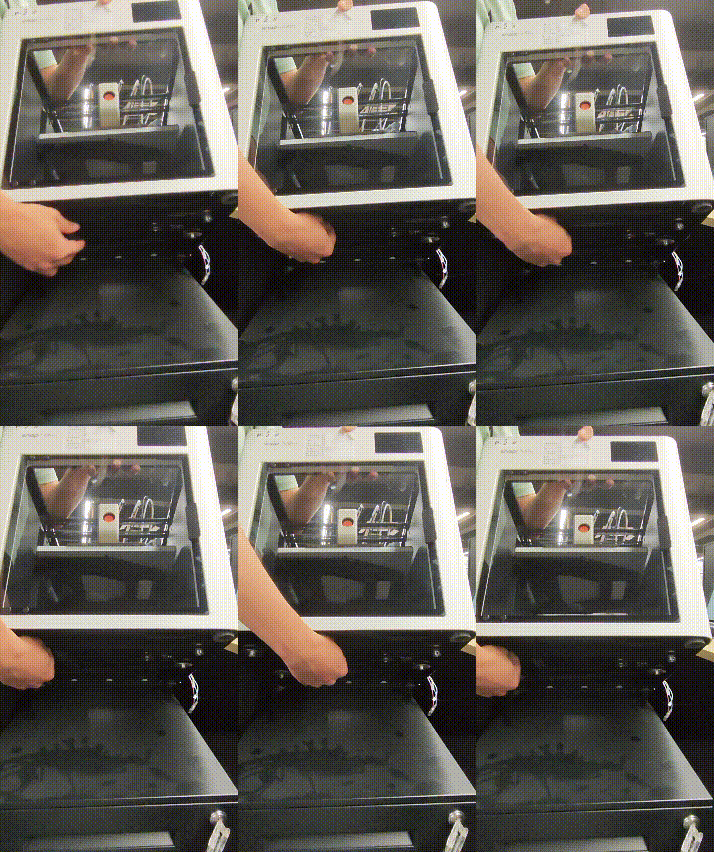
- Check if the Z-axis timing belt is loose. If it is, please refer to this article to readjust the tension.
- Make sure your U1 is placed on a flat and stable surface. Having soft pads or cardboard underneath the machine may interfere with the Z-axis movement.
¶ Step 3. Check if the calibration sensor is functioning properly.
-
Inspect the nozzle to ensure it’s clean and free of any residual filament or debris on the outer wall or around the nozzle opening.
-
Clean any filament residue from the PEI steel sheet.
-
Open the rear cover to inspect the hotend assembly:
- Confirm there is no foreign object between the hotend heatsink fins and the copper induction piece (The area indicated by the red arrow in the image below).
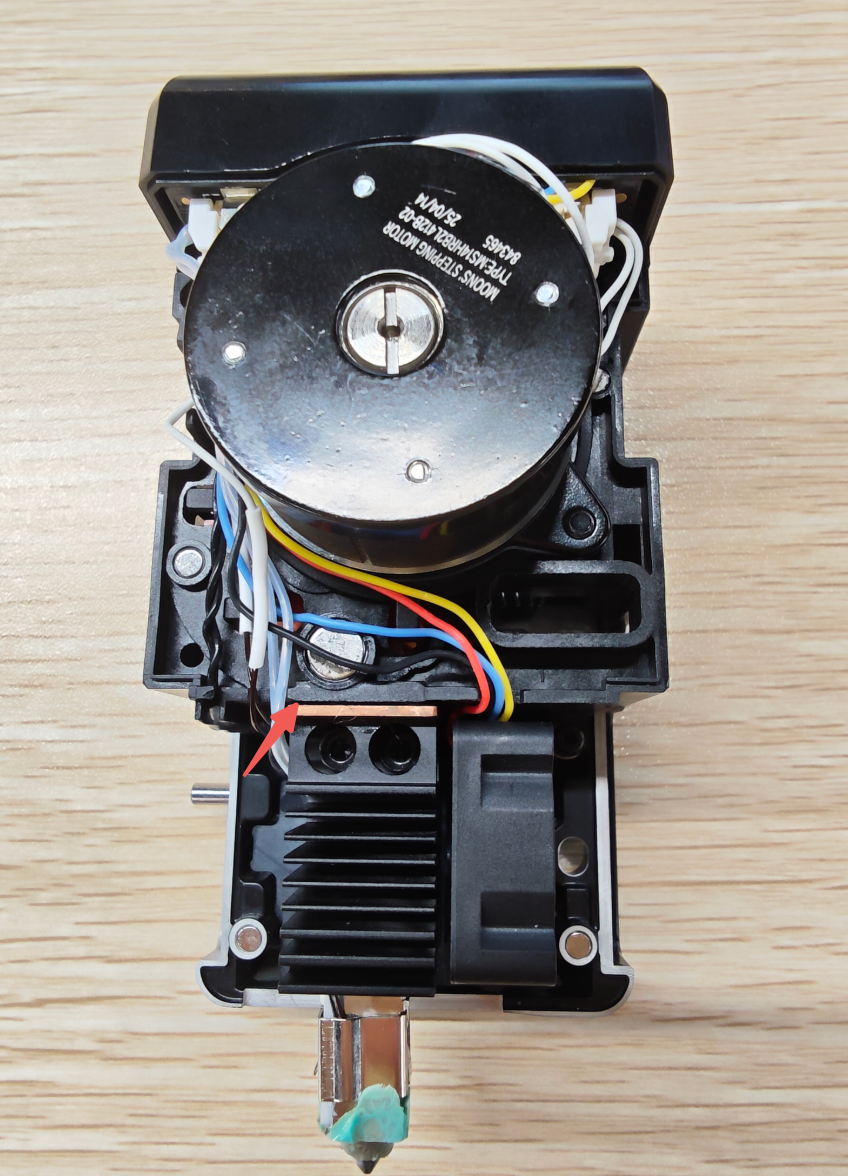
- Check if the heat sink fan cable is causing interference between the hotend heatsink fins and the copper induction piece.
¶ Step 4. If no abnormalities are found after the above checks, perform a homing command test. If the issue persists:
Please record a video showing the error and export the machine’s log files to share with Snapmaker Support.
¶ Reach out to Snapmaker Support
After following the troubleshooting steps, if you find it difficult to resolve your issue, kindly submit a support ticket through https://snapmaker.formcrafts.com/u1-troubleshooting-request and share your troubleshooting results with some pictures/videos.
Our dedicated support team will be more than willing to assist you in resolving the issue.