¶ 💡Compatibility
This guide applies to the following machine. Please note when referencing:
- Machine model: U1
¶ ⏰ When to Use This Guide
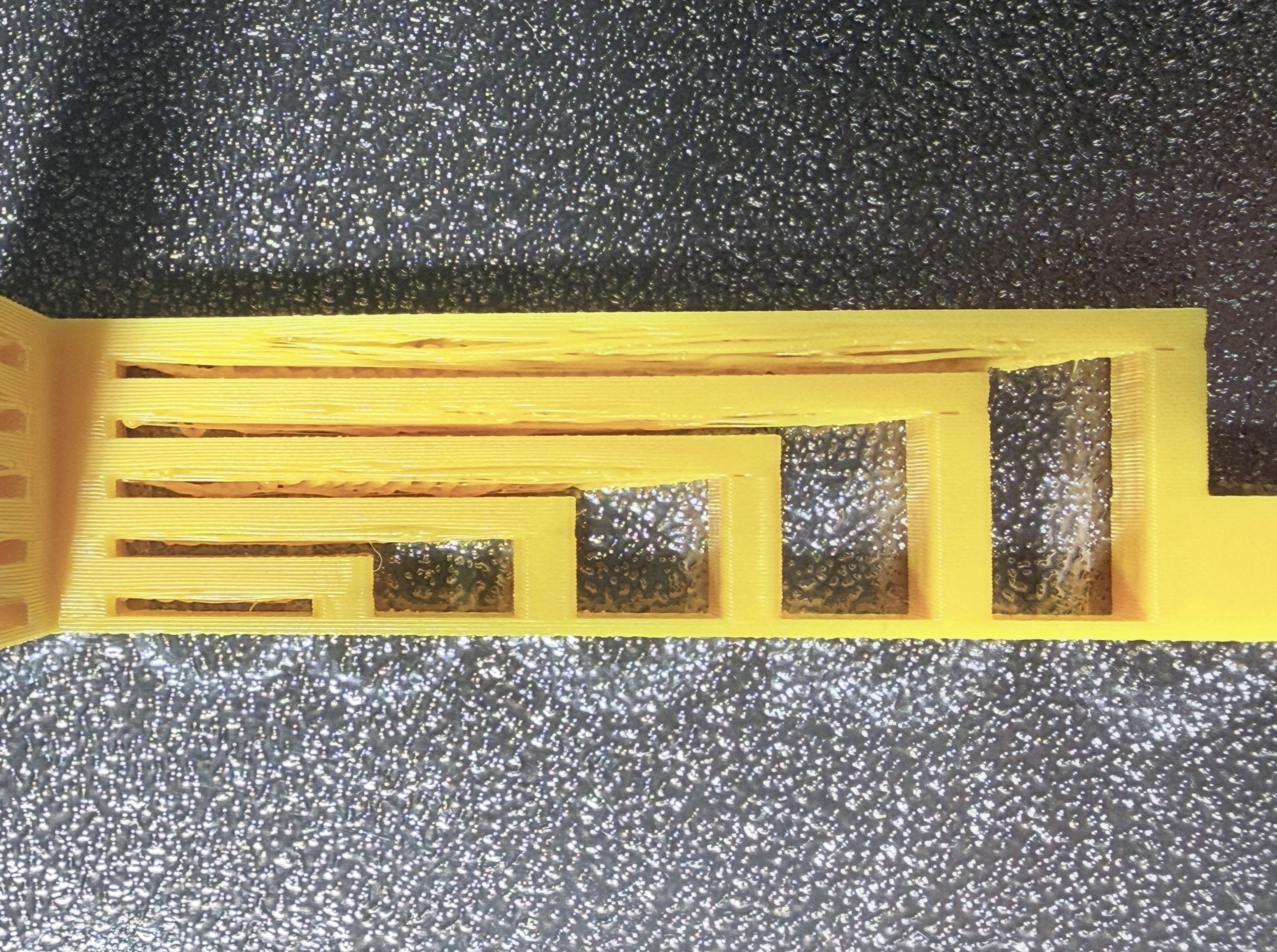
In 3D printing, bridging refers to the extrusion of filament across an open gap between two support points, with no support underneath.
When printing with the U1, if you notice sagging, stringing, or breakage in bridged areas, refer to this guide for troubleshooting.
¶ 📋 Quick Info Card
- Difficulty: ⭐⭐☆☆☆ (Easy)
- Estimated Time: 10 minutes
¶ 🔁 Troubleshooting Flowchart
¶ 🔍 Quick Diagnosis
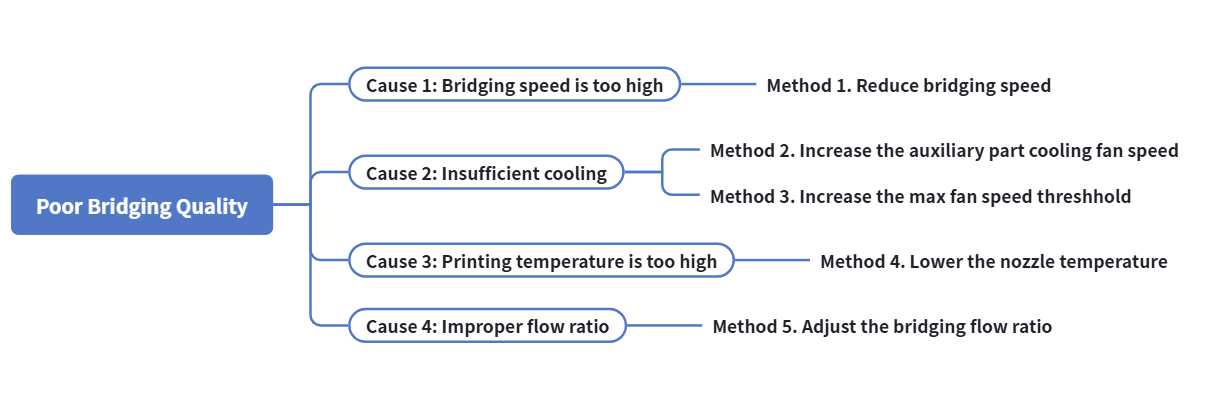
The root cause of poor bridging quality is that molten material does not have enough time to cool and solidify while spanning an unsupported horizontal gap. Gravity pulls the filament downward, causing it to sag, break, or fail to bond securely to both ends. Similar to troubleshooting poor overhang quality, you can identify the cause by following the steps below:
- Bridging speed is too high → Go to Cause 1
- Insufficient cooling → Go to Cause 2
- Printing temperature is too high → Go to Cause 3
- Improper flow rate → Go to Cause 4
¶ 🛠️ Troubleshooting Steps
¶ Cause 1: Bridging speed is too high
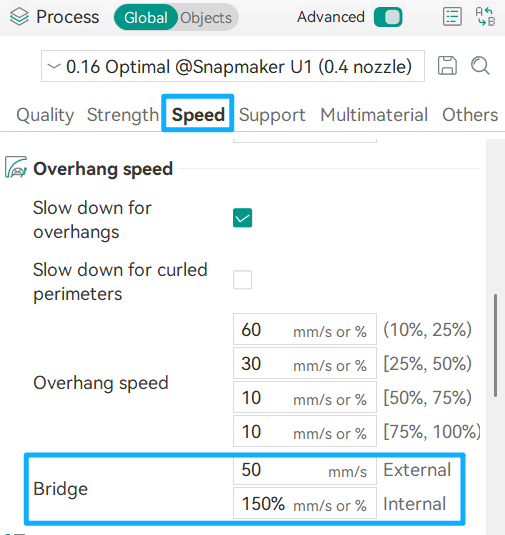
¶ Method 1. Reduce bridging speed
A slower bridging speed gives the extruded material more time to cool and solidify while spanning a gap, helping to prevent sagging. A typical bridging speed ranges from 15–30 mm/s, depending on the filament type and bridge length.
¶ Cause 2: Insufficient cooling
¶ Method 2. Increase the auxiliary part cooling fan speed
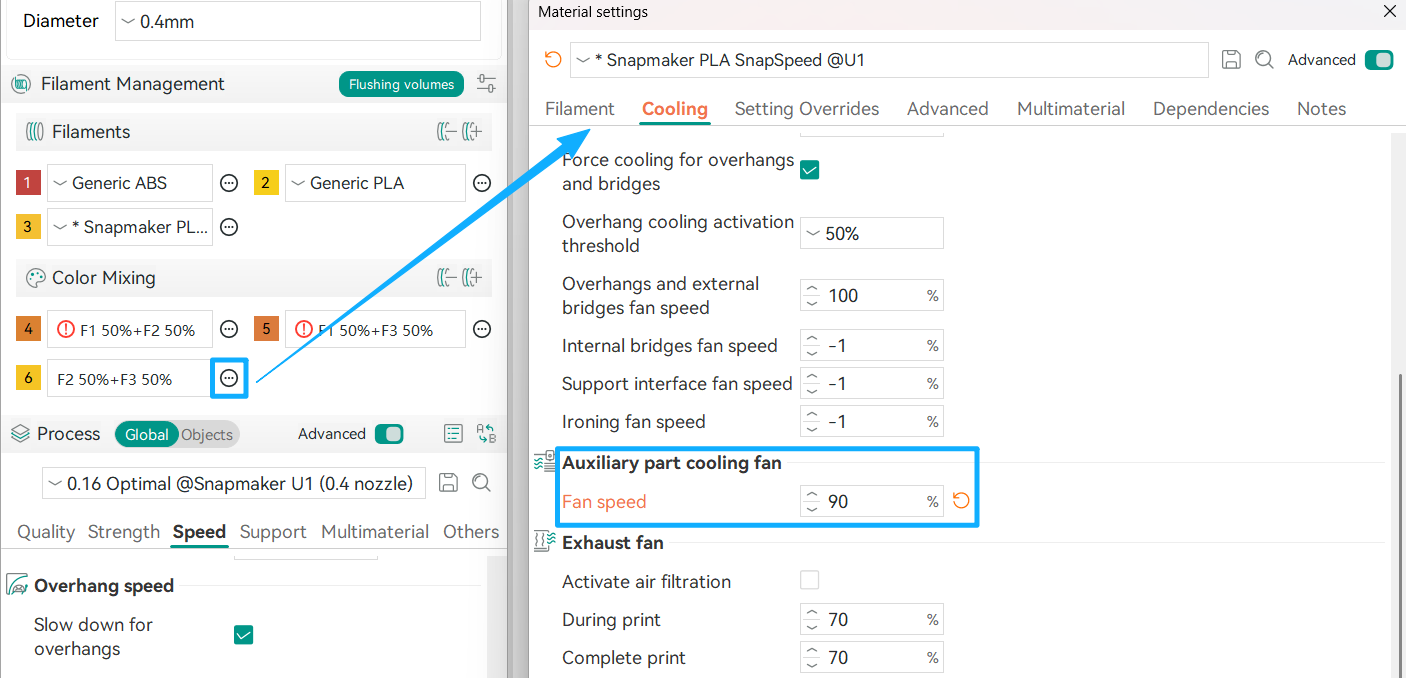
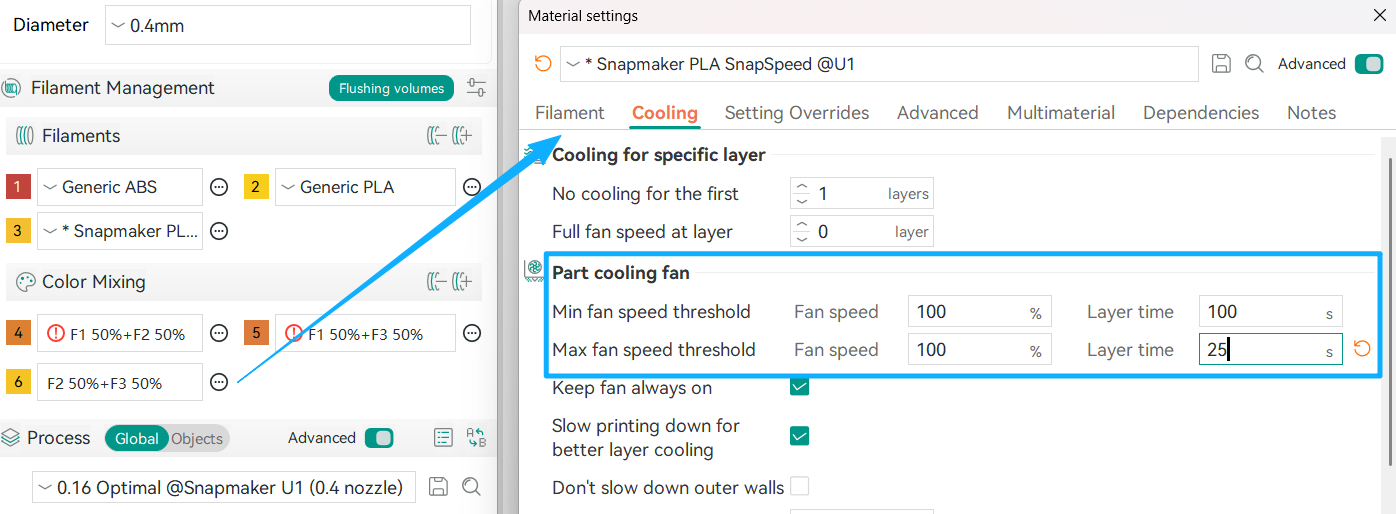
Rapid cooling helps the filament solidify quickly after extrusion. We recommend increasing the auxiliary part cooling fan speed for bridged sections, which can significantly improve bridging performance.
¶ Method 3. Increase the max fan speed threshhold
As different filament types have different cooling characteristics, the values shown in the figure below are for reference only.
¶ Cause 3: Printing temperature is too high
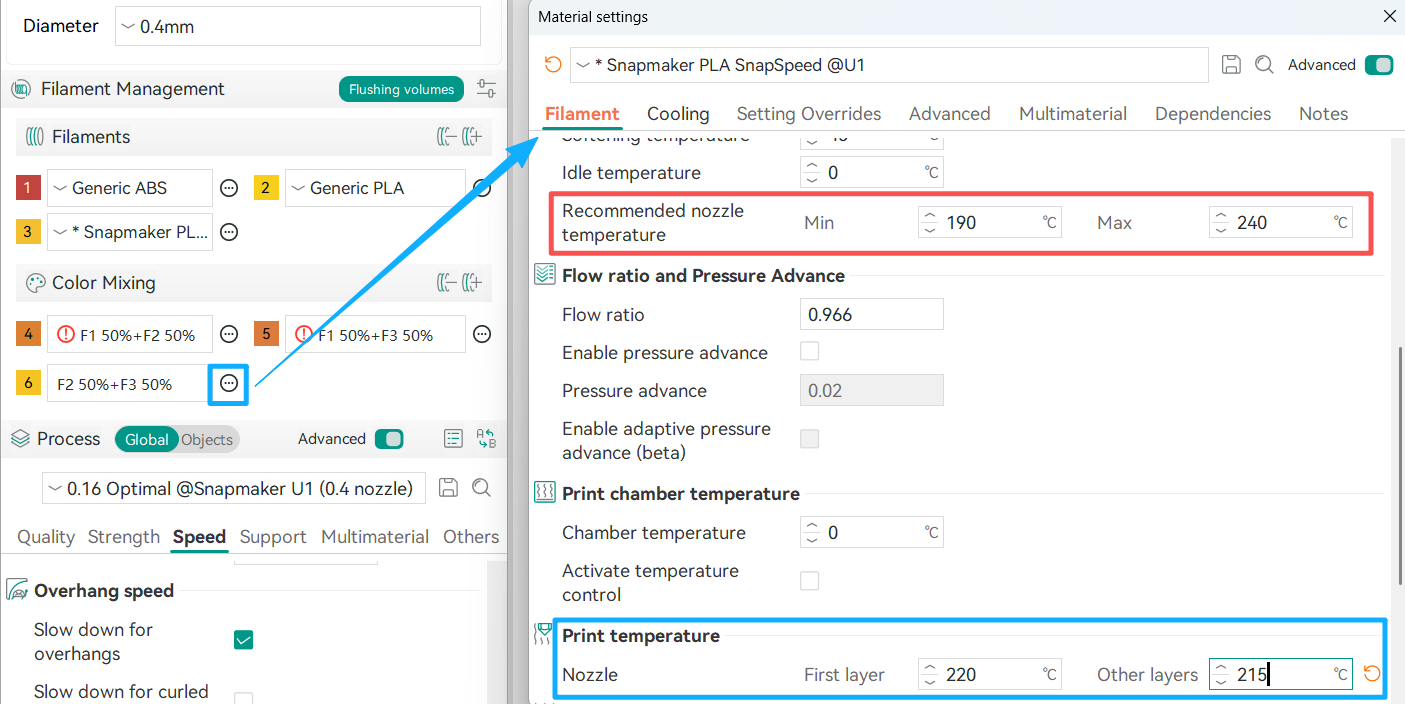
¶ Method 4. Lower the nozzle temperature
Reducing the nozzle temperature decreases the fluidity of molten material, allowing it to solidify more quickly after extrusion. Refer to the Filament library and reduce the printing temperature of Other layers in increments of 5°C. However, do not go below the Min recommended nozzle temperature, as this may result in poor layer adhesion.
¶ Cause 4: Improper flow ratio
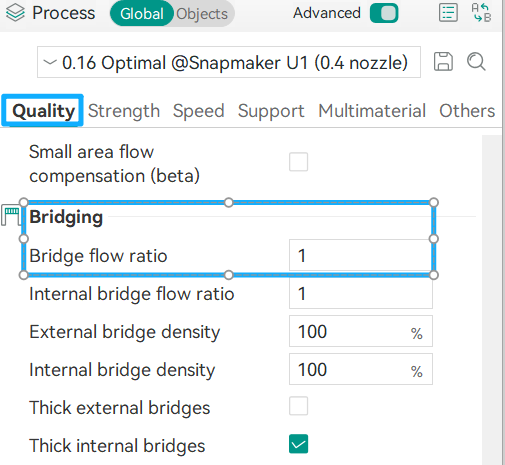
¶ Method 5. Adjust the bridging flow ratio
Fine-tune the extrusion flow rate to ensure that bridge lines contain enough material to span the gap successfully without causing sagging or excessive stringing.
¶ ✅ Verification
After applying the troubleshooting methods above, reprint the model. If the print shows no warping, collapse, or obvious defects, the bridging quality issue has been successfully resolved.
¶ 📚 Related Resources
¶ 💬 Reach out to Snapmaker Support
After following the troubleshooting steps, if you find it difficult to resolve your issue, kindly submit a support ticket through https://snapmaker.formcrafts.com/u1-troubleshooting-request and share your troubleshooting results with pictures or videos. Our dedicated support team will be more than willing to assist you in resolving the issue.