¶ Terminology
 Hub Board
¶ Issue Description
The machine screen displays the following error:
Hub board not detected: This means the Hub board was not powered on during system startup.
Hub board connection interrupted: This means the Hub board was powered on normally during system startup, but it suddenly lost power after the system started.
Special Cases
Under normal circumstances, when the 0003-0522-0101-0006 / 0003-0522-0100-0008 error occurs, the toolhead's internal indicator light will still turn on:
In rare cases, if all toolheads suddenly lose power after system startup, this will be indicated by all toolhead internal indicator lights being off, and the 0003-0522-0100-0008 error will also appear.
If you encounter this situation, please refer to No Toolhead Detected to troubleshoot the issue.
¶ Possible Causes
-
The mainboard USB cable is loose.
-
The Hub board is being compressed.
¶ Important Notice
Do not unplug or reconnect cables while the machine is powered on!
¶ Troubleshooting Steps
¶ 1. Check the Hub Board USB Cable
(1) Refer to the Side Panel Removal and Installation Tutorial to remove the right side panel of the machine.
(2) Clean the adhesive from the mainboard USB cable connector, then unplug and reseat the USB cable.
(3) Remove the screws at both ends of the Hub board.
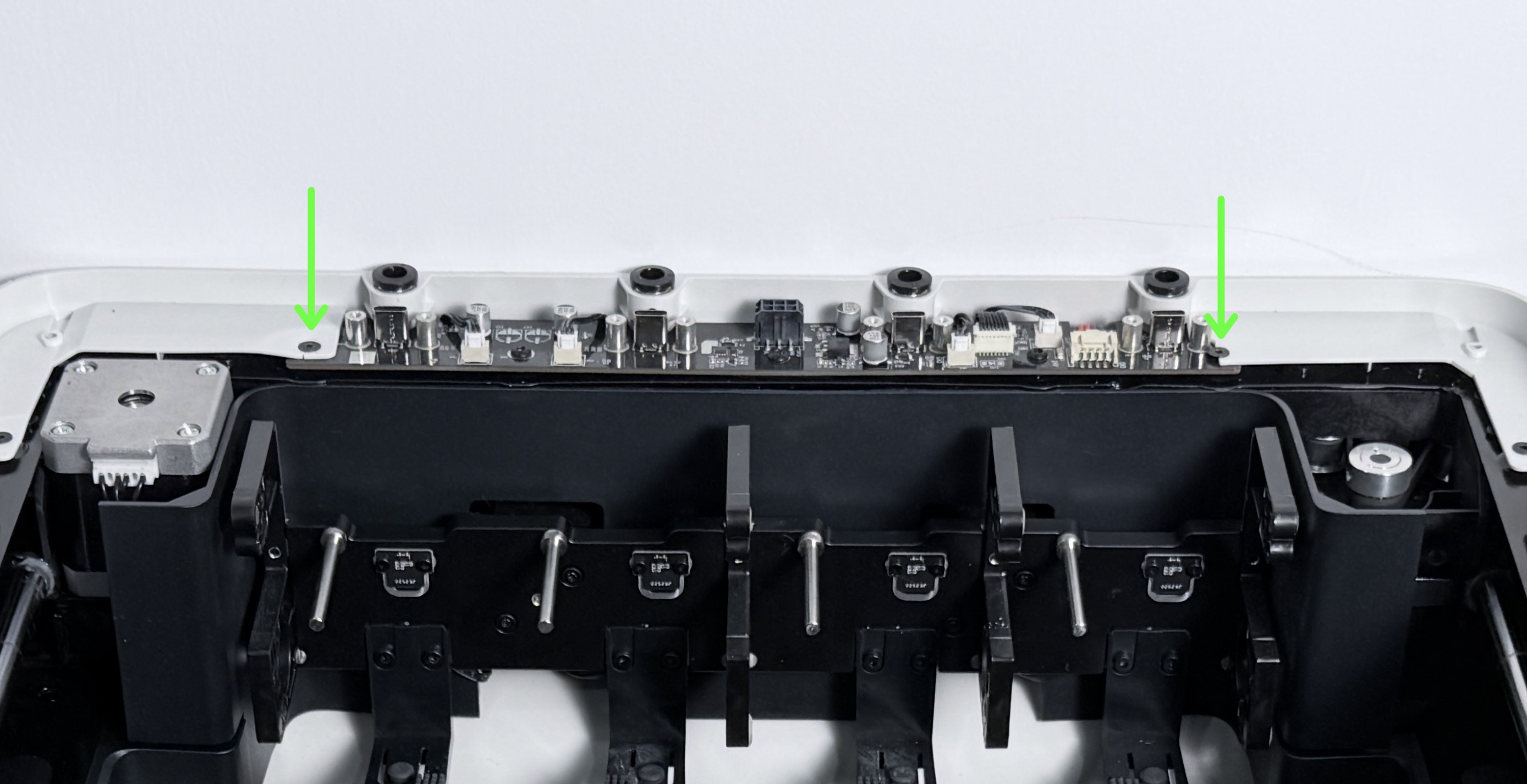
(4) With the right side panel still removed, reconnect the toolhead USB cables and restart the machine.
If the issue persists, please export the log and contact technical support.
¶ End Note
If your issue remains unresolved, please contact technical support, our dedicated support team will be more than willing to assist you in resolving the issue.
If you have any suggestions or feedback about this wiki, feel free to leave a comment below. Every piece of feedback helps us improve our documentation.