¶ Compatibility
This article applies to the following model:
Snapmaker U1
¶ Issue Description
After connecting the U1 in Snapmaker Orca, the camera cannot be opened. Common error messages include:
-
“Camera not on”
-
“Device not online”
-
“Failed to start camera monitor”
-
Or a long IPv6 address similar to:
http://[2a01:cb14:34f:ff00:6793:1b23:4aed:f95d]/server/files/camera/monitor.jpg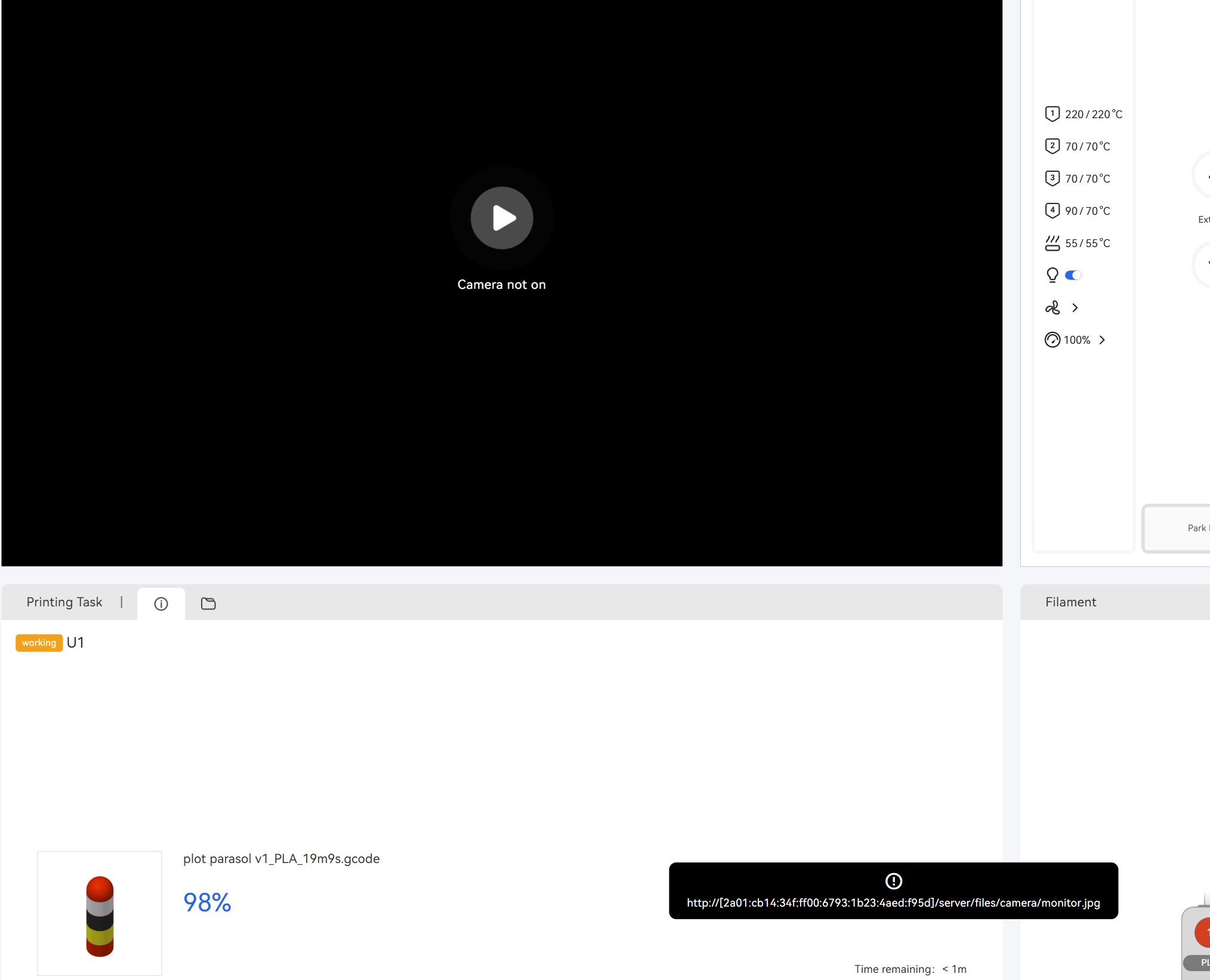
¶ Possible Causes
- Connection between Snapmaker Orca and U1 is abnormal
- Unstable network (especially common in cloud connection mode)
- Known software bug in certain versions of Snapmaker Orca
¶ Troubleshooting Steps
¶ 1. Error shows “Device not online”
- Restart Snapmaker Orca and your computer, then reconnect.
- If the problem persists, export printer logs and Snapmaker Orca logs and contact Snapmaker Support.
How to export Snapmaker Orca log files
U1 how to export log files
¶ 2. Error shows “Failed to start camera monitor”
- Cloud connection mode: Most likely caused by unstable network. Try using a mobile hotspot to compare network stability.
- Local network (LAN) mode: Export printer logs and Snapmaker Orca logs, then contact Snapmaker Support. Please provide the approximate time when the error occurred.
¶ 3. Error shows a long IPv6 address (e.g. http://[2a01:…]/server/files/camera/monitor.jpg)
- This is a known bug in older versions of Snapmaker Orca.
- Download and install the latest Beta repair version from:
https://drive.google.com/file/d/1zSO1Abv9p3yn1rF2pFOKDsJED_hELUwT/view
¶ Solutions
- “Device not online” → Reconnect or submit logs for analysis
- “Failed to start camera monitor” → Stabilize network or submit logs
- Long IPv6 address error → Update to the latest Beta version containing the camera fix
¶ Reach out to Snapmaker Support
After following the troubleshooting steps, if you find it difficult to resolve your issue, kindly submit a support ticket through https://snapmaker.formcrafts.com/u1-troubleshooting-request and share your troubleshooting results with some pictures/videos.
Our dedicated support team will be more than willing to assist you in resolving the issue.