¶ Description
This article describes how to export log files from a Snapmaker orca. Some snapmaker orca errors are logged in the log file, so providing the logs to our support team when an issue occurs helps to pinpoint the root cause more efficiently.
¶ How to export log files
Windows
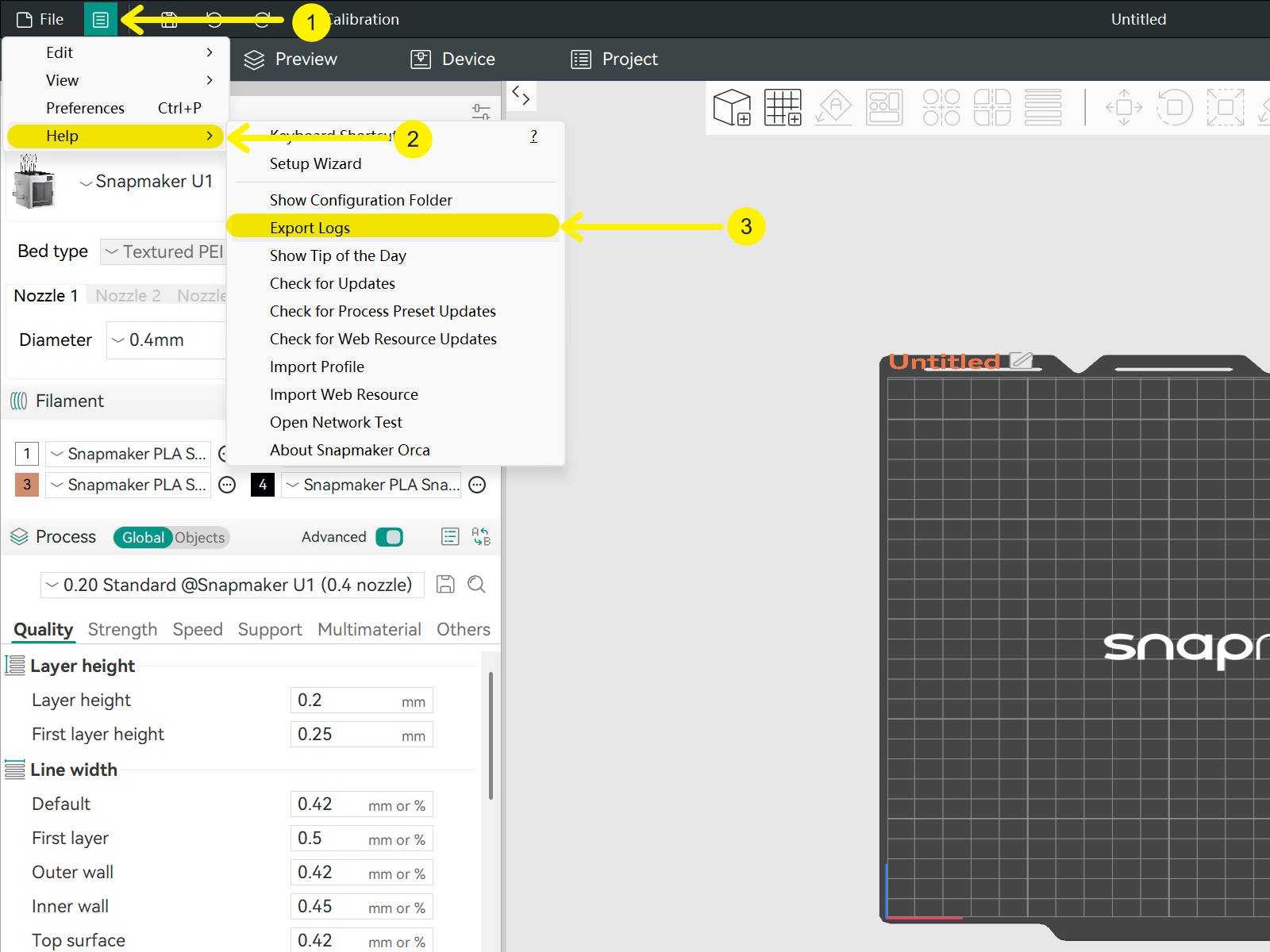
Click Menu → Help → Export Logs.
Mac
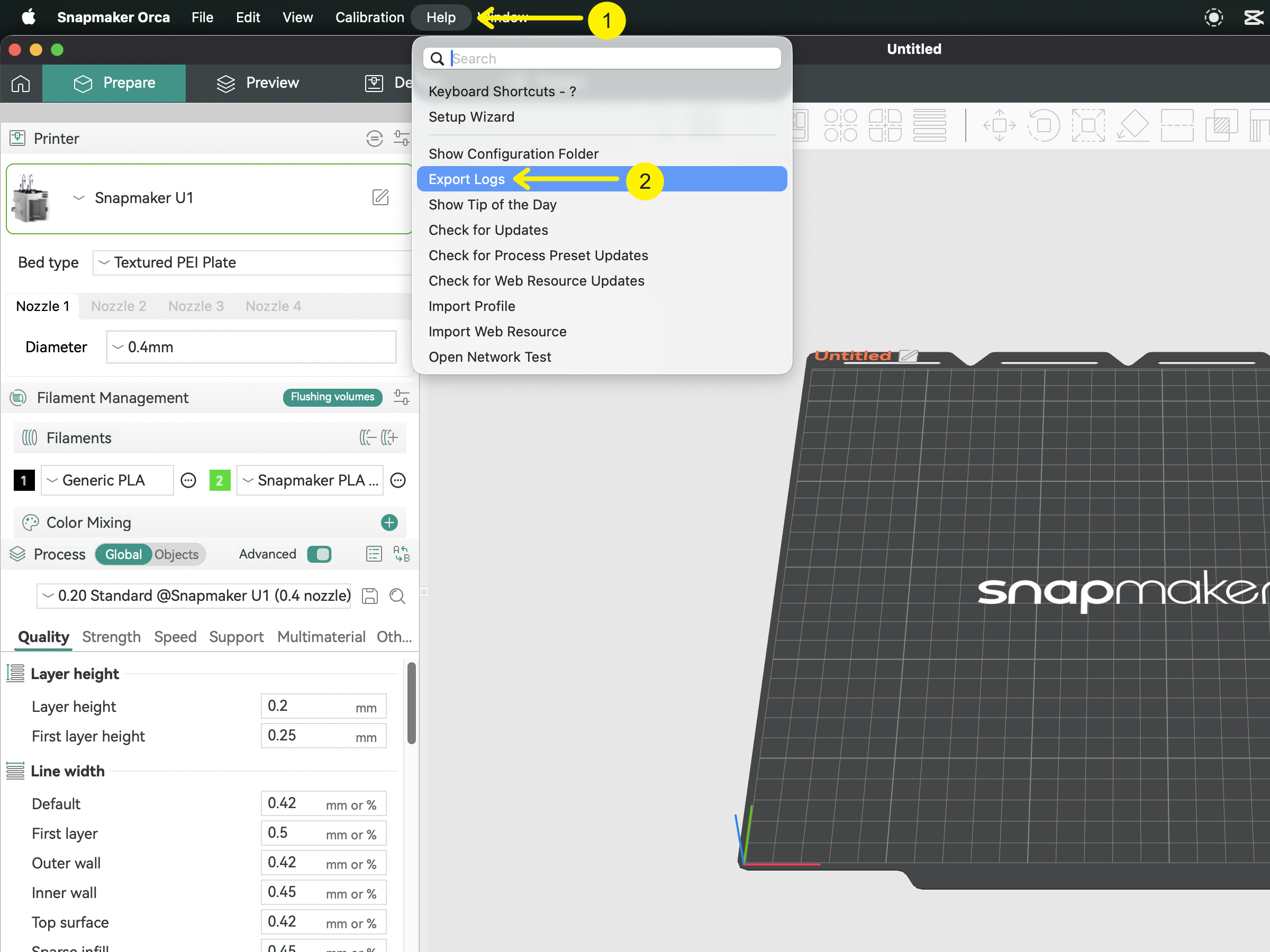
Click Help → Export Logs.