¶ 💡 Compatibility
This article applies to the following model and module. Please take note when referencing:
Model: U1
Software: Snapmaker Orca
¶ ⏰ When to Use This Guide
- The U1 screen displays error code 0003-0522-0000-0013.
- The U1 screen displays error code 0003-0522-0001-0013.
¶ 📋 Quick Info Card
- Difficulty: ⭐⭐☆☆☆ (Easy)
- Estimated Time: 10–20 minutes
- Required Skills: Basic Slicing parameter adjustment
¶ 🔍 Quick Diagnosis
Which situation are you experiencing?
- Error occurs when printing a near full-size model → Go to Scenario 1
- Error appears in the bottom-right corner after slicing → Go to Scenario 2
- No error during slicing, but the machine reports an error during printing → Go to Scenario 3
¶ 🔧 Preparation
¶ Required Tools
- Snapmaker Orca
- Snapmaker U1 3D Printer
¶ ⚠️ Important Notes
Please update to the latest Snapmaker Orca version.
¶ 🛠️ Troubleshooting Steps
¶ Scenario 1: Error occurs when printing a near full-size model
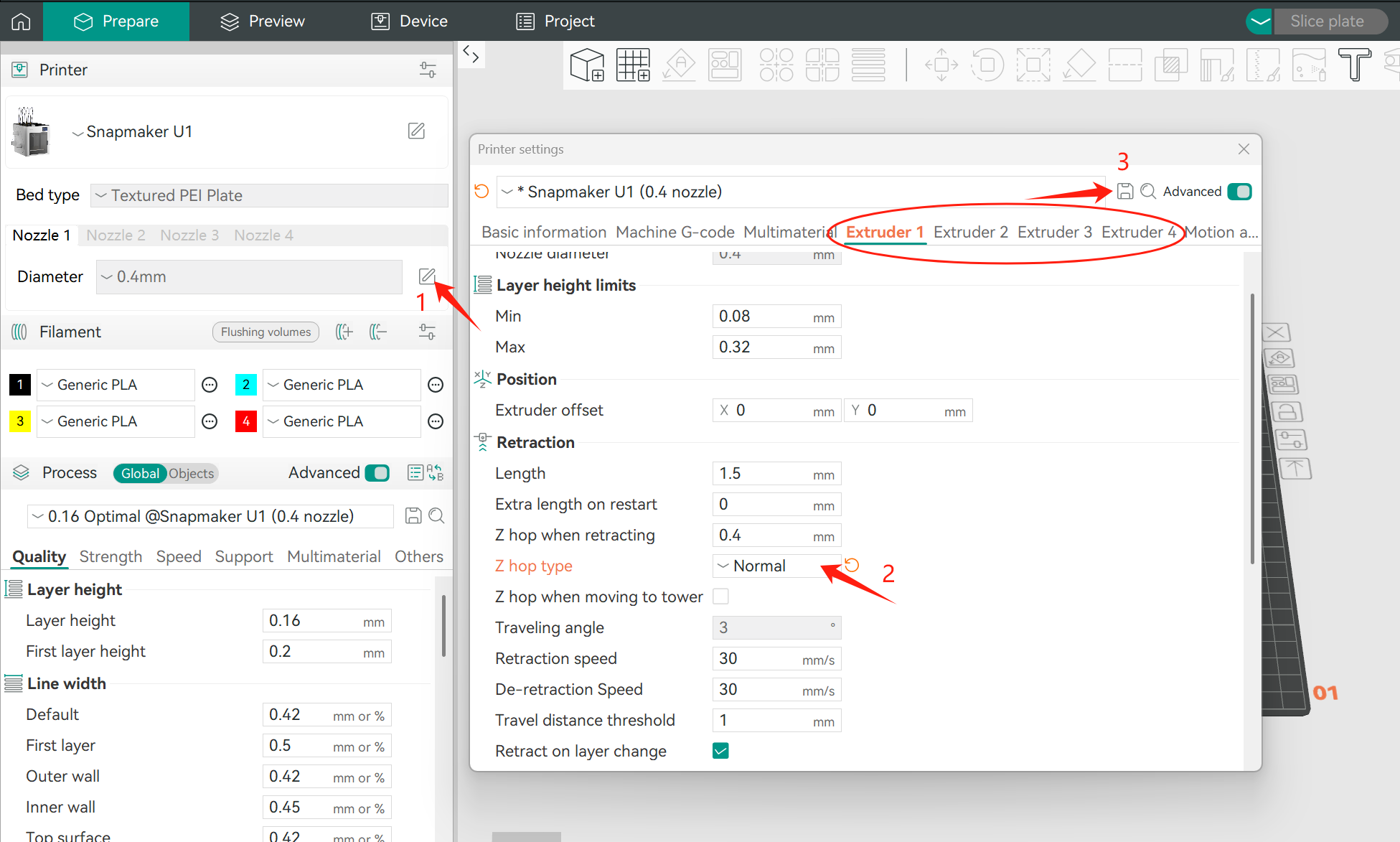
¶ Adjust the Z-hop type
- Set the extruder Z-hop type from Automatic to Normal.
- Save the settings before re-slicing.
Future versions will add a corresponding error prompt for this scenario.
¶ Scenario 2: Error after slicing indicating G-code paths exceed the heated bed boundary
¶ Check the Prime Tower and Filament configuration
(1) Check whether the Prime Tower is placed outside the heated bed area.
- If yes, adjust its position and re-slice the model.
(2) Check whether the Filament configuration in Snapmaker Orca exceeds four colors.
- If it exceeds four, try the following steps in order:
- Move the model and re-slice.
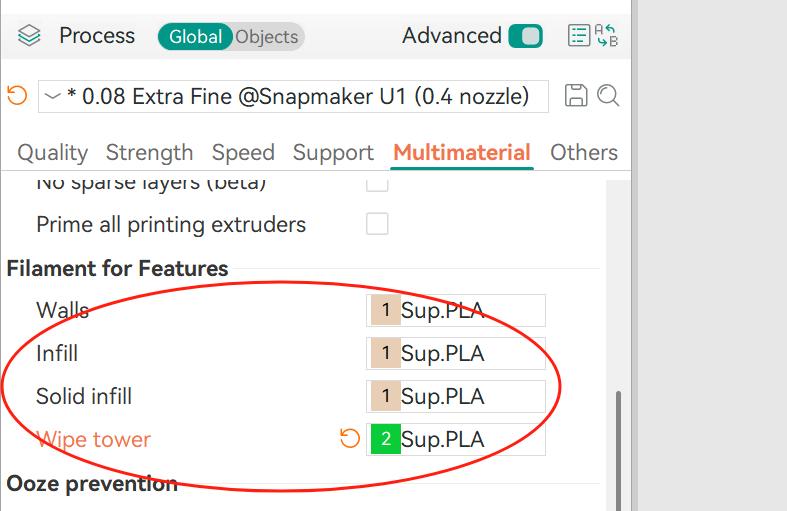
- In the material settings, change the Prime Tower outer wall from the default option to a specific Filament.
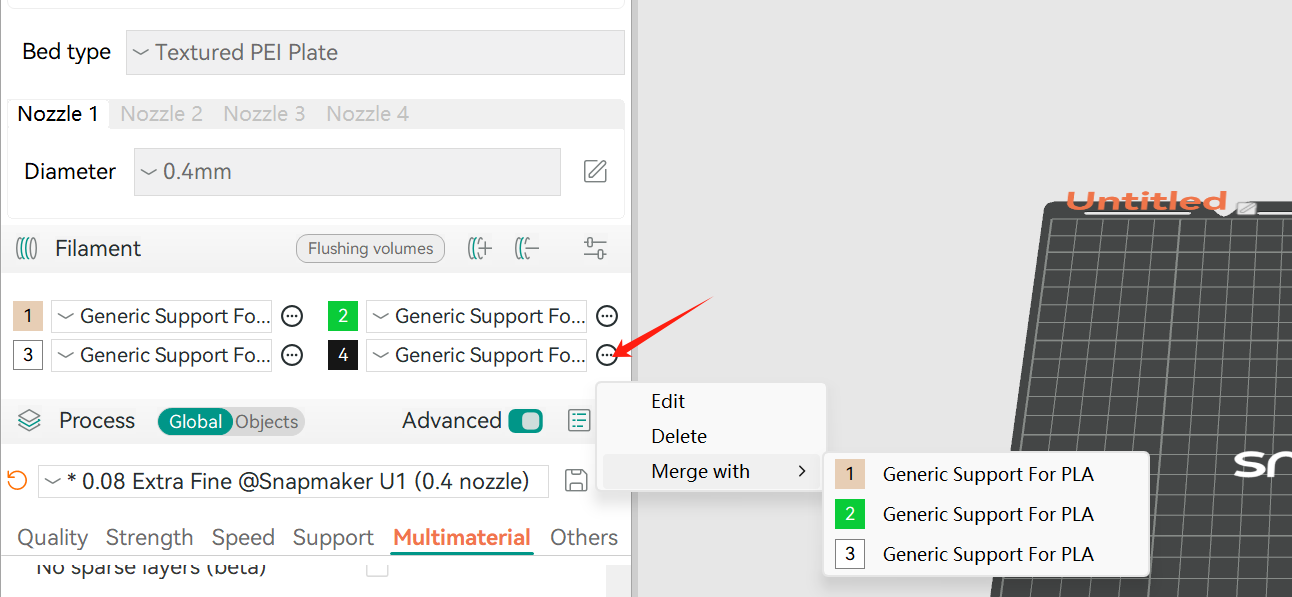
- Reduce the number of Filaments to four or fewer by merging or deleting Filaments.
¶ Scenario 3: No error during slicing, but the machine reports an error during printing
¶ Check the travel path in the preview
Enable Travel display on the Slicing preview page to check whether any printing path exceeds the motion limits.
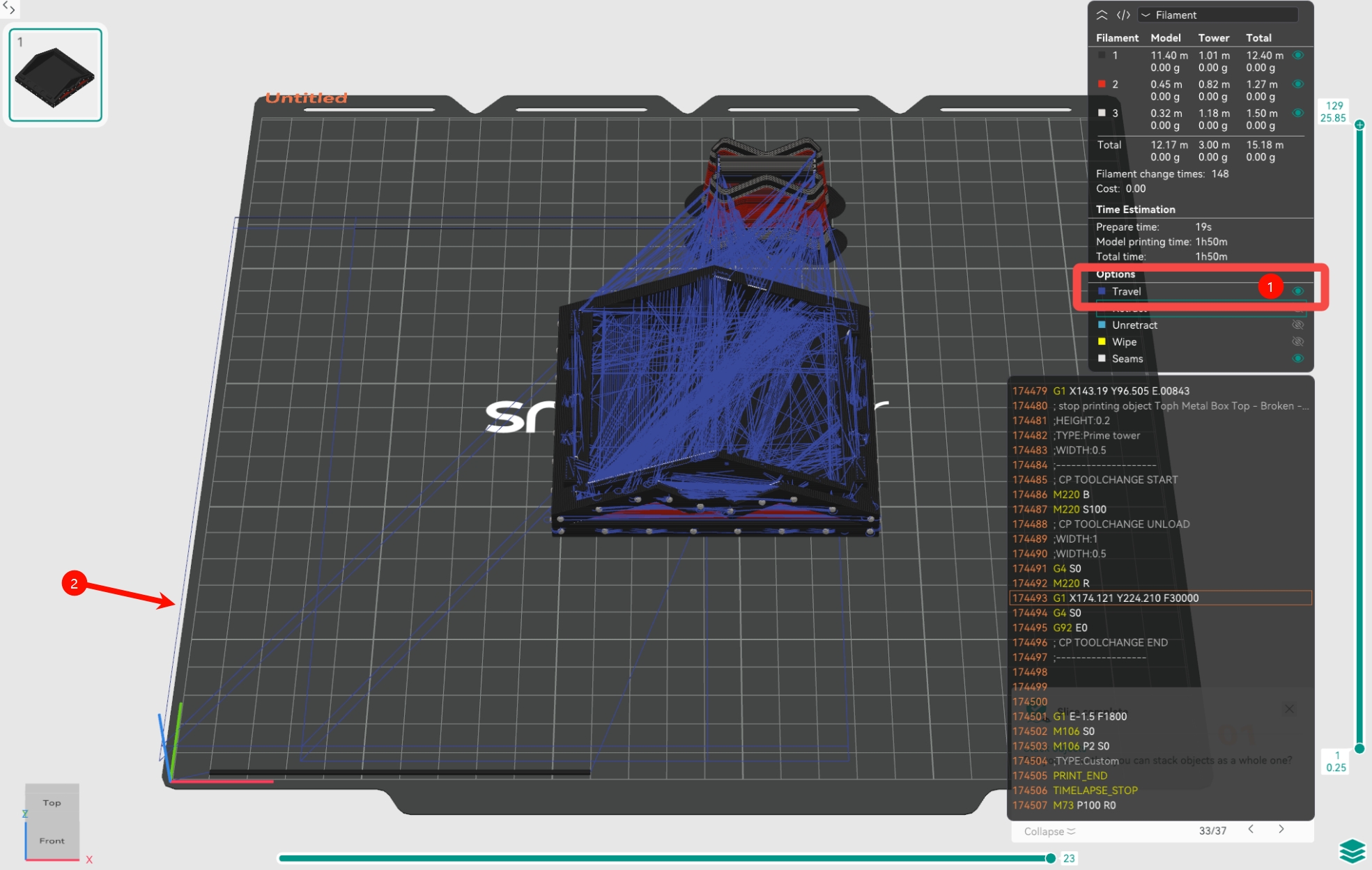
If an out-of-range path is confirmed, try one of the following temporary solutions (the second method is recommended):
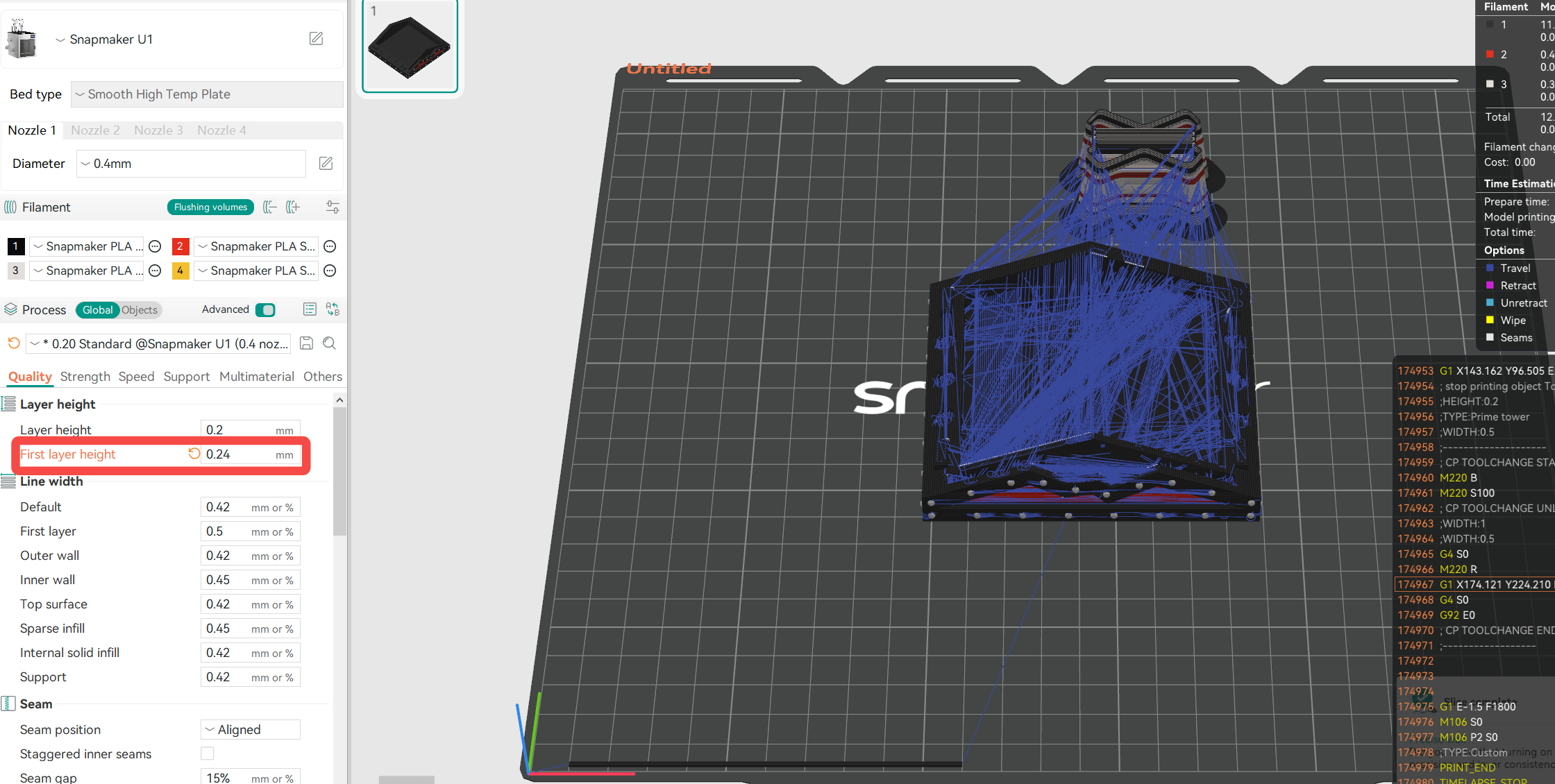
- Method 1: Slightly adjust the first layer height, for example, from 0.25 to 0.24.
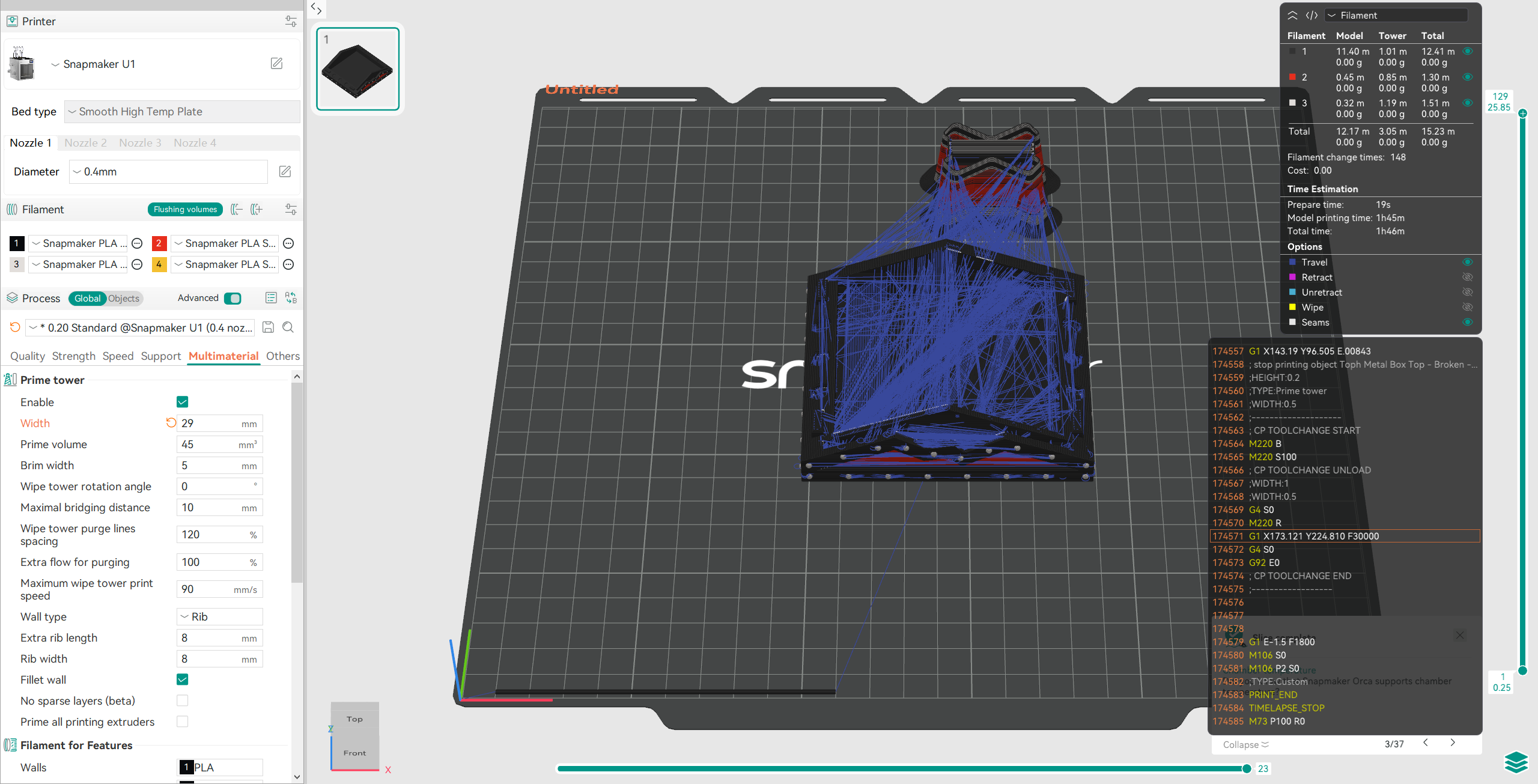
- Method 2: Slightly adjust the Prime Tower width, for example, from 30 to 29.
¶ ✅ Verification
- Re-slice the model and confirm that no paths exceed the heated bed or motion range in the preview.
- Start printing and verify that error codes 0003-0522-0000-0013 or 0003-0522-0001-0013 no longer appear.
¶ 📚 Related Resources
¶ 💬 Reach out to Snapmaker Support
After following the troubleshooting steps, if you find it difficult to resolve your issue, kindly submit a support ticket through https://snapmaker.formcrafts.com/u1-troubleshooting-request and share your troubleshooting results with some pictures/videos.
Our dedicated support team will be more than willing to assist you in resolving the issue.