¶ Compatibility
This article applies to the following model and module. Please take note when referencing:
Model: U1
¶ Issue Description
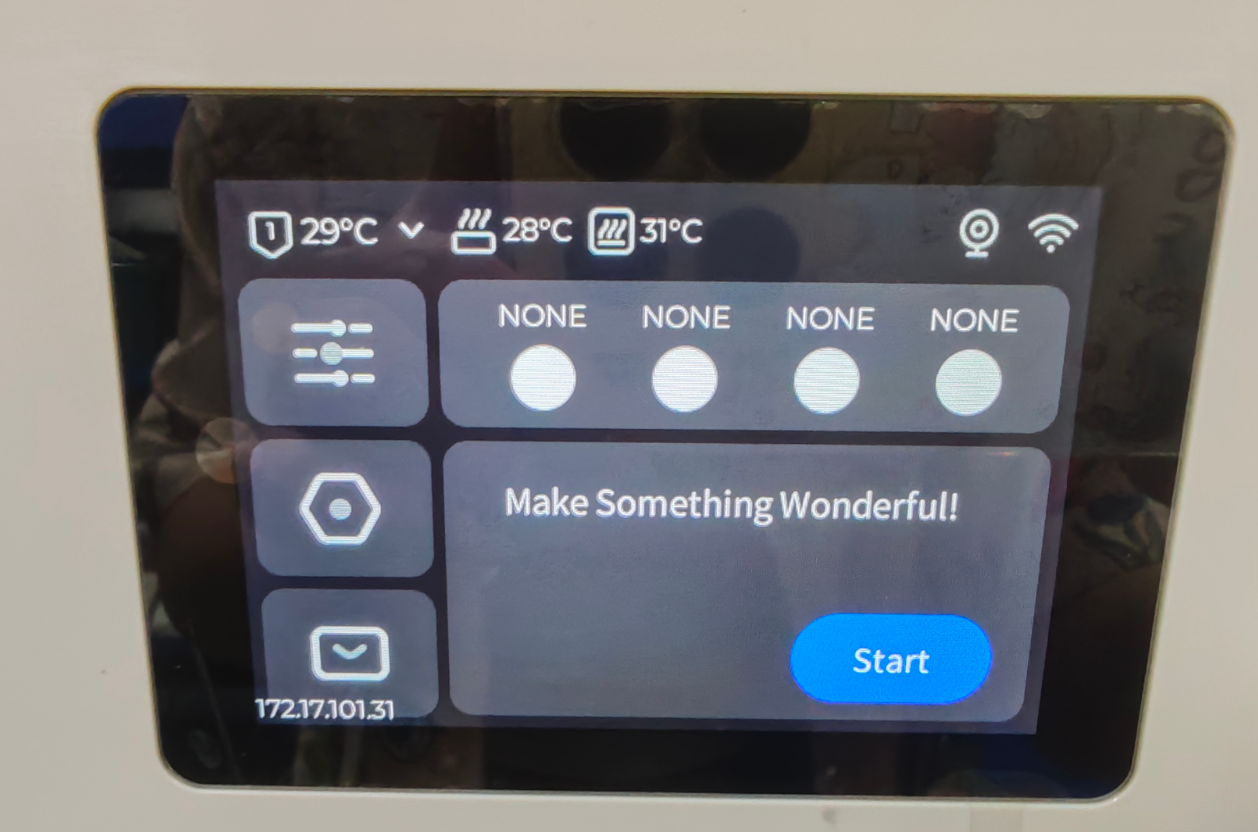
The touchscreen does not respond to taps.
¶ Possible Causes
-
Electrostatic interference
-
System freeze
-
Controller failure
-
Screen failure
¶ Solutions
¶ Basic troubleshooting steps
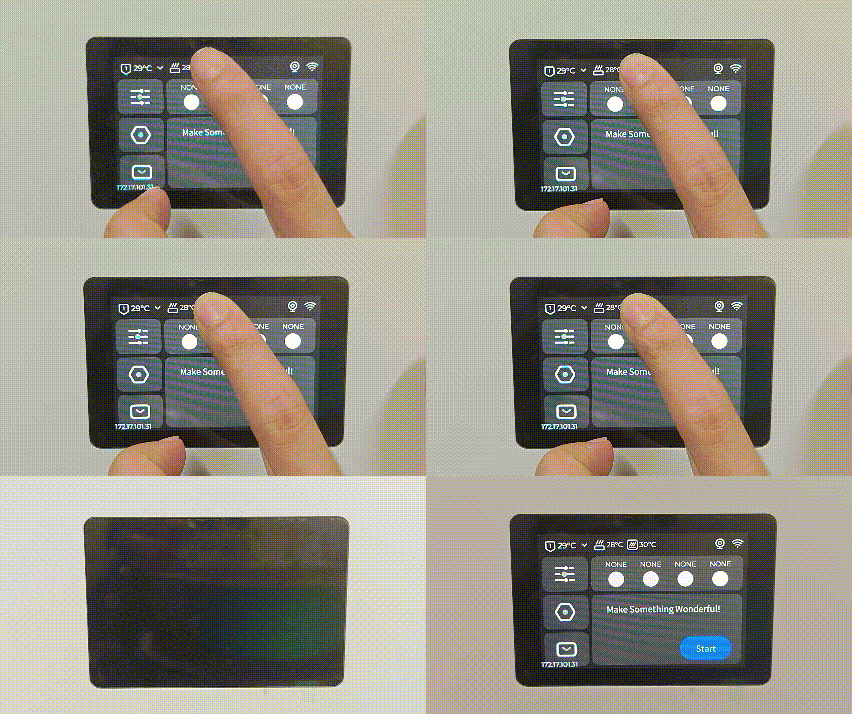
¶ Step 1. Force restart the touchscreen
-
Press and hold the center area at the top of the screen for 5 seconds
-
Check if the system resumes normal operation
¶ Step 2. Check the power connection
Ensure the AC power cable is connected to a properly grounded socket
¶ Step 3. Perform a regular restart
Restart the machine using the power switch
Check if the firmware is up to date and upgrade to the latest version if necessary
¶ Hardware connection check
¶ Step 4. Inspect the FFC cable status
Follow the replacement guide below to locate the touchscreen FFC cable:
U1 touchscreen replacement guide
- Ensure the cable is not loose or misaligned
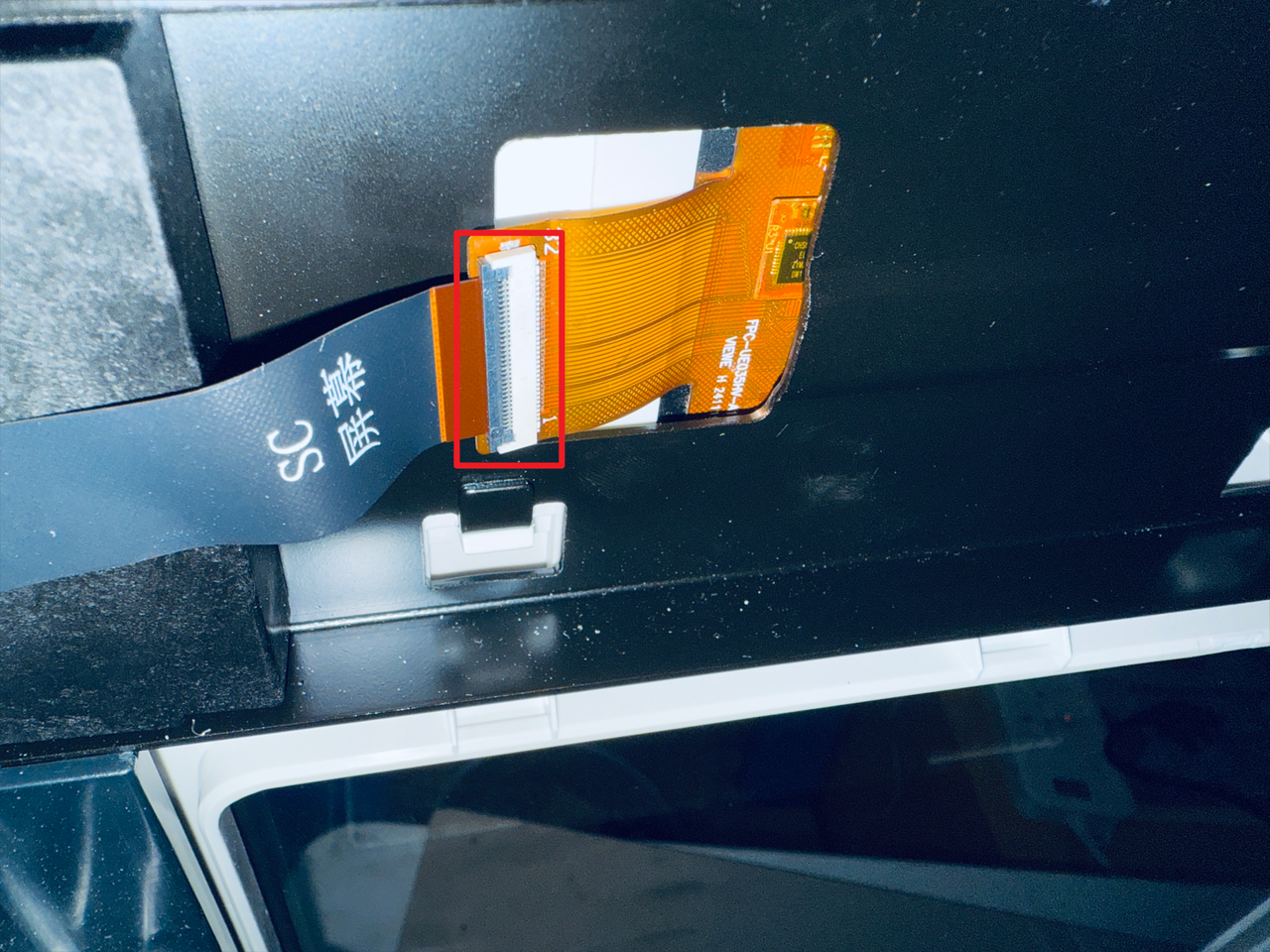
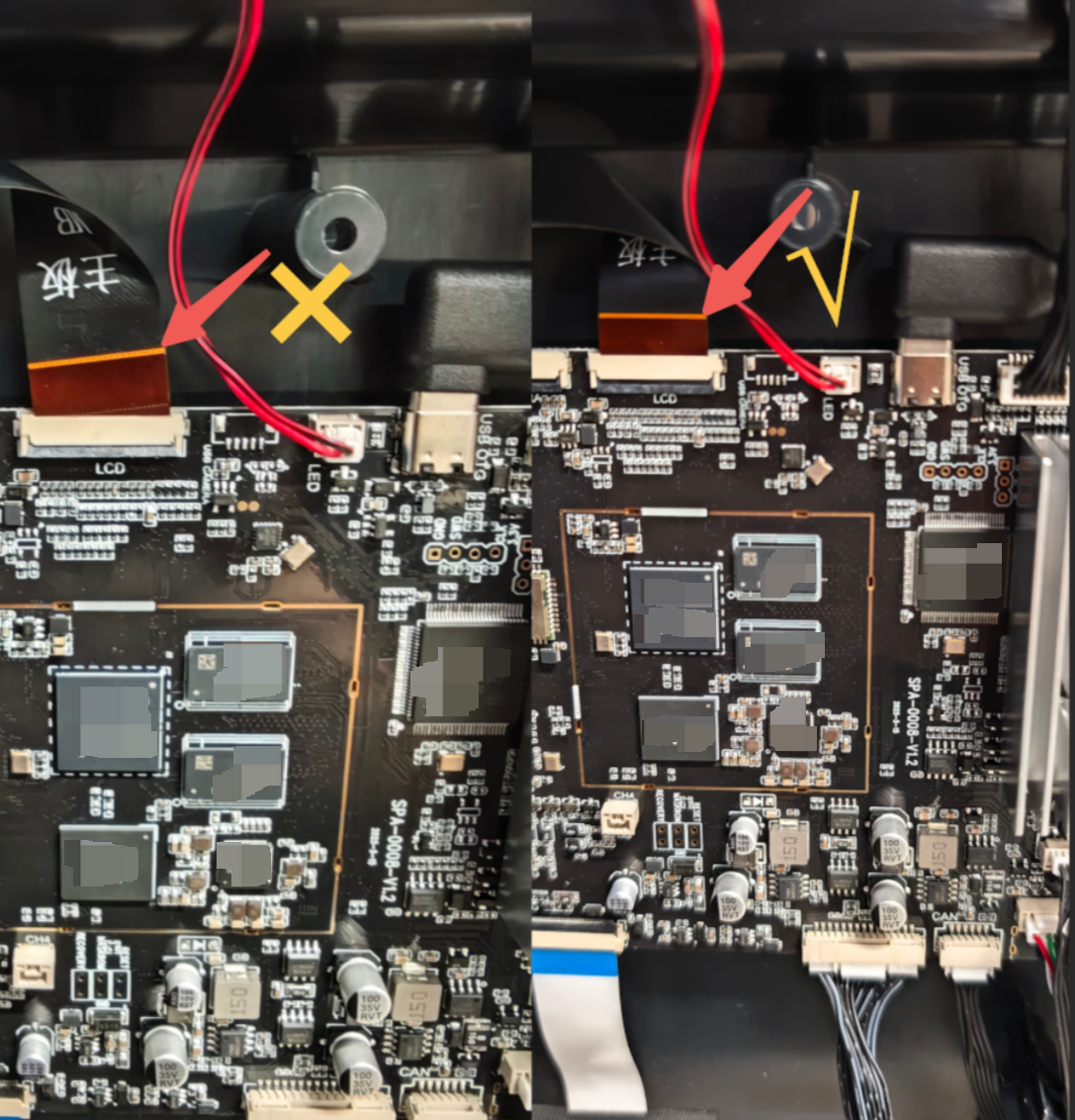
- Reconnect the cable to ensure a secure fit
- Check for any folds or breaks in the cable.
If damage is found: Replace the touchscreen FFC cable

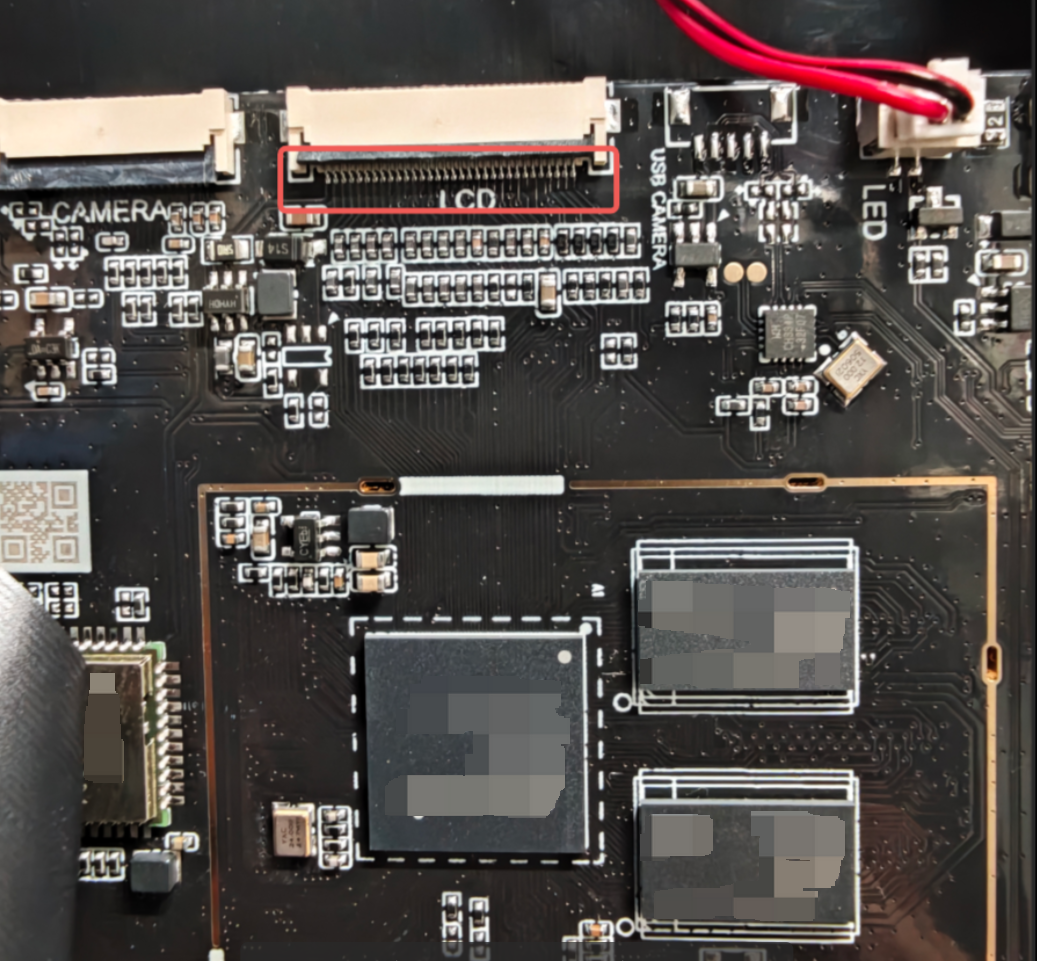
¶ Step 5. Inspect the controller board interface
Check the touchscreen connector on the controller board for:
-
Signs of oxidation
-
Bent or broken pins
If damaged, replace the controller board
The controller board can be viewed by removing the side panel
¶ Step 6. Replace the touchscreen
If no issues are found after checking the first five steps, the problem may be with the touchscreen. Please gather the results from your troubleshooting process and contact Snapmaker support, or follow the U1 touchscreen replacement guide to replace the touchscreen.
¶ Reach out to Snapmaker Support
After following the troubleshooting steps, if you find it difficult to resolve your issue, kindly submit a support ticket through https://snapmaker.formcrafts.com/u1-troubleshooting-request and share your troubleshooting results with some pictures/videos.
Our dedicated support team will be more than willing to assist you in resolving the issue.