¶ 💡 Compatibility
This article applies to the following model and module. Please take note when referencing:
Model: U1
¶ 📝 Problem Description
The screen displays an error: Toolhead Swapping Anomaly, Toolhead 1/2/3/4 detached.
However, the toolheads are actually correctly installed on their brackets and have not fallen off.

¶ 🔎 Possible Causes
Before picking up a toolhead, the machine checks the docking status of each toolhead.
If any toolhead is not detected as docked, a “toolhead detached” error will be triggered.
If all toolheads are correctly installed on the brackets, this indicates an abnormal docking detection signal.
¶ 🛠️ Troubleshooting Steps
¶ 1. Docking Detection Principle
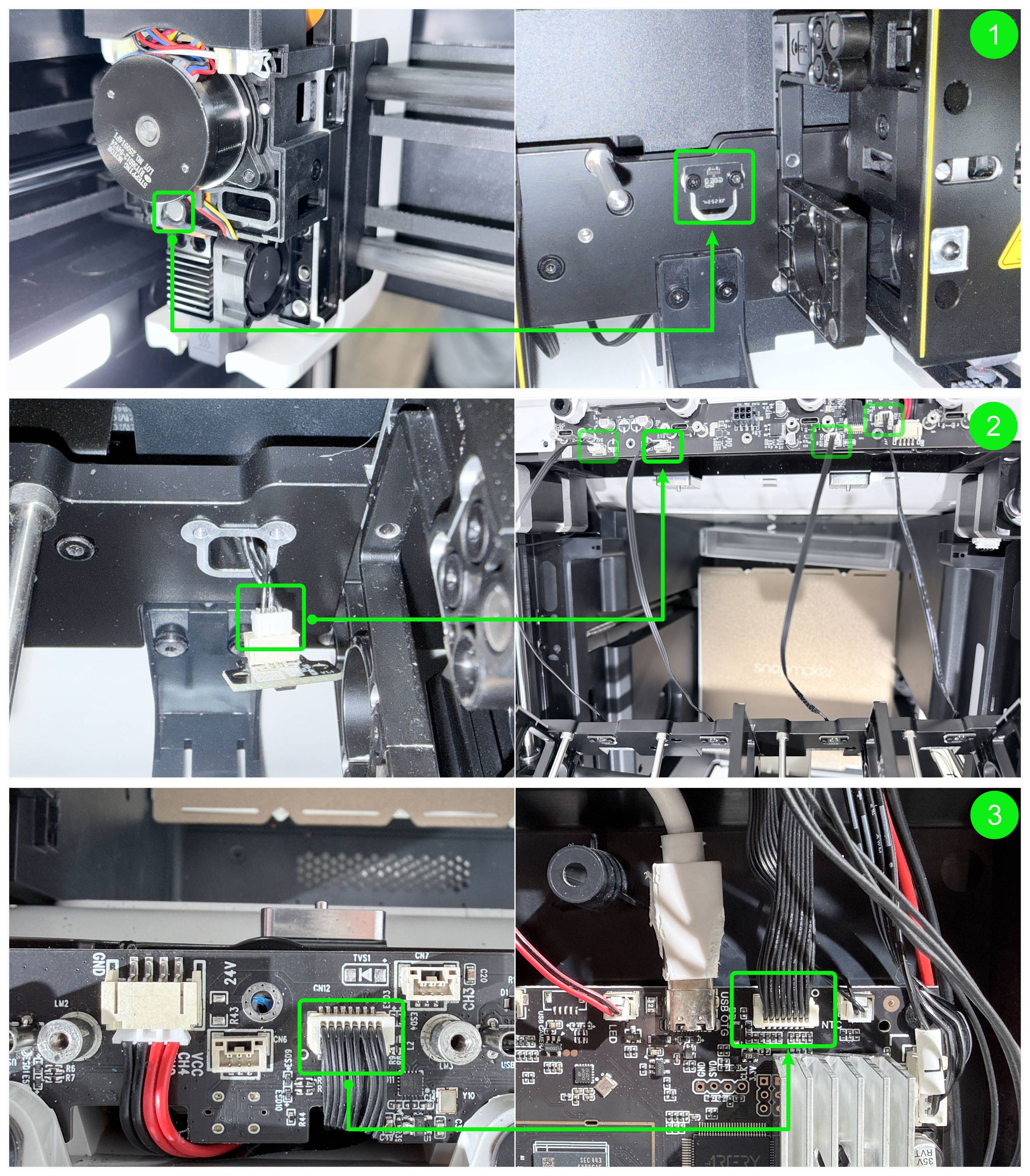
Each toolhead parking bracket is equipped with a Docking Hall Sensor Board.
When a toolhead is correctly docked, the internal magnet approaches the Docking Hall Sensor Board and generates an electrical signal.
This signal is first transmitted from the Docking Hall Sensor Board to the HUB board, and then from the HUB board to the Main Control Board.
After receiving this signal, the Main Control Board determines that the toolhead is properly docked.
¶ 2. Check the 16-Pin Cable
1. Refer to U1 Video Guide: How to Remove the Side Panels to remove the top panel and right side panel of the machine.
Clean any residual adhesive at the 16-pin connector, disconnect the 16-pin cable, and check whether any pins inside the connector are bent.
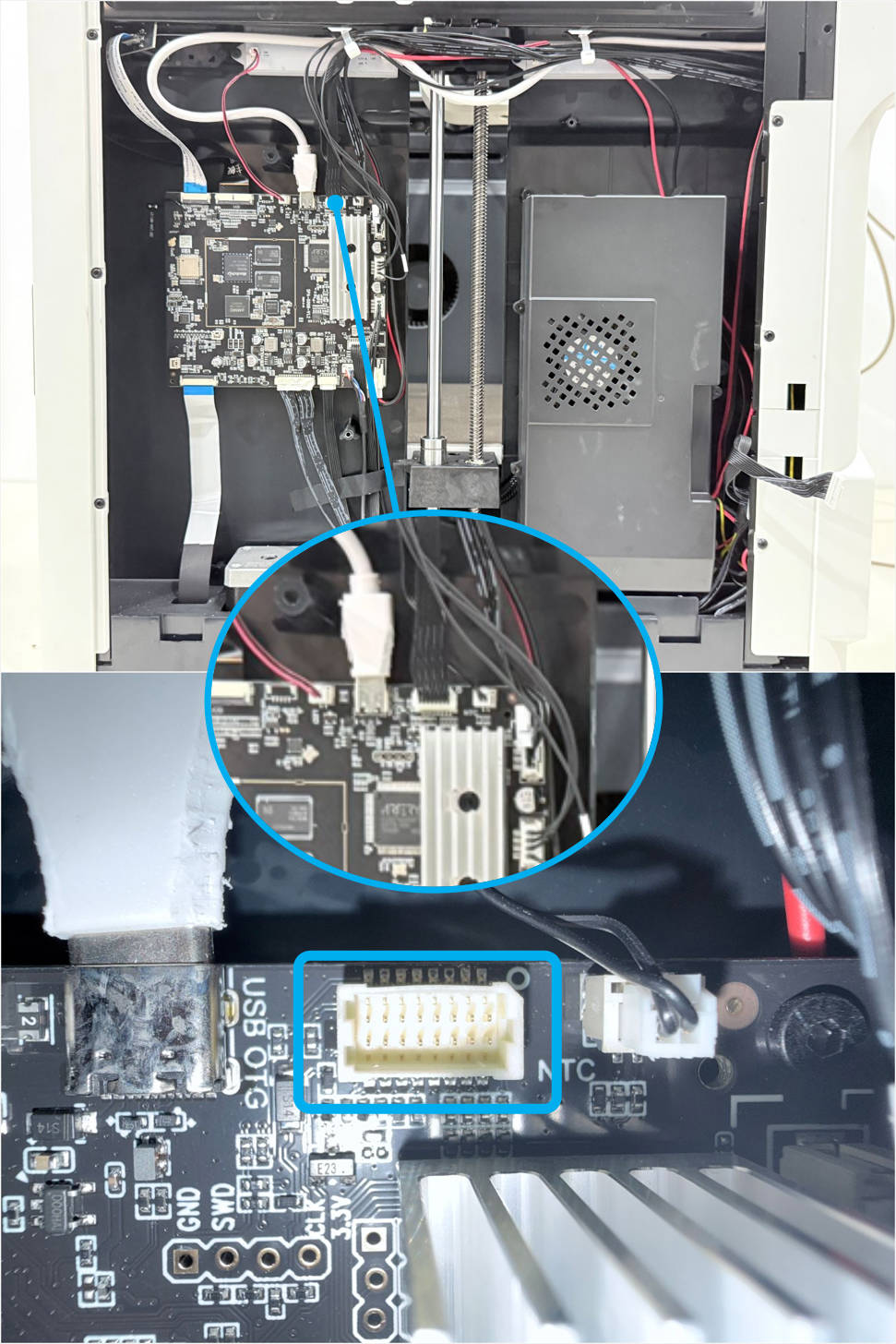
2. Reconnect both ends of the 16-pin cable. When disconnecting or reconnecting the end connected to the main control board, be sure to support the inner panel.
Then, plug the toolhead USB cable back into the corresponding port on the HUB board, power on the machine, and check whether the error has disappeared.

¶ 3. Check the Docking Hall Sensor Board
Refer to the Docking Hall Sensor Board Replacement Guide.
Swap the Docking Hall Sensor Board at the error position with another position.
Then, reconnect the toolhead USB cable to the corresponding port on the HUB board, power on the machine, and check whether the error position changes.
¶ 💬 Contact Support
After following the troubleshooting steps, if you find it difficult to resolve your issue, kindly submit a support ticket through https://snapmaker.formcrafts.com/u1-troubleshooting-request and share your troubleshooting results with some pictures/videos.
Our dedicated support team will be more than willing to assist you in resolving the issue.