¶ 💡 Compatibility
This document applies to the following devices and software. Please note when referring to it:
Device model: U1
¶ 📝 Issue Description
The hotend cooling fan produces abnormal noise during operation, similar to a whistling sound.
¶ 🔎 Possible Causes
-
Fan wiring interference causing the fan blades to collide.
-
The fan is not securely mounted.
-
Fan hardware failure.
¶ 🛠️ Troubleshooting Steps
¶ 1. Eliminate interference from other fans
Turn off the Part Cooling Fan and the auxiliary part cooling fan to confirm the source of the abnormal noise.
¶ 2. Check the fan noise
Heat the toolhead that produces the abnormal noise and observe whether the noise occurs when the fan starts rotating.
¶ 3. Manual fixing test
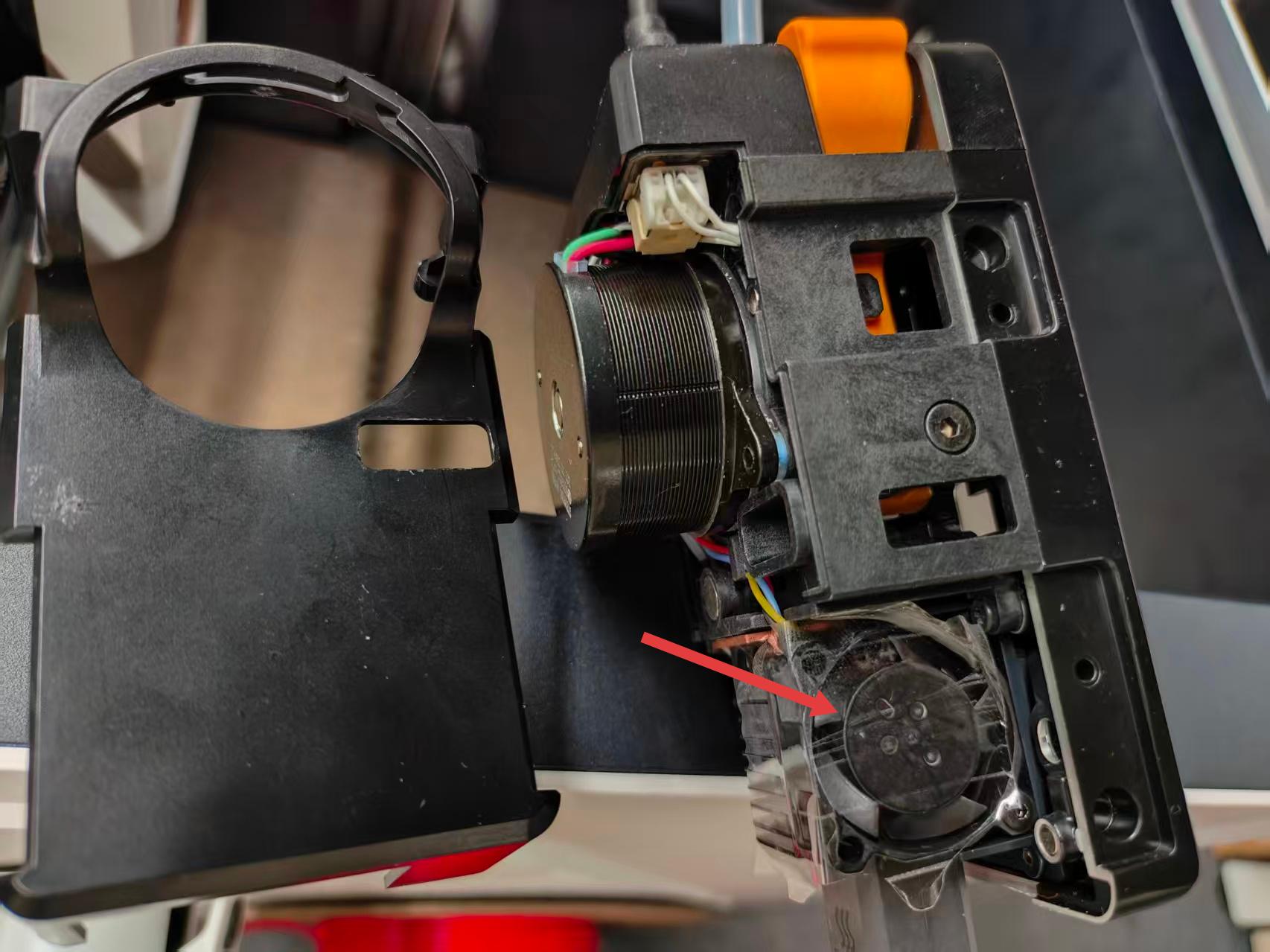
- Stop heating and use tape to secure the hotend cooling fan blades to prevent them from rotating.
-
Start heating again and check whether the abnormal noise disappears.
-
If the noise disappears, the issue is confirmed to be with the hotend cooling fan.
¶ 4. Check fan installation
-
Remove the toolhead rear cover and check whether the fan blades are rubbing against wiring or whether the fan is securely fixed.
-
If there is wiring interference, eliminate the interference; if the fan is not firmly fixed, try tightening the screws of the fan mount and the fan.
¶ 5. Record troubleshooting results
If abnormal noise persists after inspection, please record the troubleshooting results and contact Snapmaker support.
¶ ✅ Solution
Based on the troubleshooting results, if the fan or fan mount is confirmed to be faulty, please contact after-sales support to replace the hotend cooling fan or the fan mount.
¶ 💬 Contact Support
After following the troubleshooting steps, if you find it difficult to resolve your issue, kindly submit a support ticket through https://snapmaker.formcrafts.com/u1-troubleshooting-request and share your troubleshooting results with some pictures/videos.
Our dedicated support team will be more than willing to assist you in resolving the issue.