¶ 💡 Compatibility
This guide applies to the following machine. Please note when referencing:
- Machine model: U1
¶ ⏰ When to Use This Guide
If any of the following issues occur when printing with U1, refer to this guide for troubleshooting:
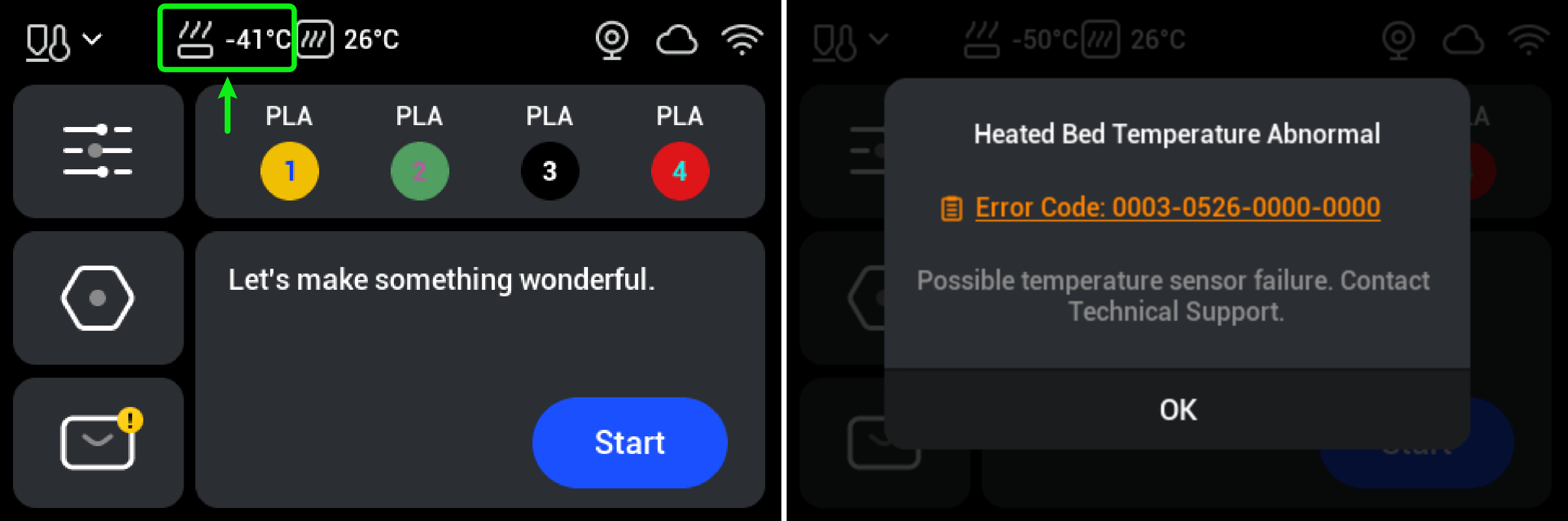
- The bed temperature exceeds the normal temperature range (-10°C to 110°C).
- An error message pops up on the screen, indicating an abnormal bed temperature.
¶ 📋 Quick Info Card
- Difficulty: ⭐⭐⭐☆☆ (Medium)
- Estimated Time: 20 minutes
- Tools Required: H2.0 hex key, tweezers, multimeter
¶ 🔍 Quick Diagnosis
- Incorrect machine operating temperature → Proceed to Step 1
- Loose heated bed control wire → Proceed to Step 2
- Heated bed NTC damaged → Proceed to Step 3
¶ 🛠️ Troubleshooting Steps
¶ Step 1: Check Ambient Temperature
Ensure that the printer is operating within the normal temperature range defined by the firmware (-10°C to 110°C). Exceeding this range may trigger an over-limit warning.
¶ Step 2: Check the Heated Bed Control Wire
- Turn off the printer and disconnect the power supply.
- Refer to the U1 Video Guide: How to Remove the Side Panels and remove the right panel.
- Use a H2.0 hex key to unscrew the 4 securing screws of the power cover. Then remove the power cover.
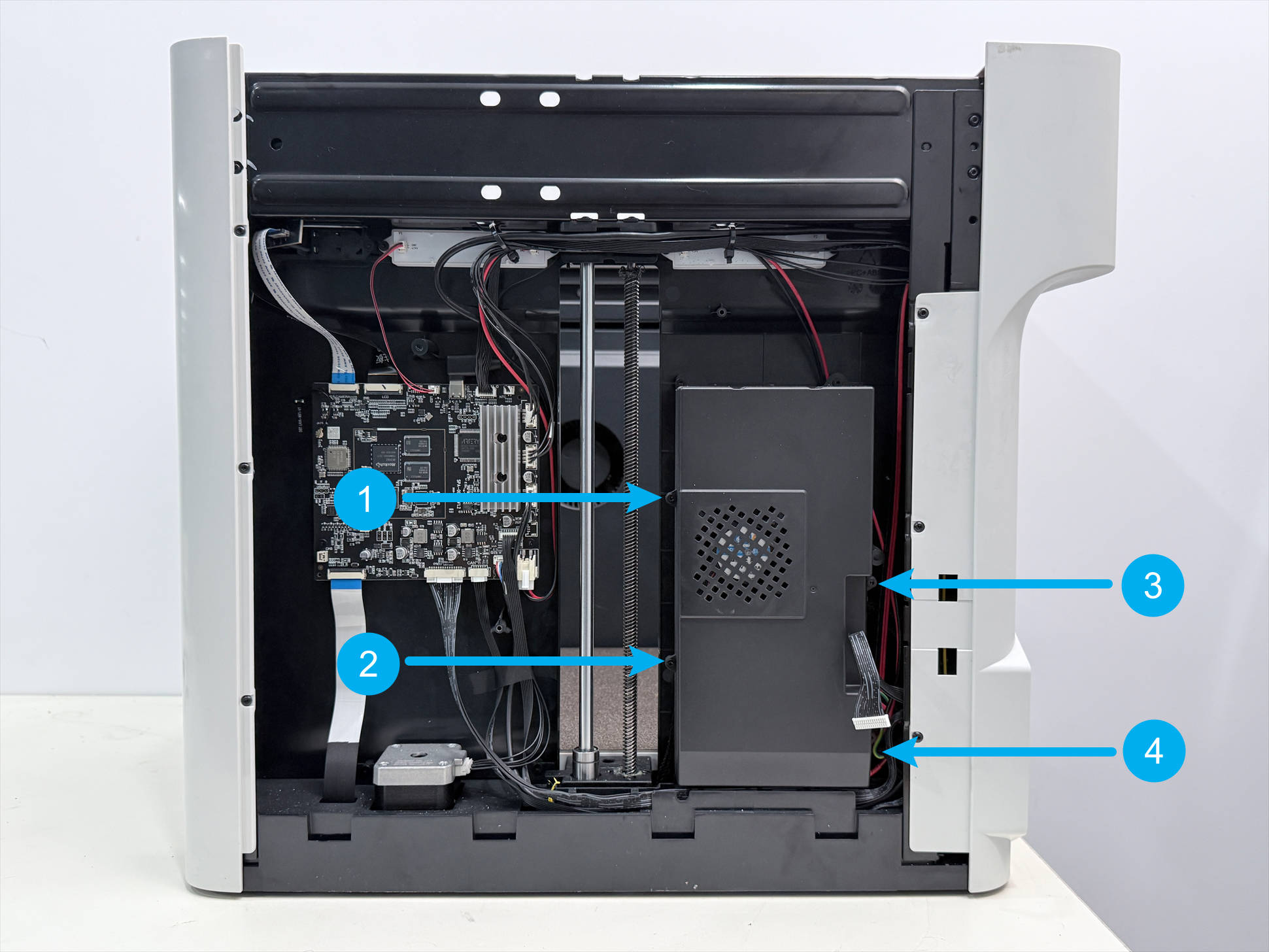
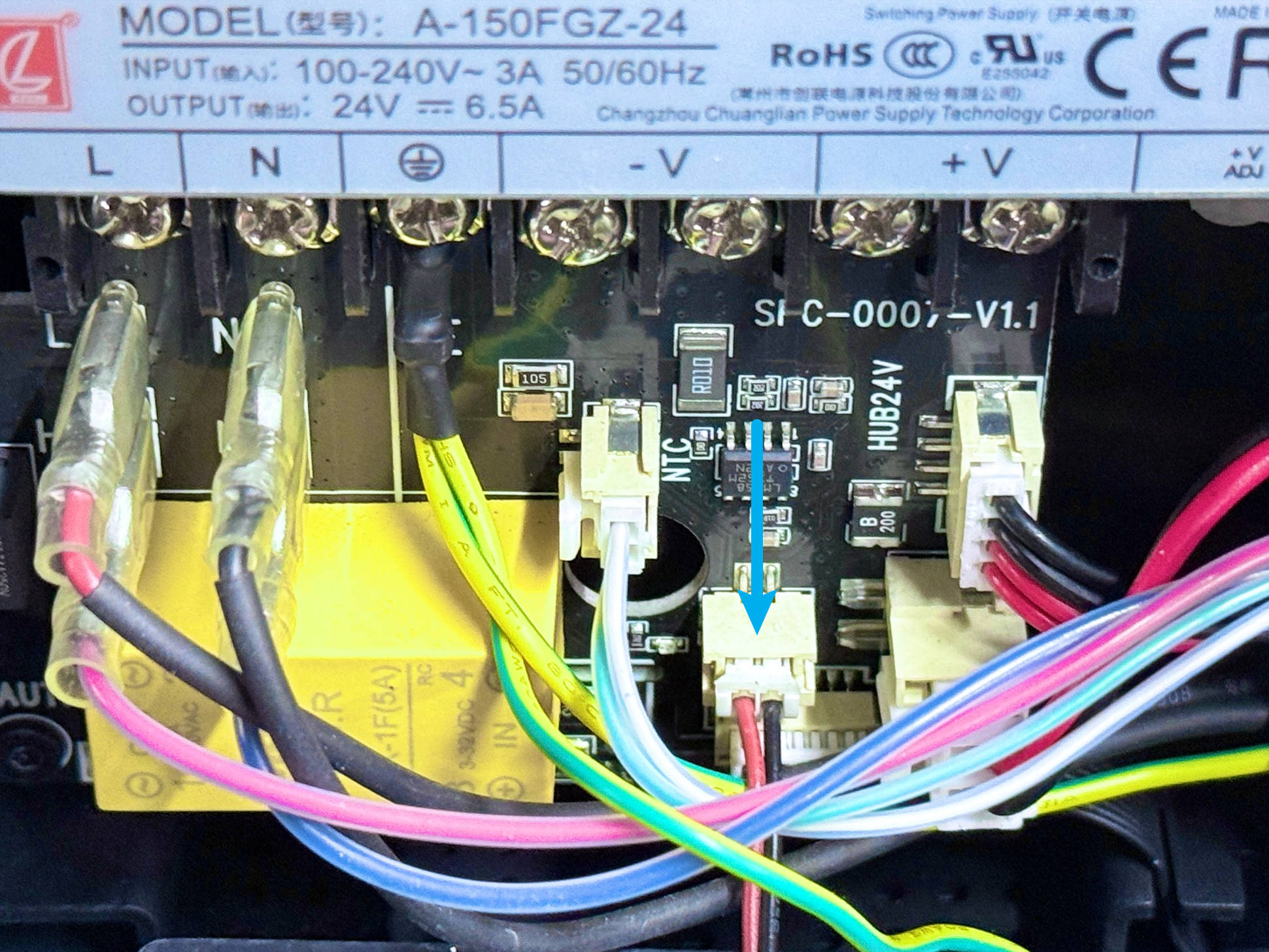
- Disconnect the power supply cooling fan wire.
- Locate both ends of the heated bed control wire, unplug them, and then plug them back in securely, ensuring that the terminals are fully inserted.
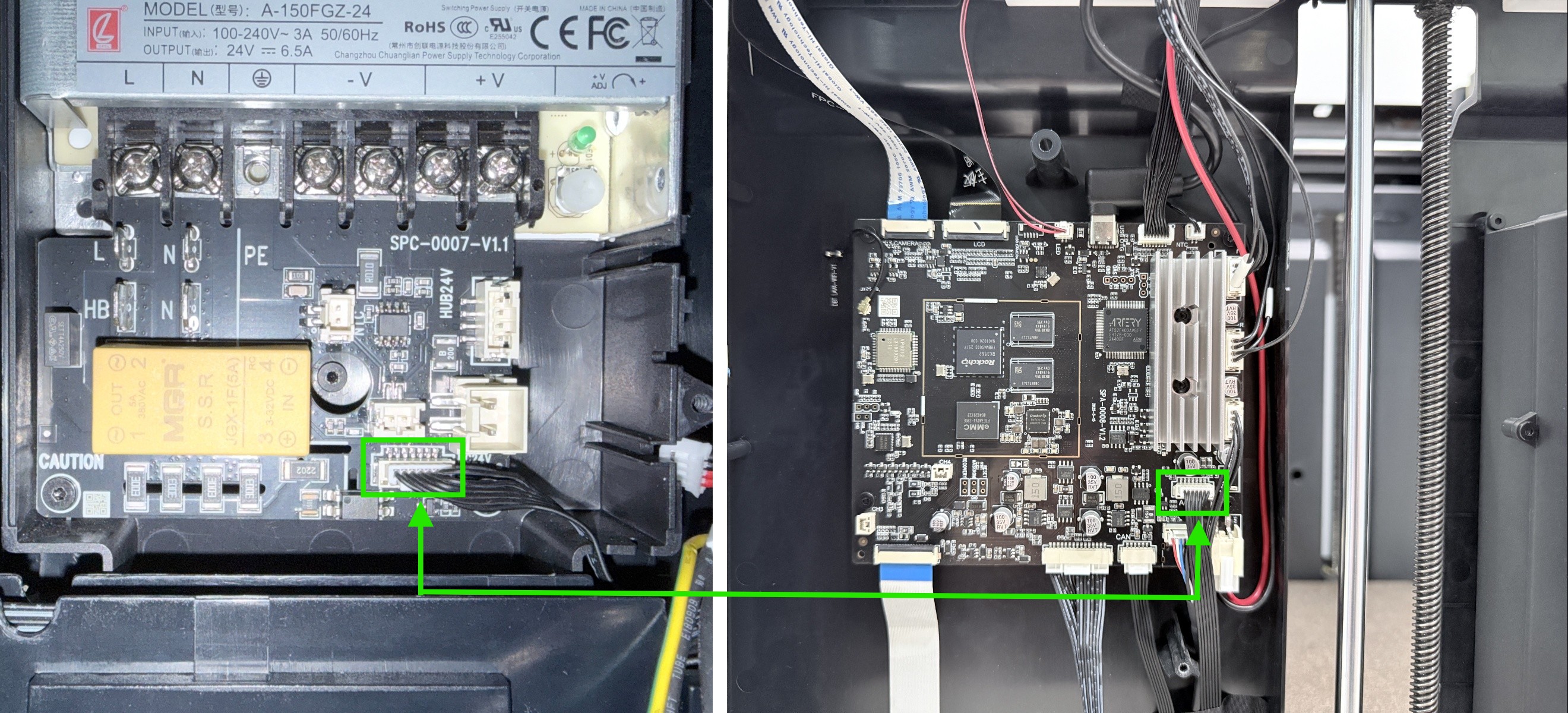
If there is any residual adhesive on the terminals or plugs, carefully clean it off with tweezers.
-
Leave the machine casing unassembled, and reconnect all the toolhead cables.
-
Reconnect the power and start the printer, then check if the heated bed temperature has returned to normal.
- If the temperature returns to normal, the issue has been resolved. Please refer to the video tutorial to reinstall the right panel.
- If the error message still appears, please continue troubleshooting.
¶ Step 3: Check the Heated Bed NTC
-
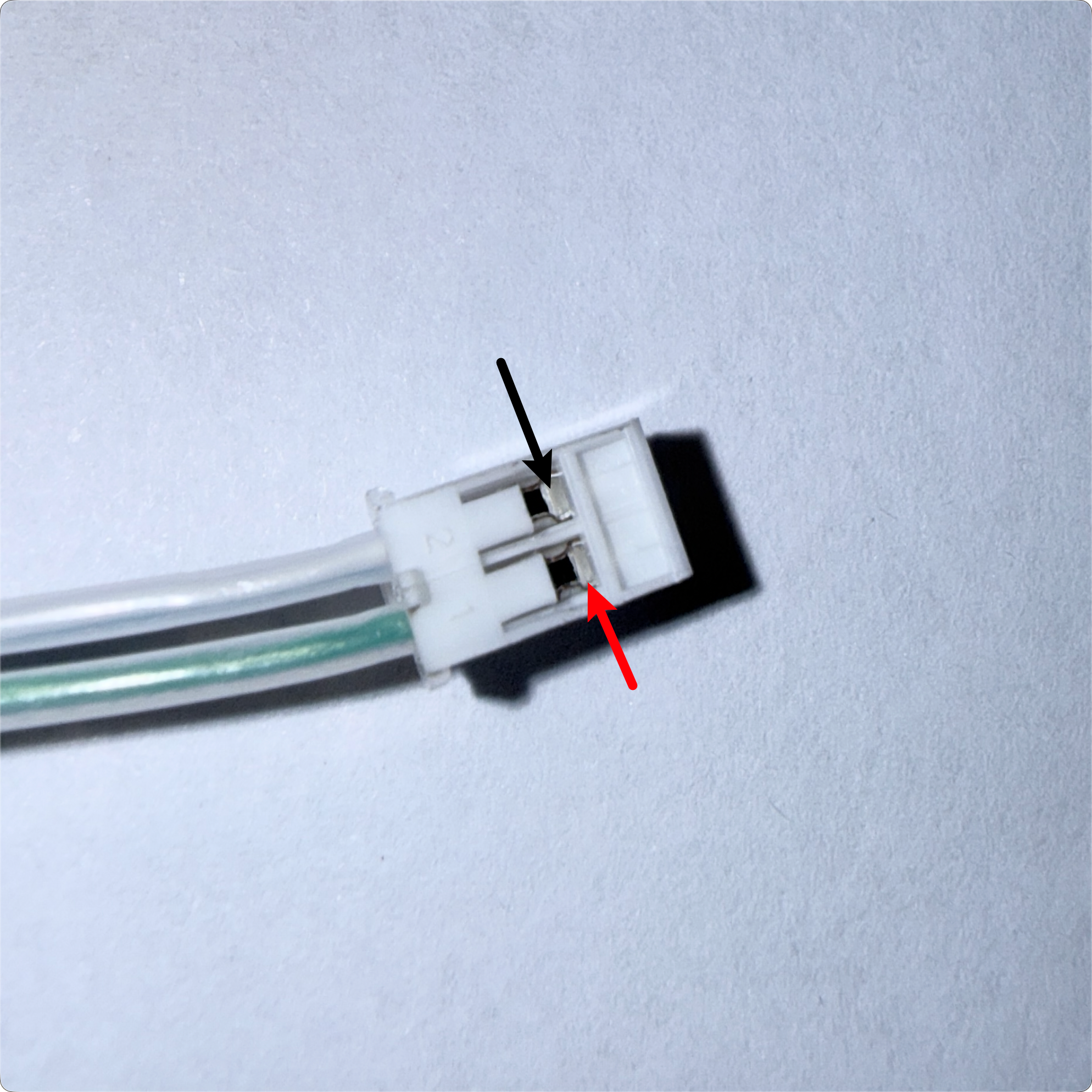
Gently pull on the heated bed NTC terminal. If the situation in the video occurs, it indicates that the wiring was damaged when the terminal was pressed. Please contact Snapmaker support to replace the heated bed assembly.
- If there is no obvious damage to the NTC, use a multimeter in ohm mode to measure the resistance across the NTC terminals (reference value: 80-120 kΩ at 25°C), and send the measurement results to Snapmaker support.
¶ ✅ Verification
After restarting the machine, observe the heated bed temperature reading on the screen.
- If the heated bed temperature returns to the normal range, the issue is resolved.
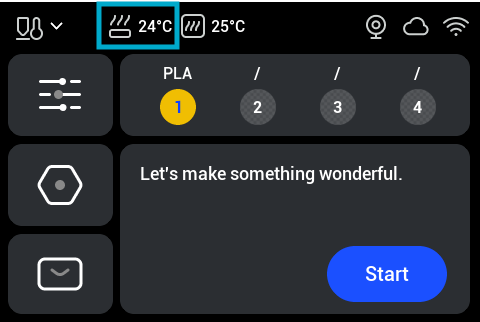
- If the error message for abnormal heated bed temperature appears again, please contact Snapmaker support.
¶ 📚 Related Resources
¶ 💬 Reach out to Snapmaker Support
After following the troubleshooting steps, if you find it difficult to resolve your issue, kindly submit a support ticket through https://snapmaker.formcrafts.com/u1-troubleshooting-request and share your troubleshooting results with pictures or videos. Our dedicated support team will be more than willing to assist you in resolving the issue.