¶ 💡 Compatibility
This article applies to the following machine. Please note when referencing:
- Machine Model: U1
¶ 📝 Issue Description
If you encounter the following axis movement anomaly when the machine is preparing to print, refer to this guide for troubleshooting:
| Error Code | Error Message |
|---|---|
| 0003-0522-0000-0012 | Tap Home first, then move the X axis. |
| 0003-0522-0001-0012 | Tap Home first, then move the Y axis. |
| 0003-0522-0002-0012 | Tap Home first, then move the Z axis. |
¶ 🔎 Possible Cause
The printer model was not set to U1 in the slicing software, causing the generated G-code to lack the homing command required by U1, triggering this anomaly.
¶ ✅ Solution
¶ 1. Re-slice the Model
(1) Use Snapmaker Orca to re-add the model file.
External model files may be preset to a different printer model.
So make sure to manually switch the printer model to U1 after adding the model.
(2) After adding the model, locate Prepare > Printer in the software.
(3) Click the printer model and select Snapmaker U1 from the drop-down menu.
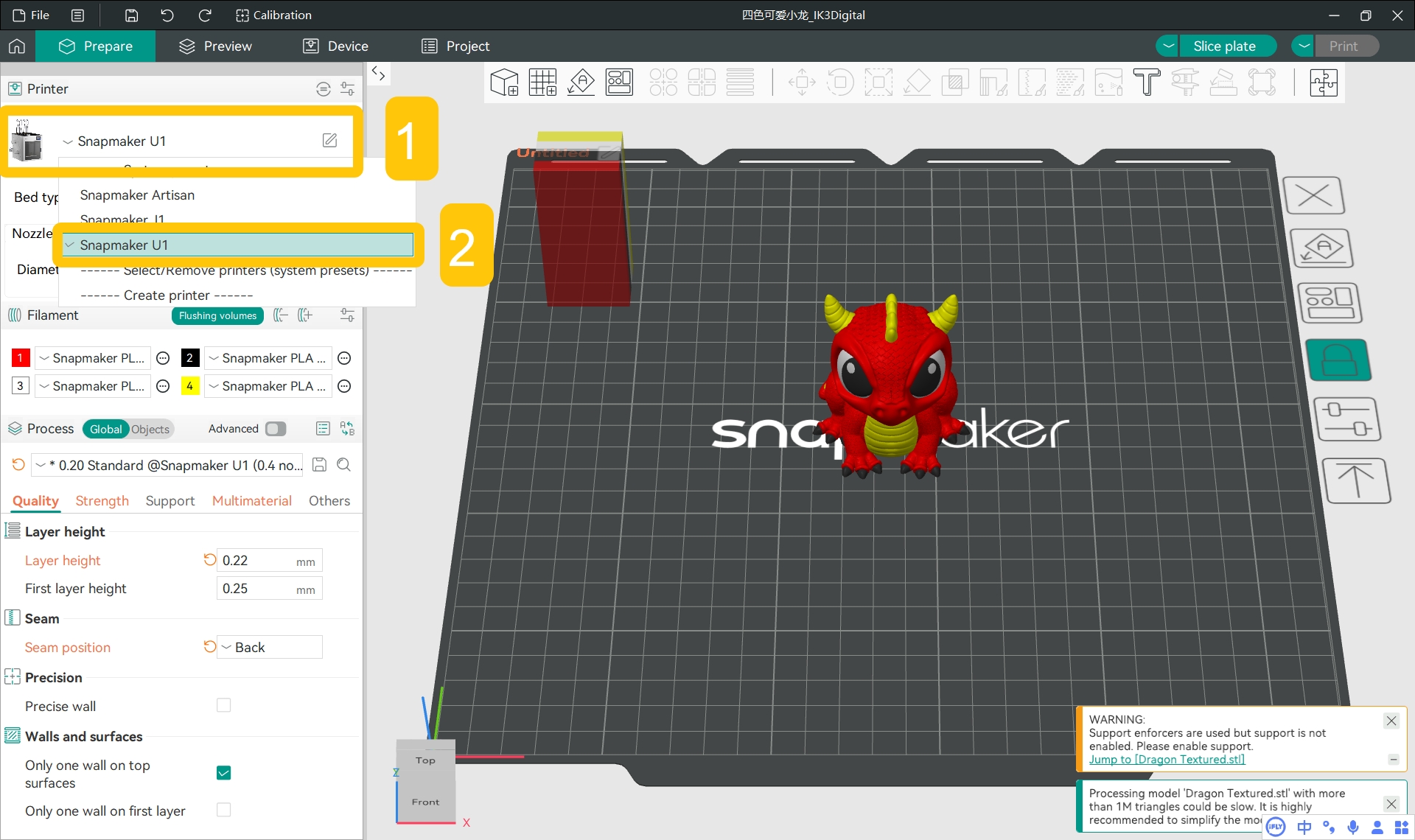
(4) After completing your parameter settings, re-slice the model.
¶ 2. Send and Print
Send the newly sliced G-code file to your U1, and try printing again to see if the problem is resolved.
- If the problem persists, please contact Snapmaker Support for further assistance.
¶ 💬 Reach out to Snapmaker Support
After following the troubleshooting steps, if you find it difficult to resolve your issue, kindly submit a support ticket through https://snapmaker.formcrafts.com/u1-troubleshooting-request and share your troubleshooting results with pictures or videos. Our dedicated support team will be more than willing to assist you in resolving the issue.