For rigid filaments such as PLA and PETG, the default mode Auto Loading is recommended.
For flexible filaments such as TPU, please follow the instructions for Manual Loading.
- Trim the end of the filament at an approximately 45° angle with diagonal cutters.
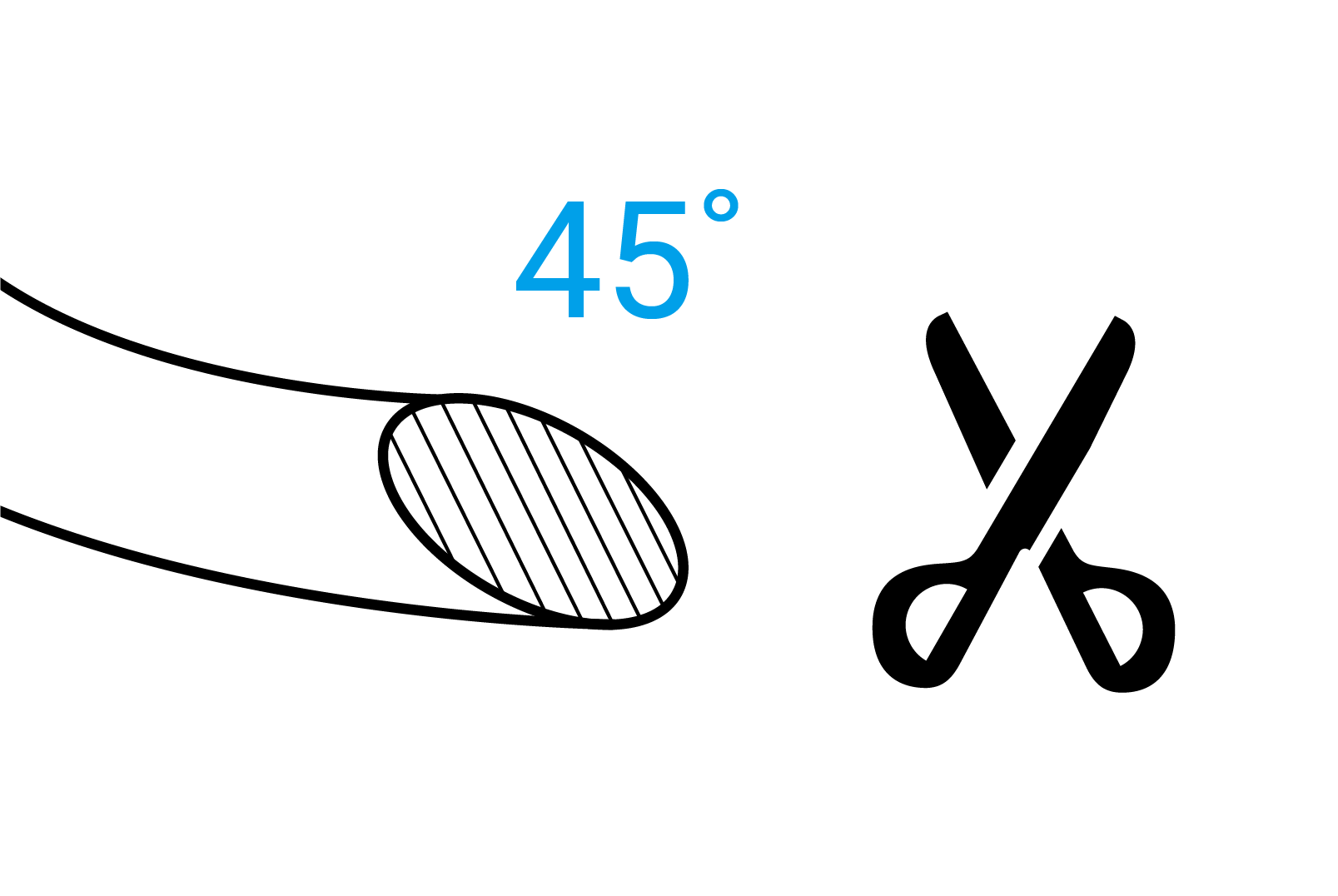
This reduces feeding resistance, thus enhancing the success rate.
-
Mount the filament spool on the spool holder. Make sure the filament can be pulled tangentially from the bottom of the spool.
-
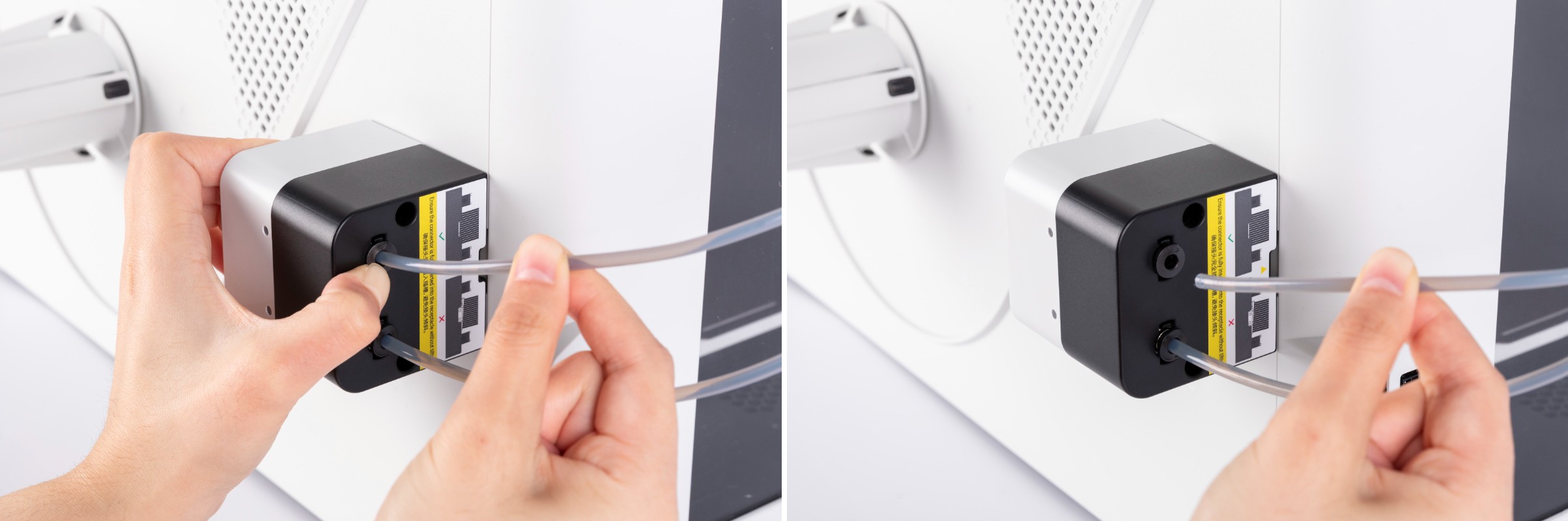
Press the circular latch at the end of the corresponding feeder. Unplug the tube connected to the target toolhead.
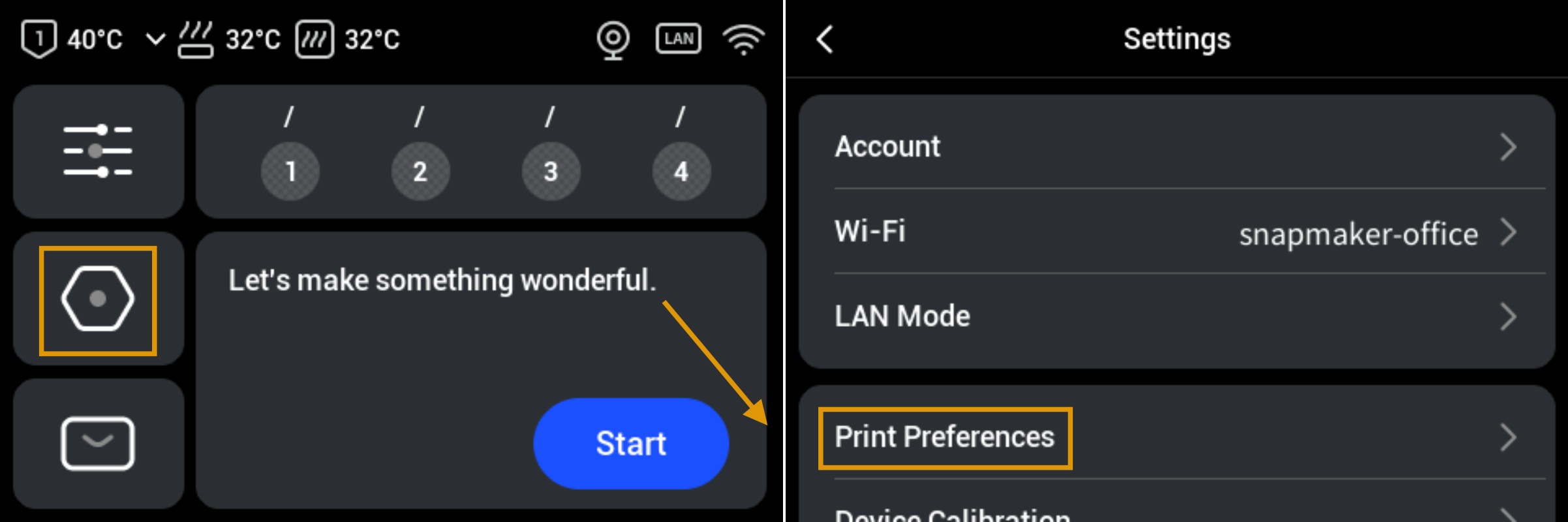
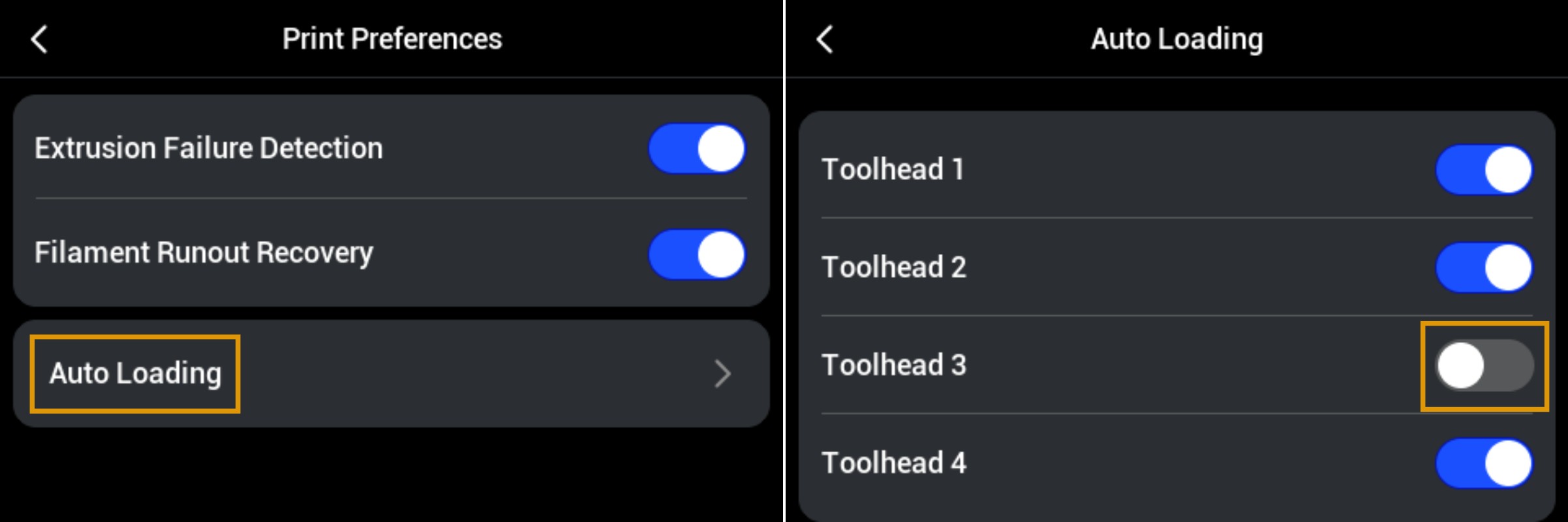
- Before manual loading, Auto Loading mode should be disabled. On the touchscreen main interface, navigate to Settings >
Print Preferences>Auto Loading, and disable this function for the corresponding toolhead.
- Return to the main interface and navigate to the Filament page. Tap
Loading Mode>Filament Loading Guide>Switch to Manual Loading. Select the target toolhead and tapManual Loading. The printer will extract the selected toolhead.
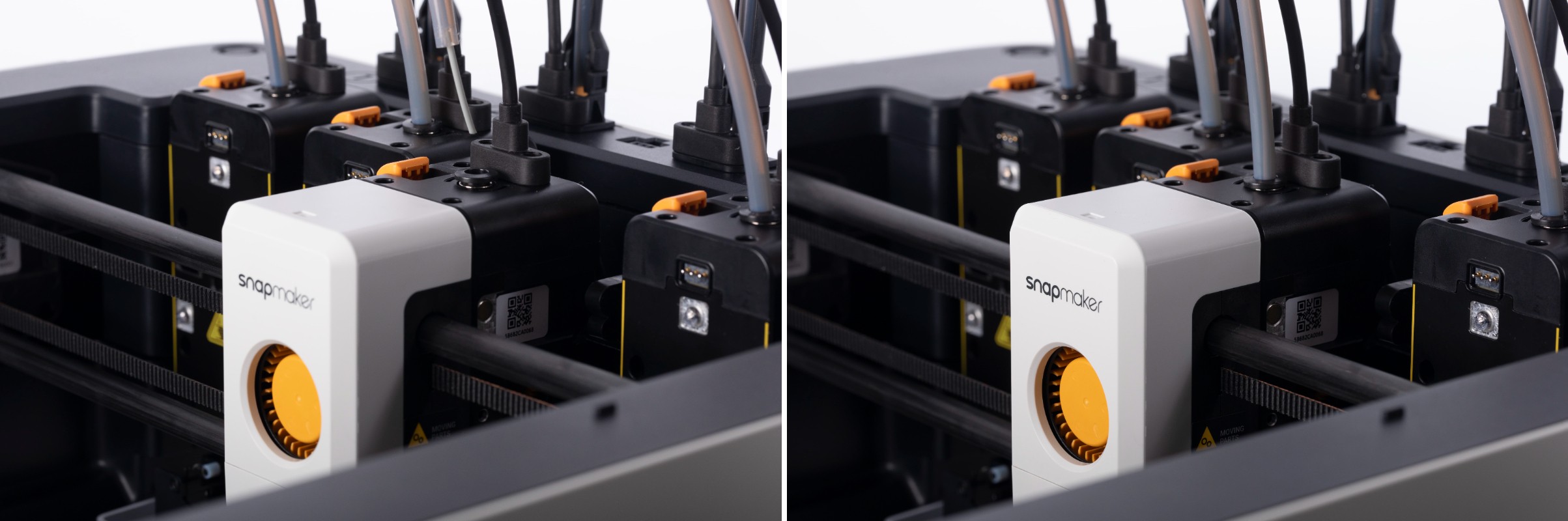
- Follow the on-screen instructions to manually feed the filament through the tube into the toolhead. It is recommended to unplug the tube from the top of the toolhead, expose part of filament, and push it downward manually to ensure proper contact with the extrusion gears.
- Tap
Next. The printer will heat the nozzle to the target temperature and automatically extrude filament.
- If filament is successfully extruded, tap
Extruded>Done.
If not, re-insert the filament into the toolhead, tapRetry Extrusion, and continue observing.
- After the nozzle is automatically cleaned, tap
Done.
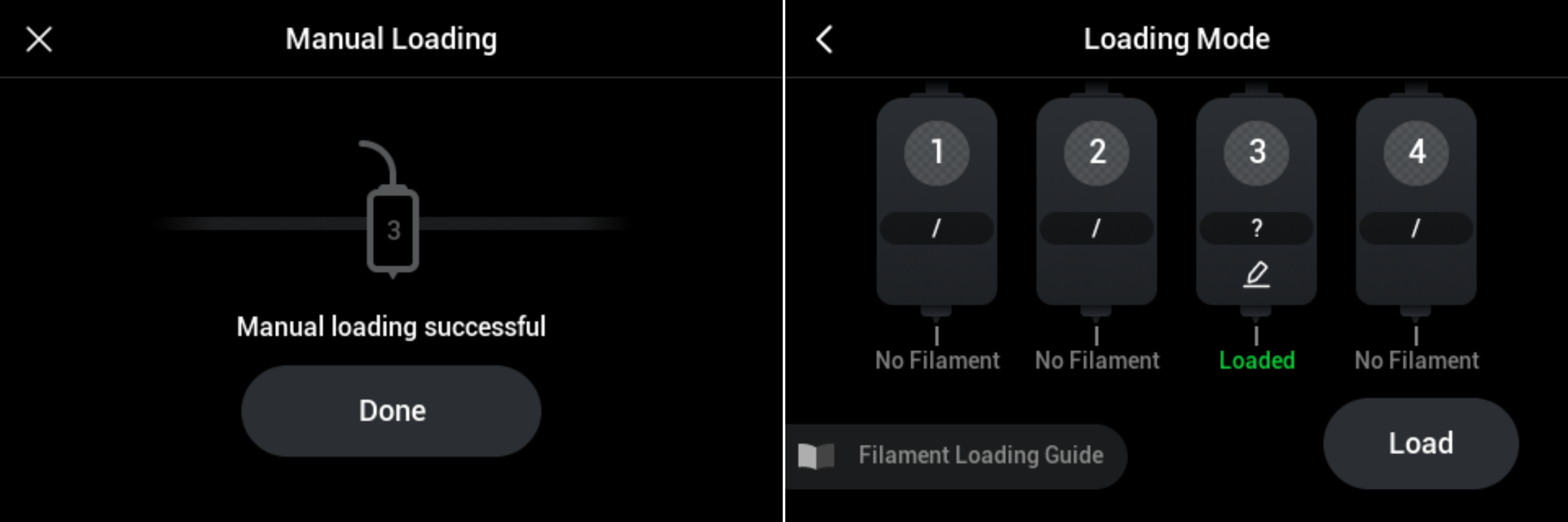
The filament status is now updated to Loaded.
- After successful loading, reinsert the tube into the top of the toolhead.
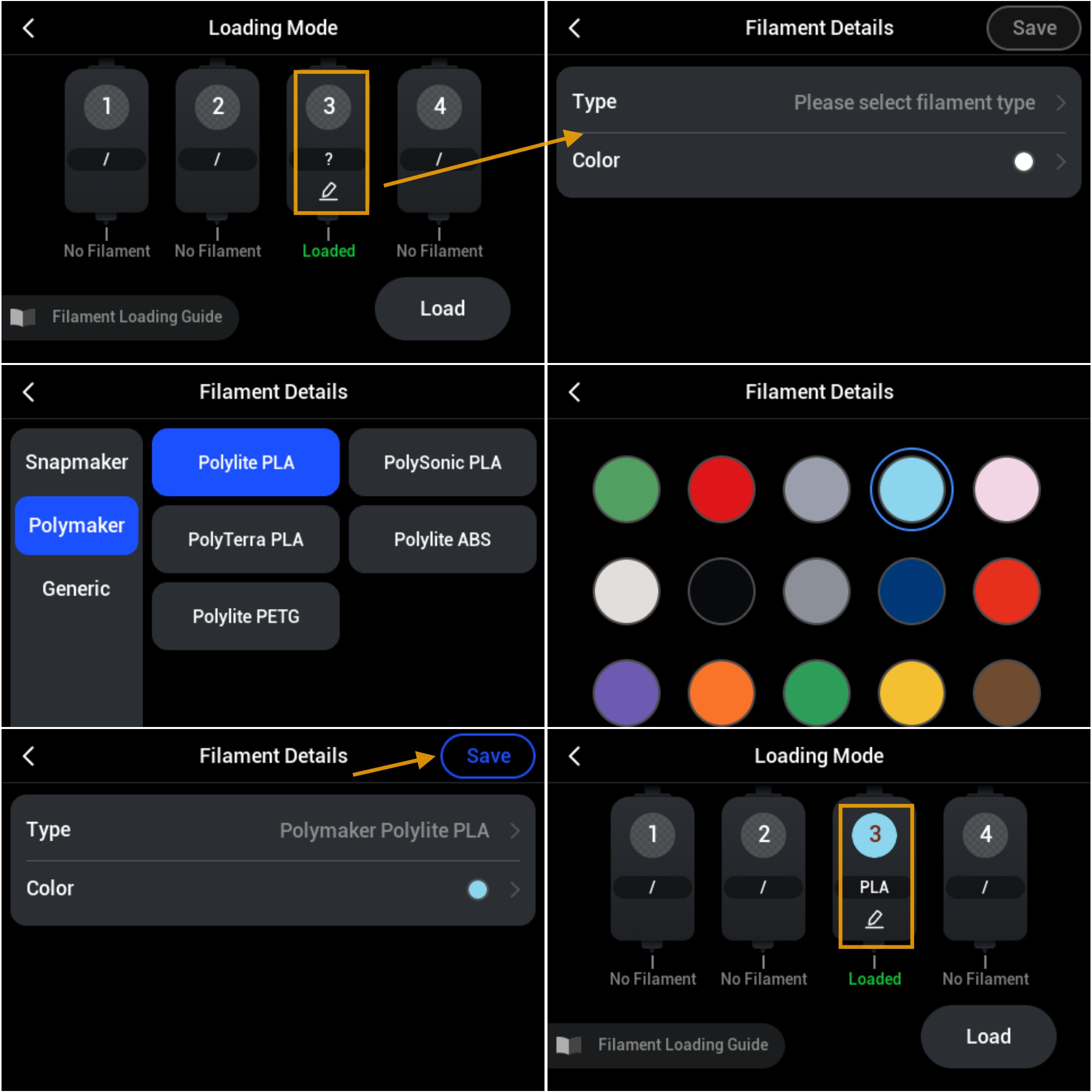
- Edit filament information.
- When using Snapmaker official filament with RFID, the device will automatically recognize the filament information; no manual editing is required.
- For third-party filament or Snapmaker filament without RFID, manual editing is required. Tap the icon below the corresponding filament > Select filament type and color >
Save.
- Repeat the steps above to load filament for other toolheads.