¶ Download Link
¶ New Features
-
Added
Time-lapse Video Export(requires firmware V1.6.0 or later)
-
To enable this feature, check the
Time-lapse optioninPrint Referencesbefore sending a print job. -
After printing completes, you can
downloadthe time-lapse video to your local device.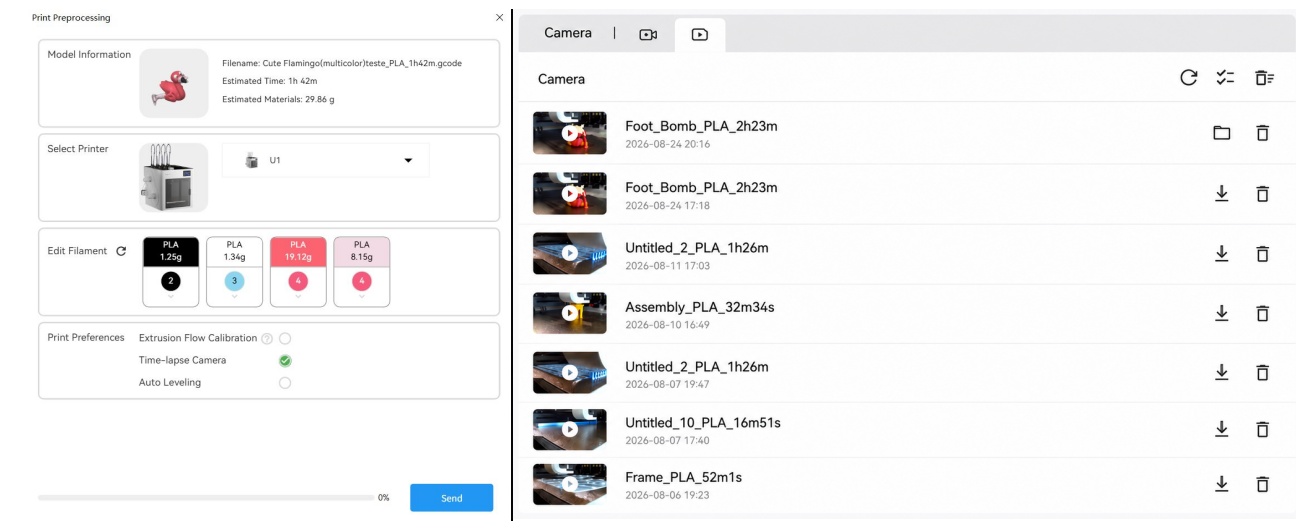
-
Added
Print Preferenceswith support forSpaghetti DetectionandForeign Object Detection. These features help you identify anomalies during printing and take timely action.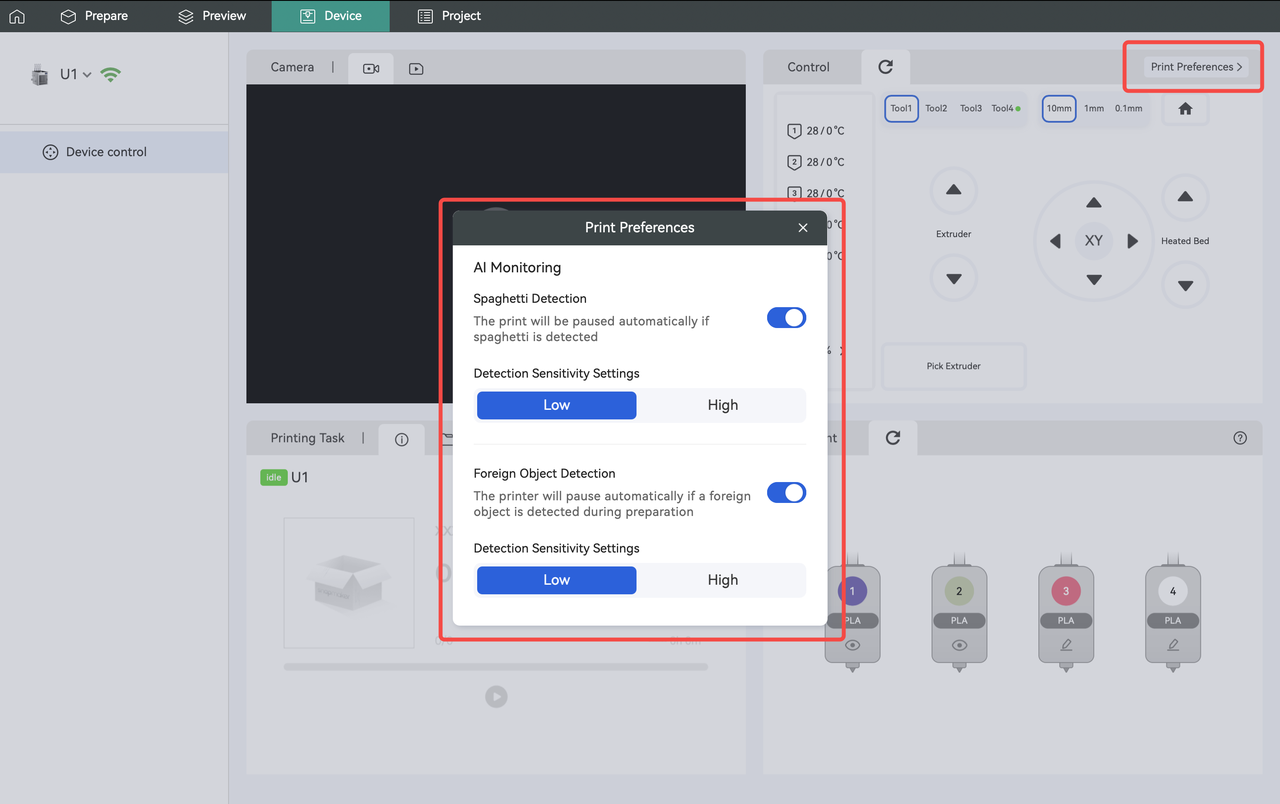
-
Added a one-click auto-zoom and camera pan feature that instantly reframes the view to display all models in the scene or focus on the selected model(s).
-
Added
Color Mixing Match Mapping, which automatically generates an optimal color matching solution within the reliable color gamut for multi-color models (especially those with more than 4 colors).
-
Added a new process preset for color mixing: 0.10mm Color Mixing @Snapmaker U1 (0.4 nozzle).
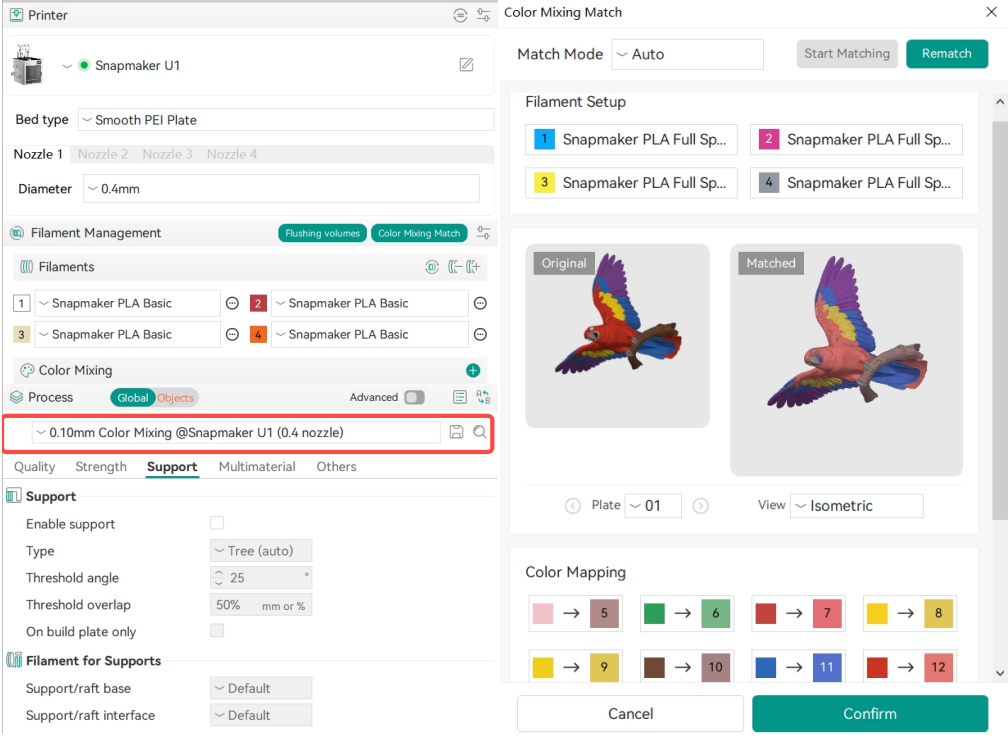
-
For guidance, refer to: Color Mixing Match Guide
-
Added support for
Snapmaker PLA Full Spectrum, compatible with 0.2 mm and 0.6 mm nozzles.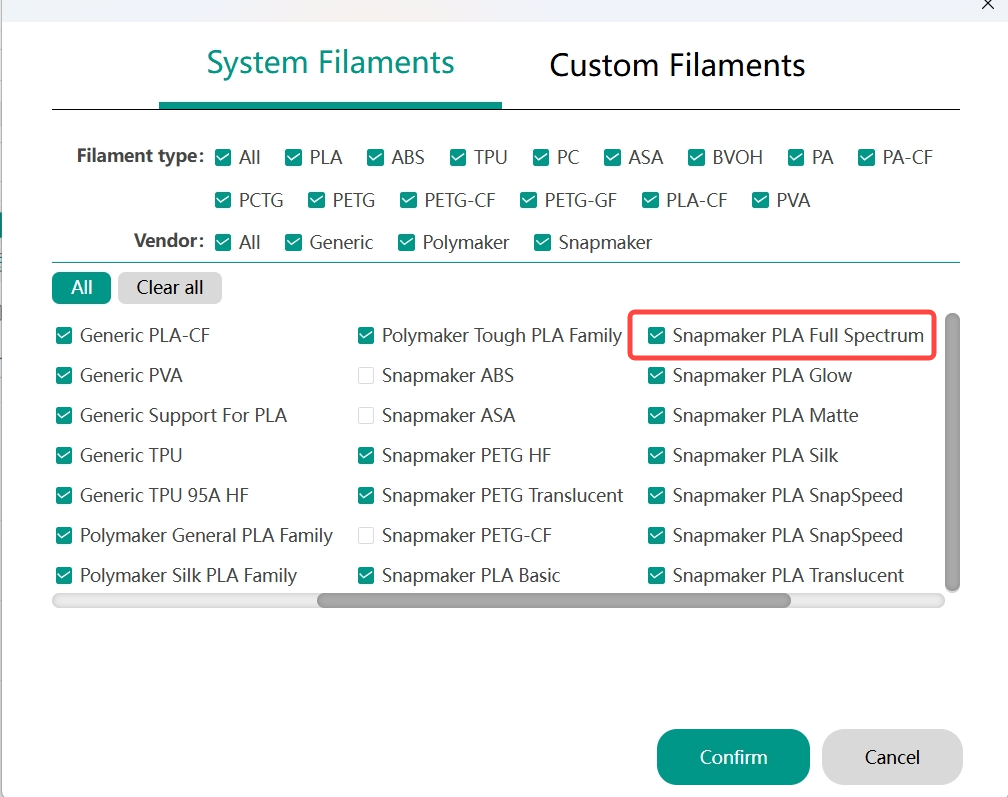
- Select the built-in "Snapmaker PLA Full Spectrum" parameter package to use the
color mixingfeature and achieve better printing results. - We recommend using a hot end of 0.4 mm or smaller, combined with a layer height of 0.1 mm or less. Using a larger hot end or higher layer height may result in visible layer lines on the final print.
- For guidance, refer to: Full Spectrum
¶ Improvements
- Optimized the color matching algorithm for filament synchronization.
- Optimized viewport rendering performance by culling out-of-view geometry, so as to reduce unnecessary draw calls and improve overall responsiveness.
¶ Bug Fixes
-
Fixed an issue in V2.3.5 where switching from the
Preparepage to thePreviewpage automatically sliced all plates. It now slices only the plate currently selected in thePreparepage. -
Fixed a bed temperature compatibility issue when using multiple filaments with different required bed temperatures. The system now defaults to the higher temperature.
-
Fixed an issue where Orca crashed when using the
Full Bed Arrangement. -
Fixed an issue where the Match mode ratio display was incorrect after switching tabs in the Color Mixing interface.
-
Fixed an issue where the interface loaded slowly when adding new filaments or machine configurations on Windows.
-
Fixed an issue on Windows where model files with special characters (e.g., extended Unicode characters or emojis) in Orca were imported as empty models or failed to load.
-
Fixed an issue where the software crashed during full-bed slicing on Windows/Linux due to excessive memory usage.
A memory protection mechanism has been added to prompt you before proceeding with
full-bed slicing.
- Fixed an issue where Orca login became invalid after changing the password via the App under specific network conditions.
- Fixed an issue where the software crashed when repeatedly importing the same G-code file.
- Fixed an issue where slicing could proceed even when
the filament flow ratiowas set to 0. Slicing is now blocked and an error message is displayed. - Fixed an issue where double-clicking a G-code file (with Orca set as the default G-code viewer) caused the software to crash.