¶ 💡 Compatibility
This article applies to the following machine. Please note when referencing:
- Machine Model: U1
¶ 📝 Issue Description
If the filament cannot be pulled out from the filament feeder port during unloading, please refer to this guide for troubleshooting and recovery.
¶ 🔎 Possible Cause
After unloading, the swing arm gear inside the filament feeder fails to return to the neutral position, causing the filament to remain clamped and unable to be pulled out.
¶ ✅ Solution
¶ 1. Restore the Automatic Filament Feeder Port
- On the U1 touchscreen Home screen, go to
Settingspage.

- On the
Settingspage, swipe down to tapMaintenance.

- In the
Maintenancemenu, selectFilament Feeder.

- In the feeder diagram displayed on the
Filament Feederpage, tap the recovery icon next to the port where the filament is stuck.

- Once tapped, the recovery icon will begin to rotate. After the icon stops rotating, the recovery process for the corresponding port is complete.


¶ 2. Pull Out the Stuck Filament
- Pull the previously stuck filament out from the corresponding port of the filament feeder.

-
Unplug the filament tube from the abnormal filament feeder.
-
Remove the abnormal filament feeder from the machine.
-
Use an H2.0 hex key to remove screw 1 and screw 2 on the filament feeder cover, as well as screw 3 inside the cover.
Installation Tip: Screw 3 is shorter than screw 1 and screw 2.
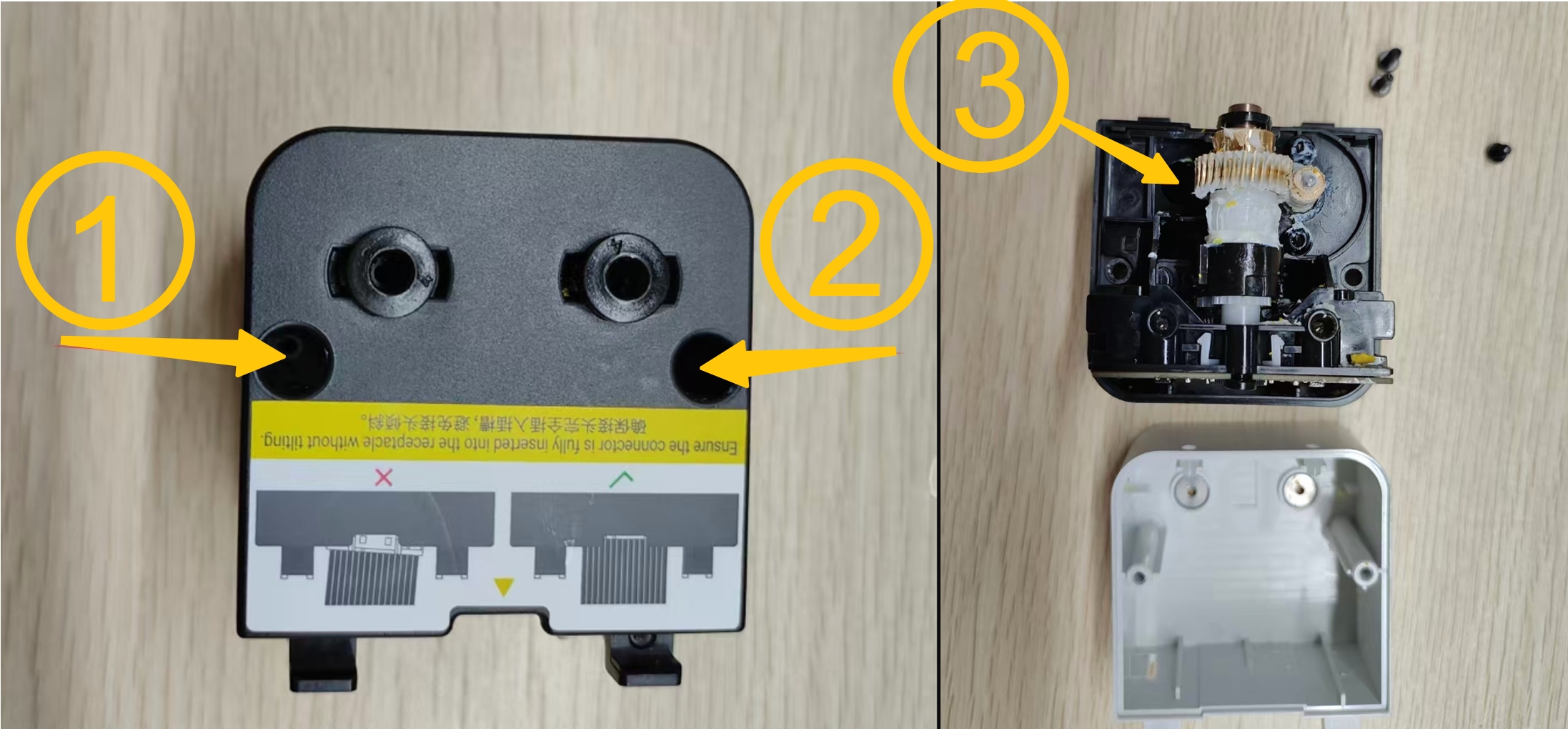
The above steps can resolve occasional filament jams and quickly restore your filament feeder. If the inability to pull out the filament occurs frequently, it may be caused by protruding or missing internal clips inside the filament feeder. You can refer to the following steps for further inspection or troubleshooting.
¶ 3. Further Check the Filament Feeder
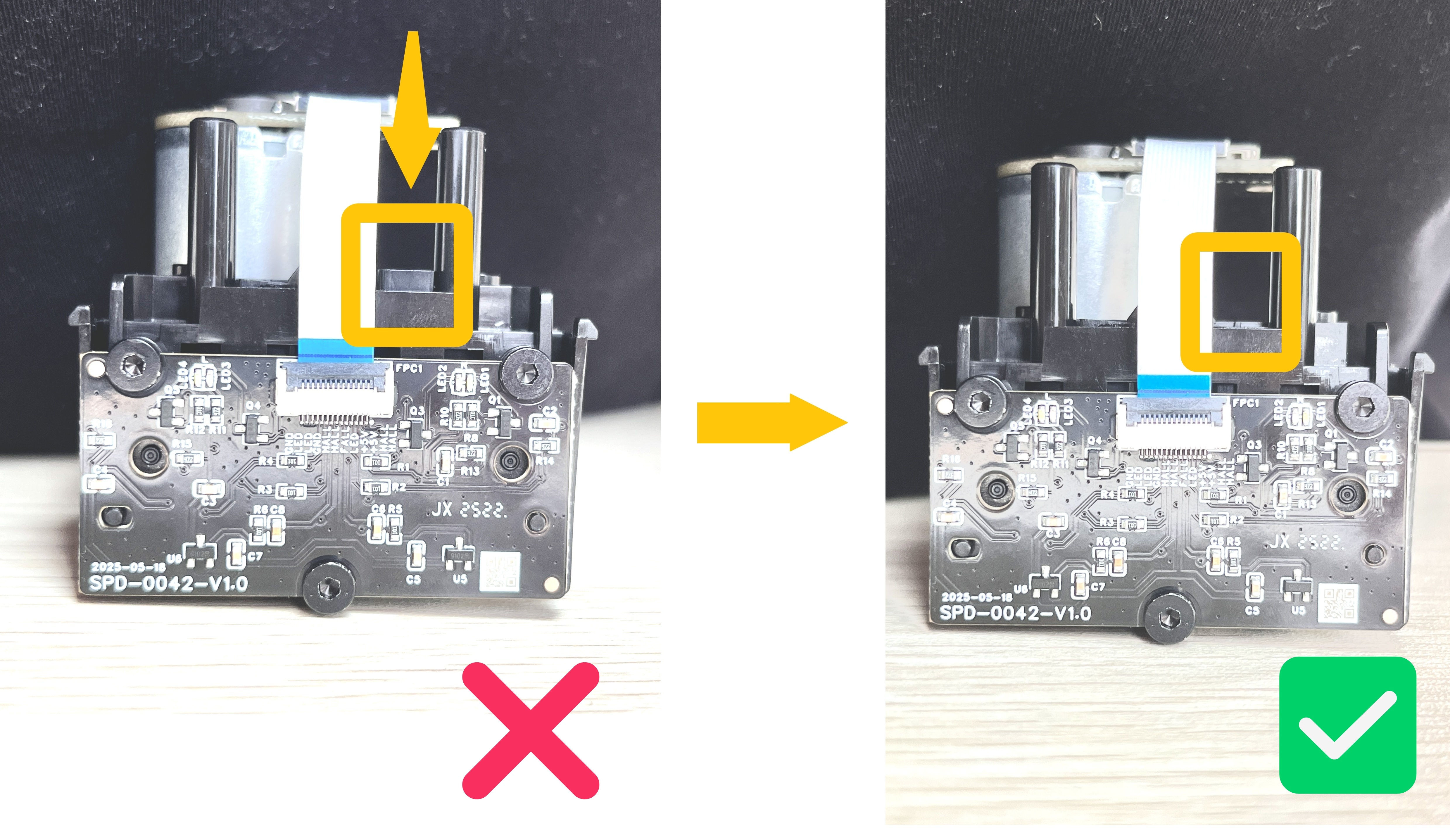
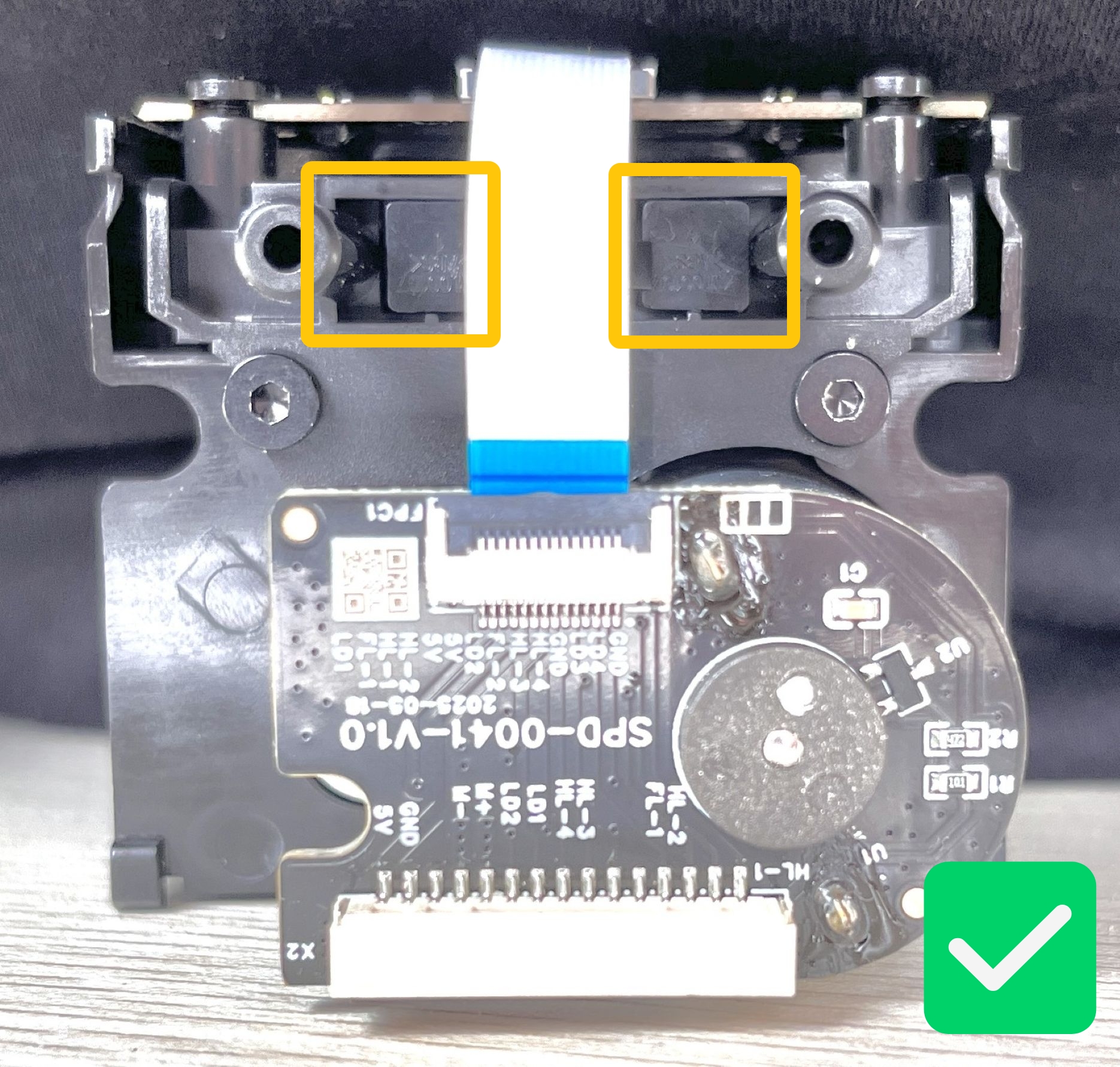
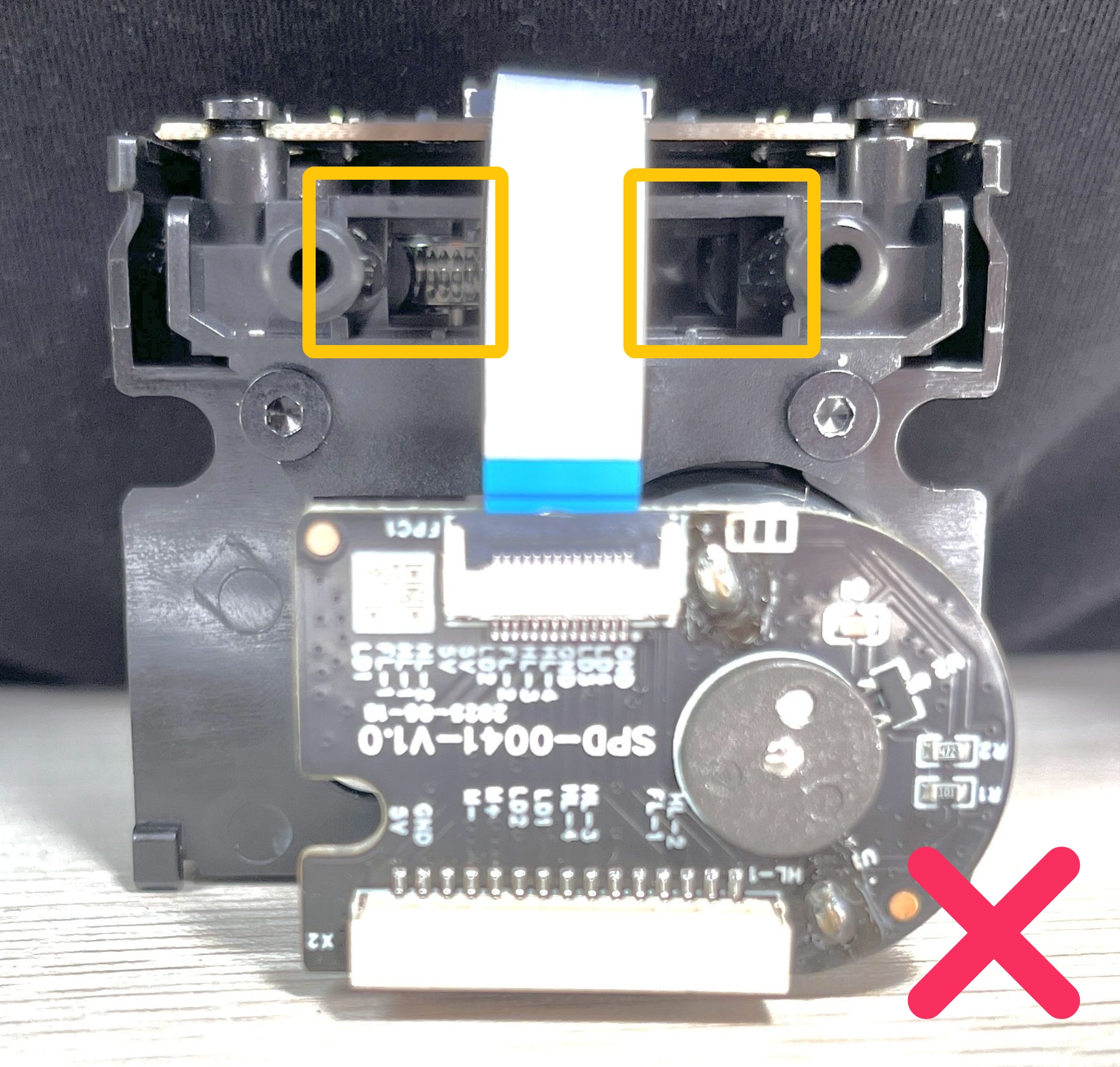
An abnormal clip may prevent the internal swing arm from returning to the neutral position, so the clips should be checked first.
- If the clip is protruding, press it back into place as shown in the image.

- If the clip is missing or any other abnormality is found, please share the information with Snapmaker Support for further assistance.
¶ 4. Reassemble the filament feeder
-
Use an H2.0 hex key to tighten the three screws securing the filament feeder.
-
Reinstall the filament feeder onto the machine.
¶ 💬 Reach out to Snapmaker Support
After following the troubleshooting steps, if you find it difficult to resolve your issue, kindly submit a support ticket through https://snapmaker.formcrafts.com/u1-troubleshooting-request and share your troubleshooting results with pictures or videos. Our dedicated support team will be more than willing to assist you in resolving the issue.