¶ Compatibility
This article applies to the following model and module. Please take note when referencing:
Model: U1
¶ Issue Description
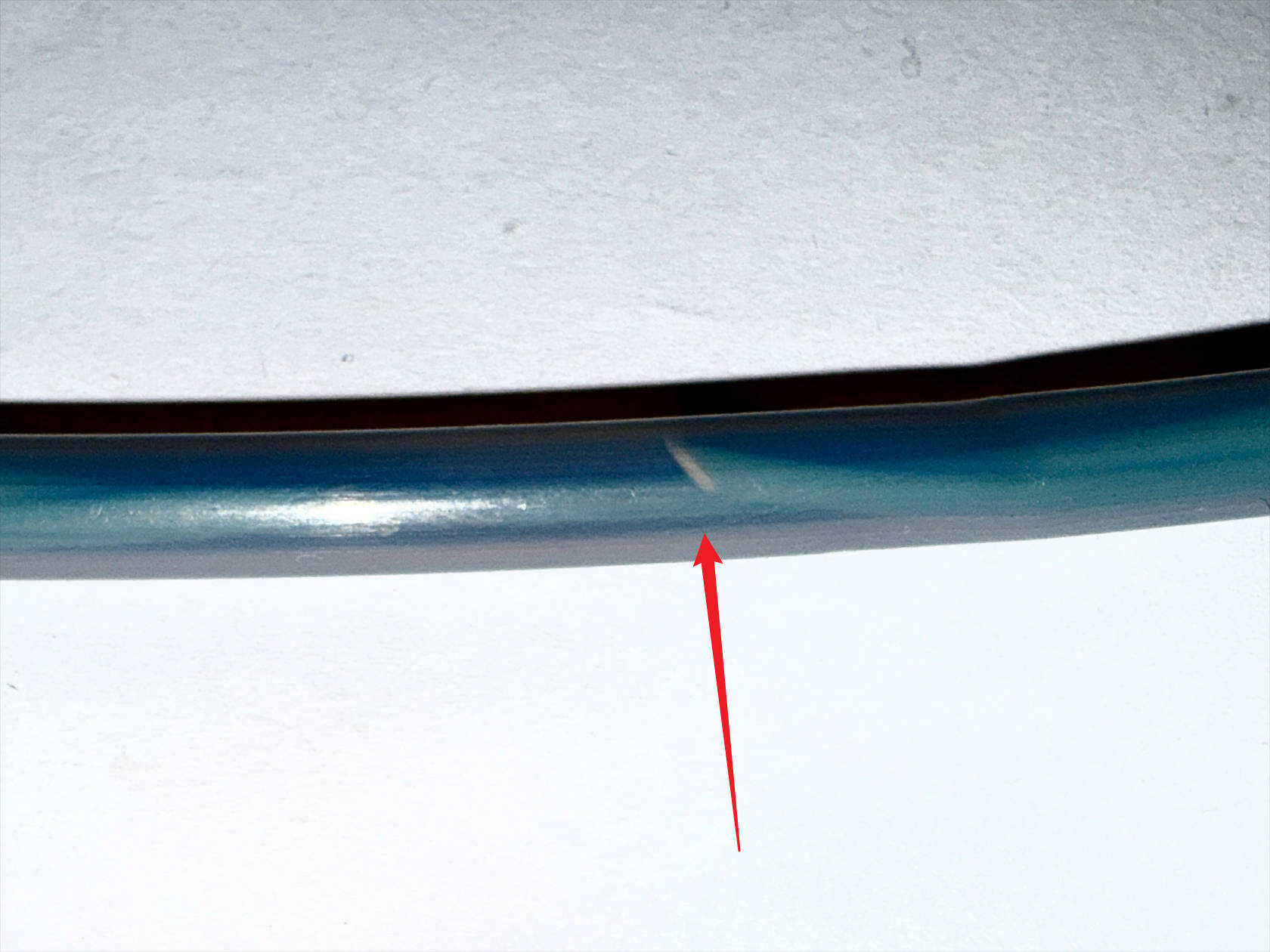
Filament has broken inside the filament tube and hard be removed.
¶ Solution
¶ Preparation
(1) A small amount of cotton (can be taken from a cotton swab)
(2) Spare filament (do not use soft filament)
¶ Procedure
(1) Rotate the spool to retract the filament.
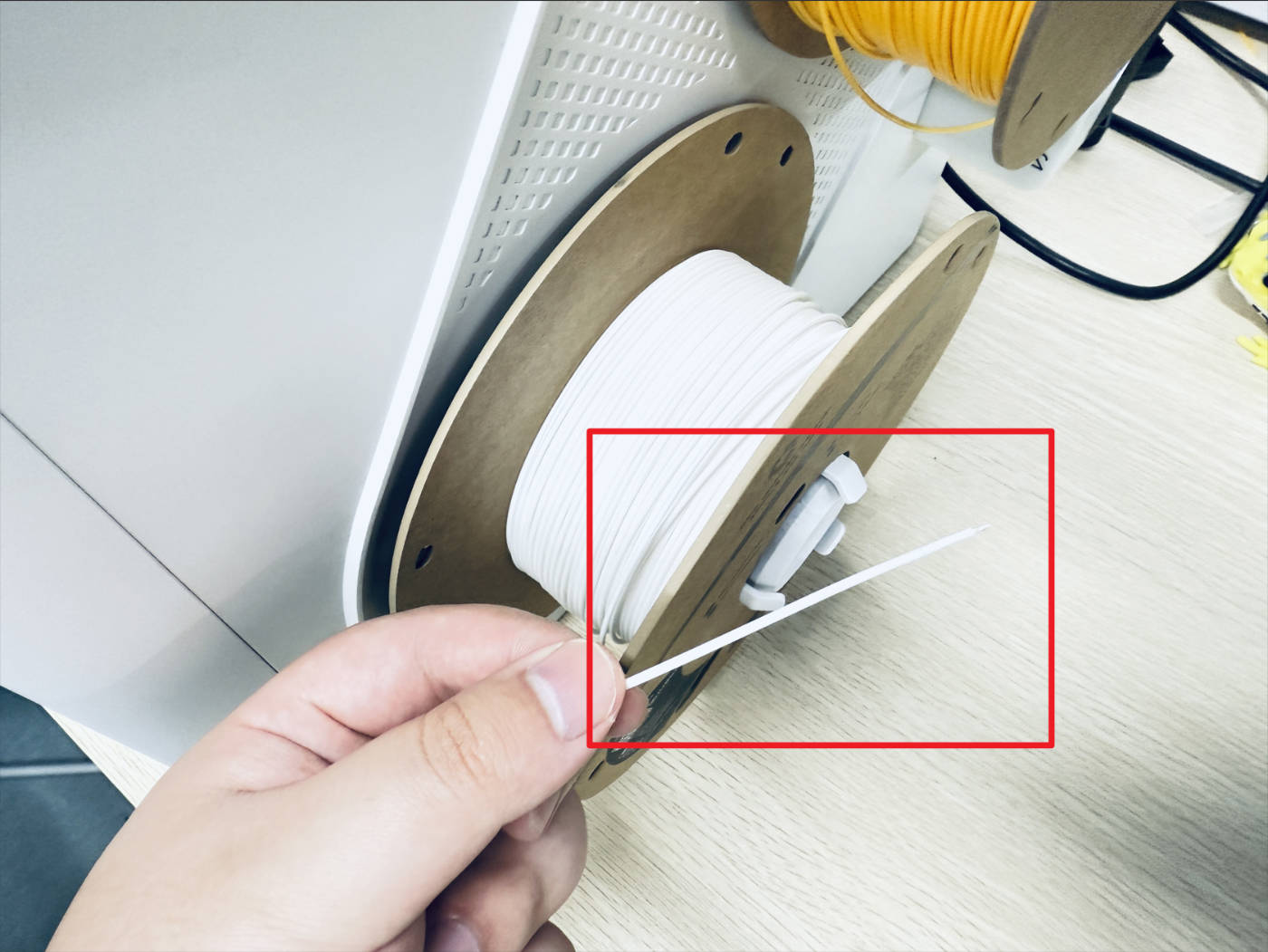
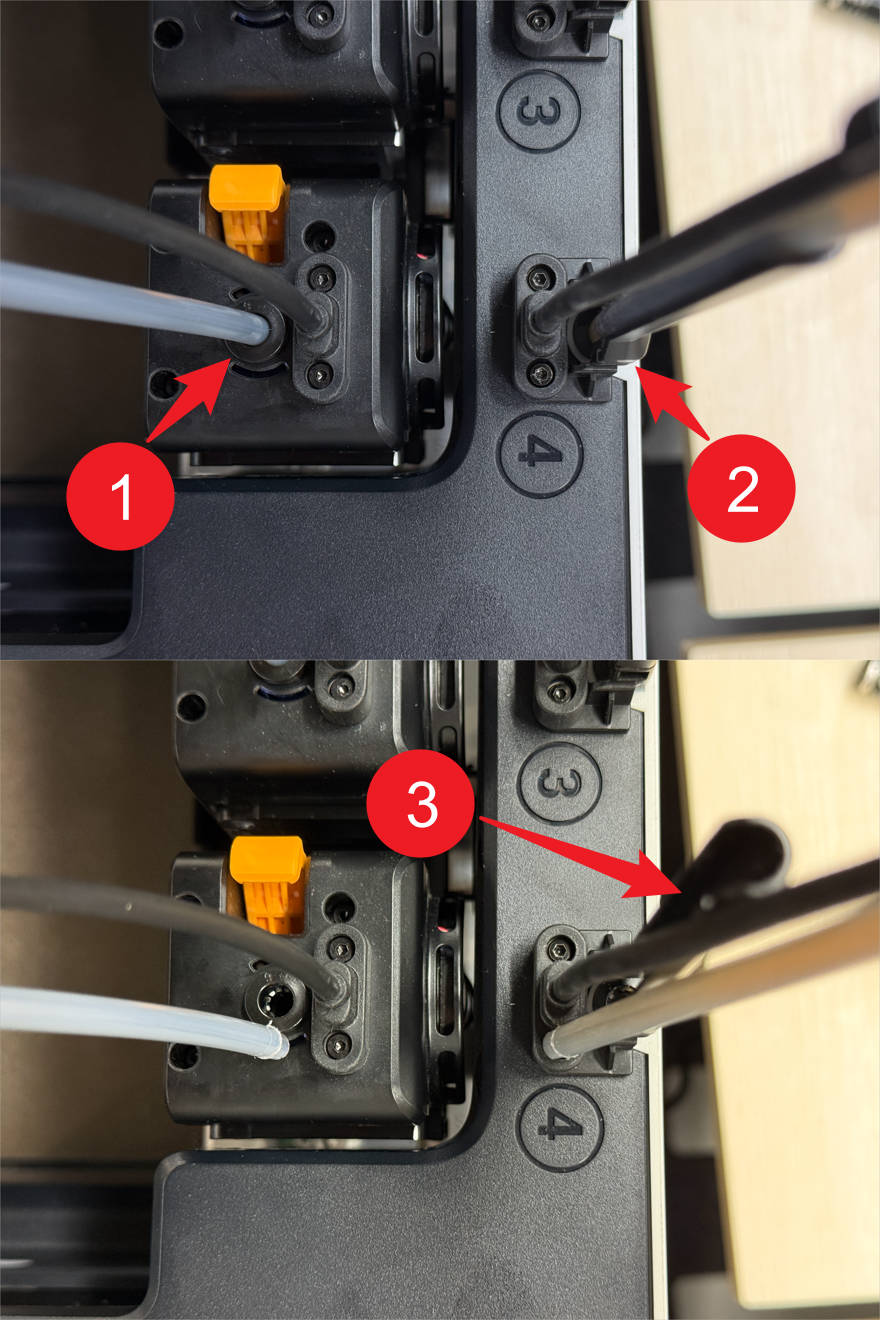
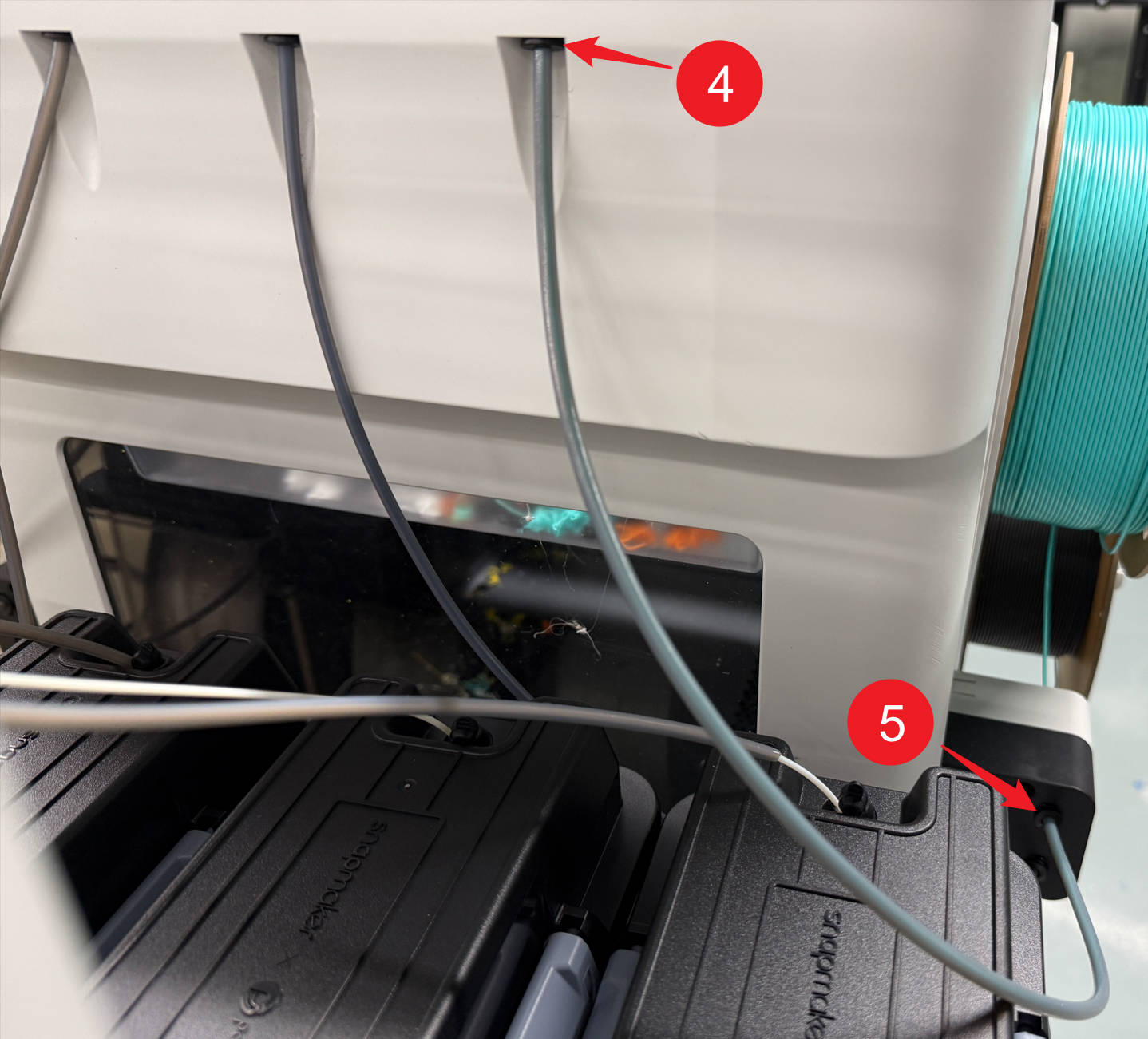
(2) Remove the tube with broken filament. Steps are as follows:
- 6mm filament tube: Press the quick-release fittings at positions 1 and 2 to remove it from its support at position 3.
- 4mm filament tube: Press the quick-release fittings at positions 4 and 5 to remove it.
(3) Insert an appropriate amount of cotton into one end of the filament tube.
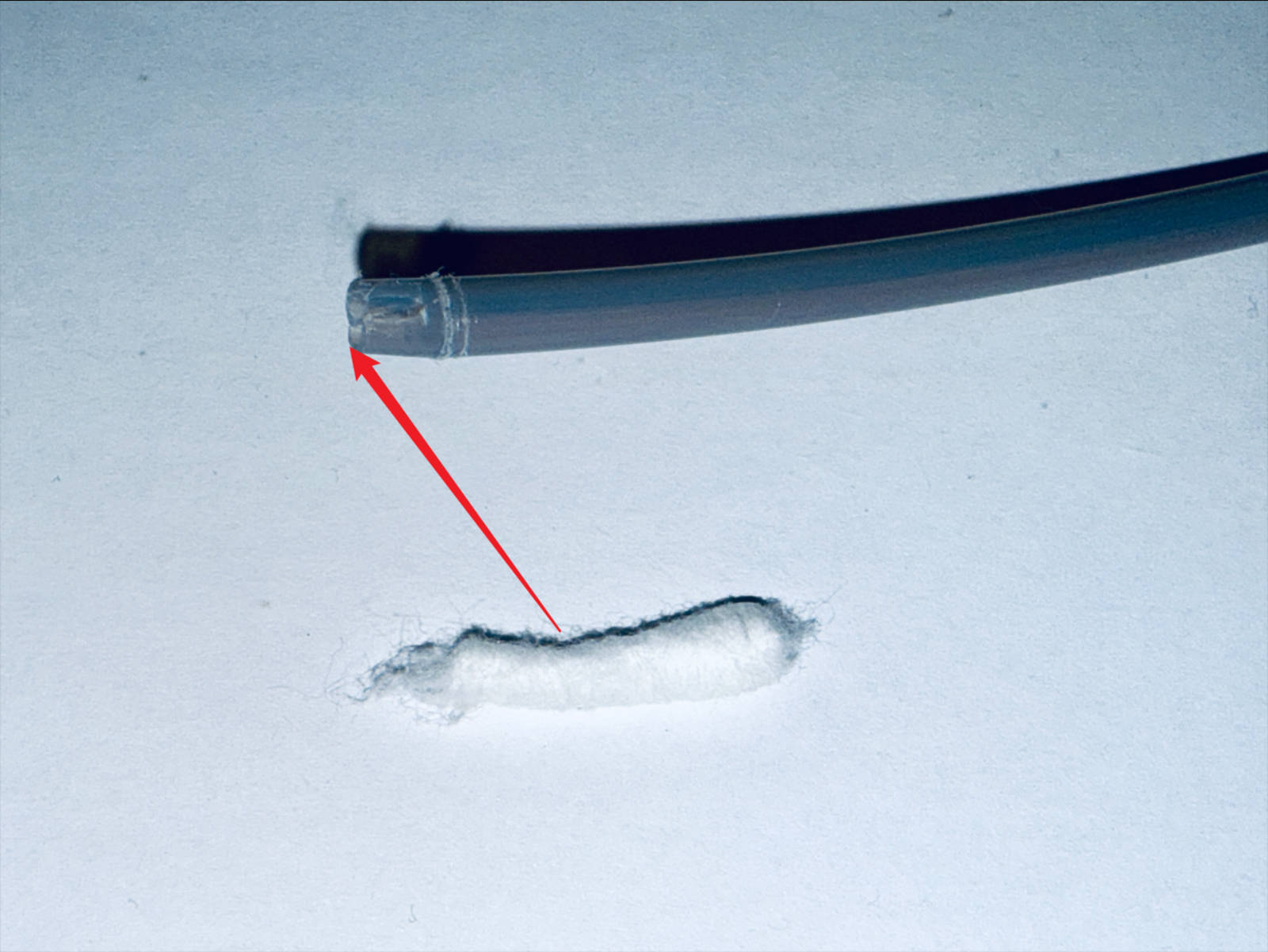
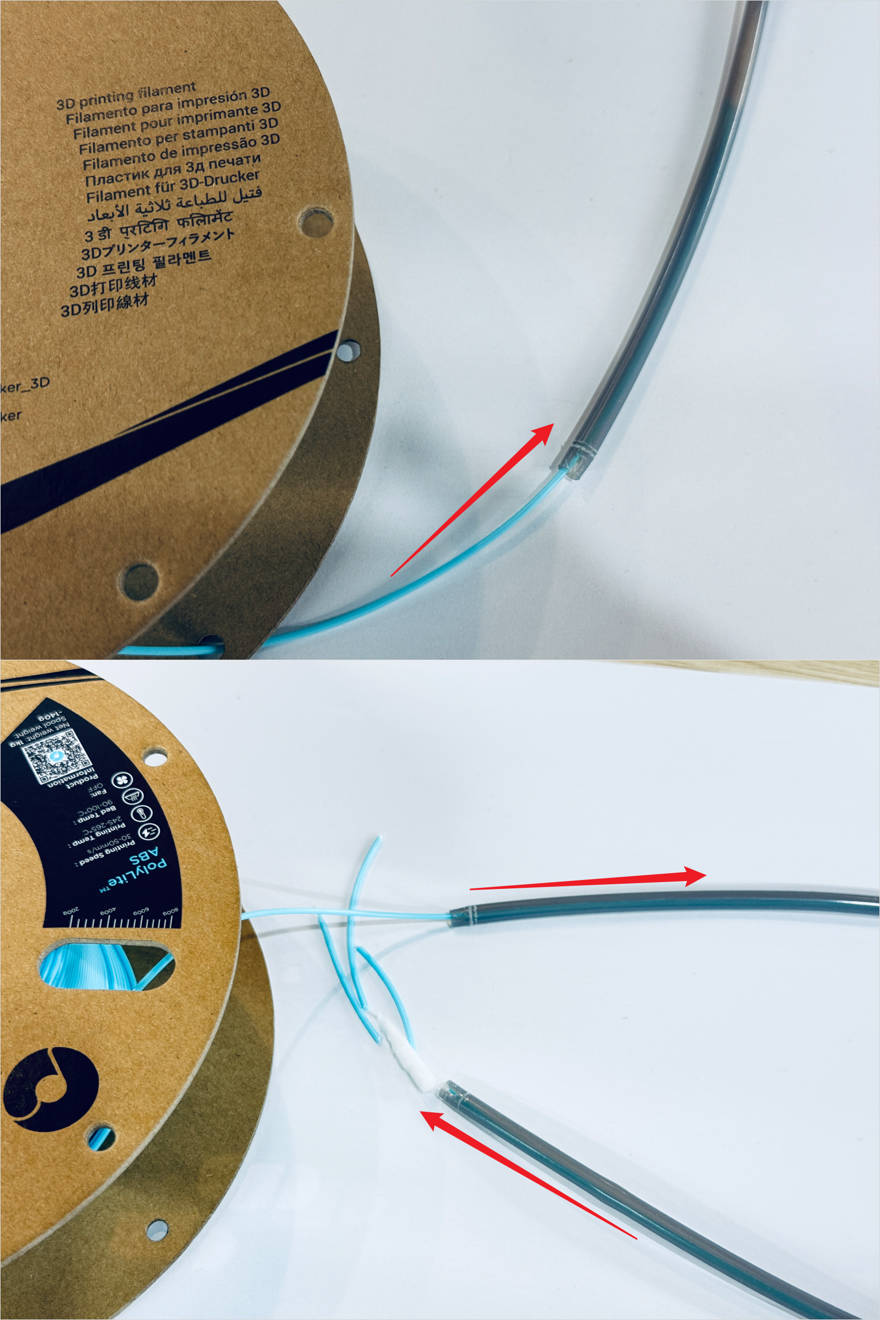
(4) Use filament to push cotton into the tube, and push the broken filament out together with the cotton from the other end.
¶ Reach out to Snapmaker Support
After following the troubleshooting steps, if you find it difficult to resolve your issue, kindly submit a support ticket through https://snapmaker.formcrafts.com/u1-troubleshooting-request and share your troubleshooting results with some pictures/videos.
Our dedicated support team will be more than willing to assist you in resolving the issue.