¶ Overview
¶ Location
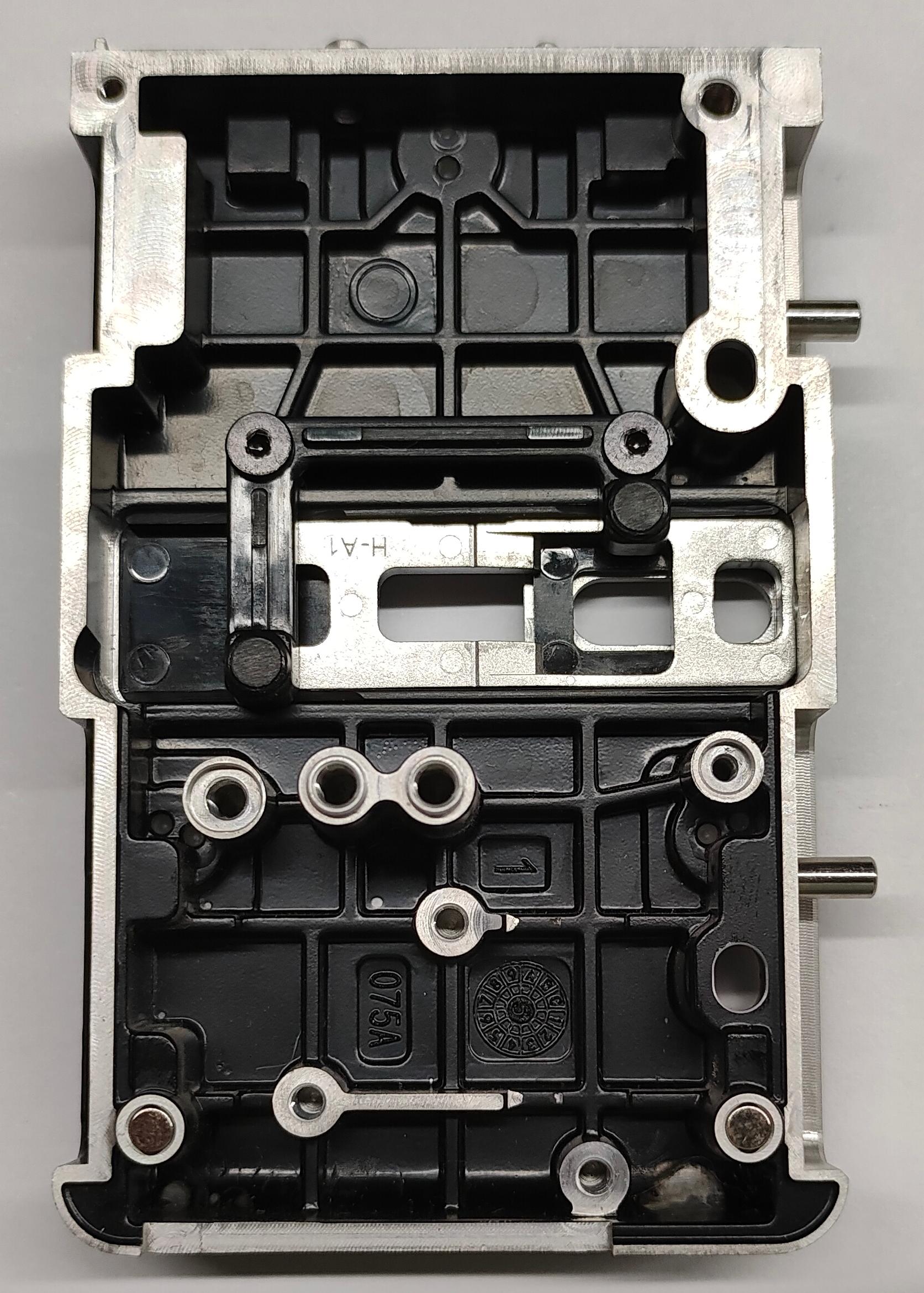
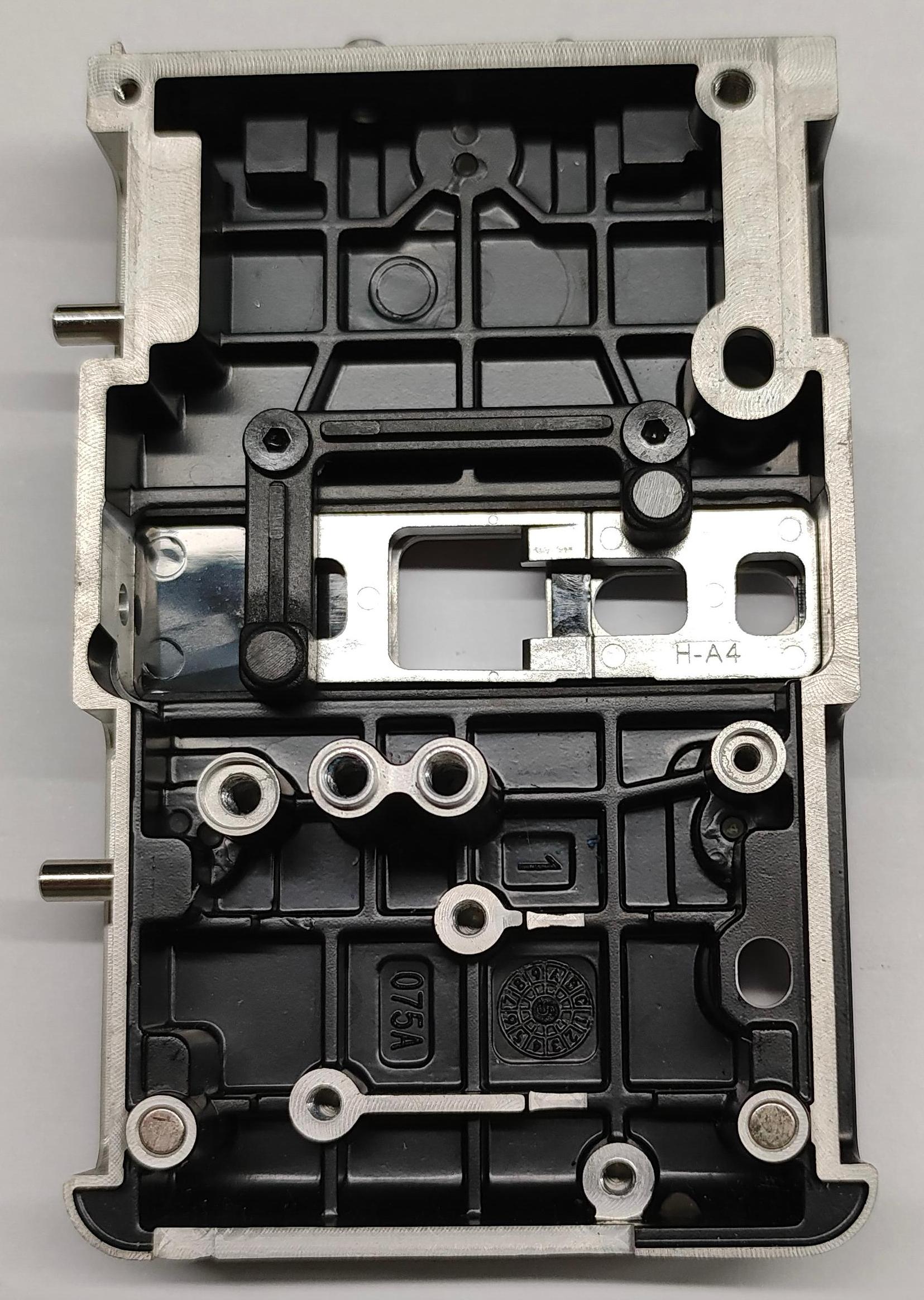
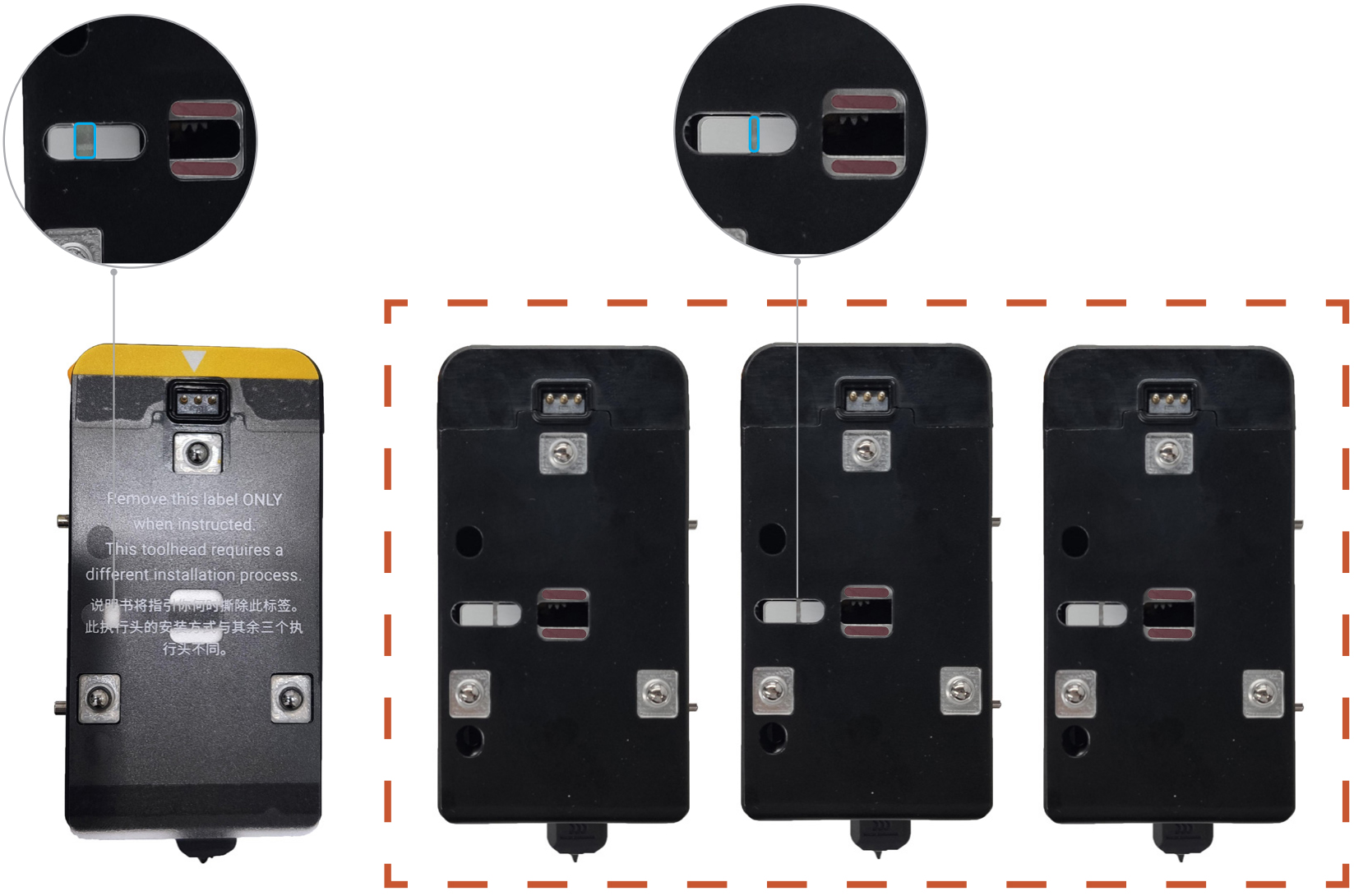
The toolhead male mount is the front cover of toolhead. It is divided into two types: left and right. The left male mount is used for toolhead 1, and the right male mount is used for toolhead 2/3/4.
-
Left male mount:
-
Right male mount:


¶ Difficulty and Time Estimate
- Difficulty:★★☆☆☆ (Easy)
- Estimated Time:20 minutes
¶ Where to Buy
This accessory is expected to be available on the official Snapmaker online store soon. Please stay tuned.
¶ Tools and Parts Required
- H1.5 hex key
- H2.0 hex key
- New toolhead male mount
¶ Procedure
¶ Step 1. Remove the toolhead
¶ 1.1 Unload filament
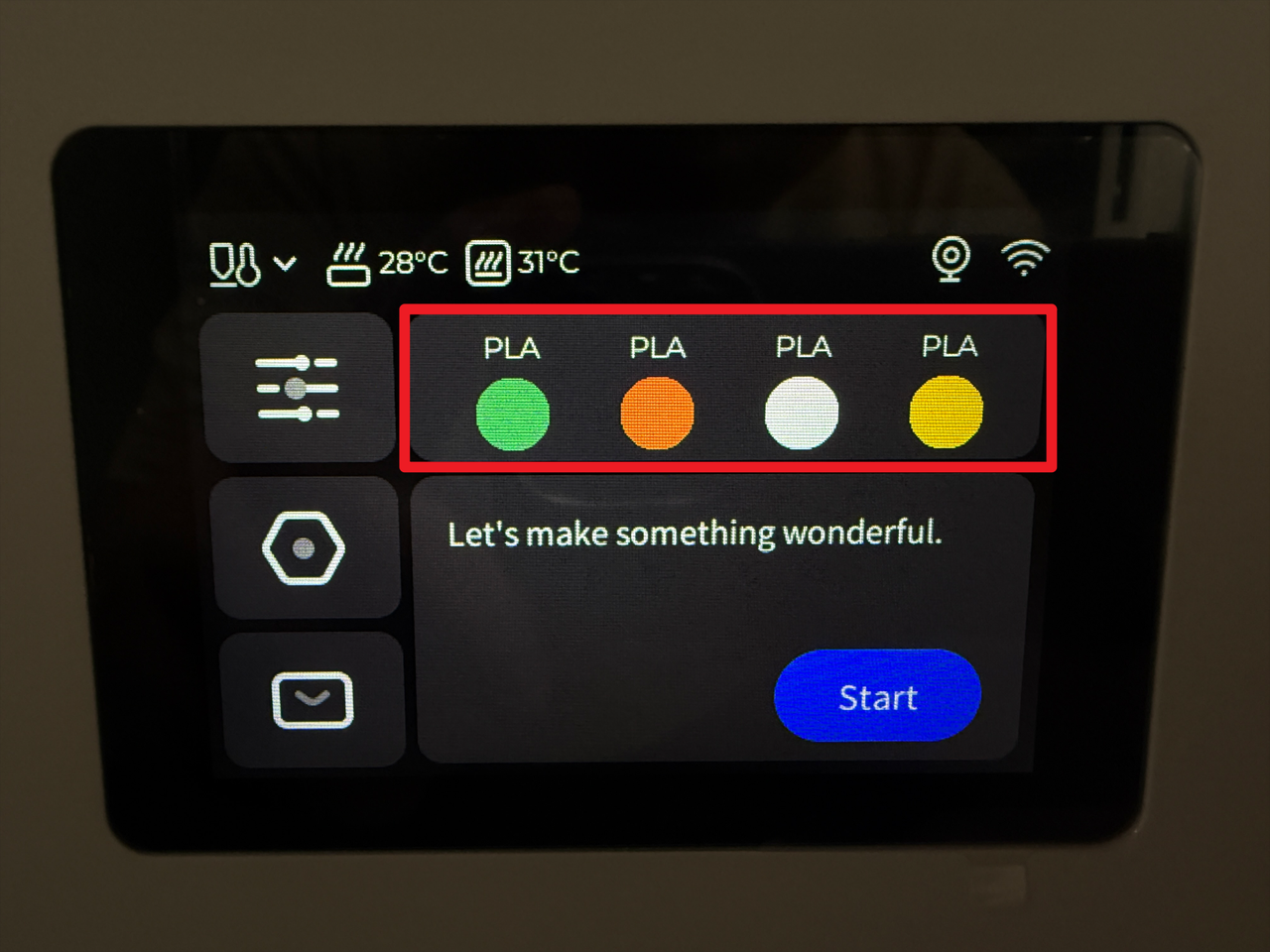
- Tap the specified area on the touchscreen (Highlighted in red in the image below).
- Tap "Unload Mode".
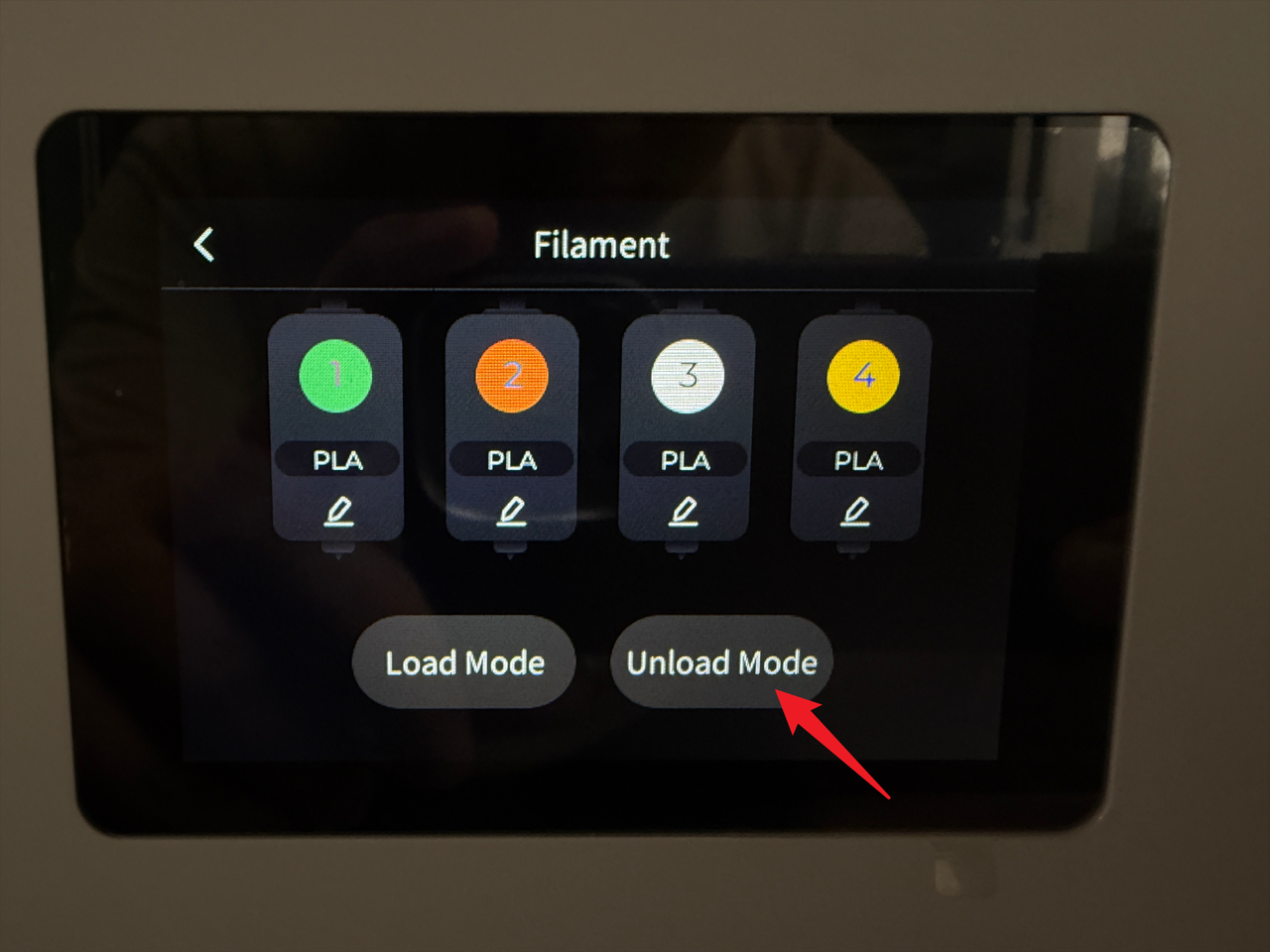
- Select the target toolhead (e.g., No.2) and tap "Unload".
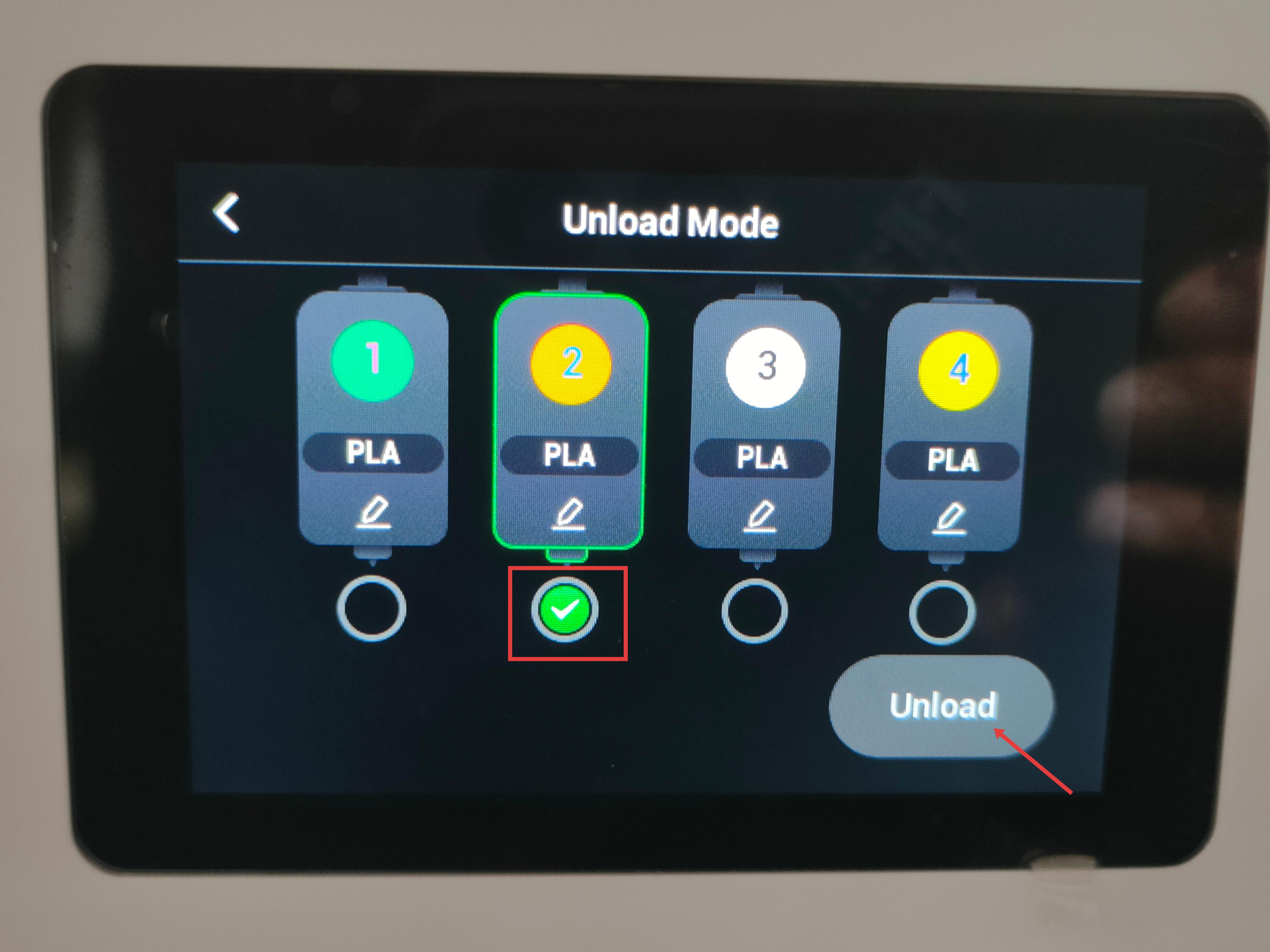
- Wait for the system to automatically complete the filament unloading.
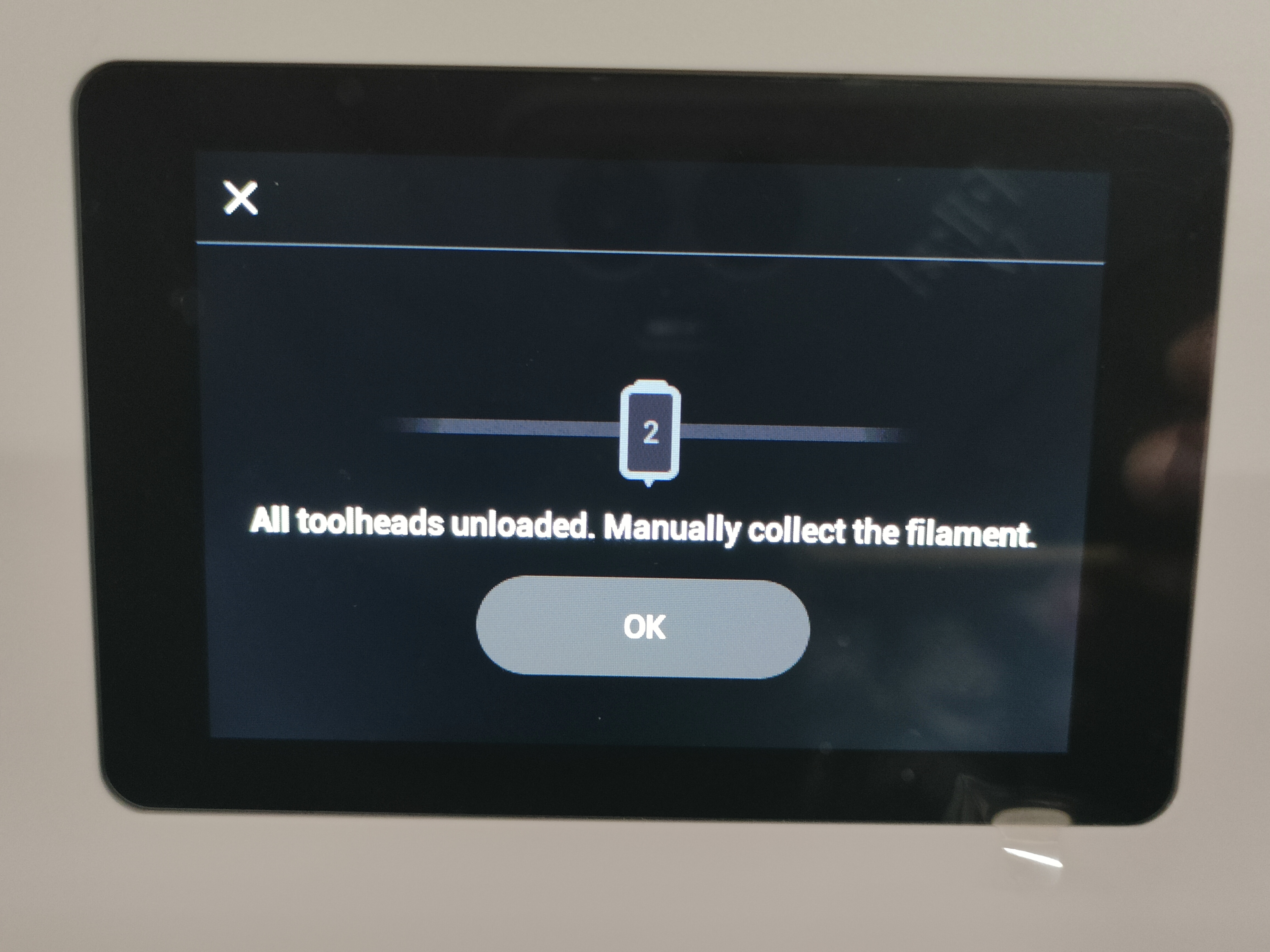
¶ 1.2 Detach the toolhead from the docking bracket
Before proceeding, please turn off the machine and unplug the power cable!

- For head No.1: Slide to the right until the locating pin is fully visible.
- For heads No.2/3/4: Slide the toolhead to the left until the locating pin is fully visible.
¶ 1.3 Remove filament and guide tube
- Remove the three cable clips.
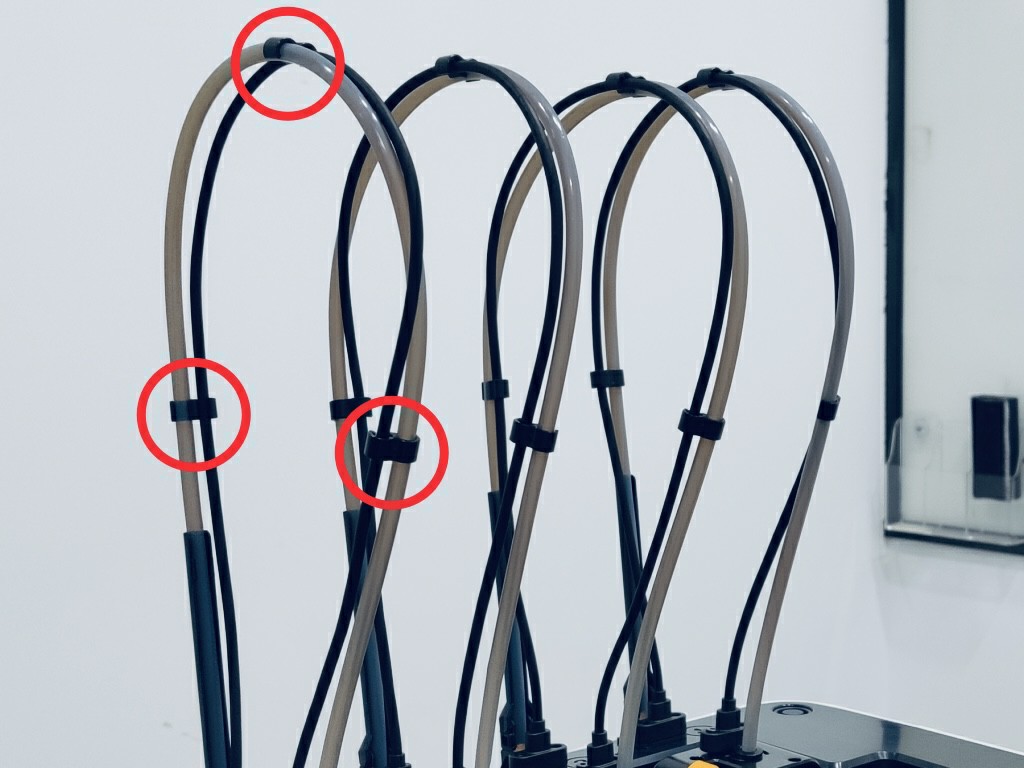
- Press the quick-release fitting.
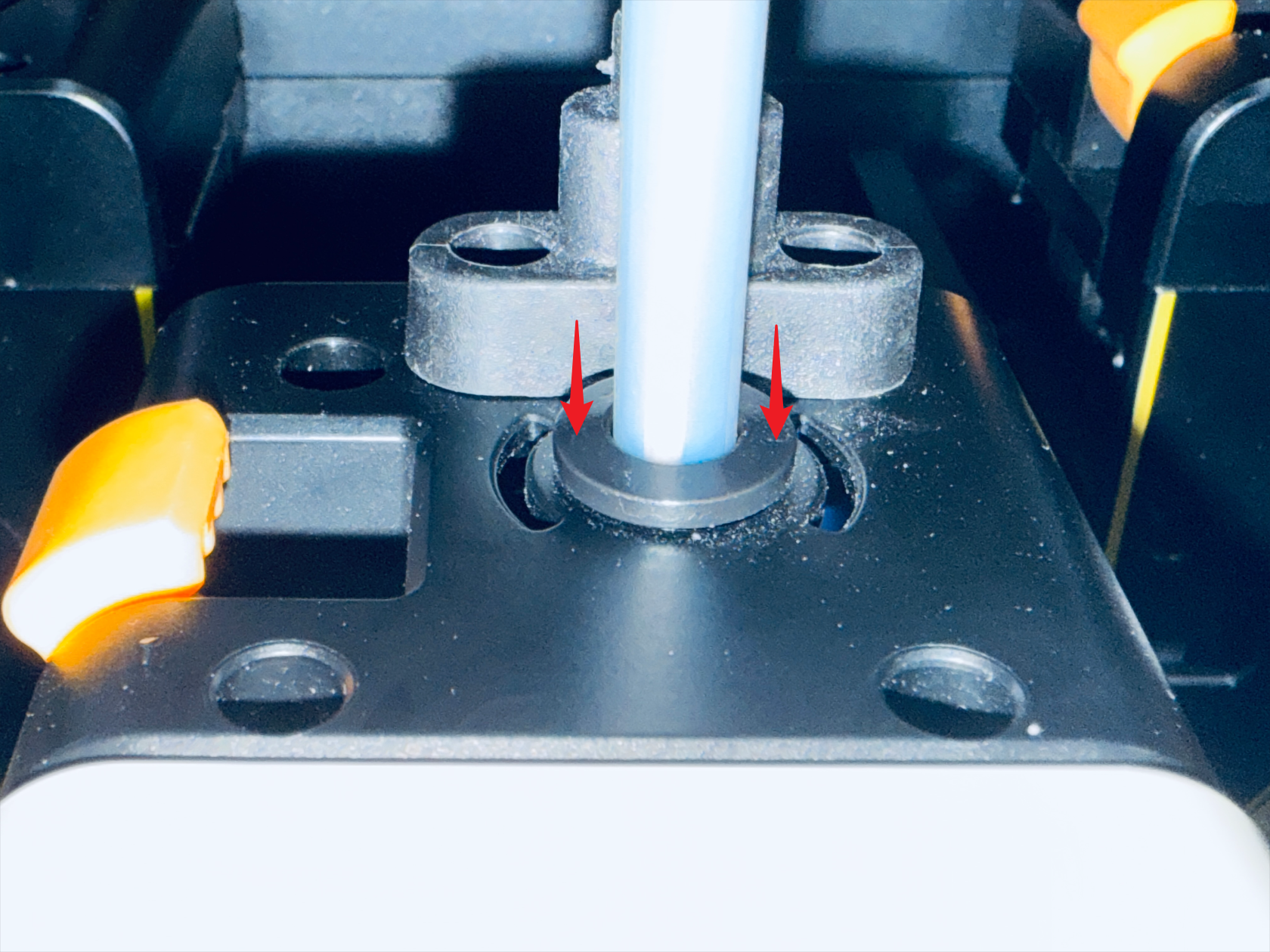
- Remove the filament and the filament tube.
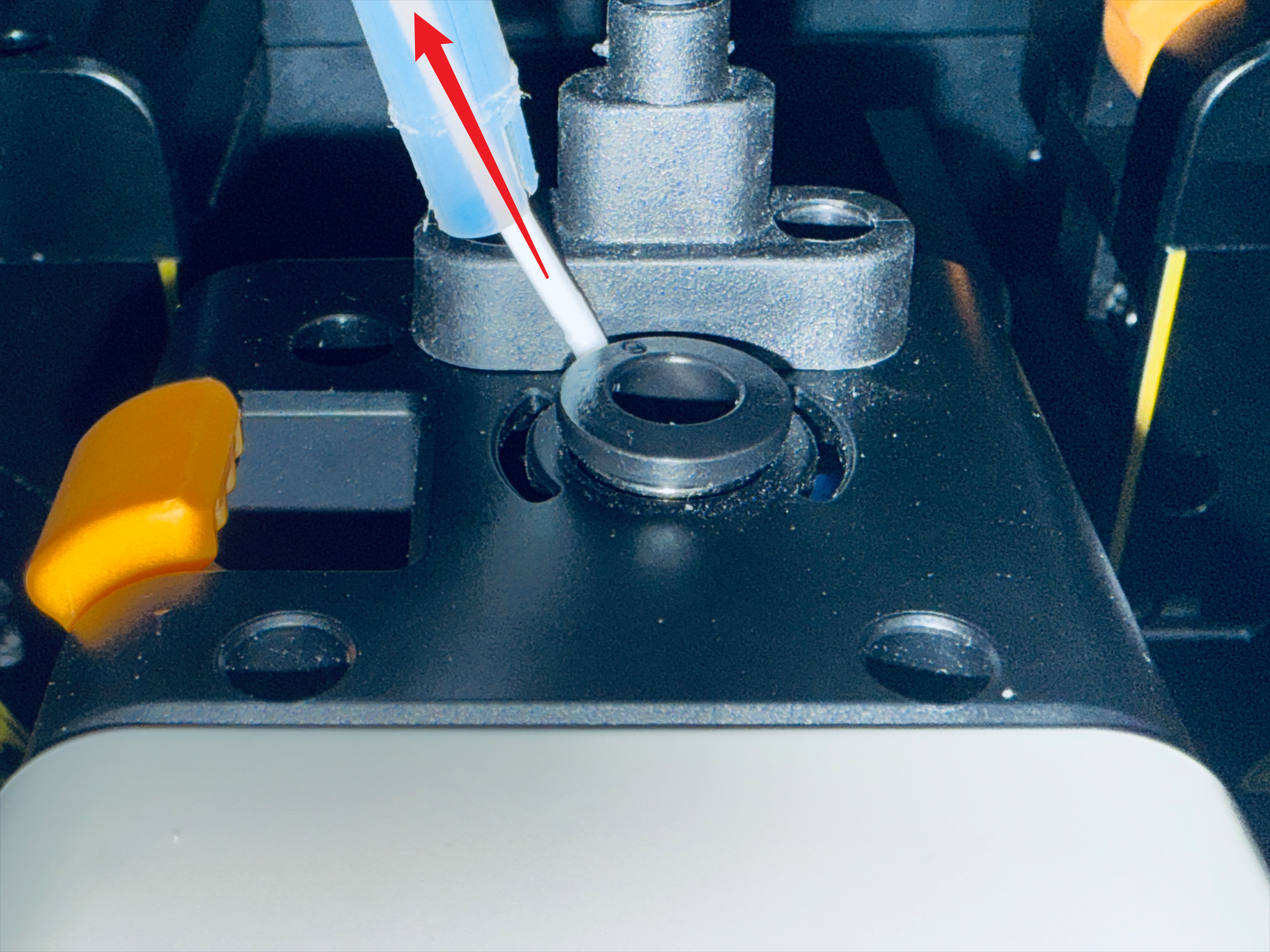
¶ 1.4 Disconnect USB and remove the toolhead
- Use the H2.0 hex key to remove the two mounting screws.
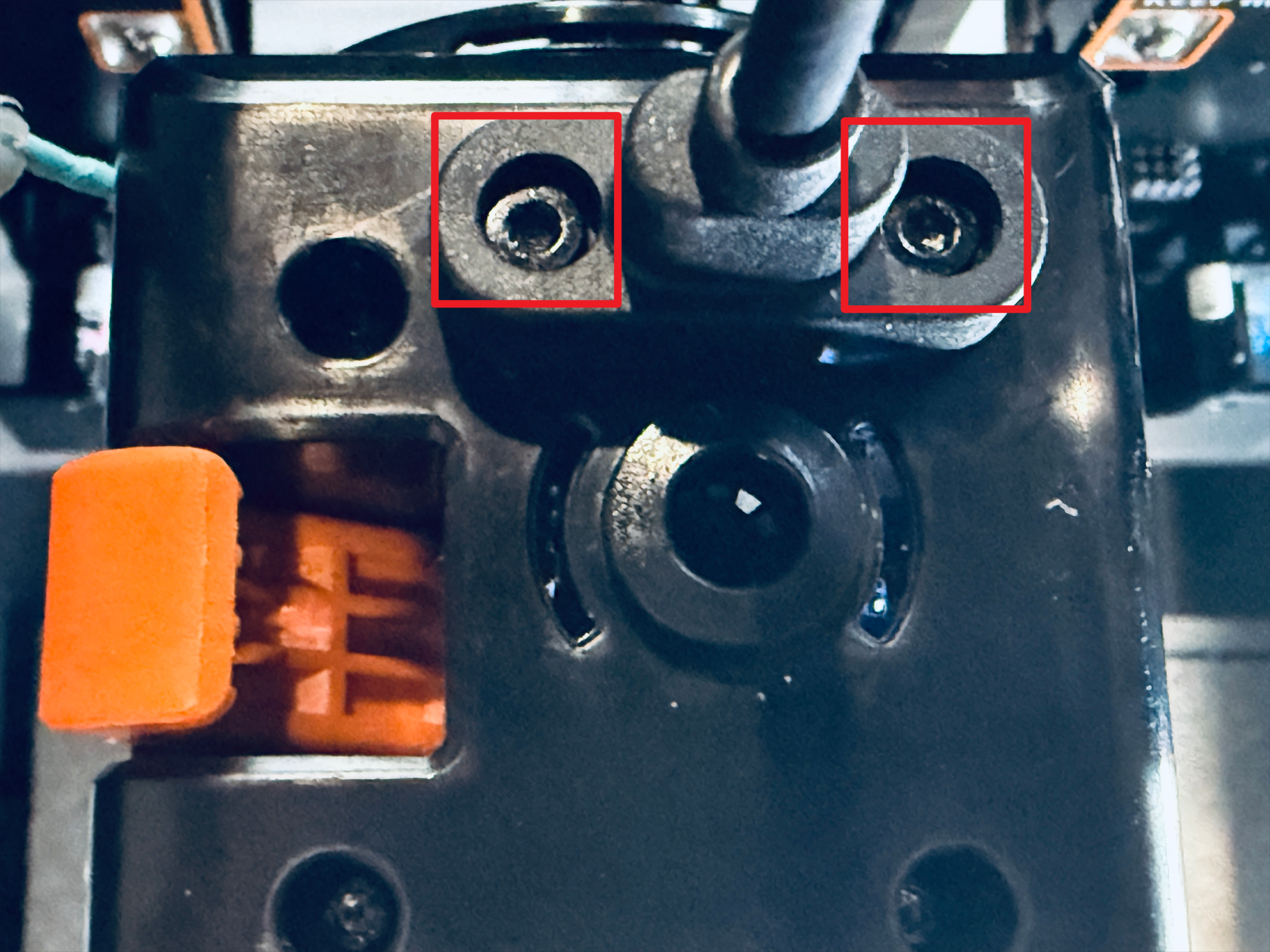
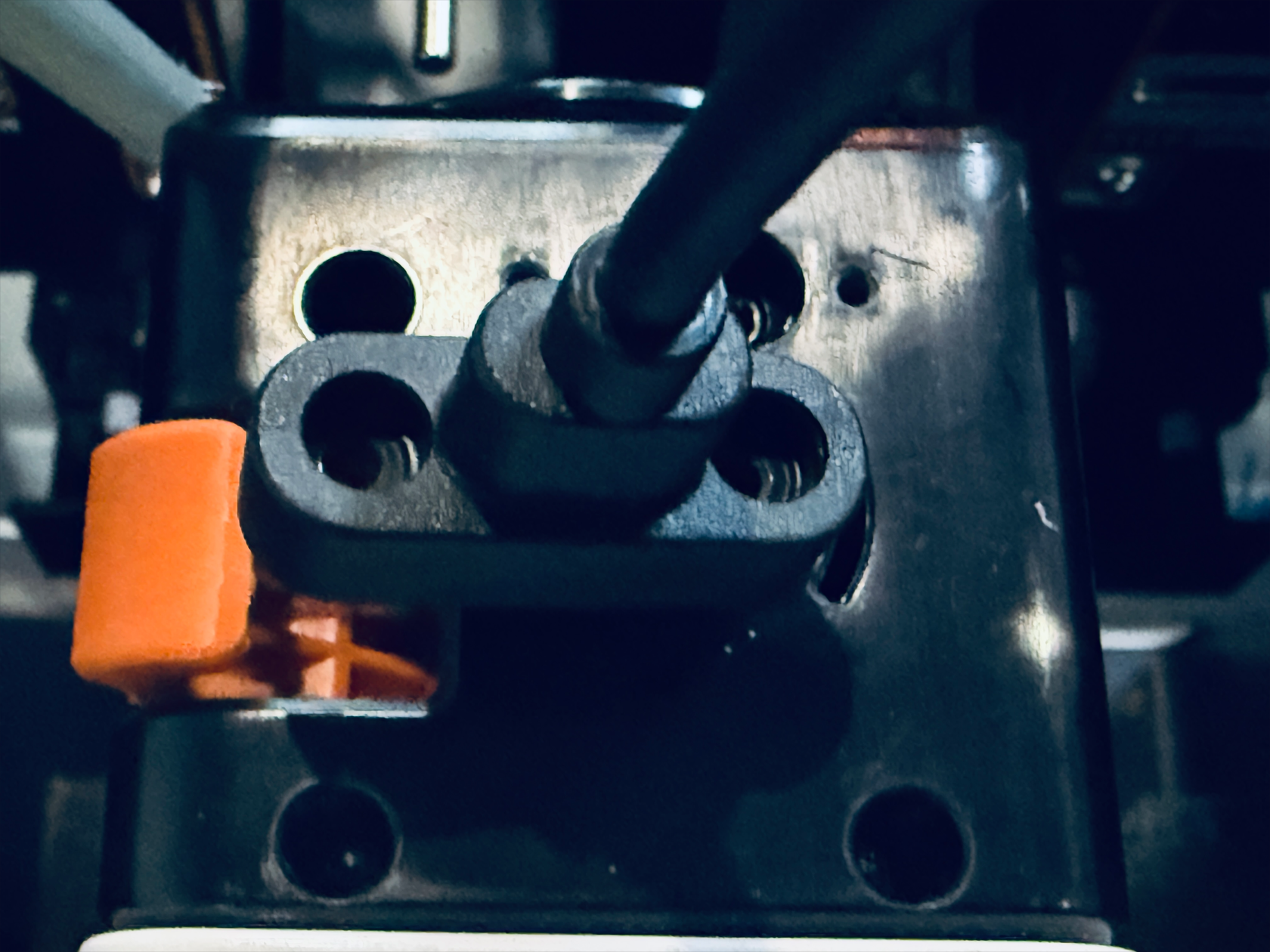
- Unplug the USB cable and then carefully remove the toolhead.
¶ Step 2. Remove the old toolhead male mount
¶ 2.1 Remove top cover and back cover
- Use the H2.0 hex key to remove the three screws securing the top cover of the toolhead, then remove the top cover.
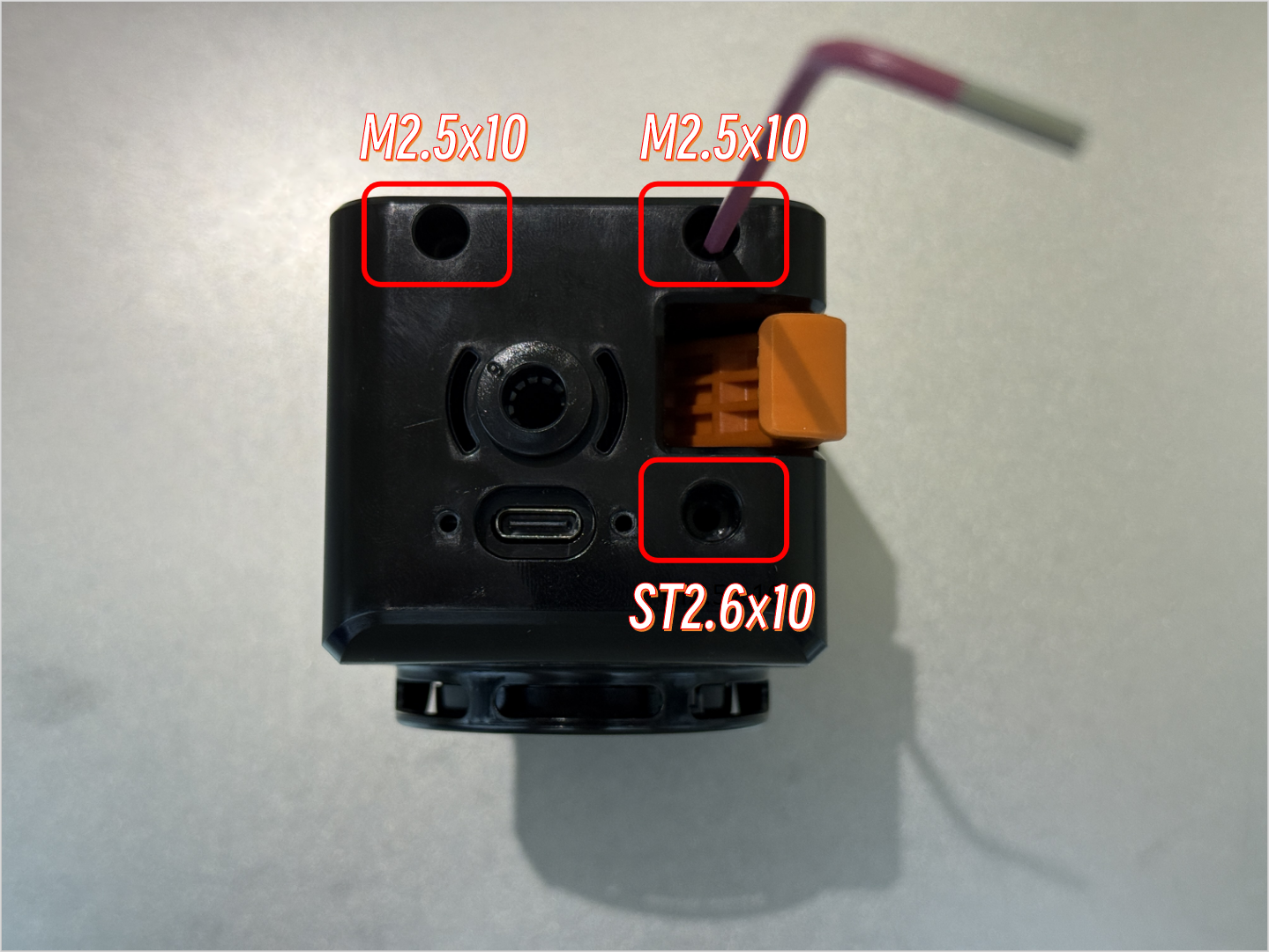
- Remove the back cover of the toolhead.
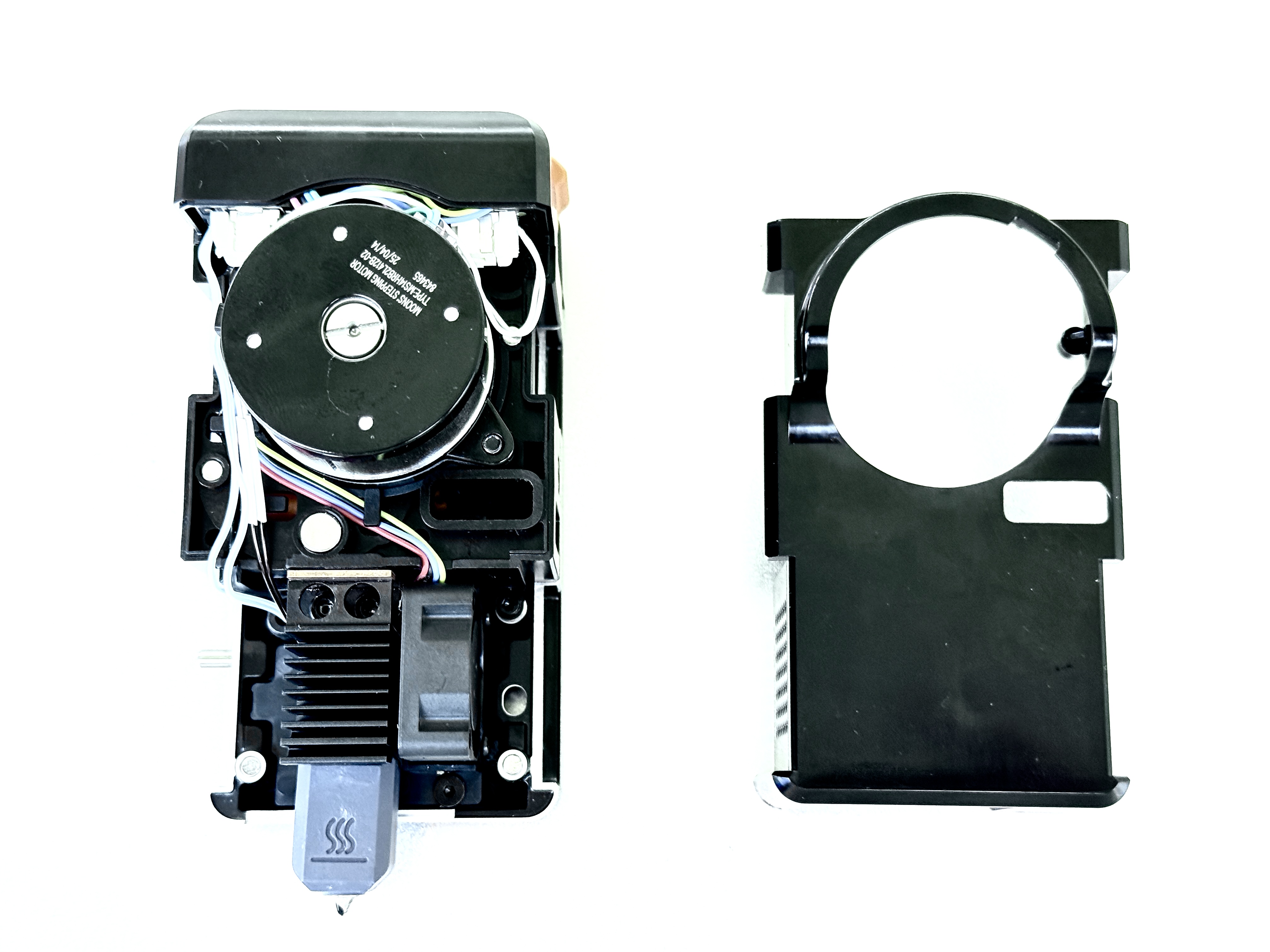
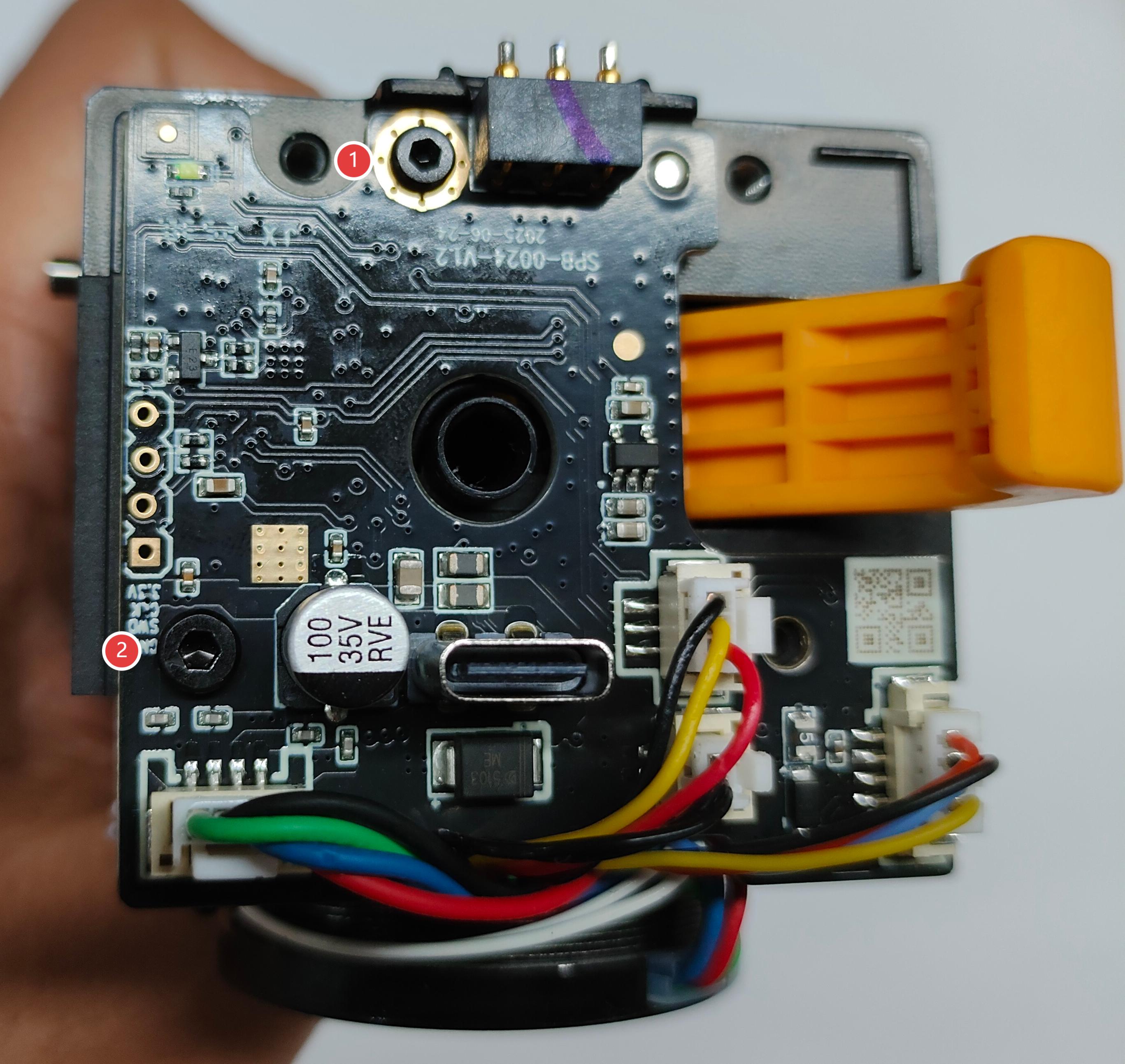
¶ 2.2 Unscrew screws of toolhead PCB
- Use H1.5 and H2.0 hex keys respectively to unscrew screws 1 and 2 of toolhead PCB.
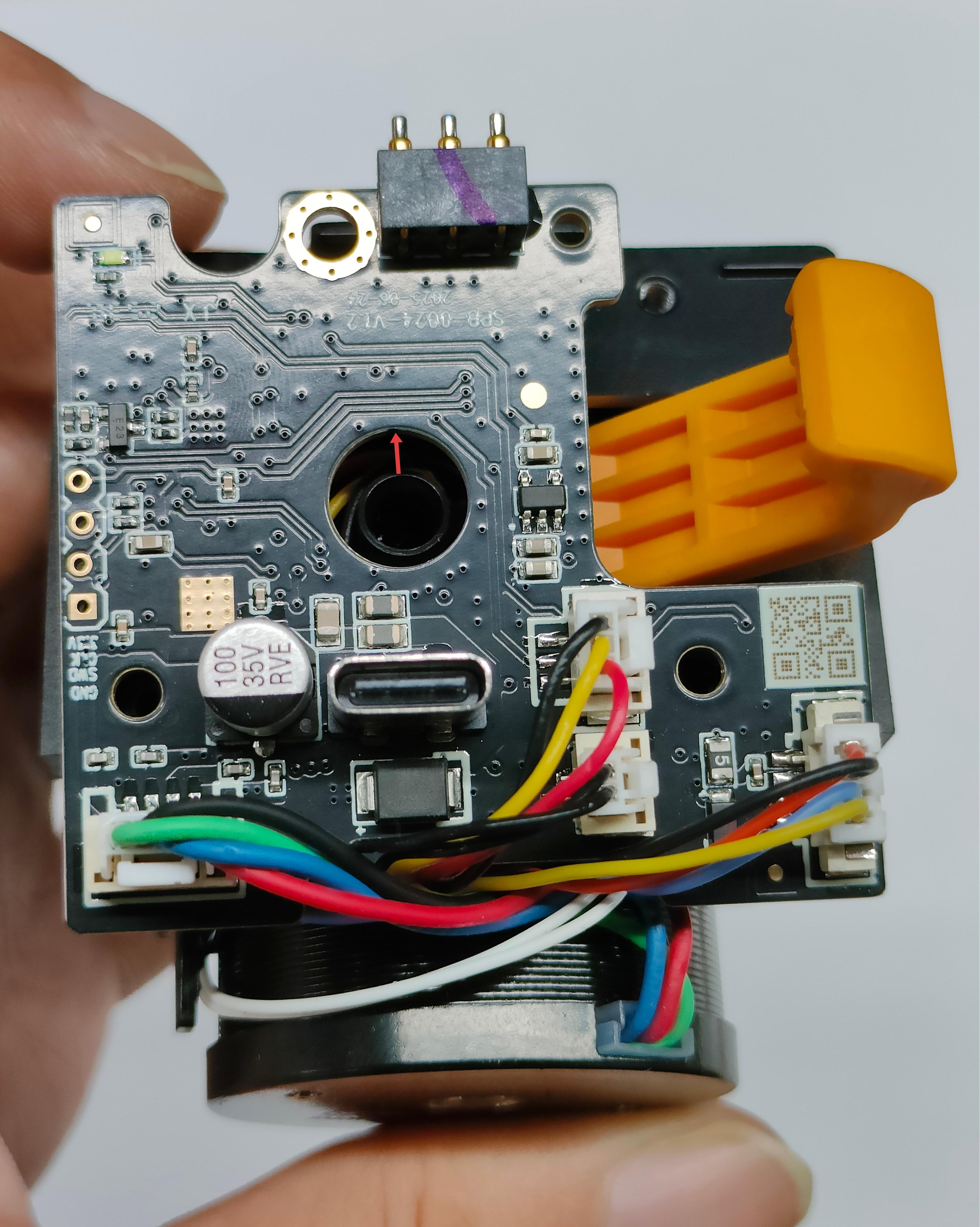
- Lift the toolhead PCB carefully, ensure that the hole in the middle is positioned above the filament runout sensor.
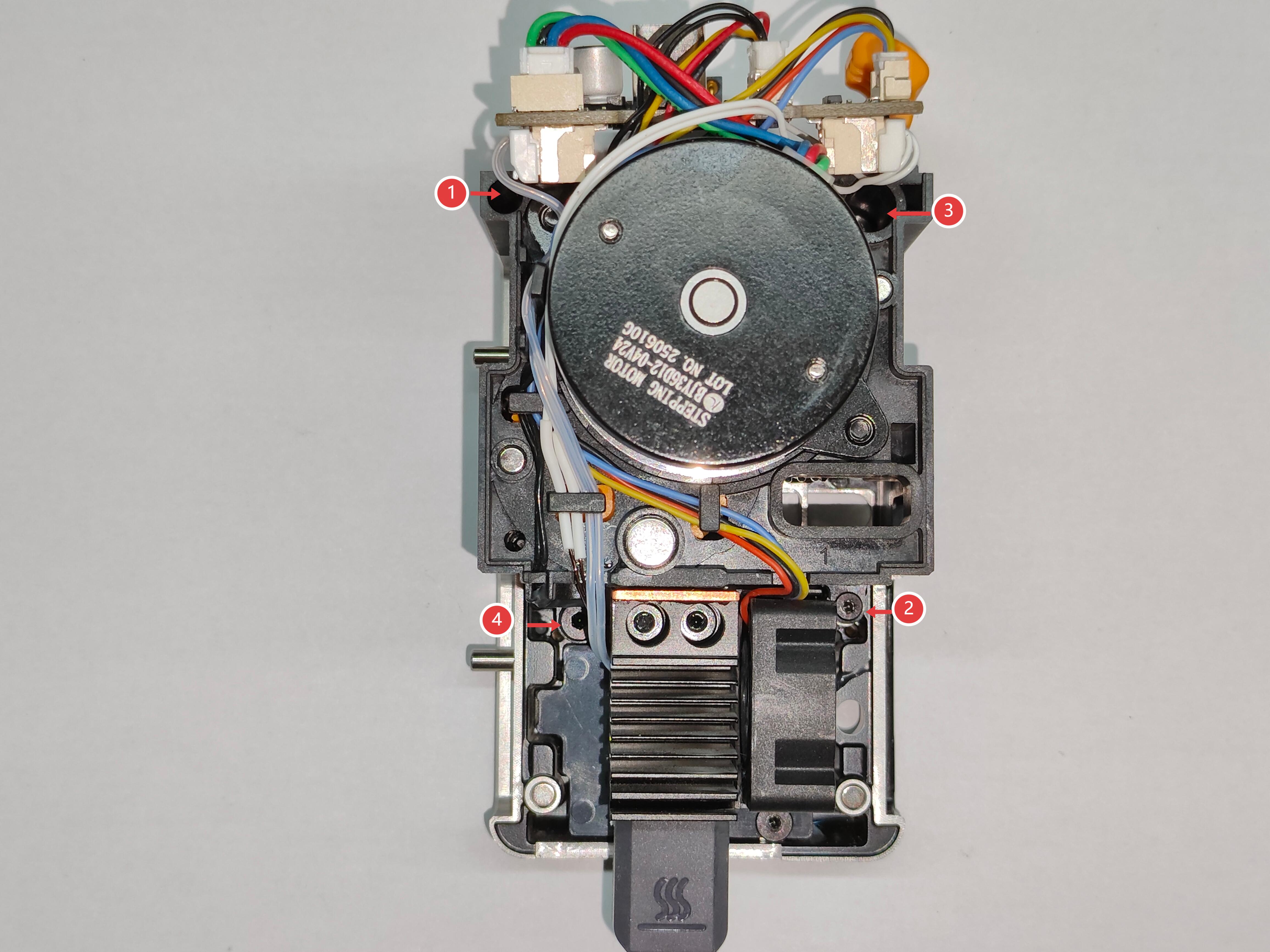
¶ 2.3 Unscrew screws of extruder unit
- Use the H1.5 hex key to unscrew fixing screw 1 and screw 2, and use the H2.0 hex key to unscrew fixing screw 3 and screw 4.
¶ 2.4 Unscrew screws of hotend
- Use the H2.0 hex key to unscrew the 2 fixing screws.
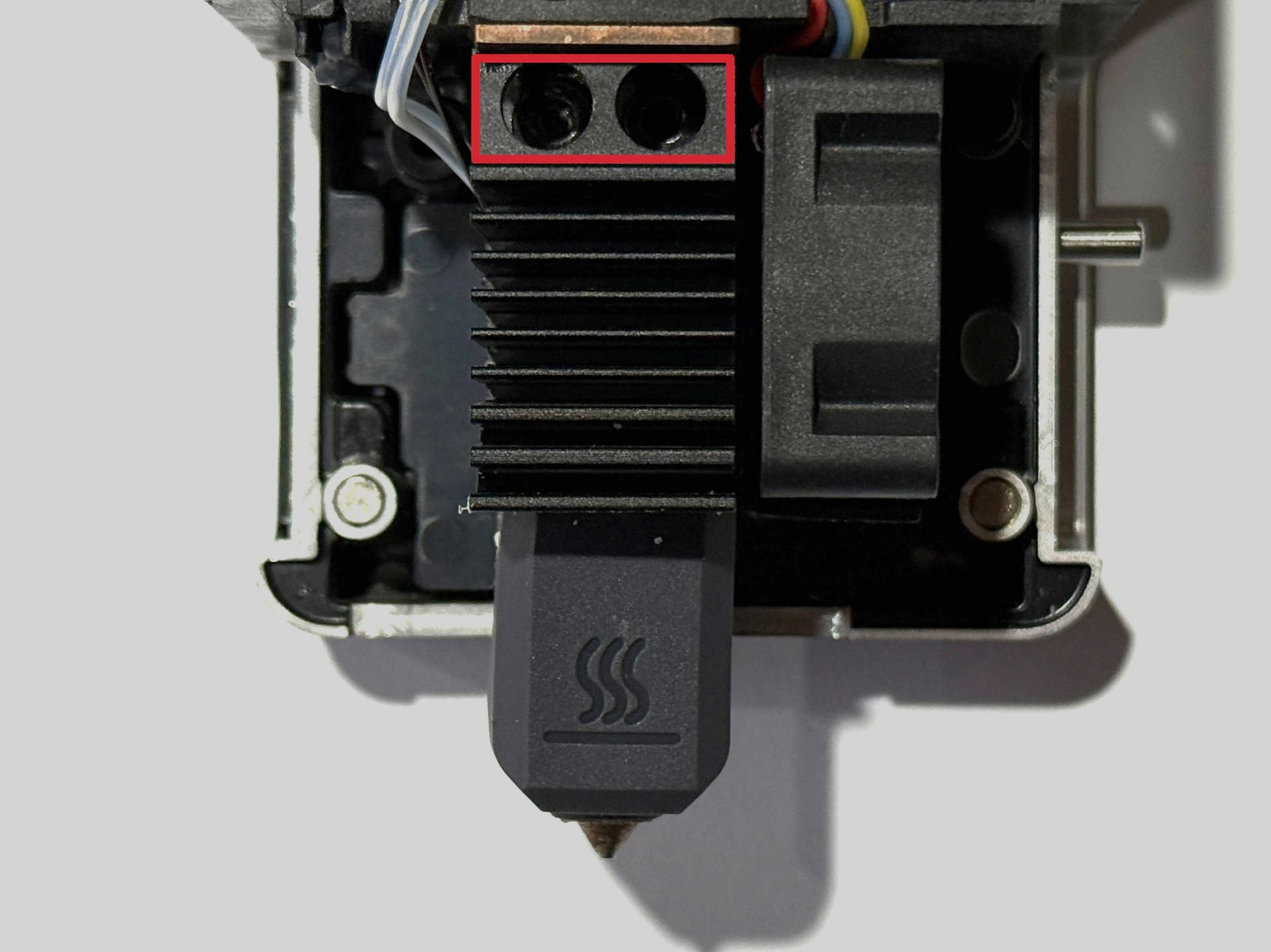
¶ 2.5 Unscrew screws of hotend cooling assembly
- Move the hotend aside, use the H1.5 hex key to unscrew the 3 fixing screws.
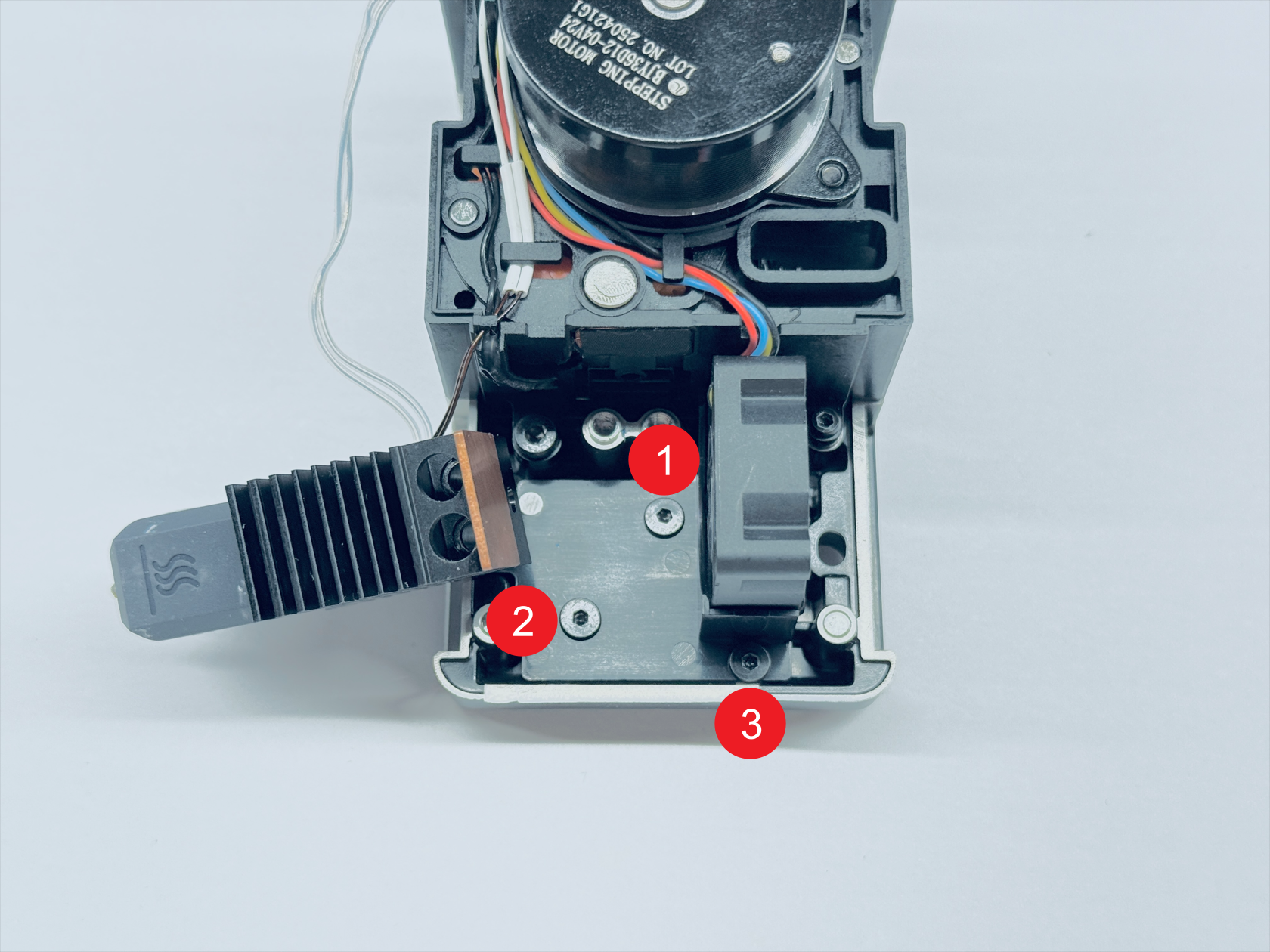
- Remove the old toolhead male mount.
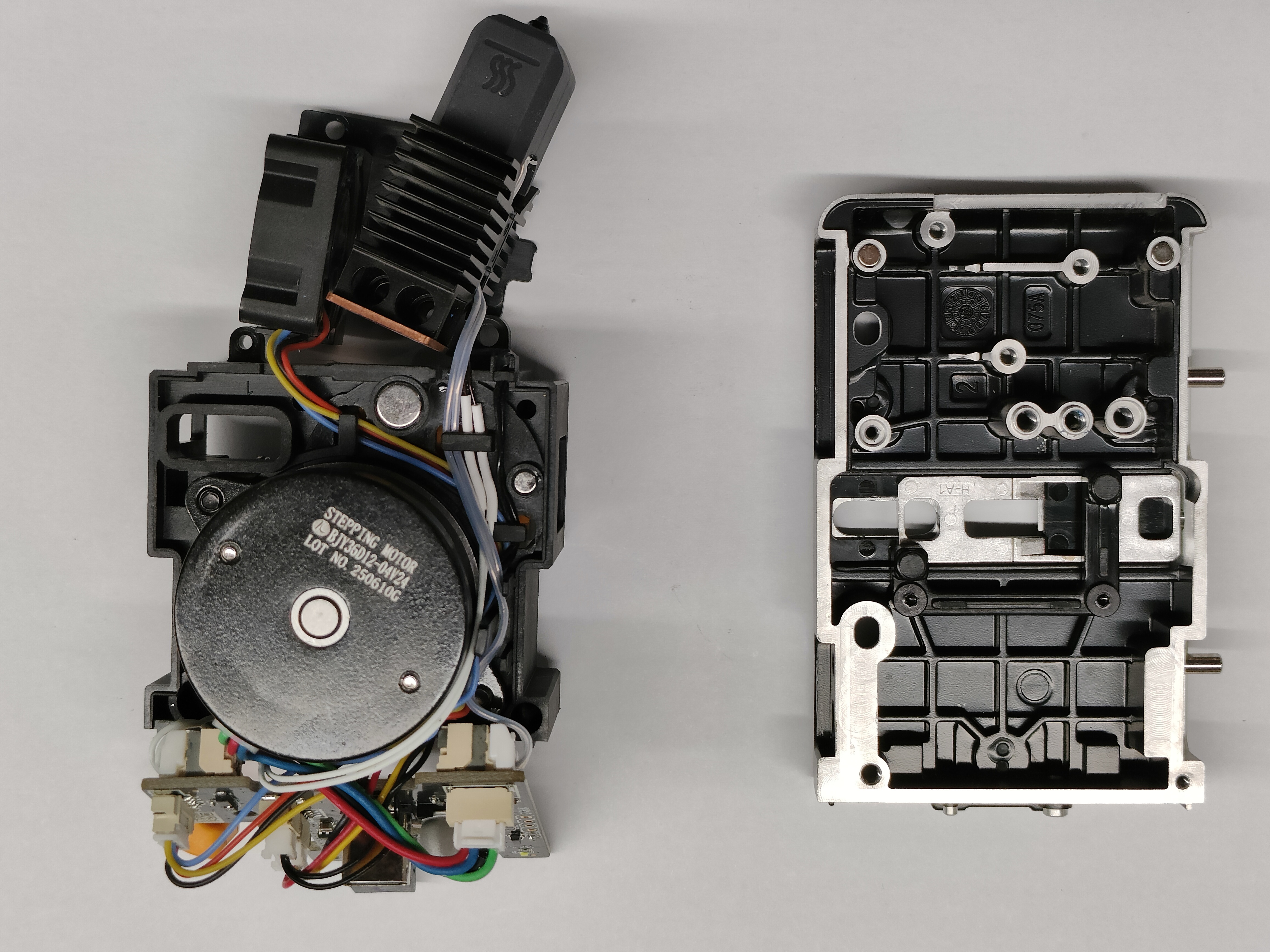
¶ Step 3. Install the new toolhead male mount
¶ 3.1 Tighten the screws on the toolhead male mount
- Install the new toolhead male mount, then use the H1.5 hex key to tighten the 3 fixing screws of hotend cooling assembly.
- Use the H2.0 hex key to tighten the 2 fixing screws of hotend.
- Use the H1.5 hex key to tighten fixing screw 1 and screw 2, and use the H2.0 hex key to tighten fixing screw 3 and screw 4.
- Use the H1.5 and H2.0 hex keys to tighten PCB fixing screw 1 and screw 2 respectively.
¶ 3.2 Install top cover and back cover
- Install the top cover of toolhead.
- Install the back cover of toolhead.
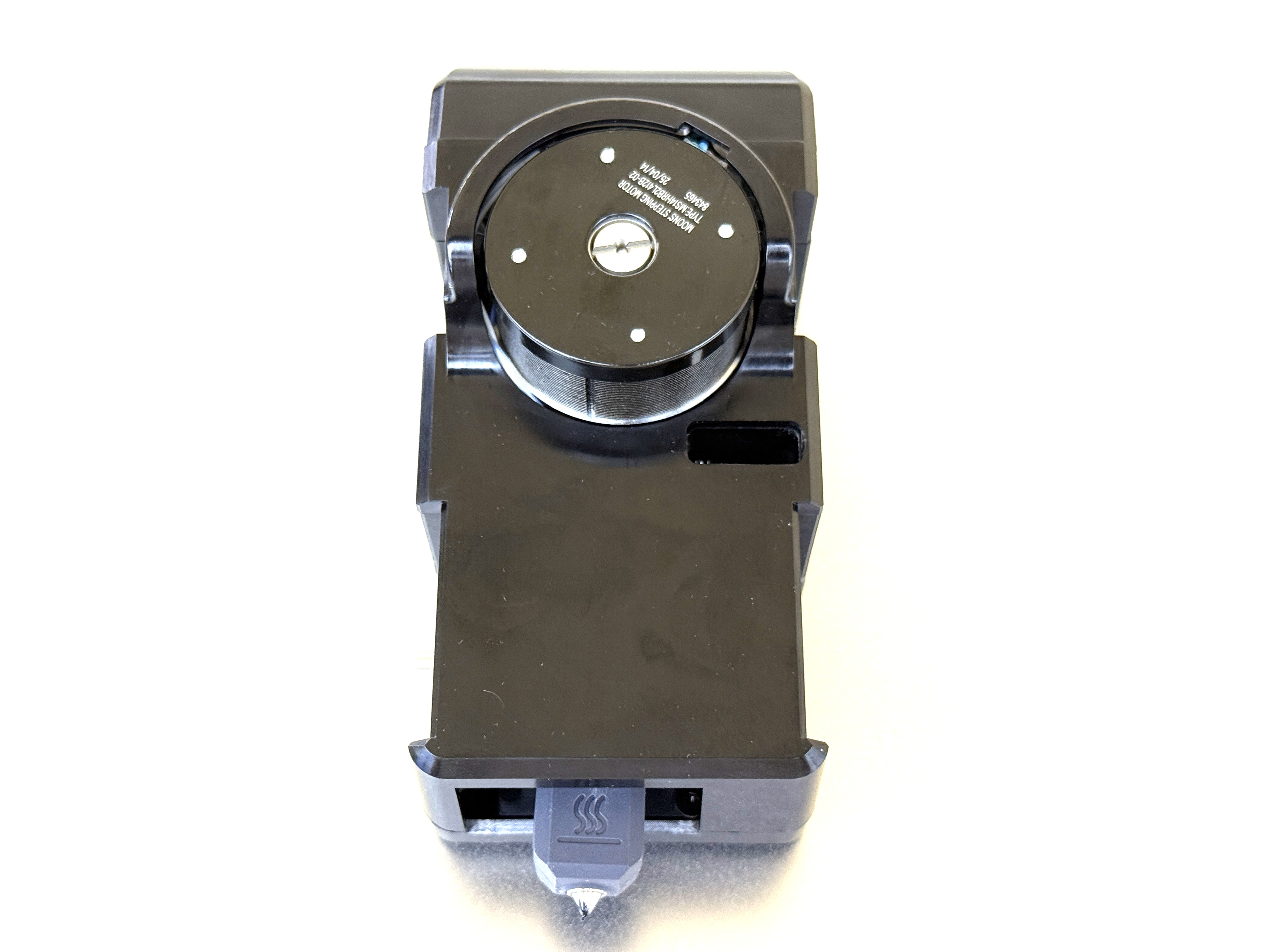
¶ Step 4. Install the toolhead
¶ 4.1 Place the toolhead onto the docking bracket
Before installing the toolhead, please make sure the sliders are in the correct positions. The slider for Toolhead No. 1 should be set to the far left, while the sliders for Toolheads No. 2, 3, and 4 should all be set to the far right.
You can use a hex key to adjust the slider and make sure the red mark on the slider is visible.
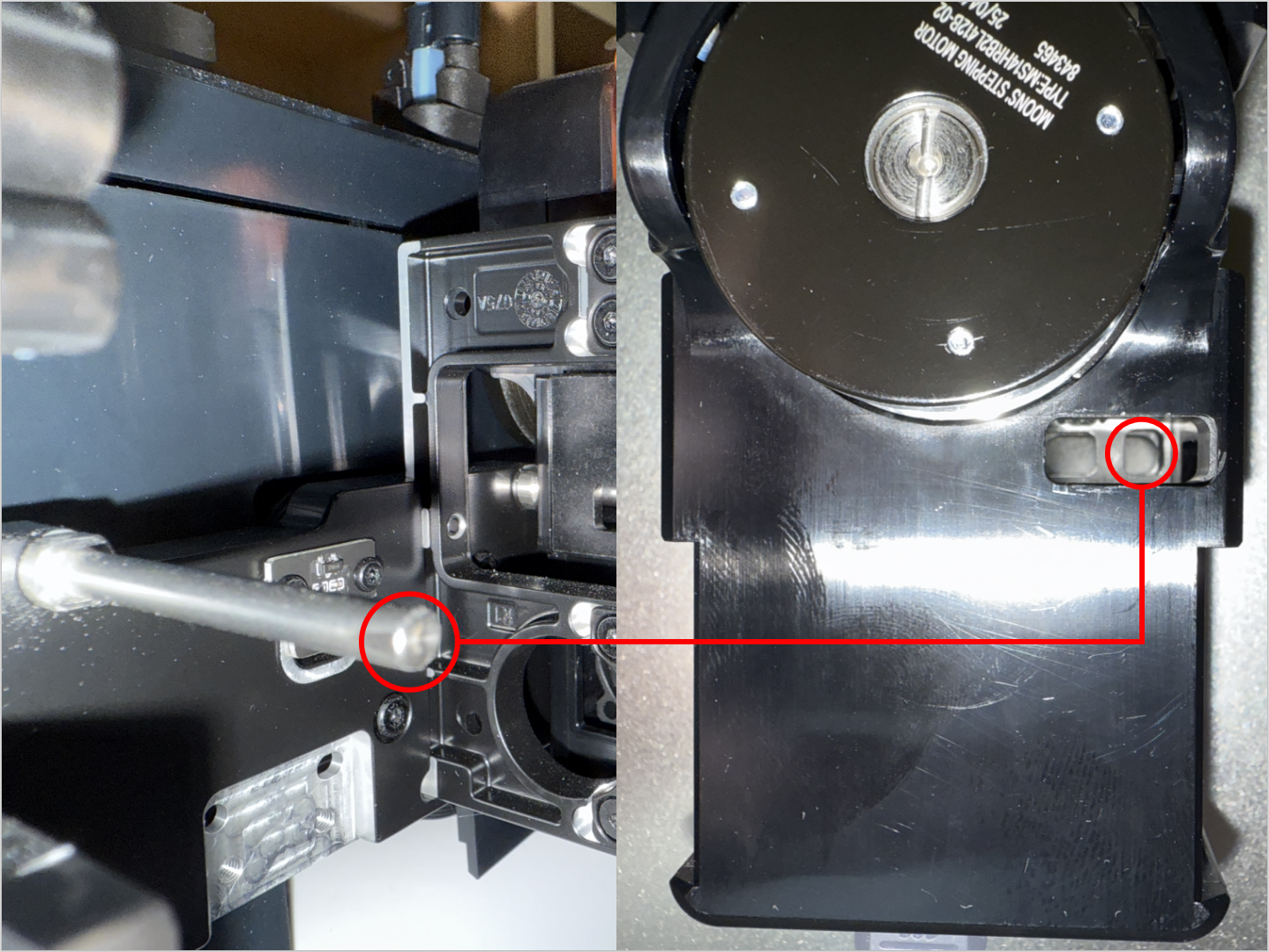
- Align the hole on the toolhead with the long locating pin on the docking bracket, and push inward until it stops.
The illustrated side of the toolhead should face inward.
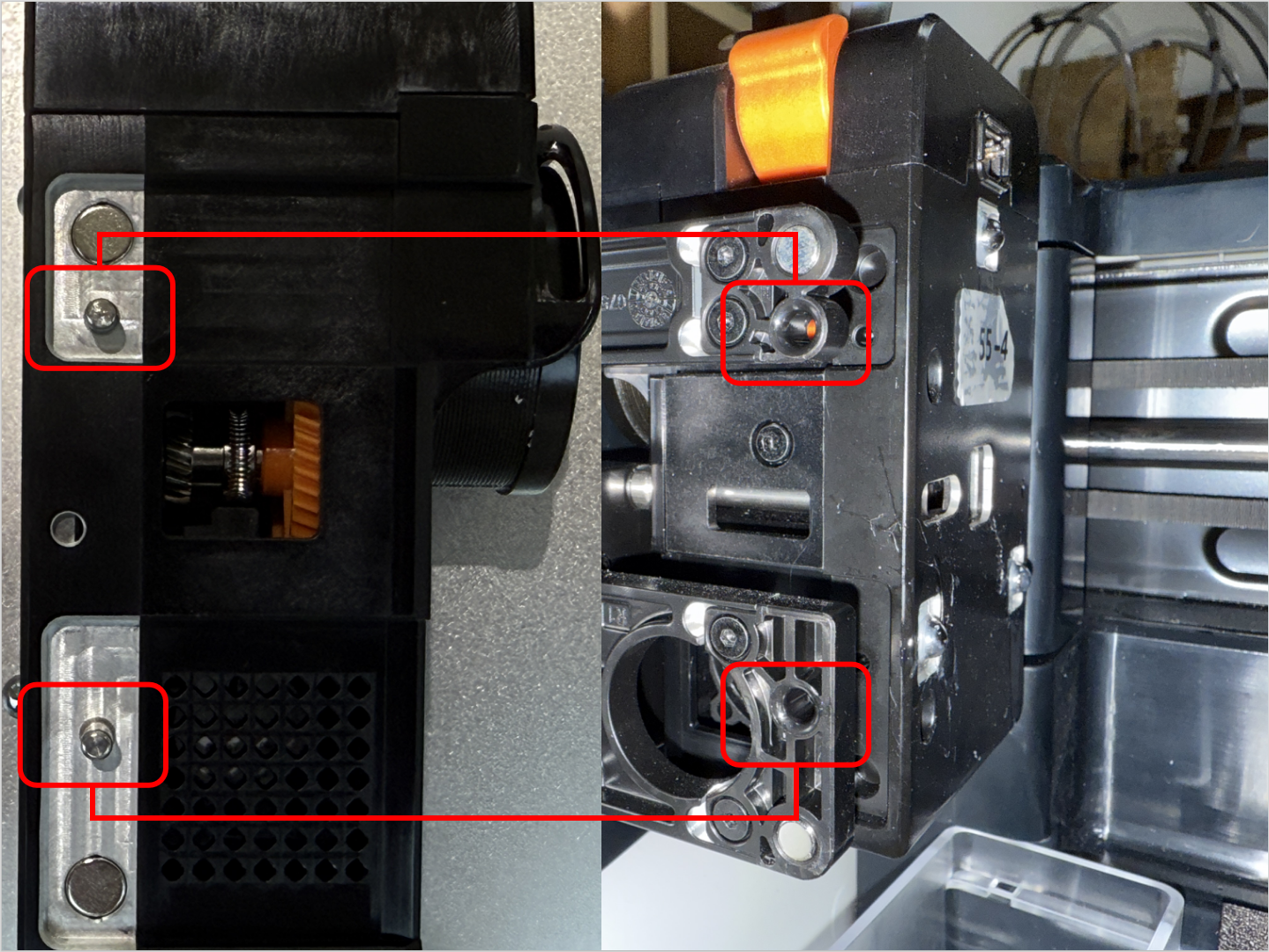
- Align the two locating pins on the toolhead with the holes shown on the mount.
For No.1 head: hole is to the left of the pins
For No.2/3/4 heads: hole is to the right of the pins
¶ 4.2 Connect and secure the USB cable
- Plug in the USB cable and fasten the two screws with the H2.0 hex key.
¶ 4.3 Load filament
- While pressing part 1, as highlighted in the image below, insert the filament into part 2 until it reaches the end.
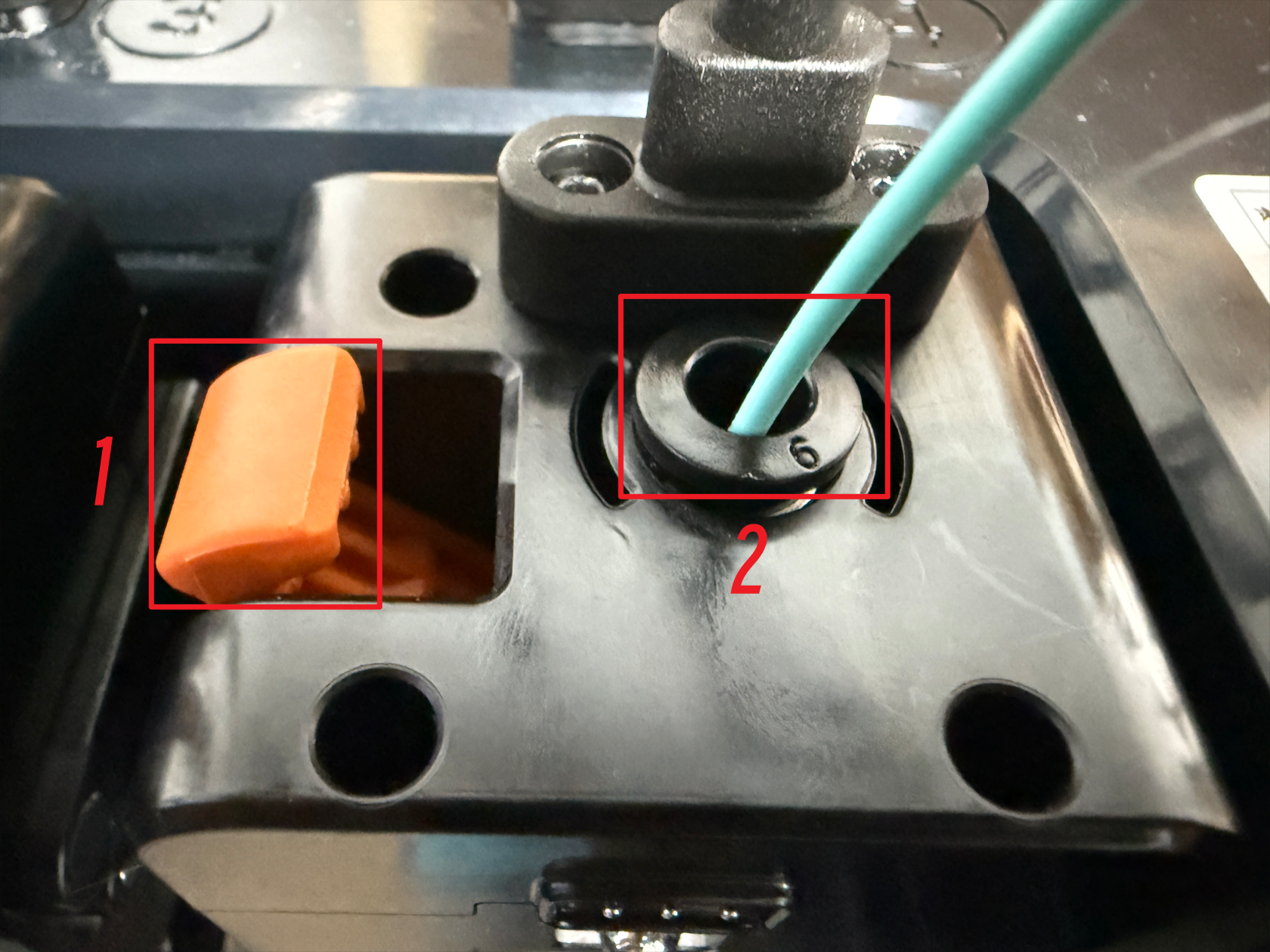
- Finally, connect the filament tube. The toolhead installation is now complete.
¶ Reach out to Snapmaker Support
After following the troubleshooting steps, if you find it difficult to resolve your issue, kindly submit a support ticket through https://snapmaker.formcrafts.com/u1-troubleshooting-request and share your troubleshooting results with some pictures/videos.
Our dedicated support team will be more than willing to assist you in resolving the issue.