¶ Compatibility
This article applies to the following model and module. Please take note when referencing:
Model: U1
¶ Error Codes
This troubleshooting guide applies when the screen displays the following error codes:
| 0003-0522-0000-0016 | 0003-0522-0001-0016 |
| 0003-0522-0002-0016 | 0003-0522-0003-0016 |
| 0003-0522-0004-0016 | 0003-0522-0005-0016 |
¶ Issue Description
- During printing, the touchscreen displays the error message "timer too close".
¶ Possible Causes
-
Loose toolhead cable connection
-
Damaged toolhead cable
-
Communication timeout caused by a faulty main MCU
¶ Troubleshooting Steps
¶ Step 1. Check if the toolhead cable is loose
-
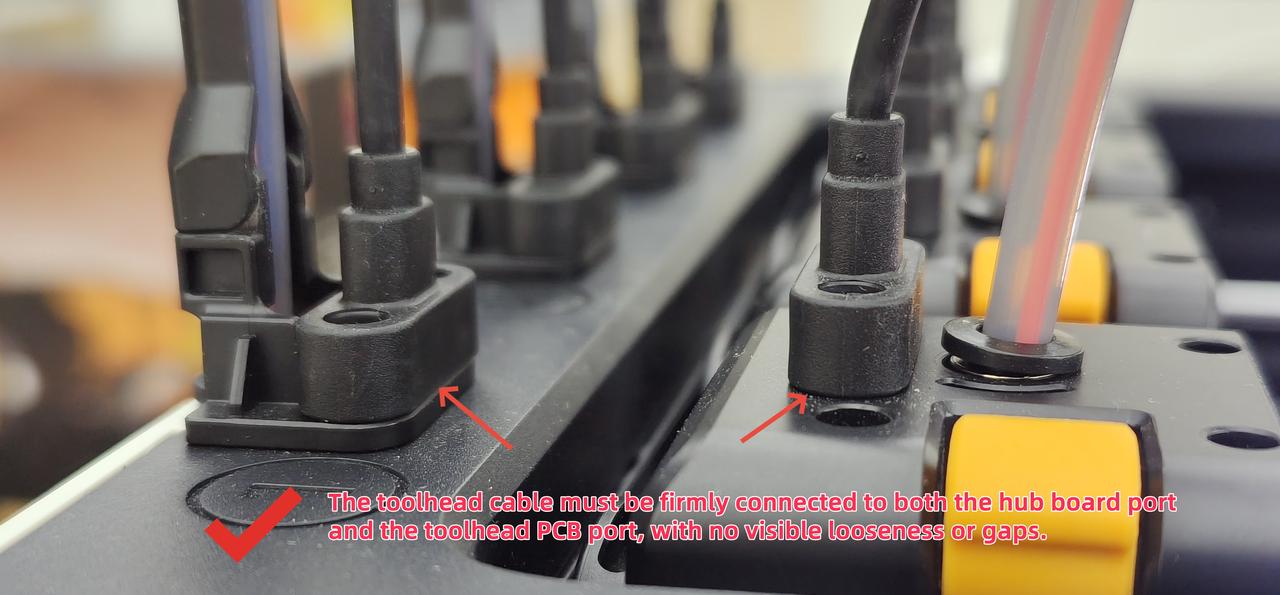
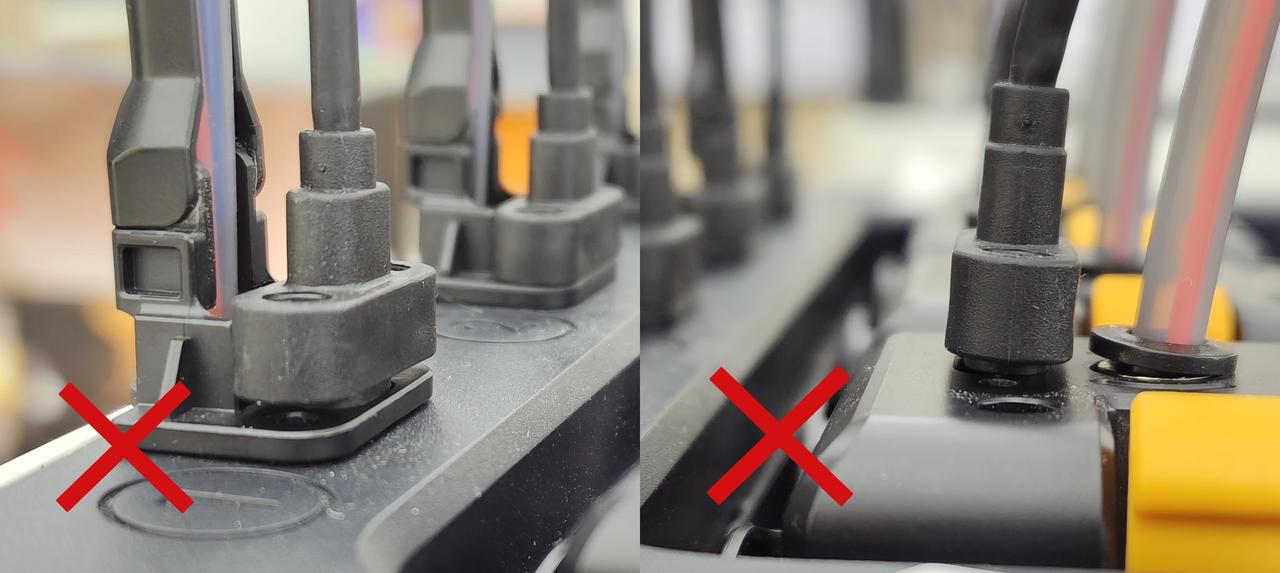
Check whether the toolhead cable fixing screws are loose
-
If loose, retighten the two fixing screws
Correct installation:
Incorrect installation:
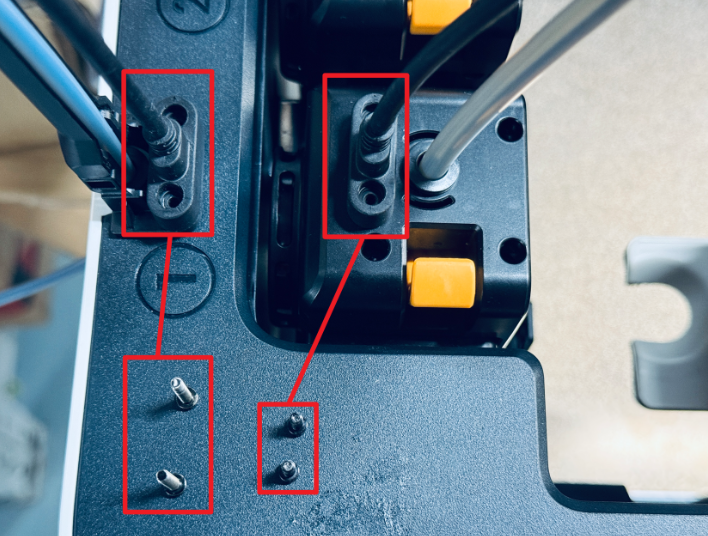
- Note that different types of screws are used at both ends of the toolhead cable. Avoid installing them incorrectly.
¶ Step 2. Replace or swap the USB cables
- Identify the reported toolhead based on the error code:
| Error Codes | Toolhead |
|---|---|
| 0003-0522-0002-0016 | Toolhead 1 |
| 0003-0522-0003-0016 | Toolhead 2 |
| 0003-0522-0004-0016 | Toolhead 3 |
| 0003-0522-0005-0016 | Toolhead 4 |
-
Try replacing the USB cable with a spare one. If no spare is available, swap the toolhead cable from the toolhead without error with the one from the toolhead showing the error.
-
Observe whether the issue follows the cable. If it does, the problem is with the toolhead cable, and it needs to be replaced.
¶ Step 3. Communication timeout caused by a faulty main MCU
If the reported toolhead still shows the error after replacing the toolhead cable, the issue is likely caused by a faulty main MCU. Please collect the troubleshooting results and contact Snapmaker Support.
¶ Reach out to Snapmaker Support
After following the troubleshooting steps, if you find it difficult to resolve your issue, kindly submit a support ticket through https://snapmaker.formcrafts.com/u1-troubleshooting-request and share your troubleshooting results with some pictures/videos.
Our dedicated support team will be more than willing to assist you in resolving the issue.