¶ 💡 Compatibility
This guide applies to the following machine. Please note when referencing:
Machine model: U1
¶ 📝 Issue Description
An error message as shown appears on the screen.
Along with issues such as the toolhead not heating, heating slowly, or displaying abnormal temperature readings.
-000(2、3)_en.png)
¶ 🛠️ Troubleshooting Steps
¶ 1. Toolhead not heating / Heating slowly
(1) Please check whether the ceramic heater has any of the following issues: (terminals not fully inserted, damaged or broken wires).
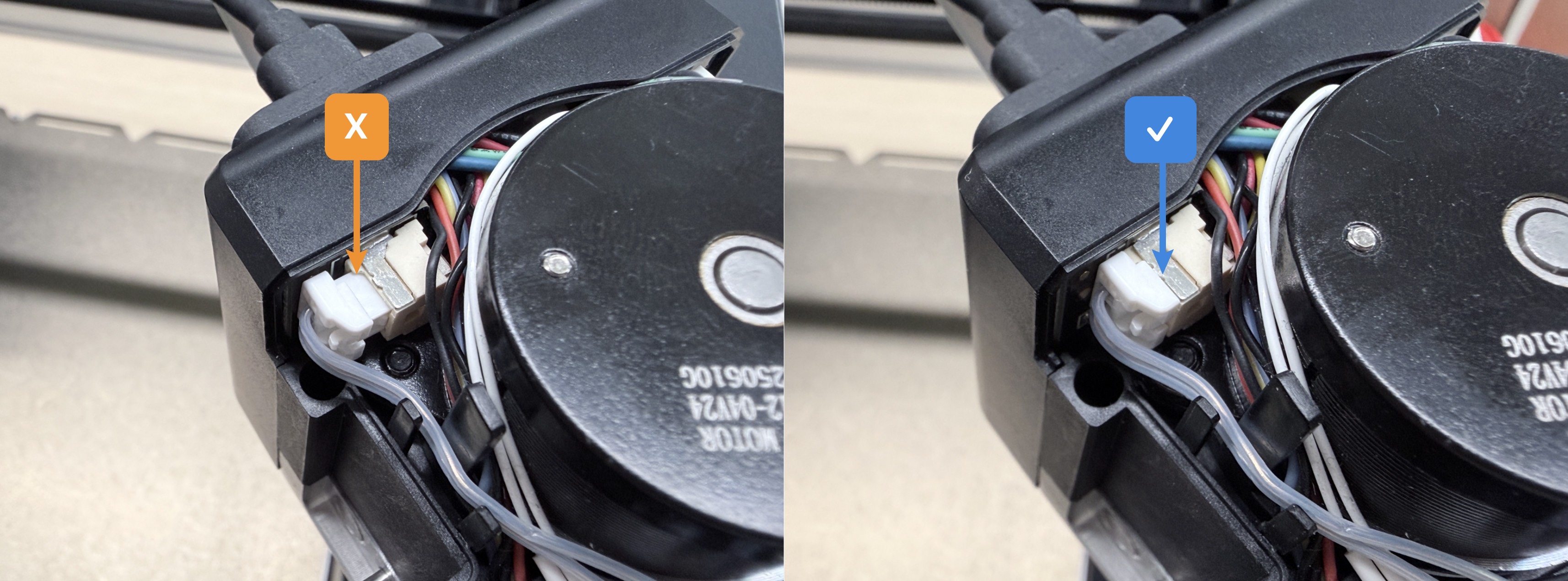
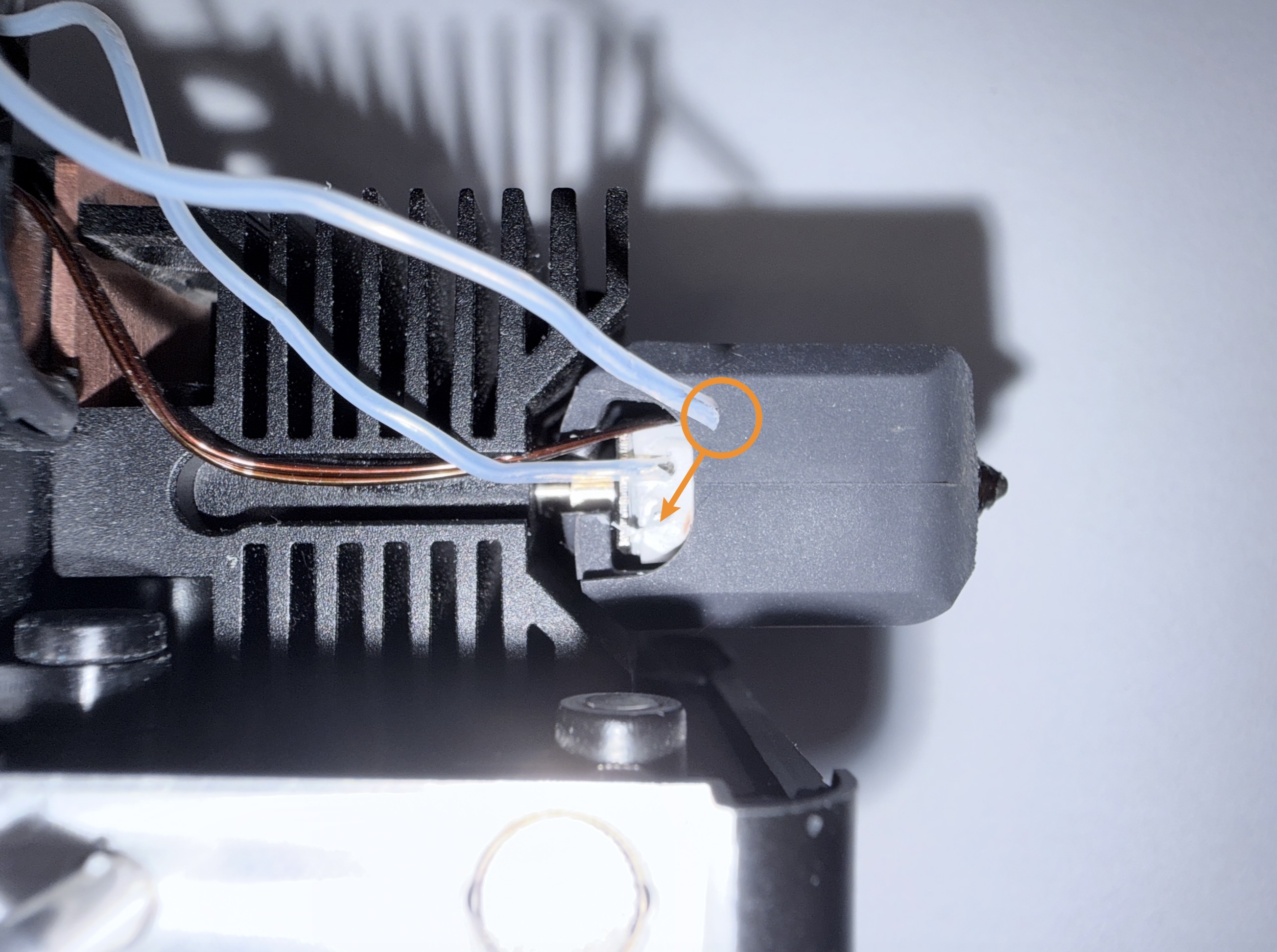
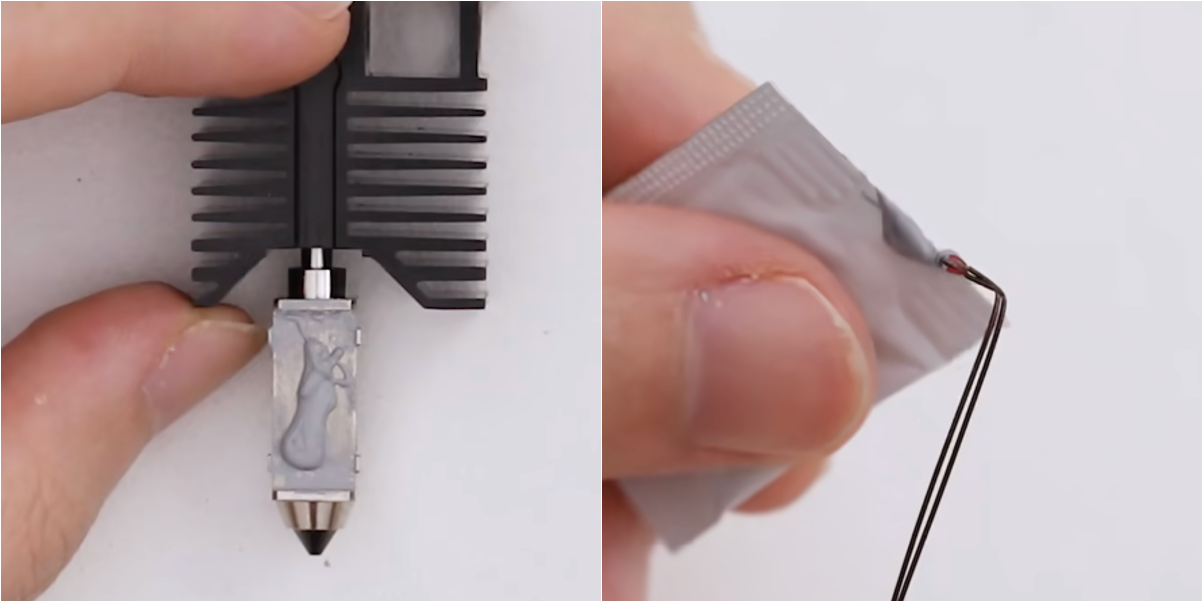
(2) Please refer to U1 Video Guide: Ceramic Heater & NTC Thermistor Replacement to apply thermal grease evenly to the installation areas of both the thermistor probe and the ceramic heater.
If the toolhead does not heat at all, this step can be skipped.
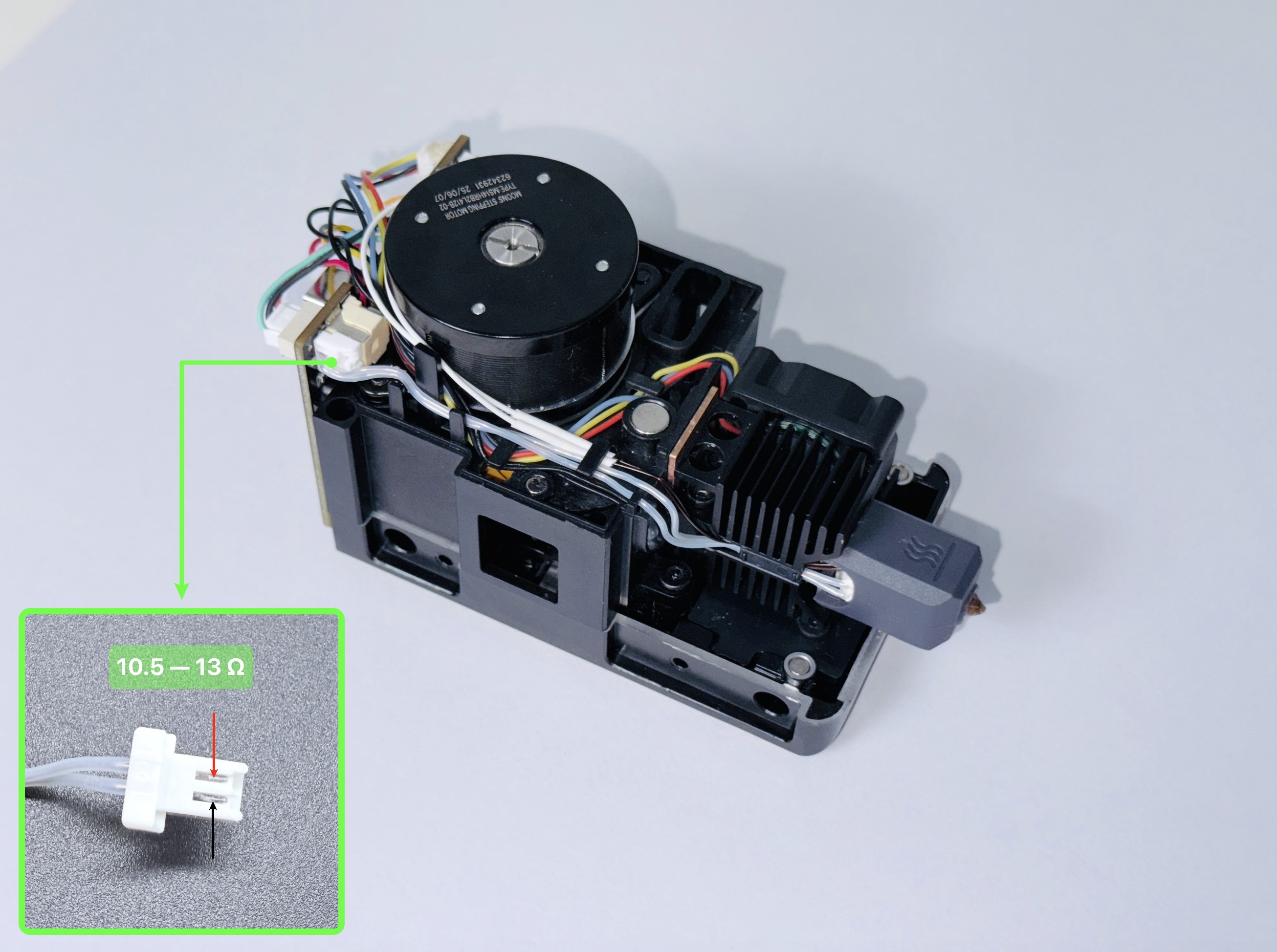
(3) If you have a multimeter, you can measure the resistance at the points shown in the diagram. Reference value: 10.5–13 Ω.
-
If the value is outside this range, please replace the ceramic heater.
-
Purchase link:Snapmaker Official Store
Please select your region before placing an order.
¶ 2. Abnormal toolhead temperature reading
¶ 2-1 Overtemperature
(1) Please refer to U1 Video Guide: Ceramic Heater & NTC Thermistor Replacement to remove the thermistor probe from the heater block hole, separate the two wires, then restart the machine and check whether the temperature returns to normal.
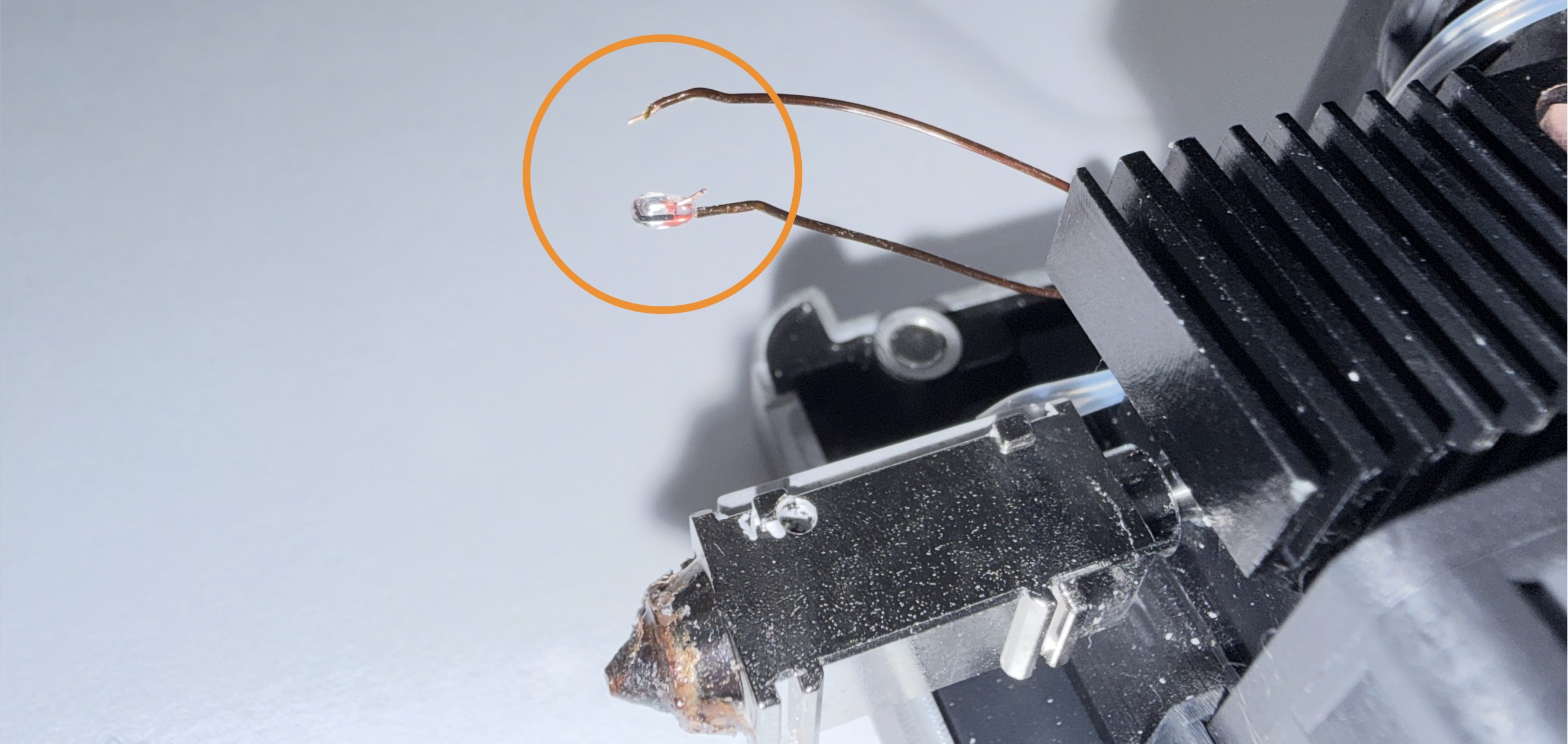
(2) If the temperature returns to normal after removing the probe, it is highly likely that the thermistor insulation jacket is damaged, causing the internal copper wires to contact metal parts and resulting in a short circuit.
(3) Temporary solution: move the brown insulation jacket to cover the exposed copper wire, or wrap the area with a small amount of insulating tape.
- Long-term solution: replace the thermistor.
- Purchase link:Snapmaker Official Store
Please select your region before placing an order.
¶ 2-2 Undertemperature
Please check whether the thermistor has any of the following issues:
(terminals not fully inserted, damaged or broken wires).
¶ 💬 Reach out to Snapmaker Support
After following the troubleshooting steps, if you find it difficult to resolve your issue, kindly submit a support ticket through https://snapmaker.formcrafts.com/u1-troubleshooting-request and share your troubleshooting results with some pictures/videos.
Our dedicated support team will be more than willing to assist you in resolving the issue.