¶ Page description
This page is used to record recently identified issues that already have confirmed solutions. These cases are relatively short, and the goal is to quickly provide fixes for problems customers may encounter. If more related cases arise later, they will be further detailed and consolidated into formal Wiki articles.
¶ Compatibility
This article applies to the following model and module. Please take note when referencing:
Model: U1
¶ Toolhead
¶ Nozzle clogging
¶ Issue Description
The toolhead keeps attempting to load filament but fails to complete the process after several cycles.
¶ Possible Cause
The nozzle is clogged.
¶ Solution
Follow the steps below to clear a clogged nozzle:
- Heat the nozzle
Heat the nozzle to about 10–20°C higher than the normal printing temperature for the filament. For example:
(1) PLA: normal 200°C → heat to 210–220°C
(2) PETG: normal 240°C → heat to 250–260°C
(3) ABS: normal 240°C → heat to 250–260°C
- Clean with a nozzle cleaning needle
(1) Once the target temperature is reached, gently insert the cleaning needle (provided with the printer) into the nozzle and move it up and down several times to help remove the remaining filament.
(2) Avoid applying excessive force to prevent bending the needle or damaging the inner wall of the nozzle.
- Perform extrusion cleaning
After cleaning, try to load filament again to confirm that the nozzle is unobstructed.
¶ Snapmaker Orca
¶ G-code parsing failed
¶ Issue Description
Error code 0003-0529-0000-0001 pops up on the U1 touchscreen.
¶ Possible Cause
When using Snapmaker Orca versions prior to V2.1.2 for multi-color slicing, the language is set to Deutsch or Français, which causes decimal points to be replaced with commas.
¶ Solution
Download the latest official version of Snapmaker Orca.
¶ Unable to connect to U1
¶ Issue Description
Snapmaker Orca is unable to connect to U1, while the Snapmaker App and Fluidd can connect normally.
¶ Possible Cause
Versions v2.1.1 and earlier of Snapmaker Orca contain a connection bug.
¶ Solution
Download the latest official version of Snapmaker Orca.
¶ Firmware
¶ Failed to get QR code or PIN code
¶ Issue Description
- During the first startup, failed to get QR code in the wizard mode.
- During subsequent use, failed to get QR code or PIN code.
¶ Possible Cause
Firmware versions prior to V 0.9.0 have cloud connection issues.
¶ Solution
Follow the steps below to update the firmware:
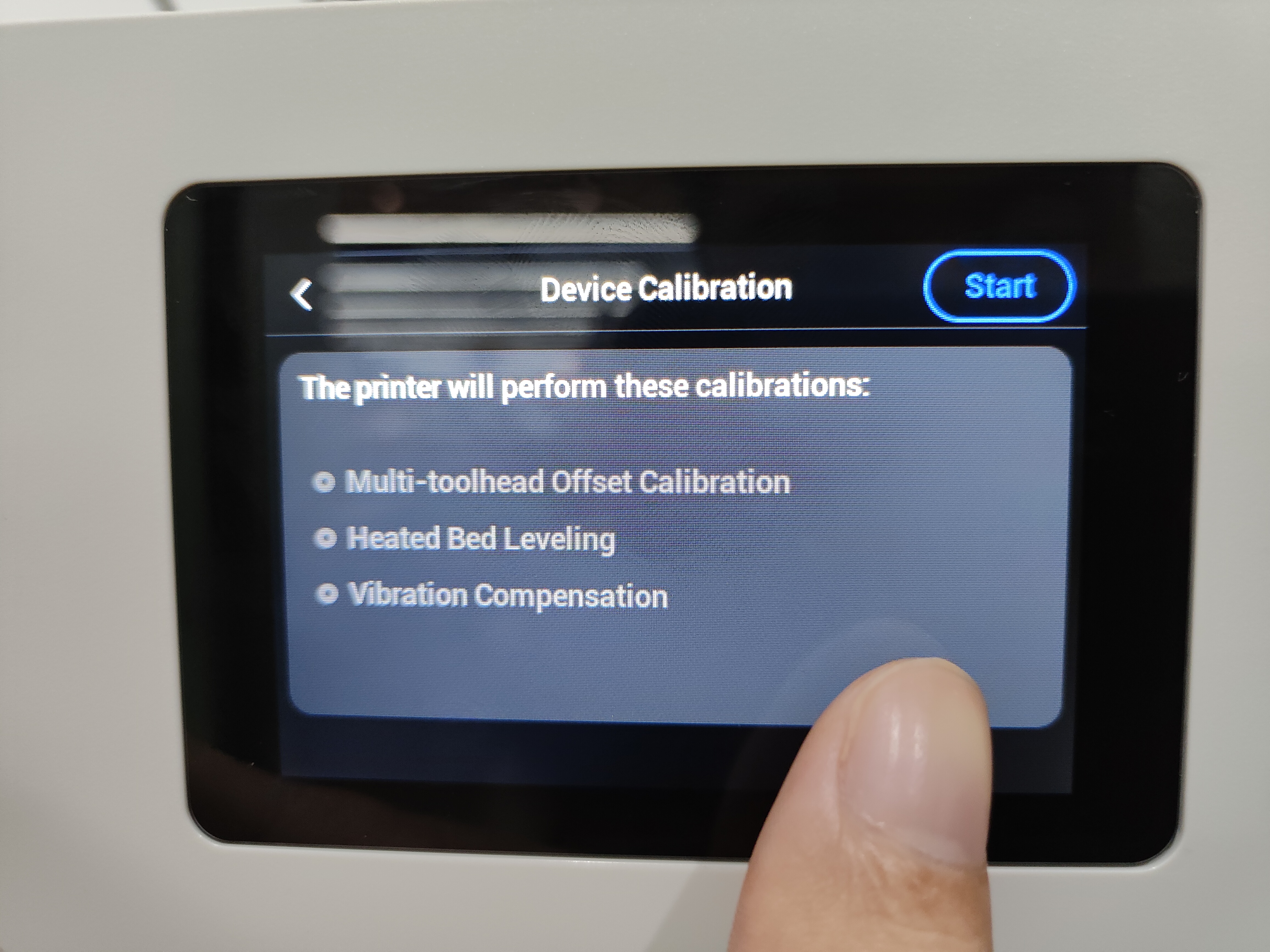
- If you are in the wizard mode, tap "Set Up Later" to enter the "Device Calibration" page. Long-press the screen position indicated by the thumb in the image below for 5 seconds and then release it. Continuously tap "Set Up Later" to exit the wizard mode.
- Update the firmware using a USB flash drive and restart the machine.
- If the cloud connection still fails after updating the firmware and restarting the machine, it may be due to a weak network connection. Please try connecting to the cloud server several more times.
¶ Panels/Covers/Housing
¶ Screen rear cover loose
¶ Issue Description
The rear cover of the screen feels loose after installation.
¶ Possible Cause
This part is designed for quick removal. The plastic clips and metal panel may sometimes have slight looseness after assembly, but it does not affect functionality.
¶ Solution
You can remove the rear cover and reinforce it using one of the methods below before reinstalling it:
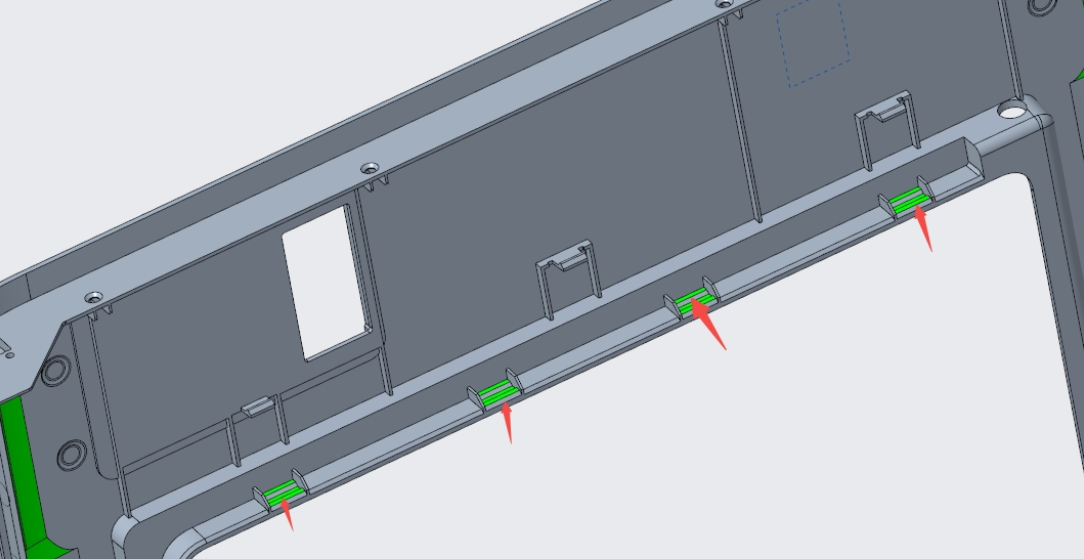
- Add two layers of tape to the four clip positions on the cover,
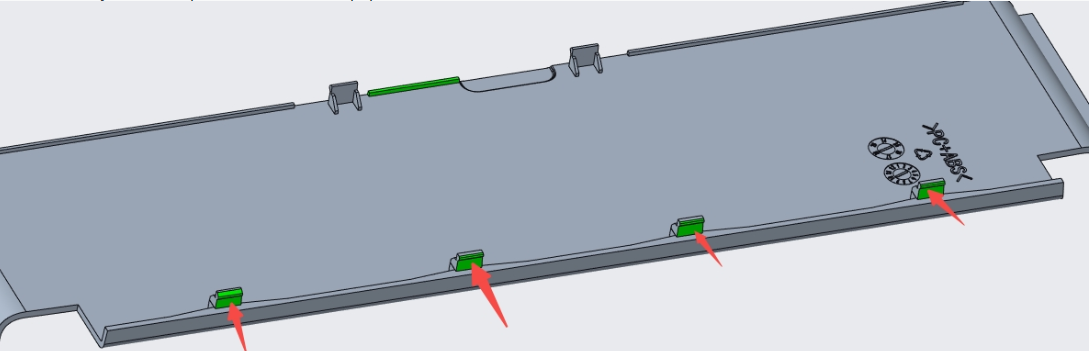
- Or add one to two layers of tape to the corresponding four positions on the front panel.