¶ 💡 Compatibility
This guide applies to the following machine. Please note when referencing:
- Machine model: U1
¶ 📝 Issue Description
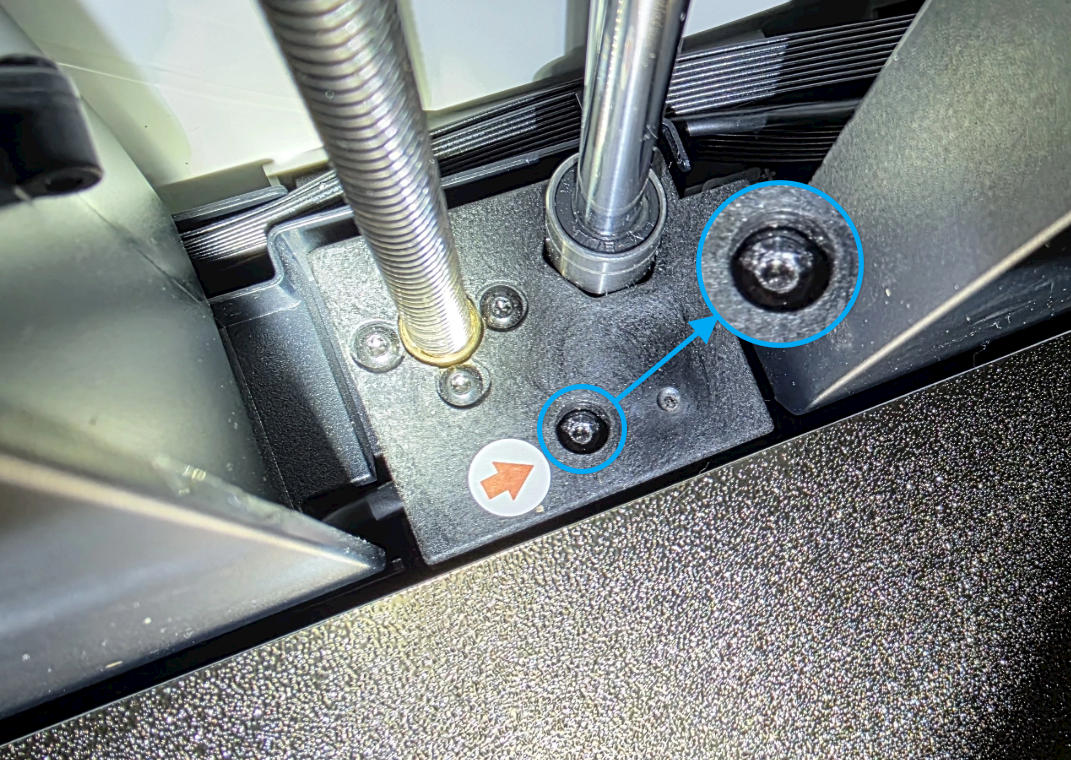
If you find that the heated bed mounting screws are stripped and cannot be removed from the hole, please refer to this guide for troubleshooting.
¶ ✅ Solution
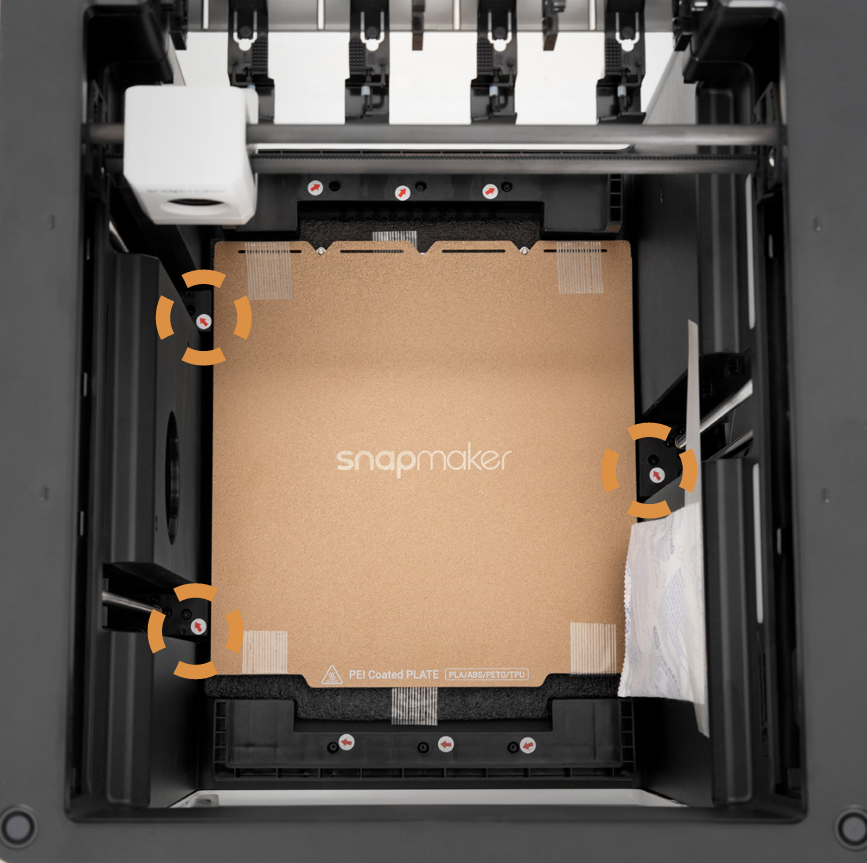
¶ 1. Remove the other screws
To prevent shifting during transport, the U1 heated bed is secured with three screws (as shown below). First, use an H2.0 hex key to remove the other screws, which will release the tension between the timing belt and the heated bed.
¶ 2. Expose the timing belt
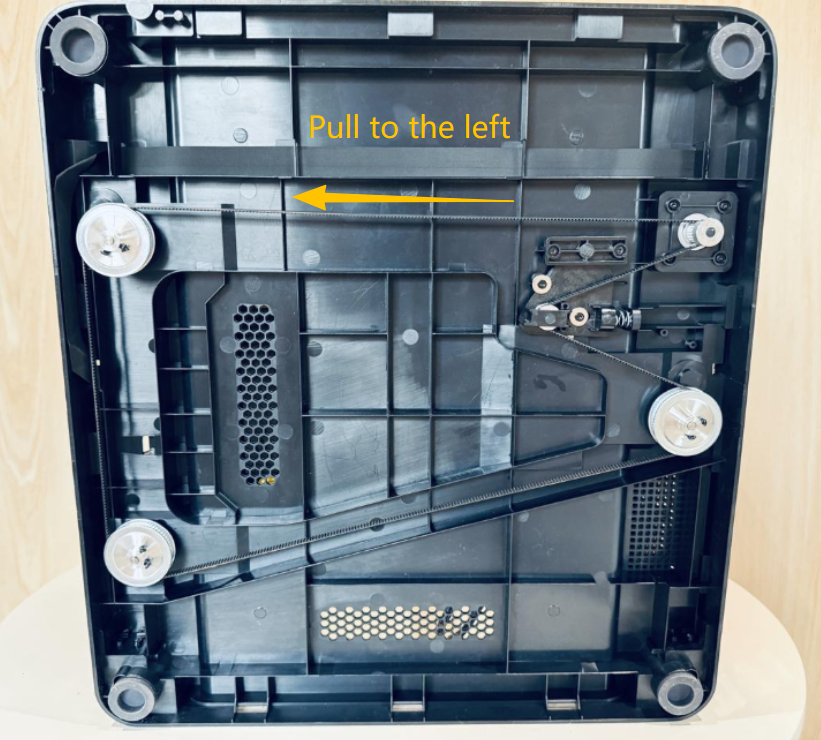
Power off the printer, then lift or lay it on its side to access the Z-axis timing belt at the bottom of the machine.
¶ 3. Pull the timing belt and turn the stuck screw
Pull the timing belt steadily and evenly toward the left. You will see the heated bed gradually lift. At the same time, insert the hex key into the stuck screw, maintain torque, and attempt to remove it.
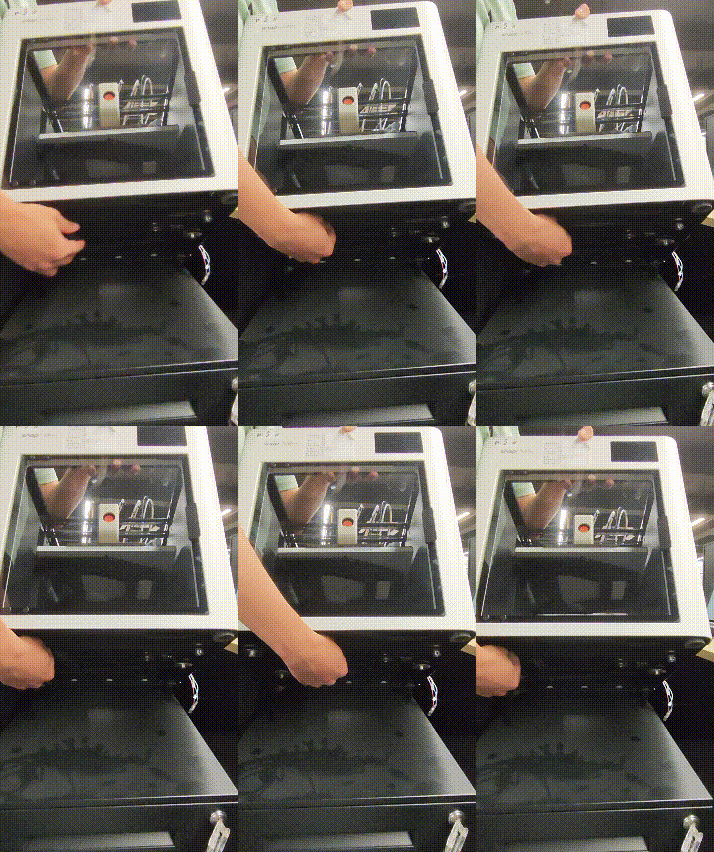
Pulling the timing belt lifts the heated bed along with the connected guide blocks. This upward force tightly presses the stripped screw, increasing the friction between the screw head and the surface below. This allows the screw threads to catch, enabling it to be pulled out gradually as it rotates.
¶ 💬 Reach out to Snapmaker Support
After following the troubleshooting steps, if you find it difficult to resolve your issue, kindly submit a support ticket through https://snapmaker.formcrafts.com/u1-troubleshooting-request and share your troubleshooting results with pictures or videos. Our dedicated support team will be more than willing to assist you in resolving the issue.