¶ 💡 Compatibility
This guide applies to the following machine. Please note when referencing:
Machine model: U1
¶ ⏰ When to Use This Guide
(1) The Heated Bed temperature displays normally but does not heat as expected (no heating or slow heating).
(2) An error message appears on the Touchscreen during heating.
¶ 📋 Quick Info Card
Difficulty: ⭐⭐⭐☆☆ (medium)
Estimated Time: 30–50 minutes
Required Skills: Basic disassembly and multimeter usage
¶ 🔀 Troubleshooting Flowchart
¶ 🔧 Preparation
¶ Required Tools
(1) H2.0 hex key
(2) Multimeter
¶ ⚠️ Important Notes
Please make sure to power off and disconnect the machine before unplugging or reconnecting any cables.
¶ 🛠️ Troubleshooting Steps
¶ Scenario 1: Heated Bed Control Cable Issue
(1) Remove the Right Side Panel following the tutorial: U1 Video Guide: How to Remove the Side Panels
(2) Use the H2.0 hex key to remove the 4 screws on the Power Supply enclosure, disconnect the Power Supply Cooling Fan, and remove the enclosure.
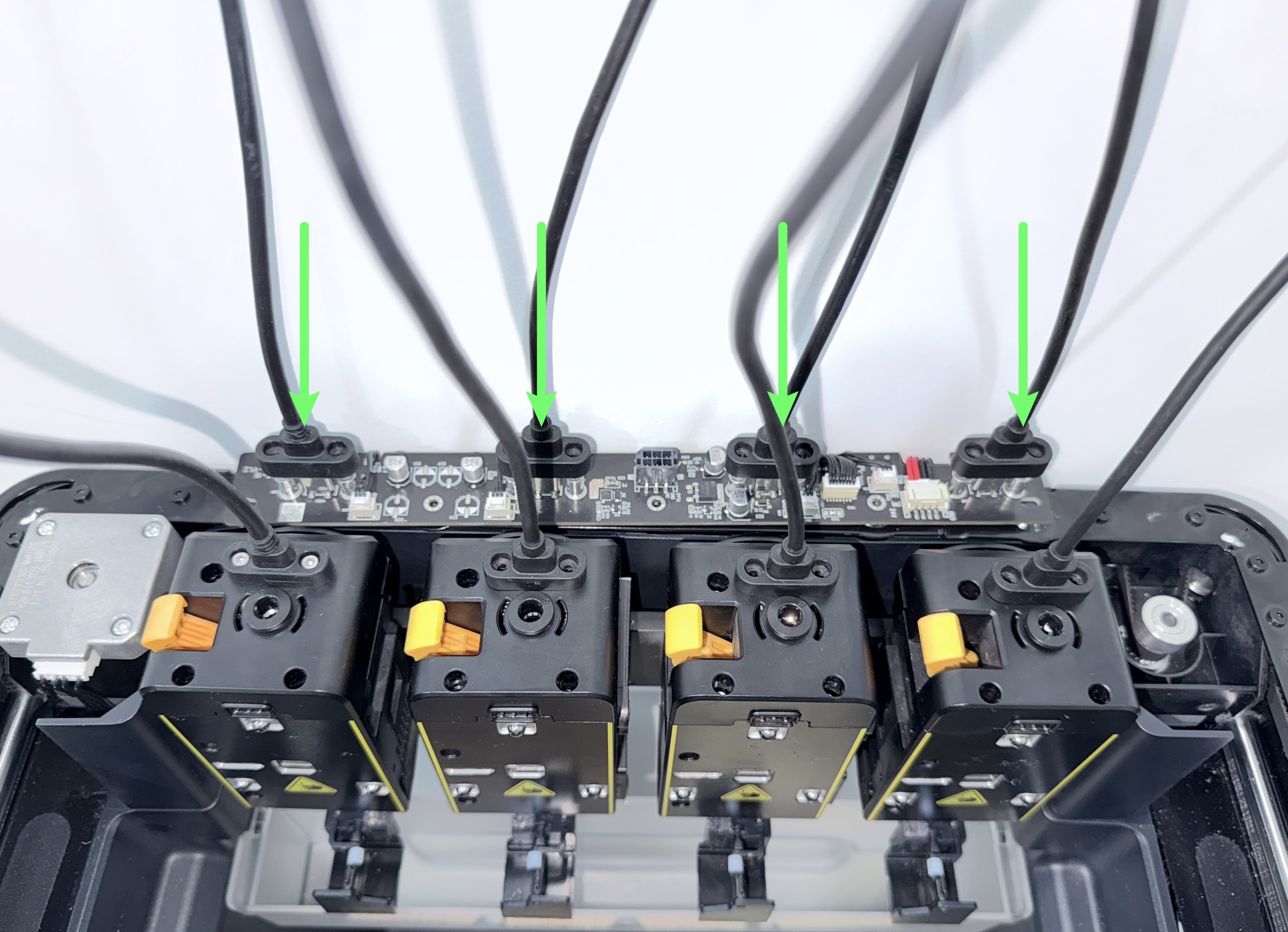
(3) Reconnect the toolhead cable to the Hub Adapter Board and tighten the screws. Power on the machine and set the Heated Bed temperature to 100°C.
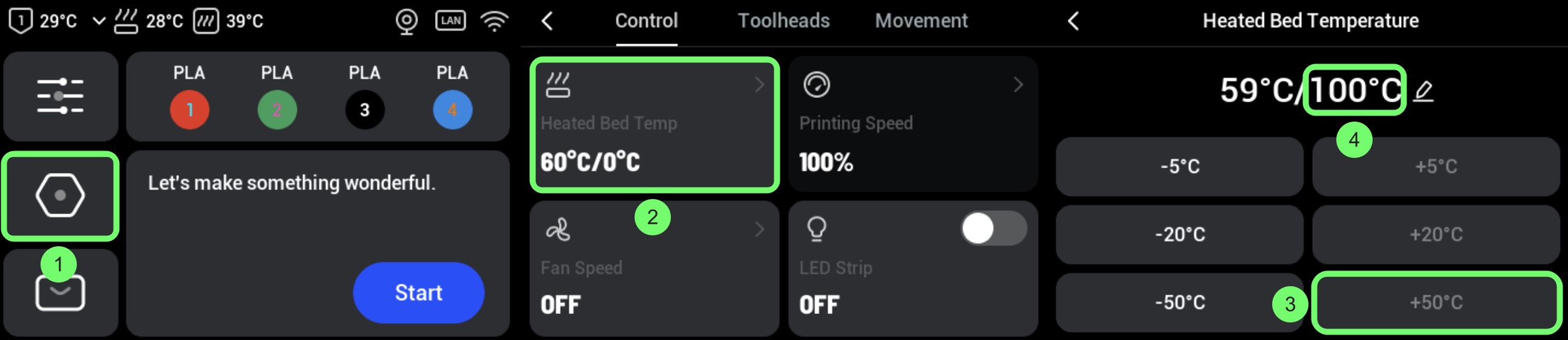
(4) Check whether the AC Board indicator turns on during heating.
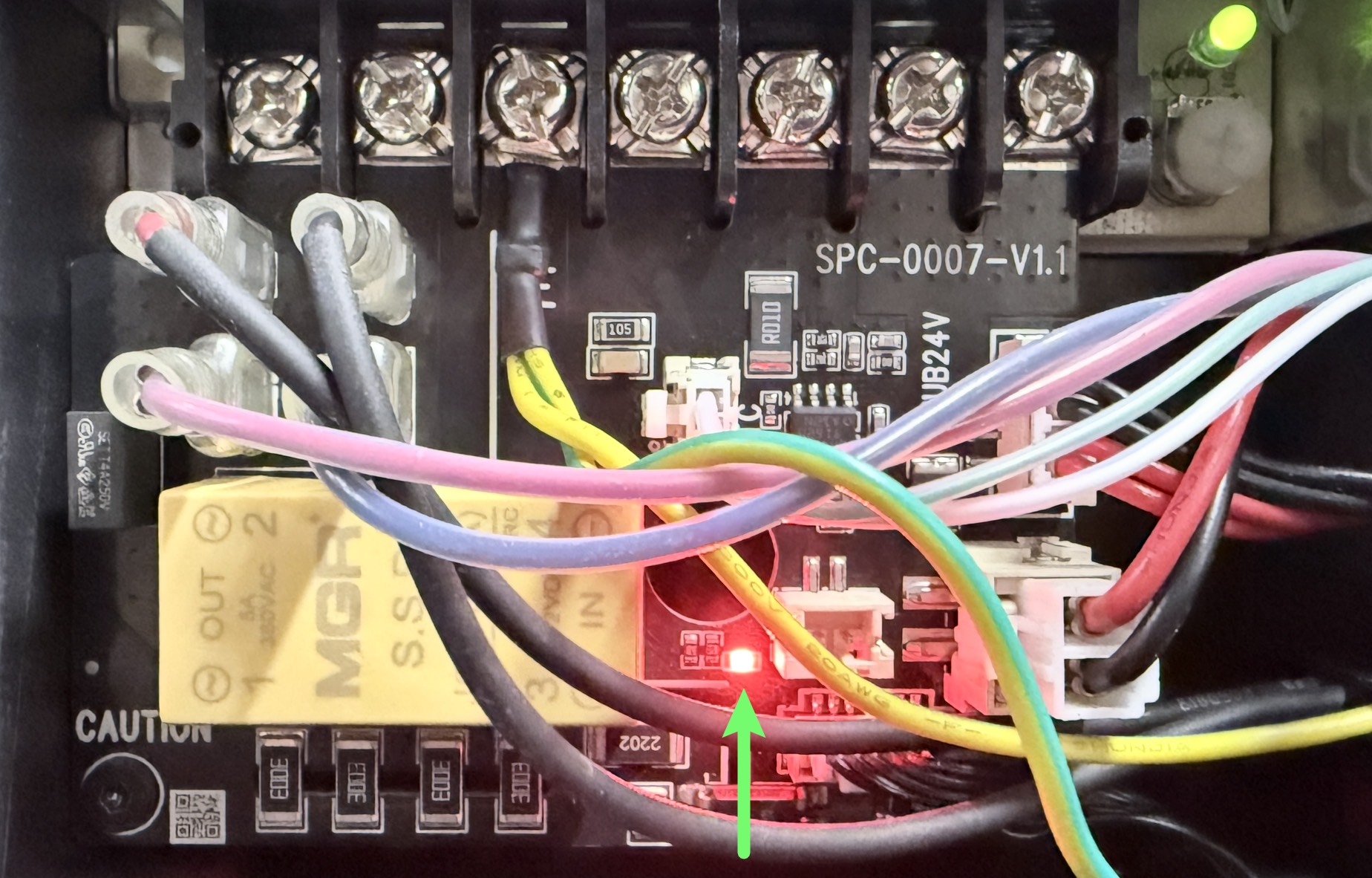
- Yes → Go to Scenario 2
- No → Continue
(5) Replug both ends of the Heated Bed control cable and set the temperature to 100°C again.
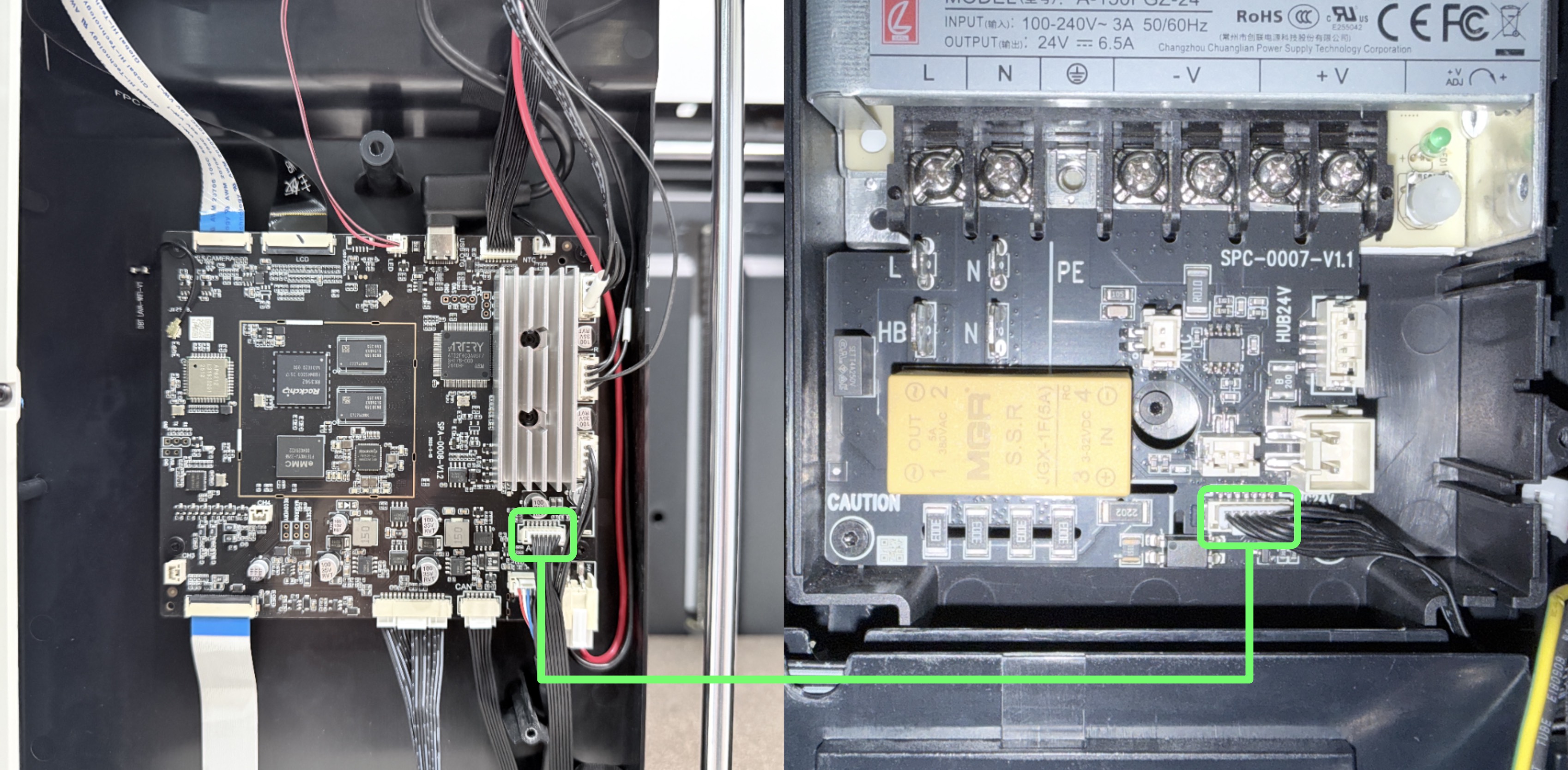
- Indicator ON → Continue
- Indicator OFF → Contact Snapmaker support
(6) Check whether the Heated Bed can reach 100°C without errors.
- Yes → Issue resolved
- No → Go to Scenario 2
¶ Scenario 2: Heating Element Open Circuit
(1) Replug the Heated Bed L & N cables.
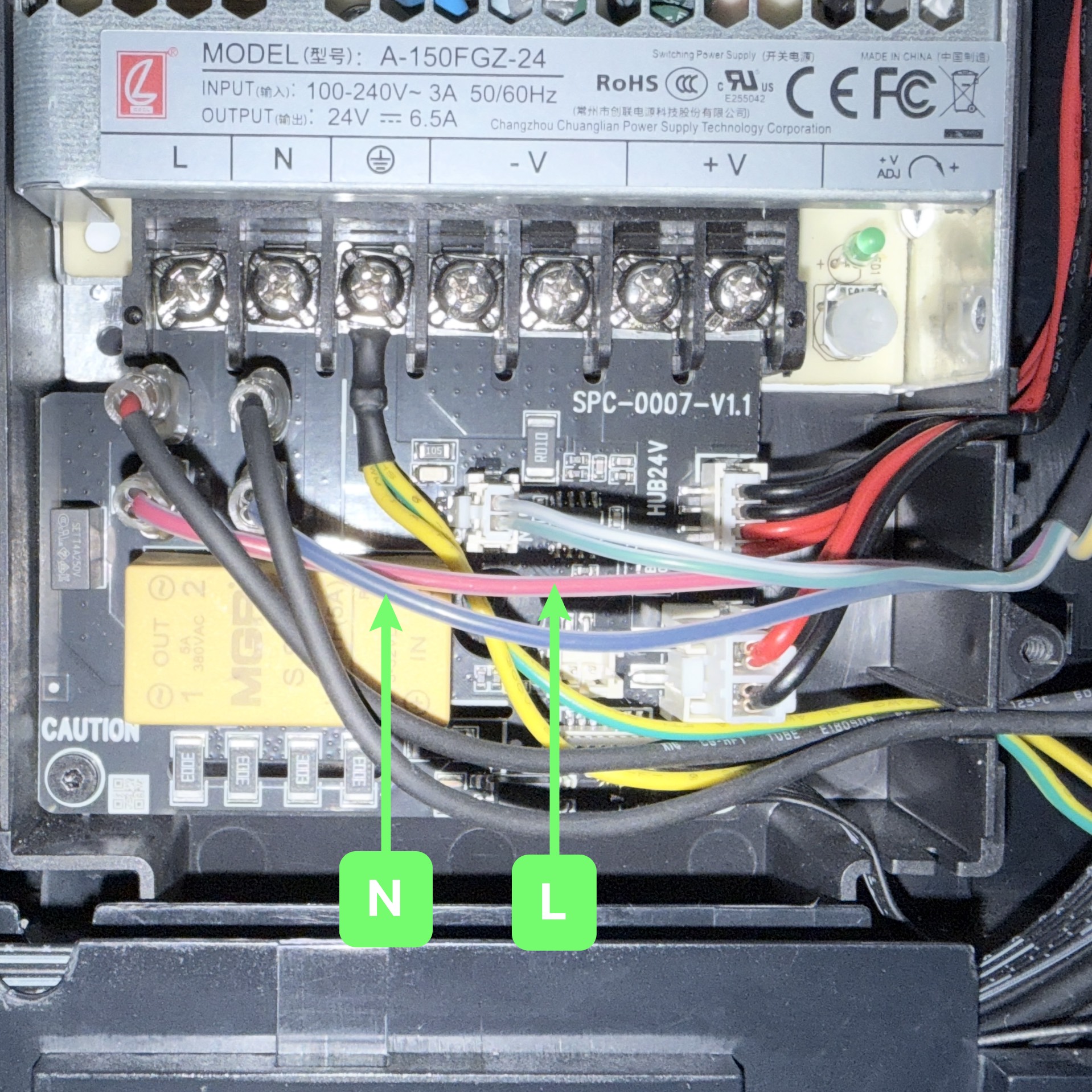
(2) Can the heated bed reach 100 °C normally without any errors during the process?
- Yes → Issue resolved
- No → Continue
(3) Use a multimeter (ohm mode) to measure the resistance between L & N (reference range: 46–52.3 Ω).
| No. | Picture | description | Port |
|---|---|---|---|
| 1 | 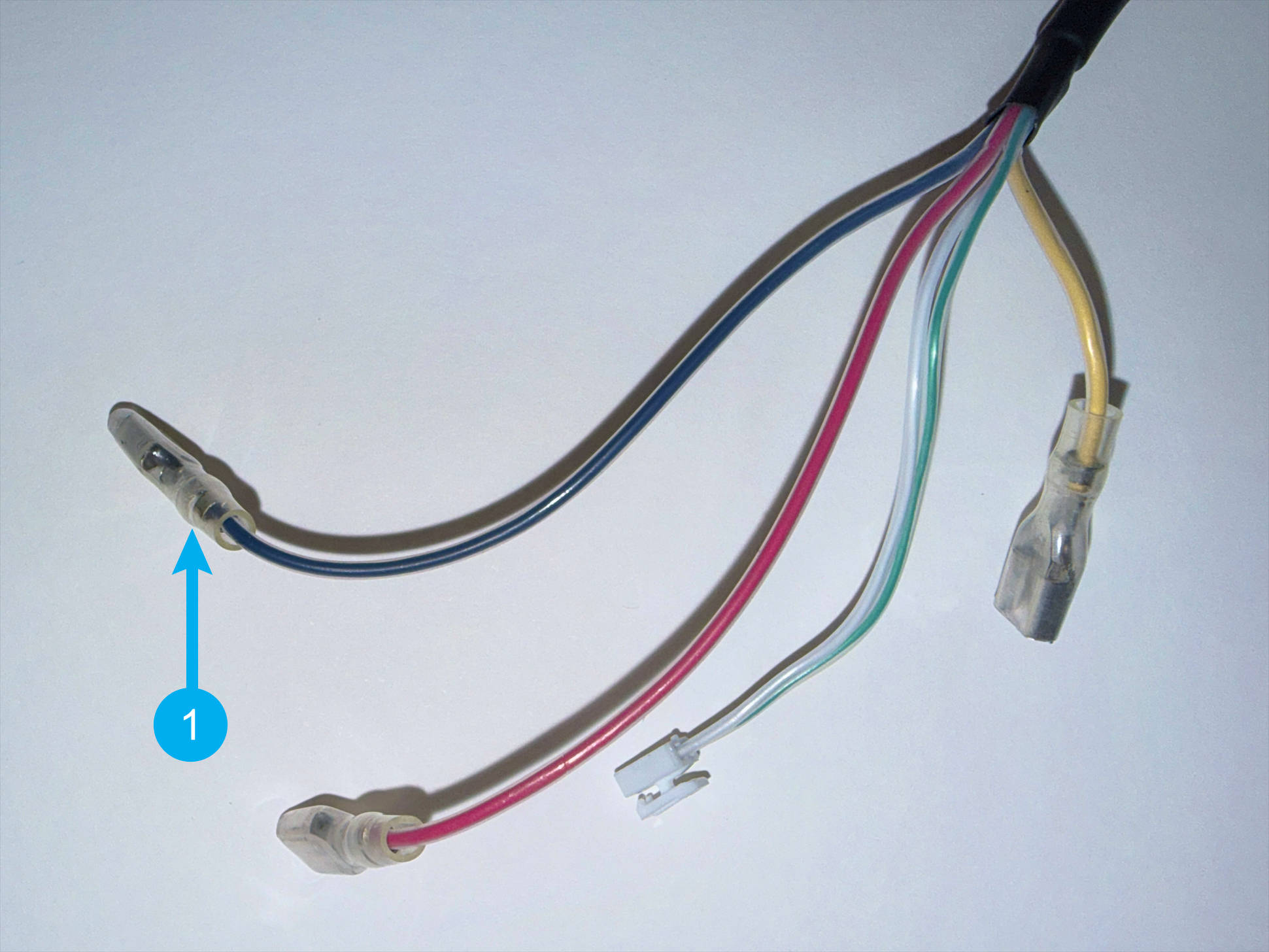 |
Heated bed cable-N | 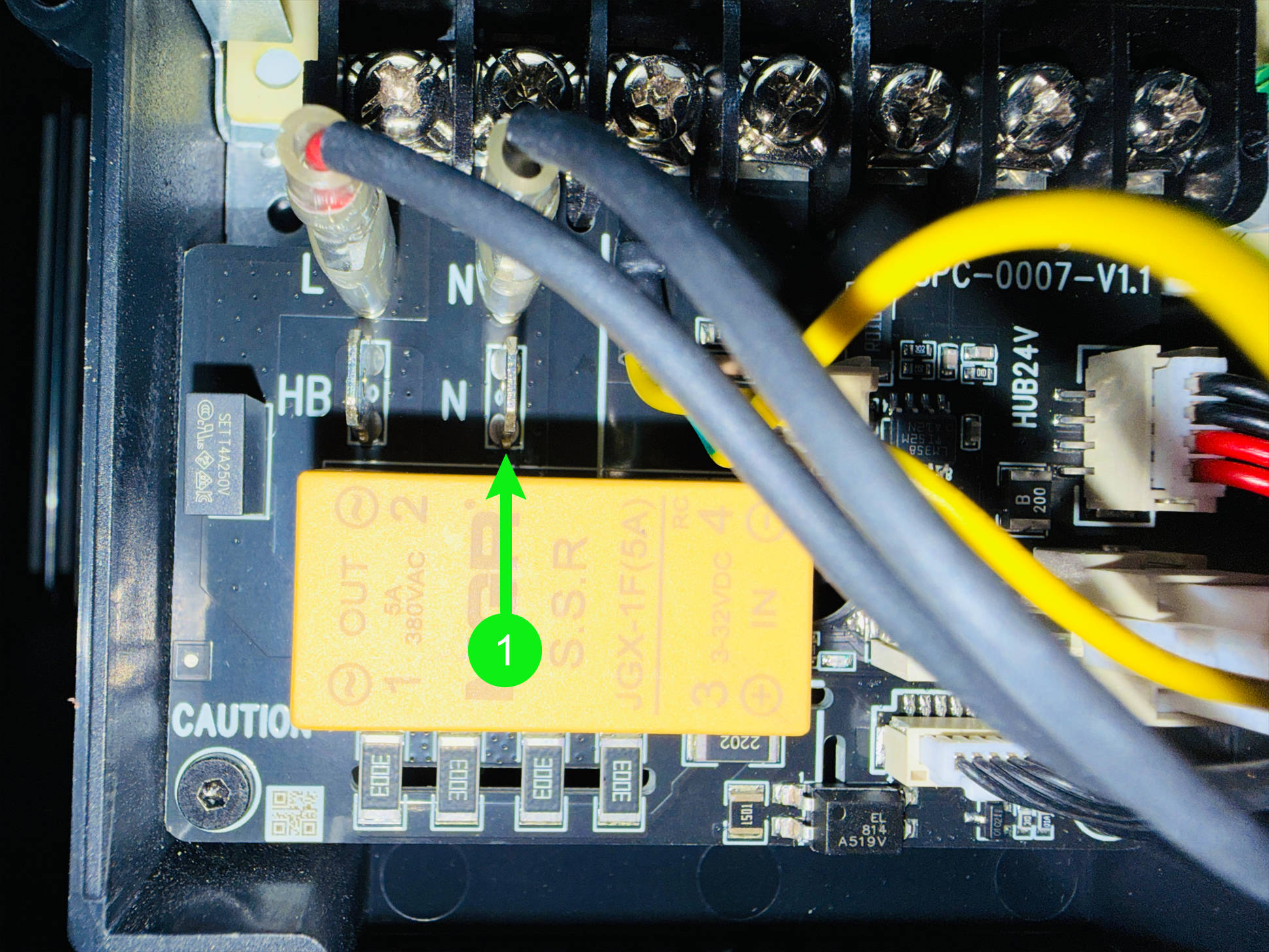 |
| 2 | 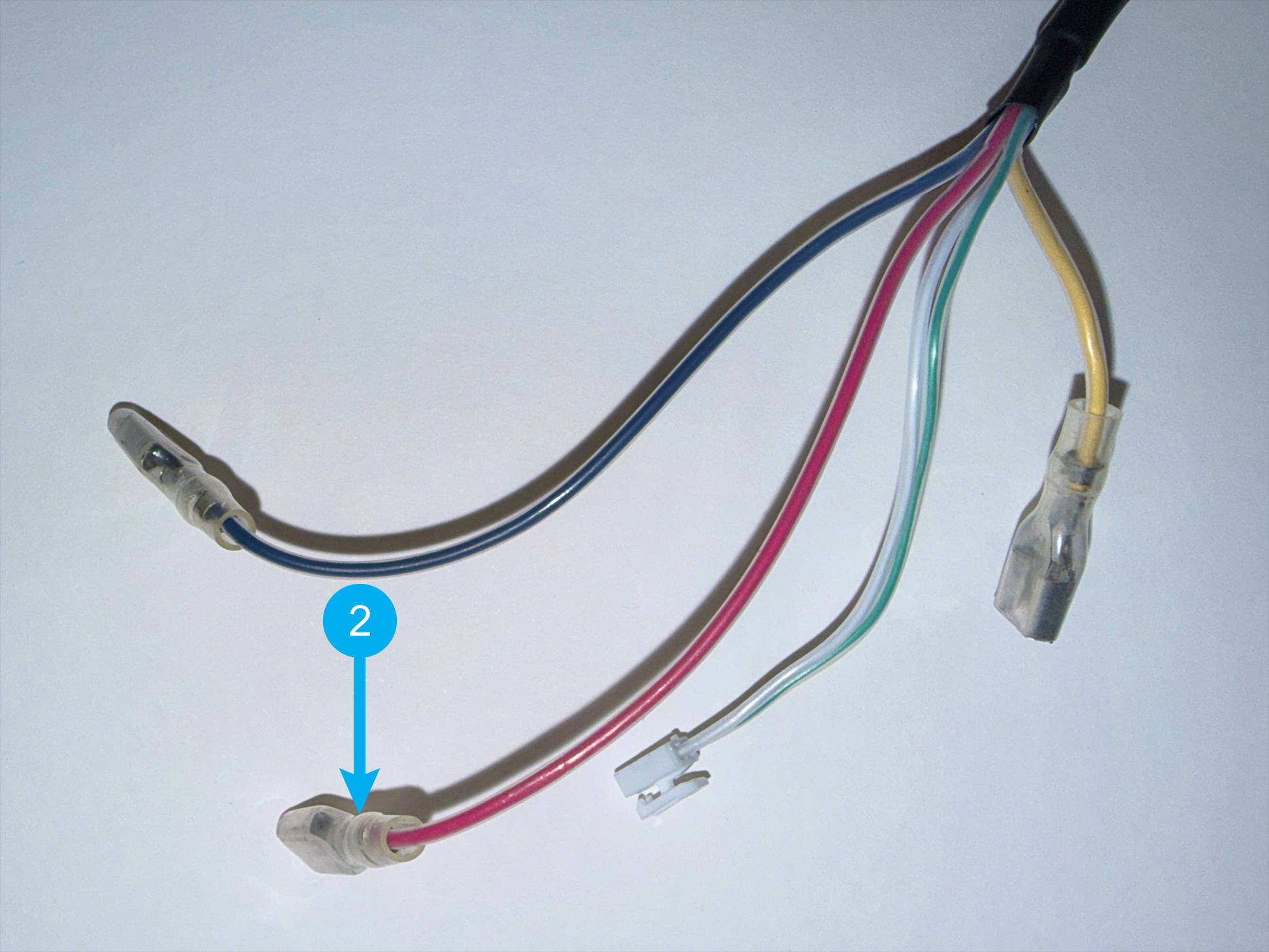 |
Heated bed cable-L | 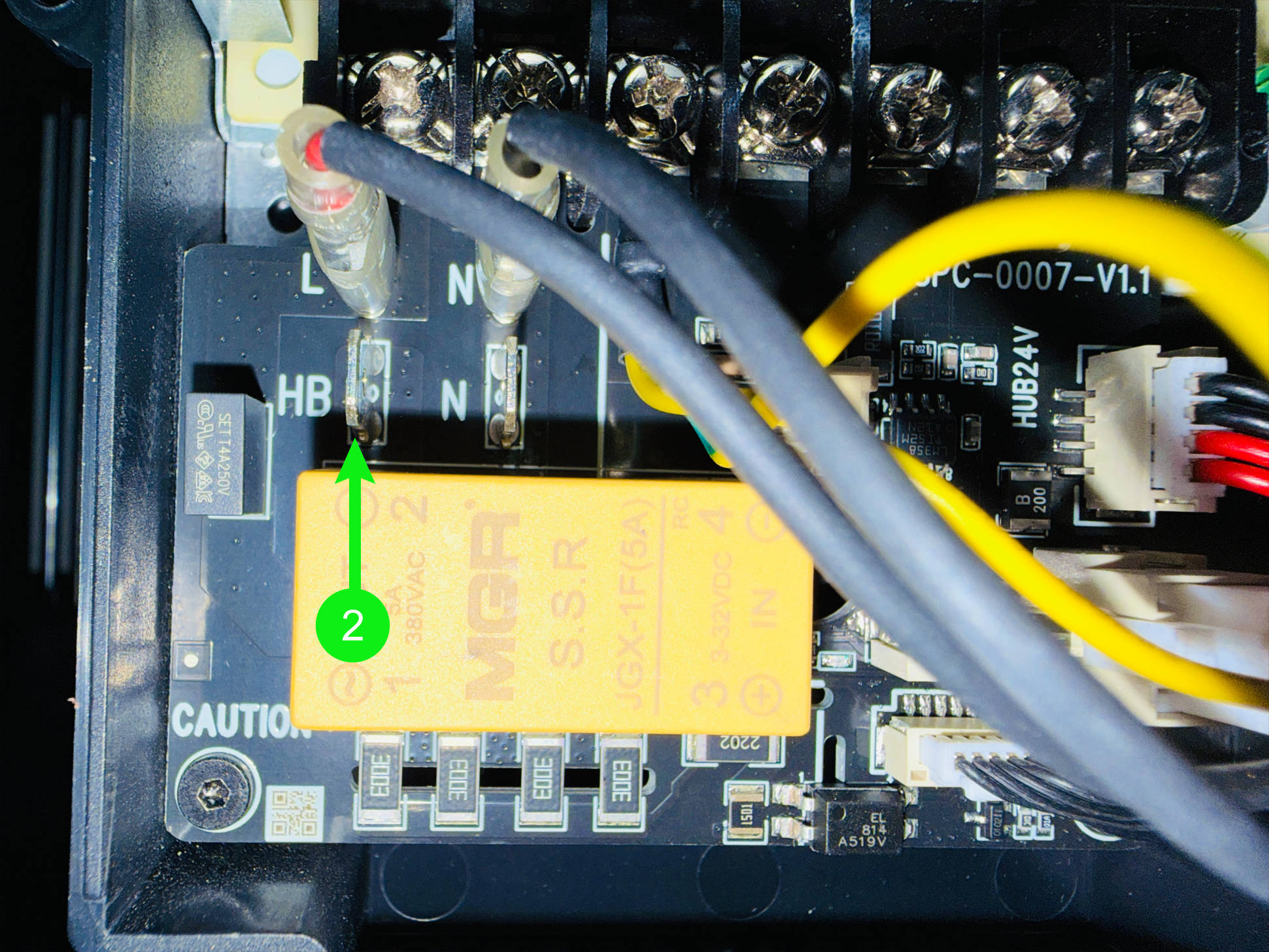 |
- Within range → Replace AC Board or contact Snapmaker support
- Out of range → Replace Heated Bed
¶ Scenario 3: Incorrect PID Parameters
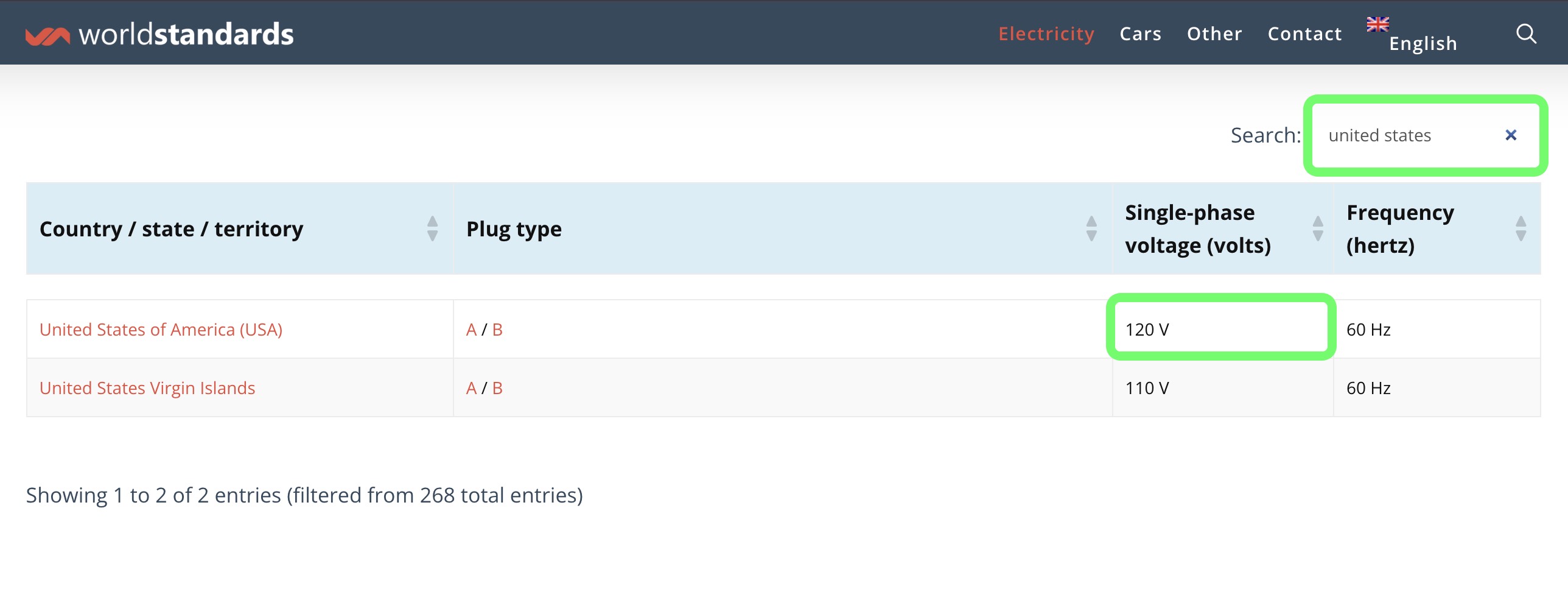
(1) Please confirm your local supply voltage. You may refer to your local power utility’s official website, or Worldstandards。
(2) Send the command QUERY_POWER_LOSS_CHECK_INFO to check the recognized voltage.
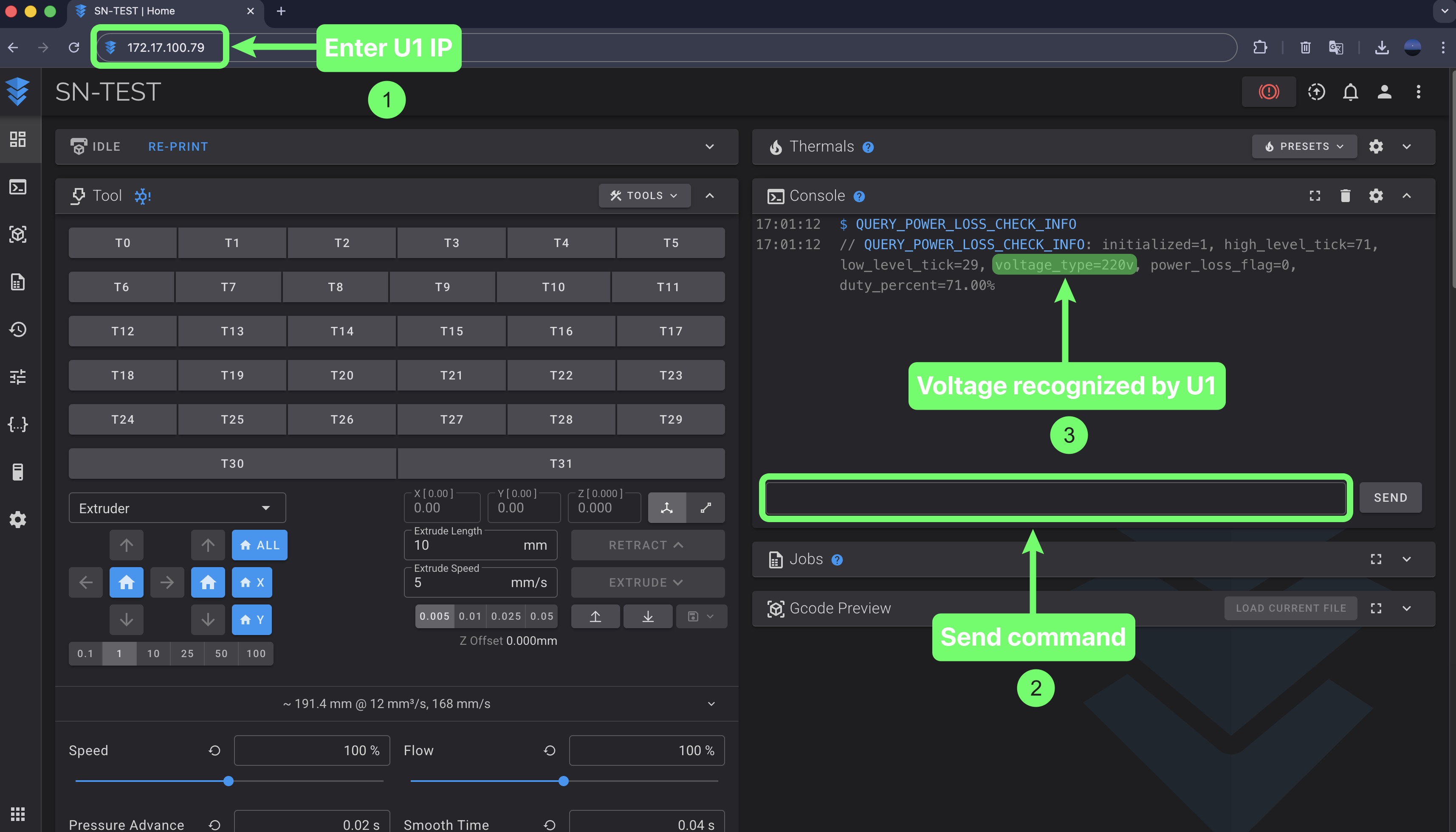
(3) Compare the two values:
- Match → Contact Snapmaker support
- Mismatch → Update firmware to version 1.2 or later and continue.
(4) Can the heated bed reach 100 °C normally without any errors during the process?
- Yes → Issue resolved
- No → Contact Snapmaker support
¶ 💬 Reach out to Snapmaker Support
After following the troubleshooting steps, if you find it difficult to resolve your issue, kindly submit a support ticket through https://snapmaker.formcrafts.com/u1-troubleshooting-request and share your troubleshooting results with some pictures/videos.
Our dedicated support team will be more than willing to assist you in resolving the issue.