¶ Compatibility
This article applies to the following model and module. Please take note when referencing:
Model: U1
¶ Issue Description
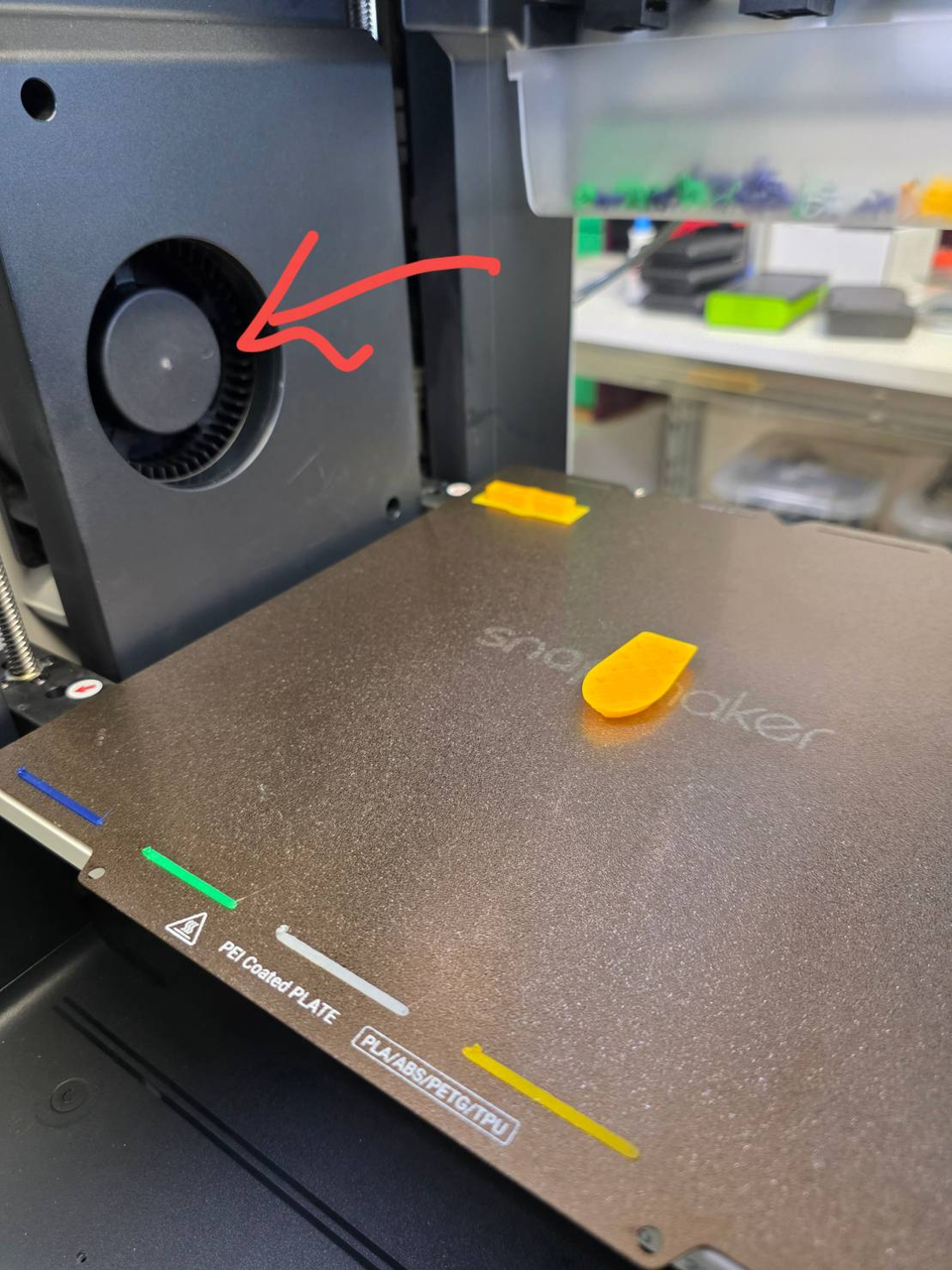
The auxiliary cooling fan is not turning on or spinning, and it remains unresponsive even when manually activated from the touchscreen interface.
¶ Terminology
Different from our official term, some people may use the following terms to describe this component:
- AUX Cooling fan
- Side cooling fan
- Side fan
- Aux fan
- Chamber fan
¶ Possible Causes
- Loose internal cable connections
- Faulty auxiliary cooling fan
¶ Troubleshooting Steps
The auxiliary cooling fan is connected to the RFID adapter board, which is linked to the mainboard through an FFC extension cable. Please check the connections at these three locations, as loose cables may cause the issue. This process requires removing the left and right side panels of the machine.
¶ Step 1. Unload filament
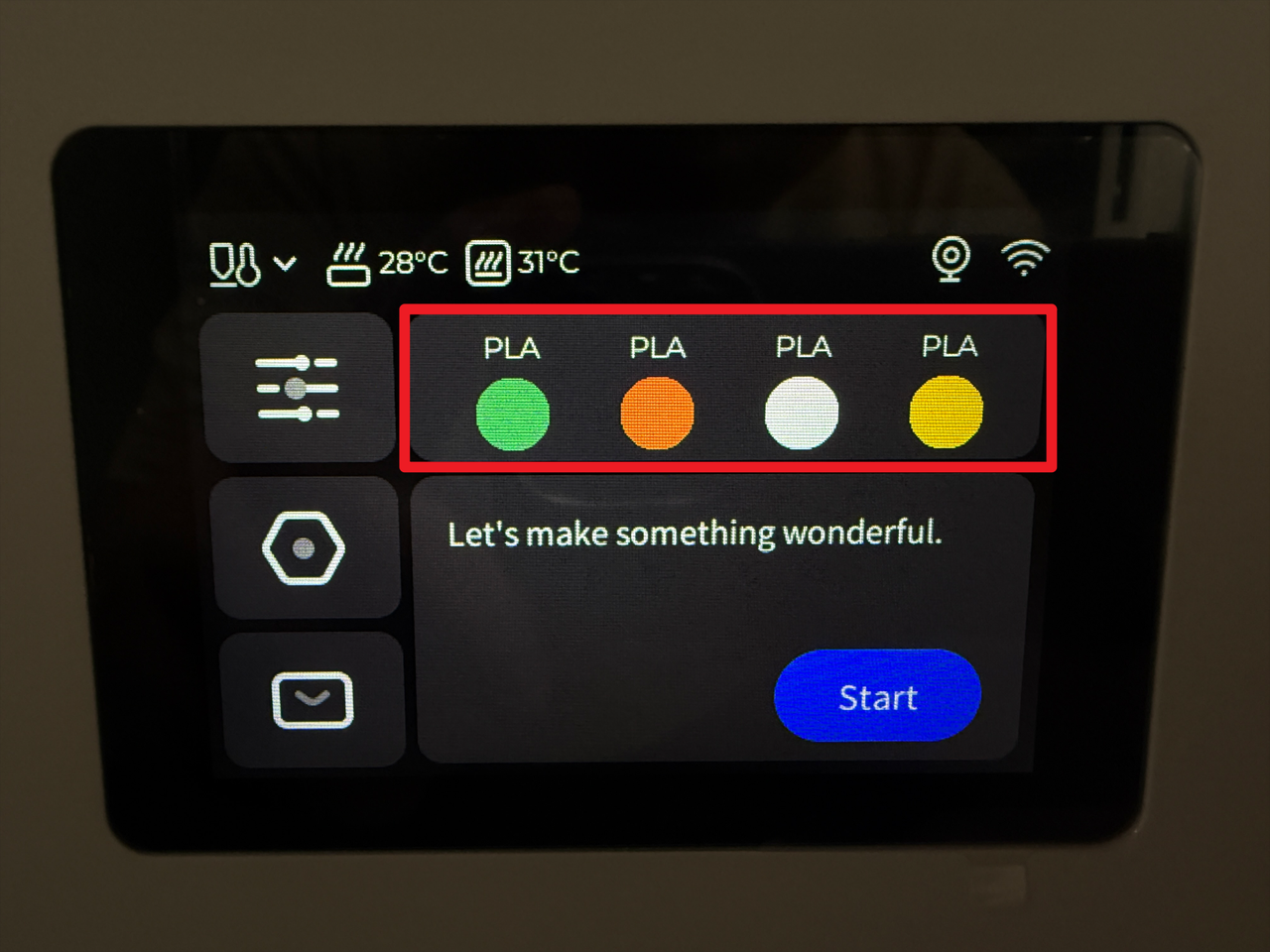
- Tap the highlighted area on the screen.
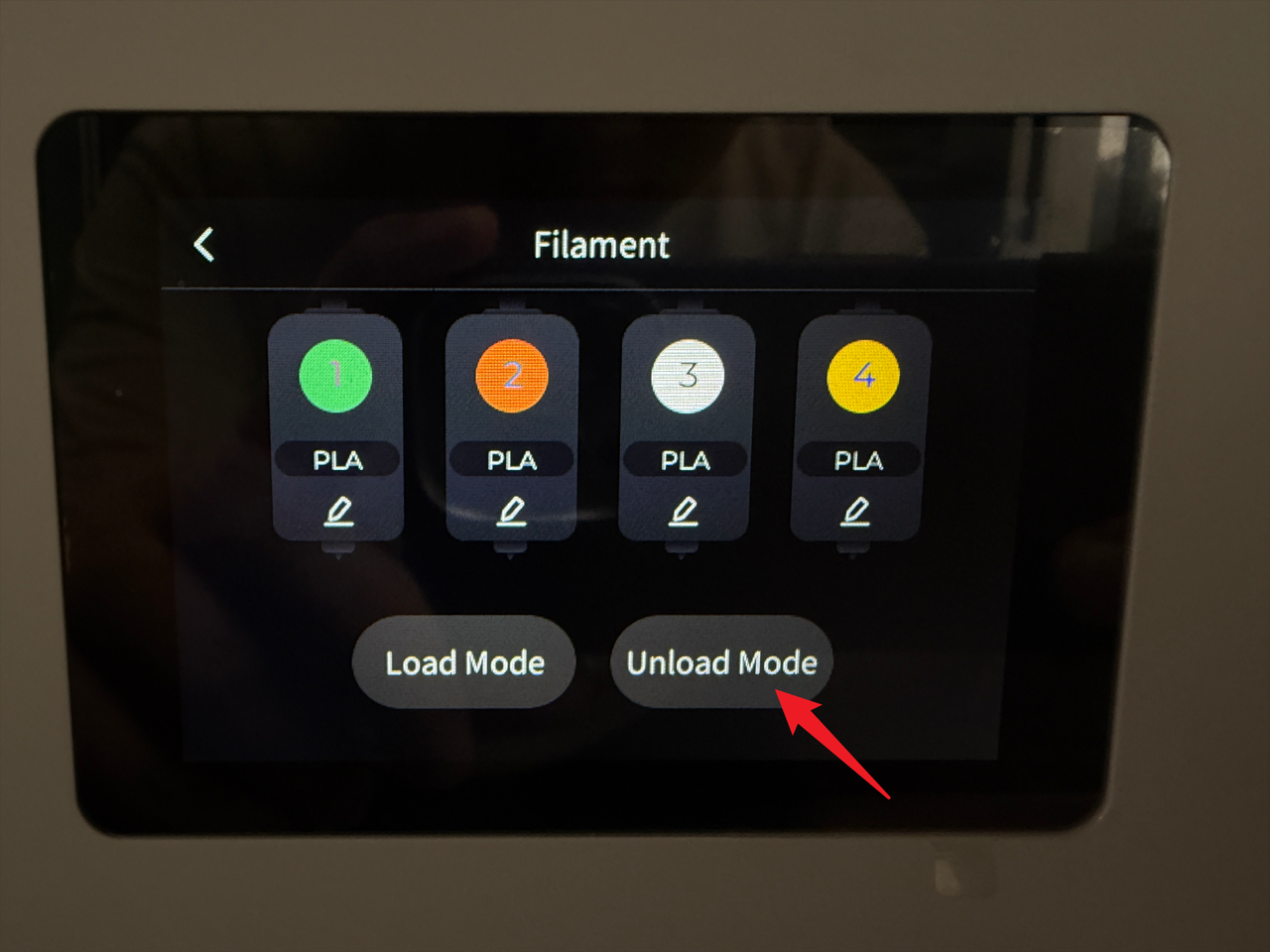
- Tap "Unload Mode".
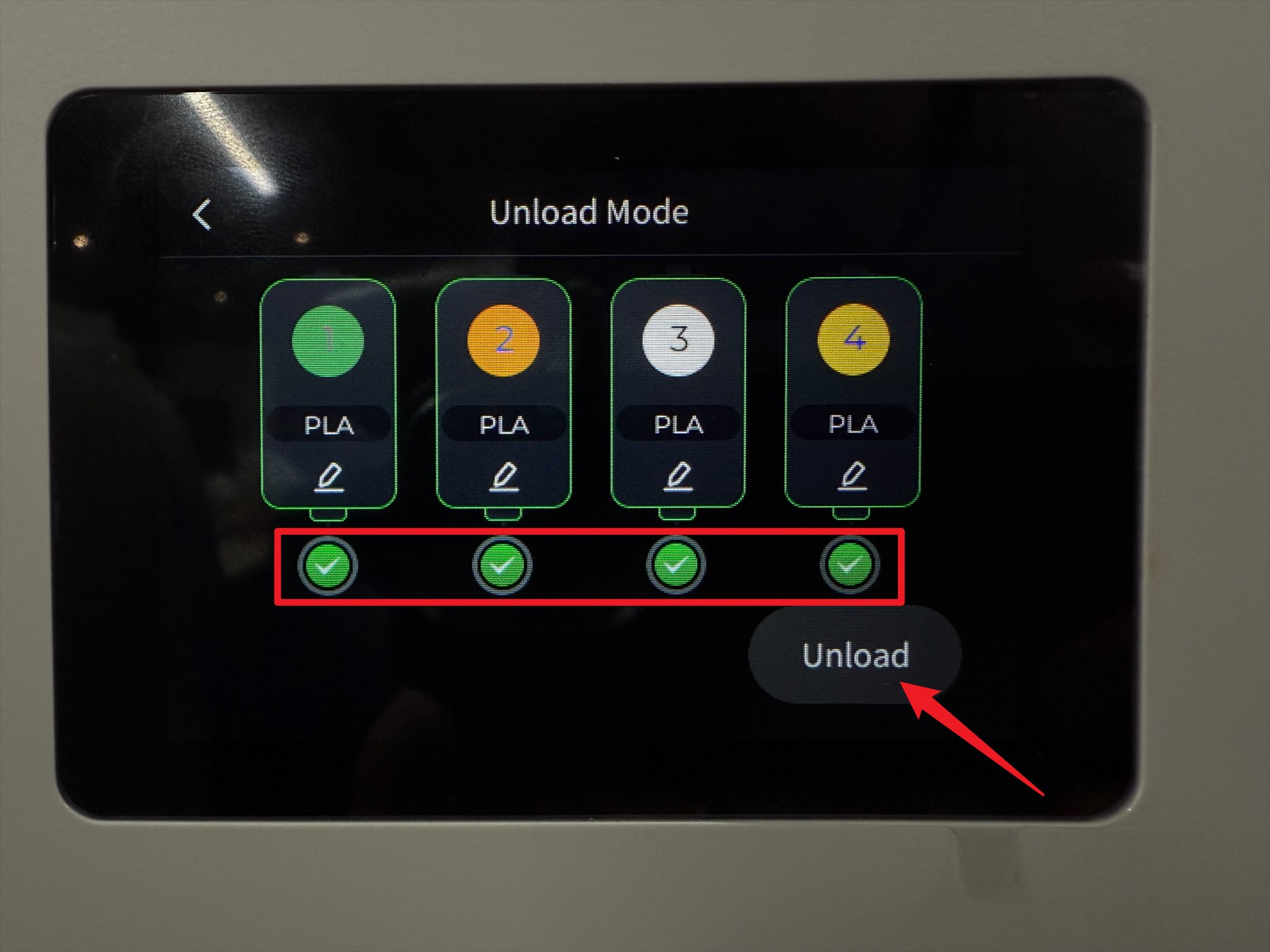
- Select all toolheads, then tap "Unload".
- Wait for the machine to complete the unloading.
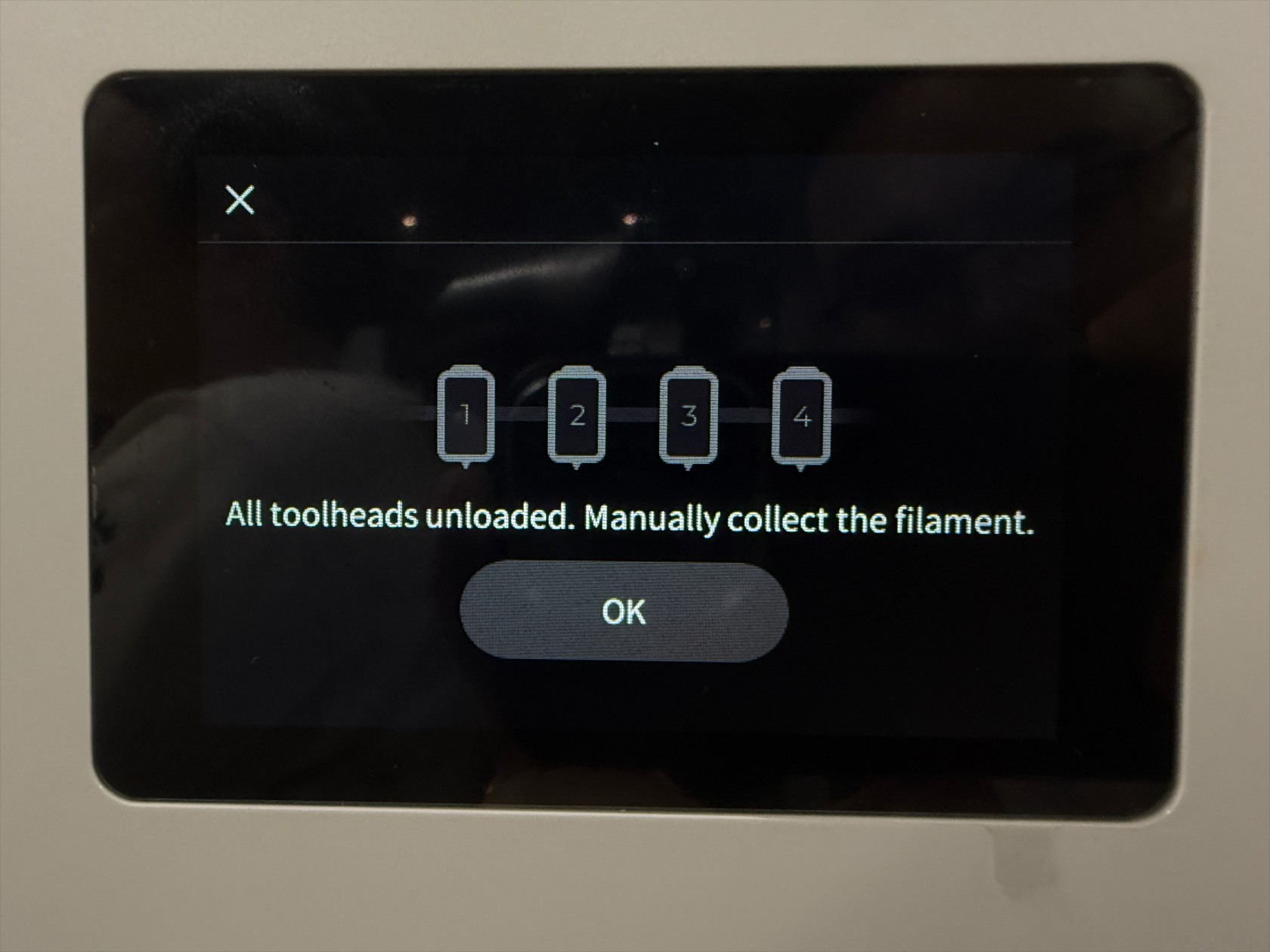
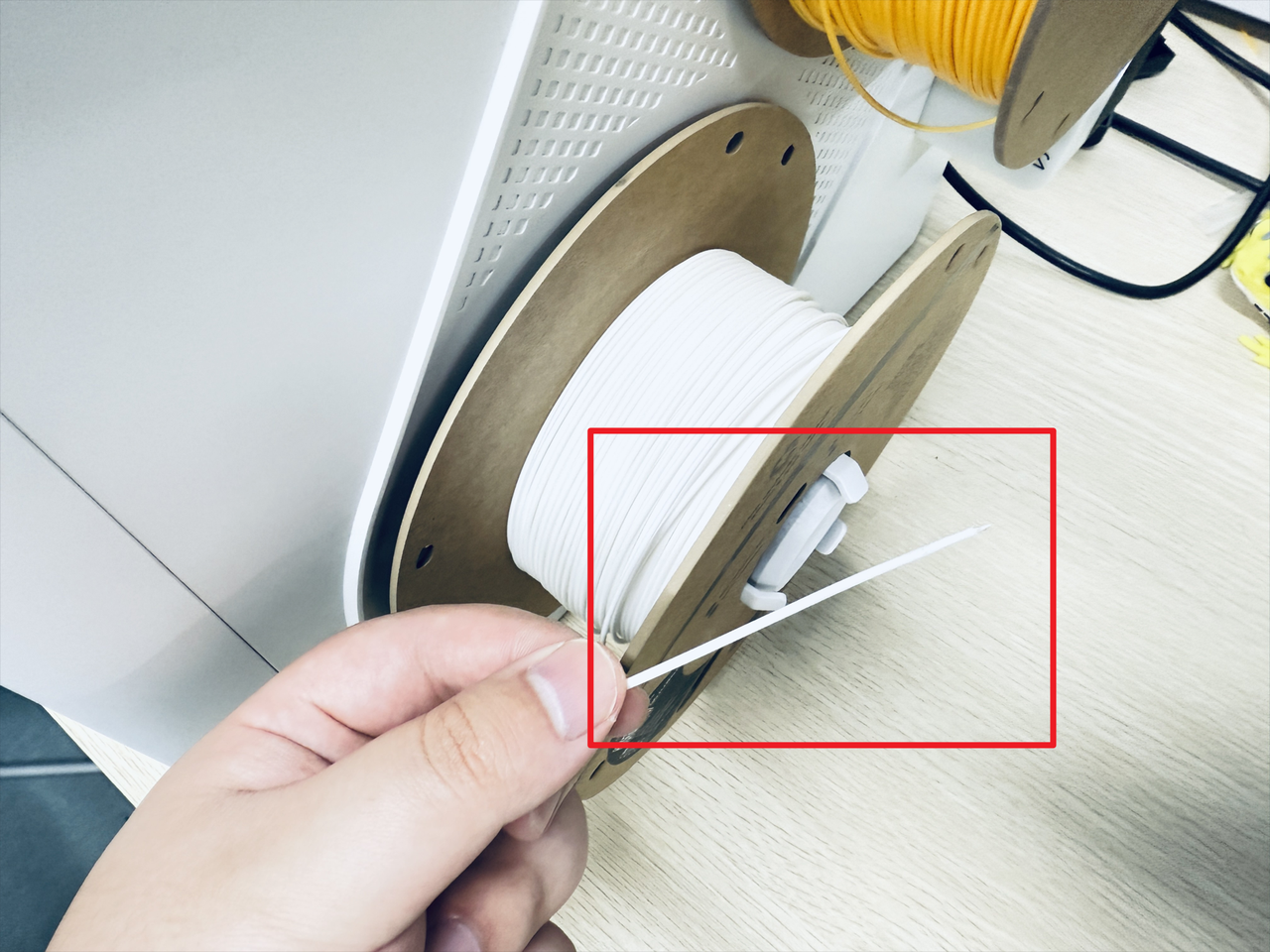
- Turn the spool to retract the remaining filament.
¶ Step 2: Lower the heated bed to the bottom position for easier access
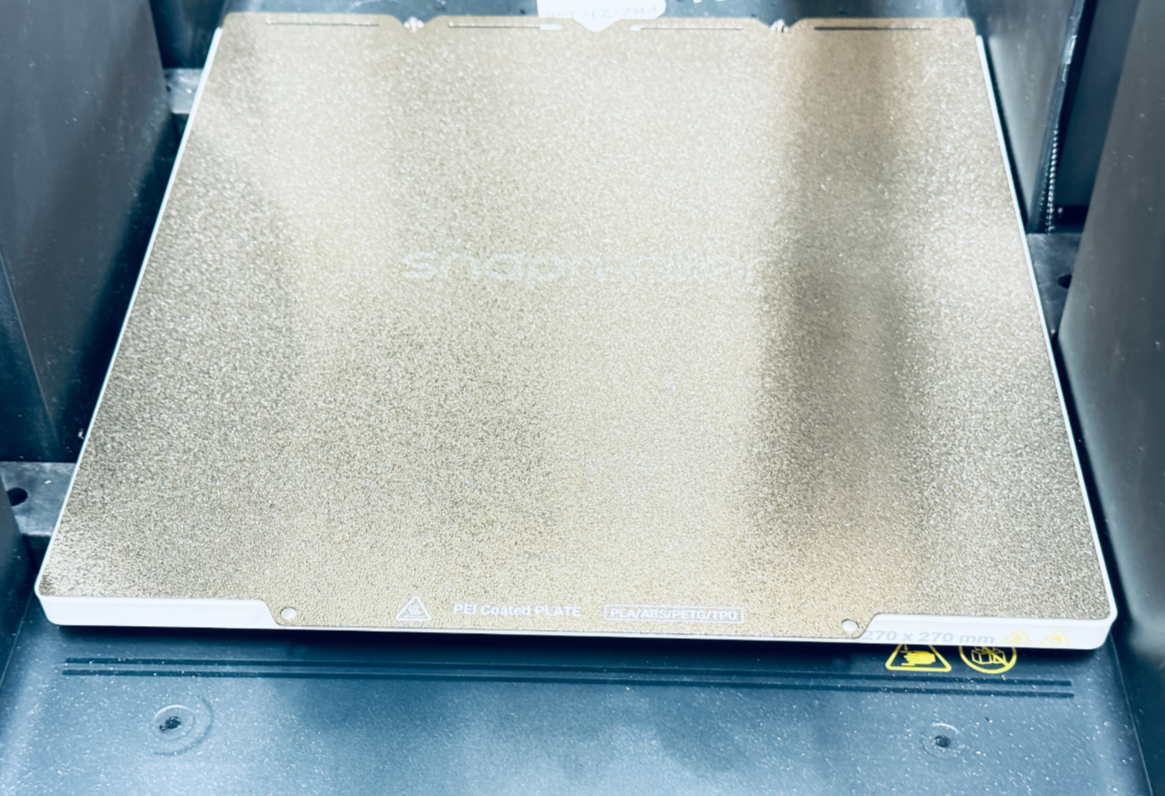
Move the platform to its lower limit from the control interface, then power off and unplug the machine


¶ Step 3: Remove the filament spools and the filament feeders on both sides.
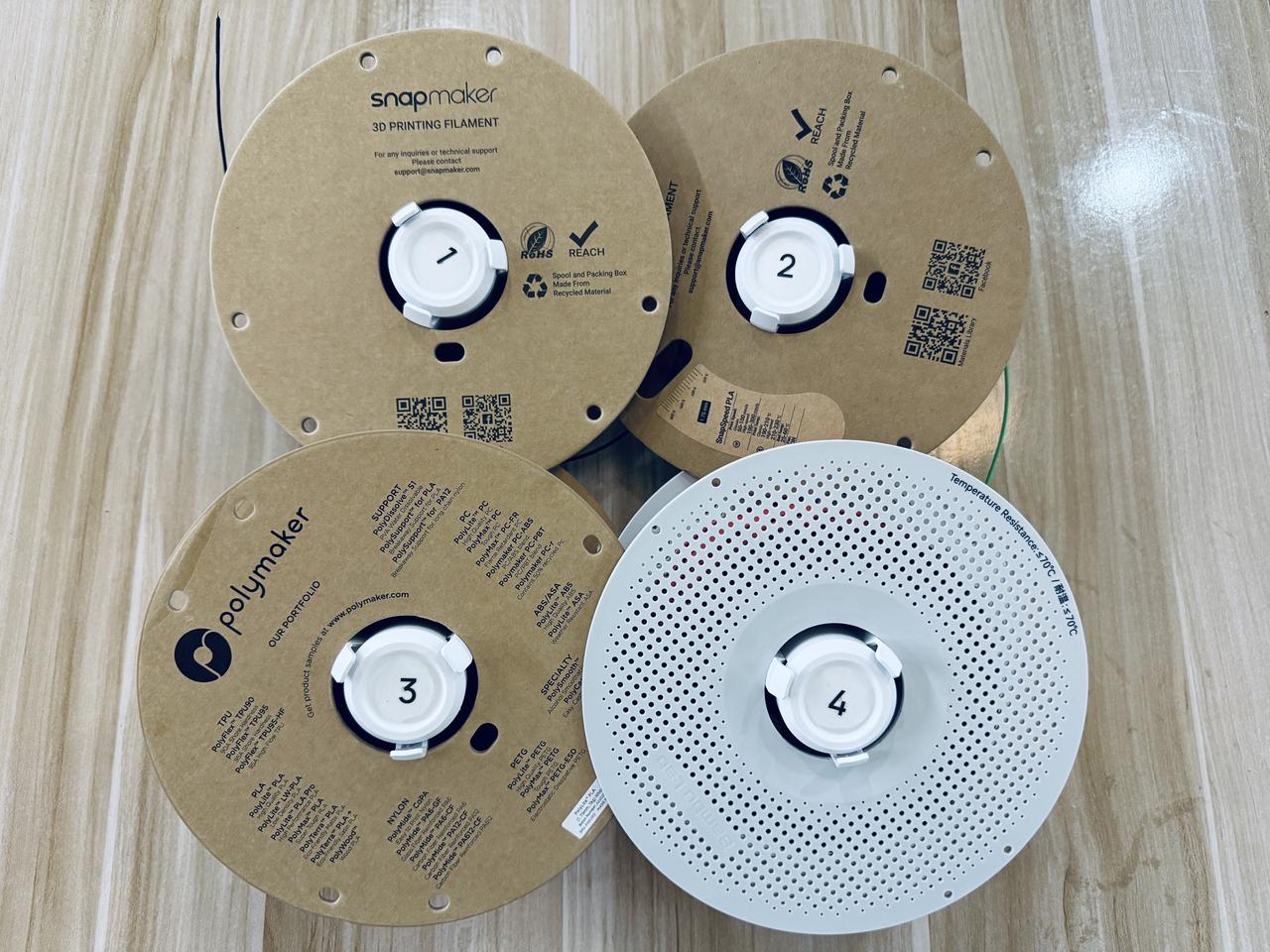
- Remove the four filament spools (including the spool holders)
- Remove the filament feeder on the left, first, press the marked area
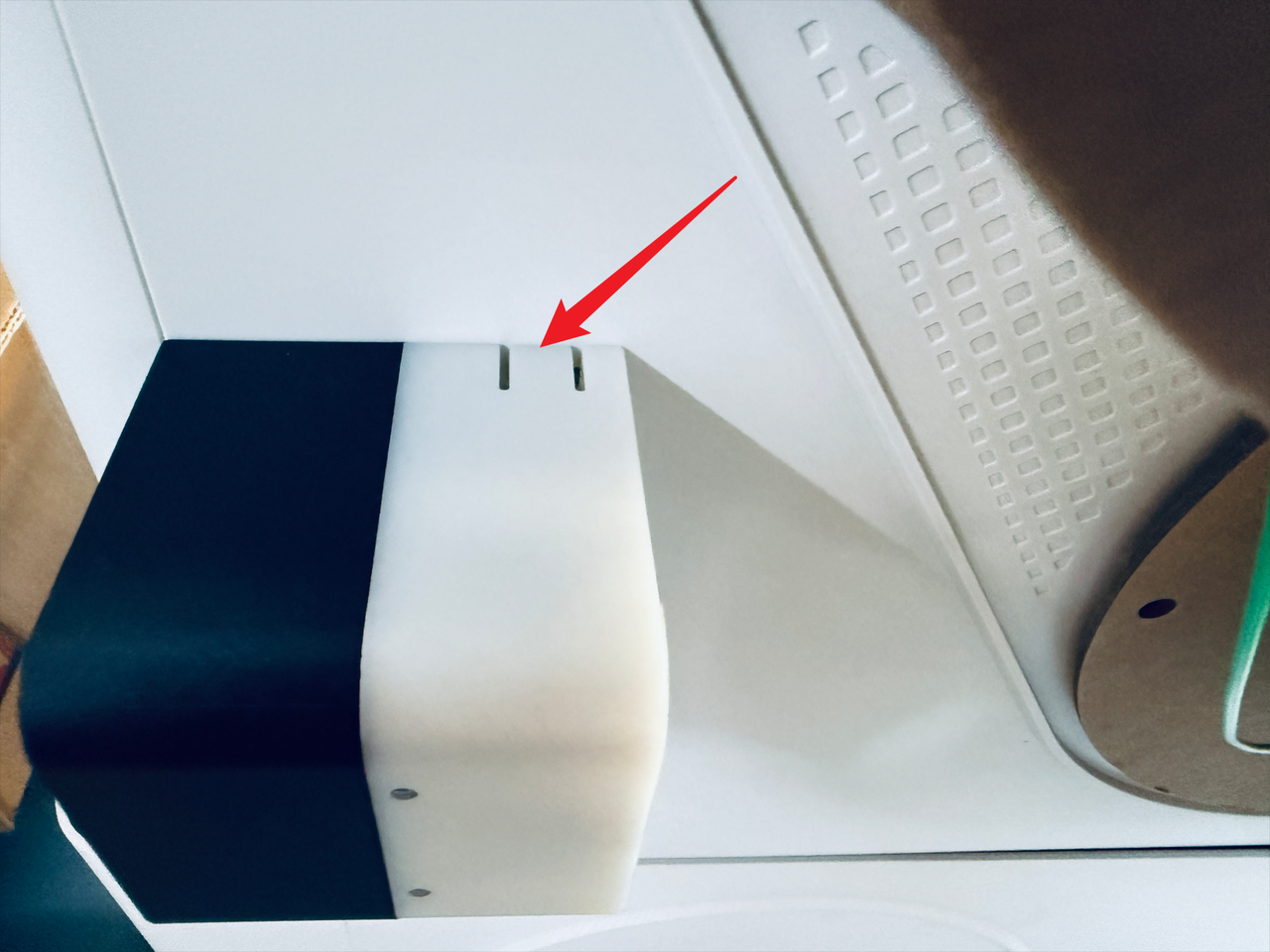
- While keeping it pressed, slide the feeder in the indicated direction to detach it

- Press the marked spot to disconnect the cable

- Perform the same steps to remove the filament feeder on the right side.
¶ Step 4: Remove the top cover
- Use a H2.0 hex key to remove the 8 screws from the 4 USB cables, then unplug the cables.
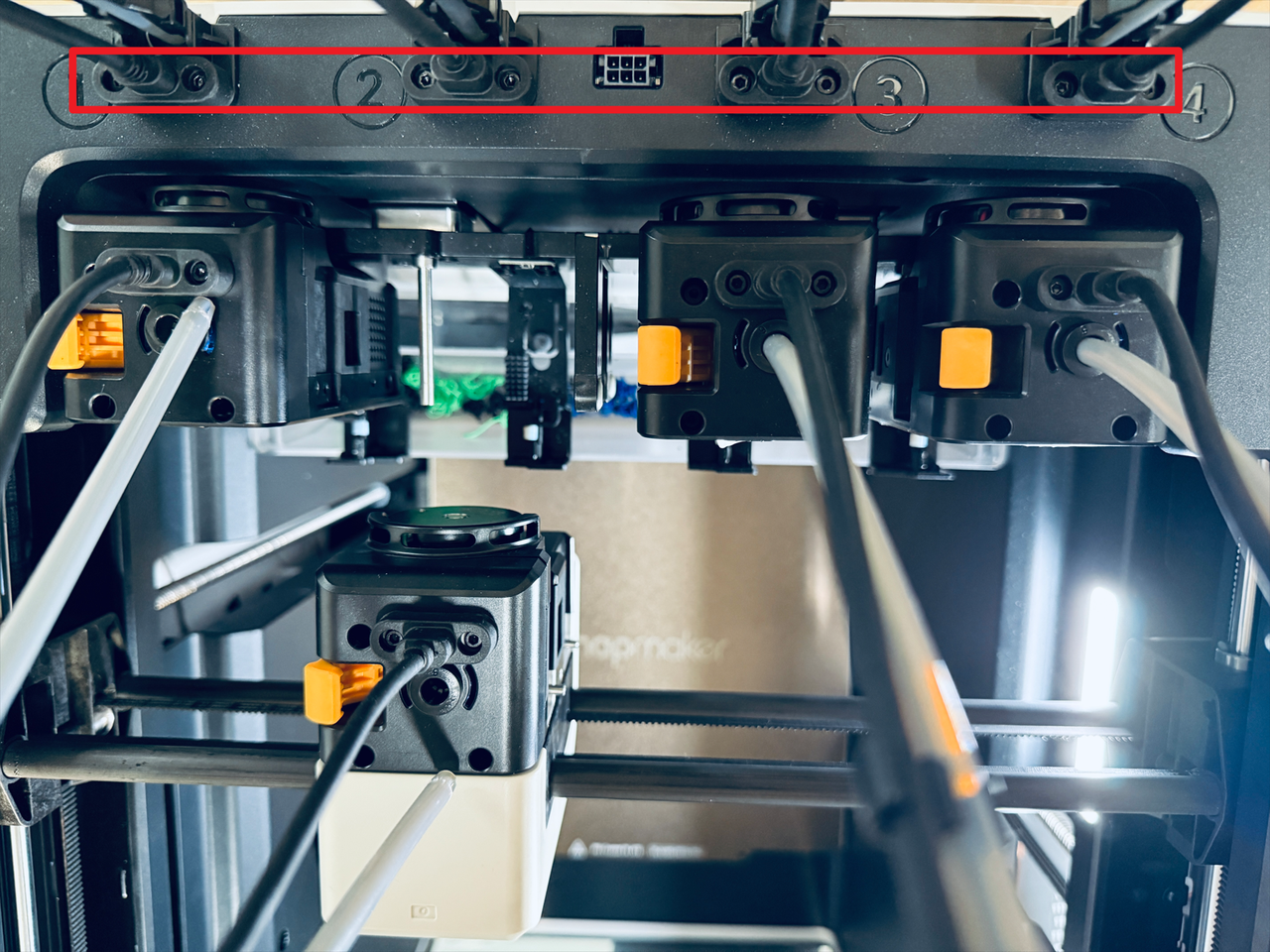
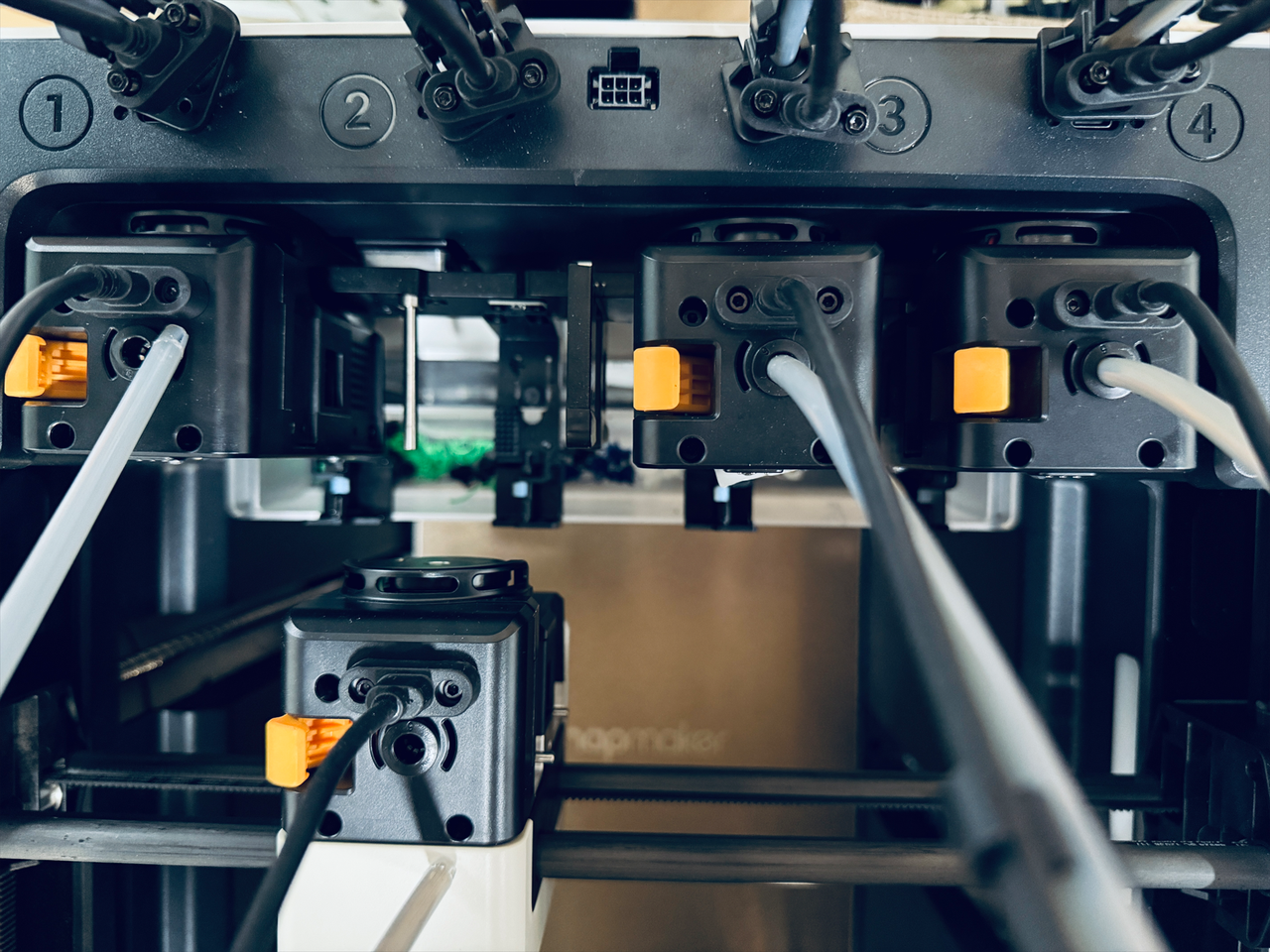
- Take out the silicone plugs from all four corners of the top cover.
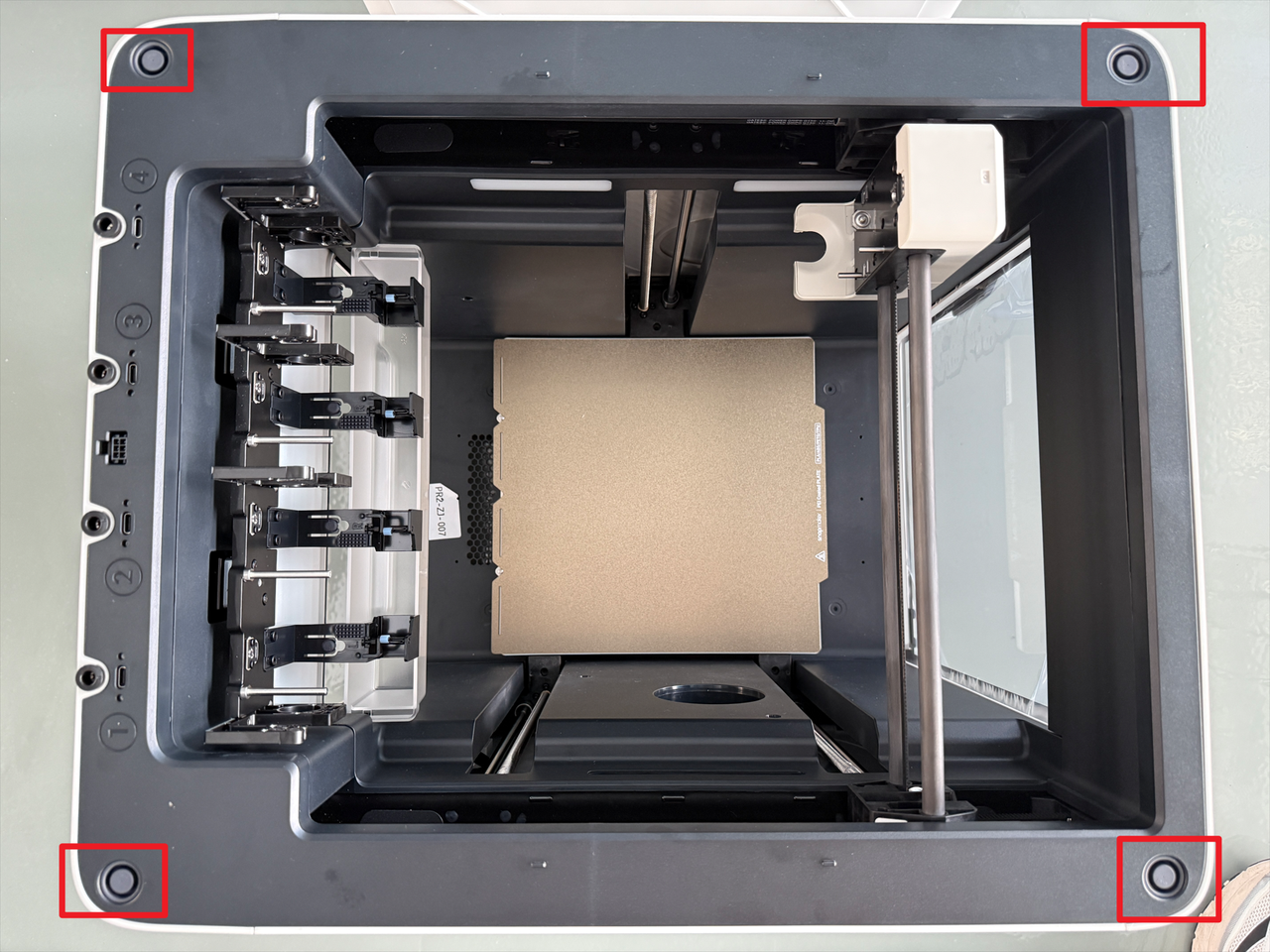
- Use a H2.0 hex key to remove the 4 screws beneath the plugs.
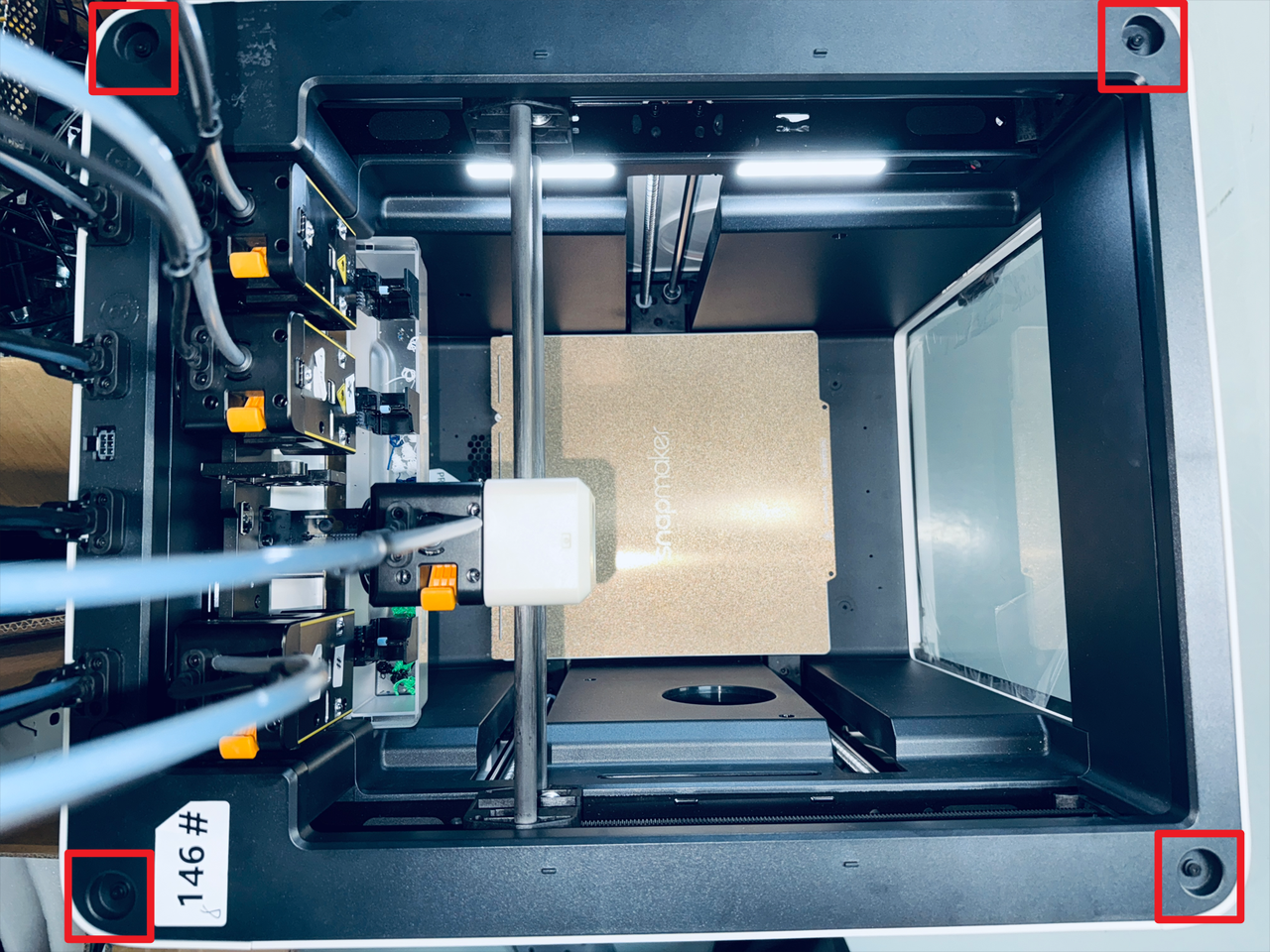
¶ Step 5. Remove the left panel
- Shift the top cover to one side.
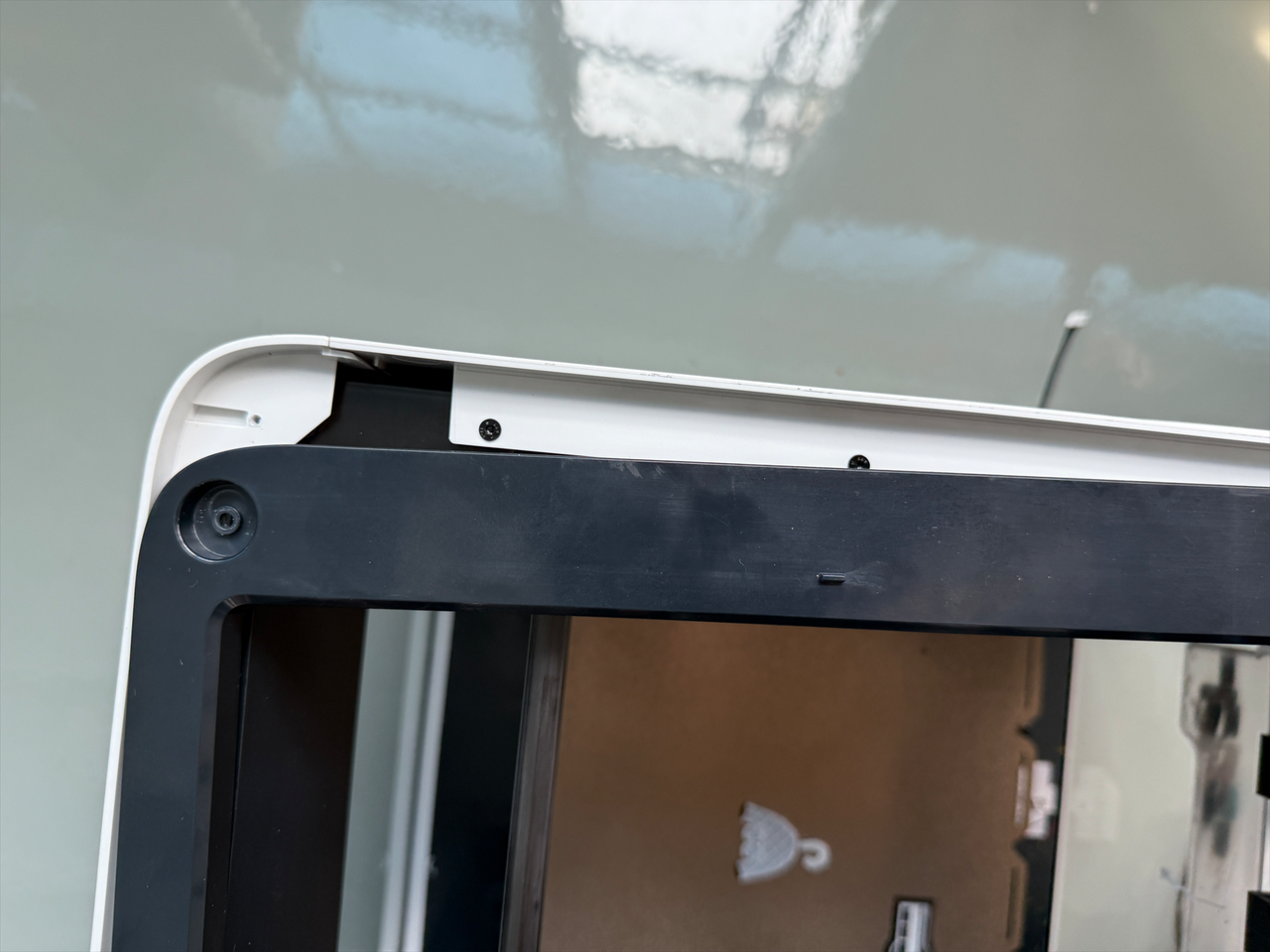
- Use a H2.0 hex key to remove 4 screws securing the left outer panel.
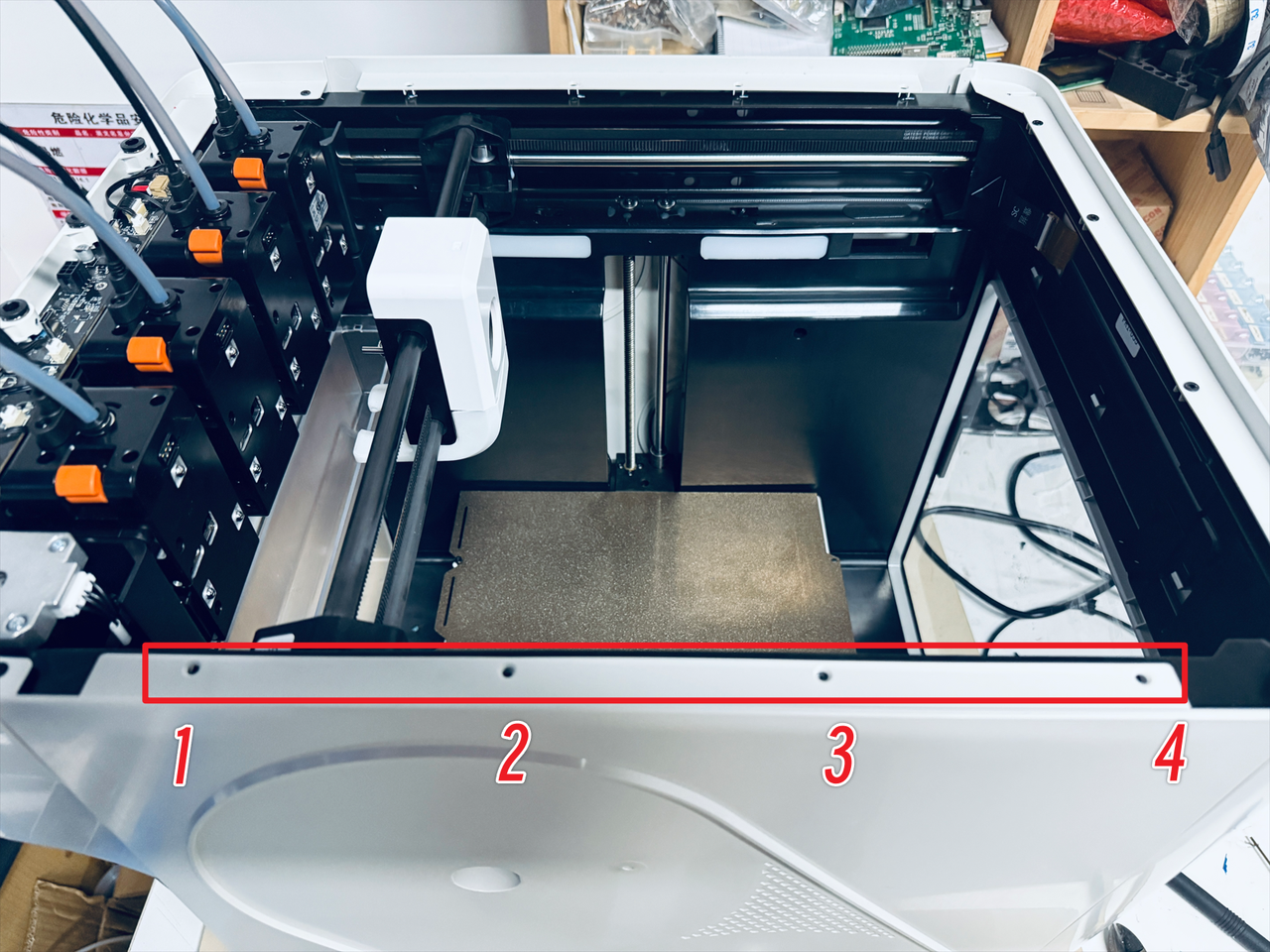
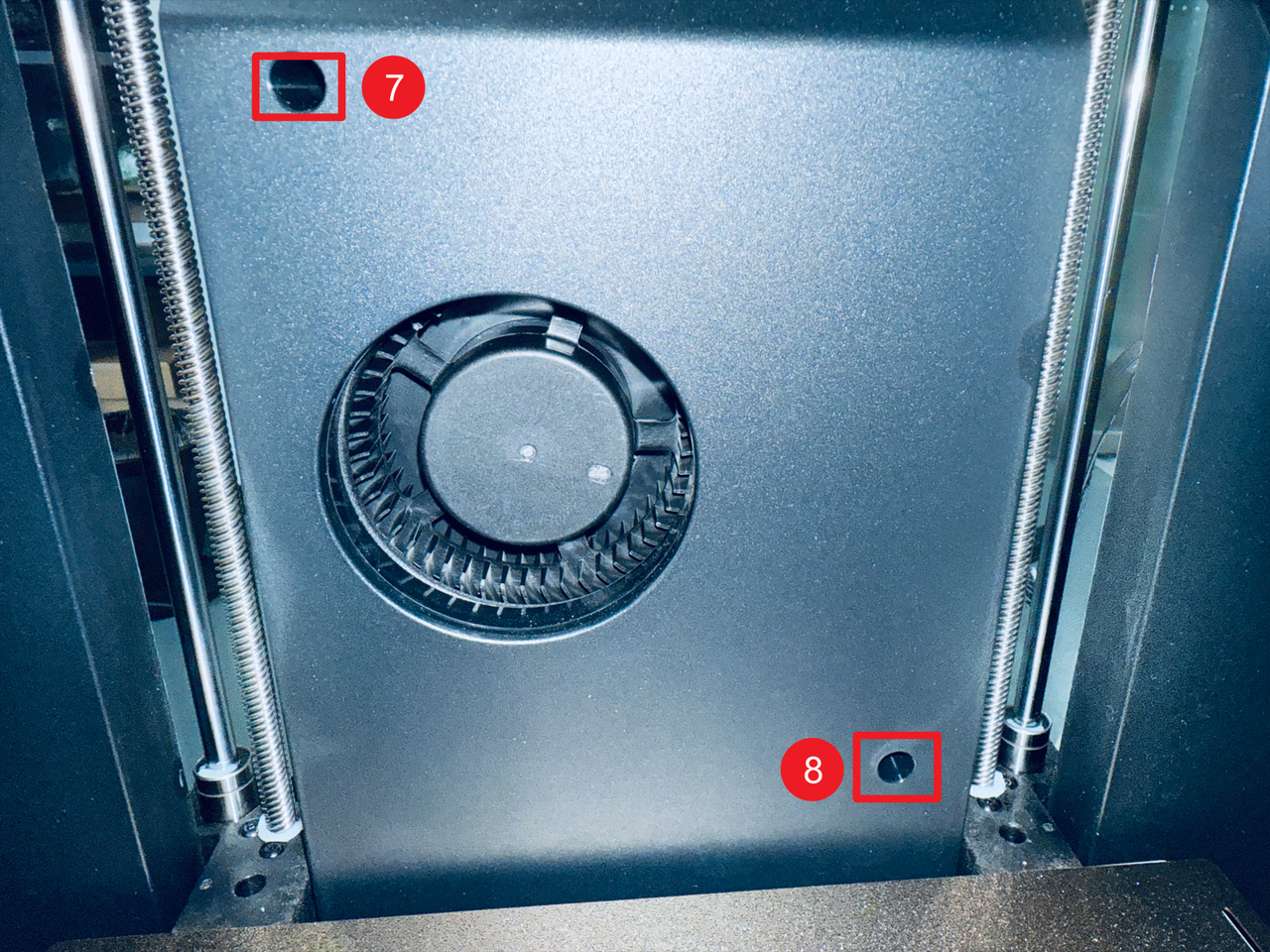
- Use a H2.0 hex key to remove screws 5 and 6.
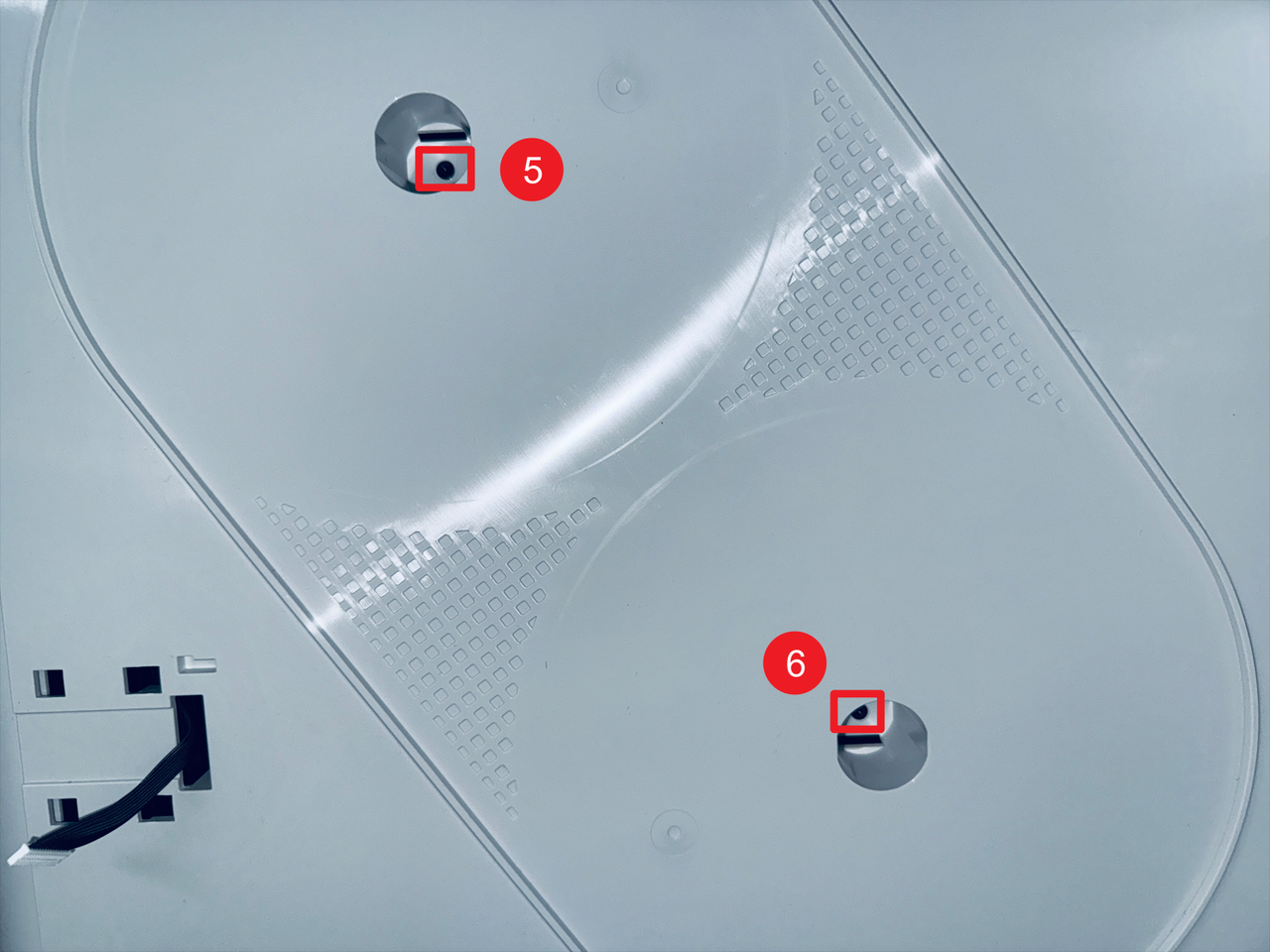
- Use a H2.0 hex key to remove screws 7 and 8.
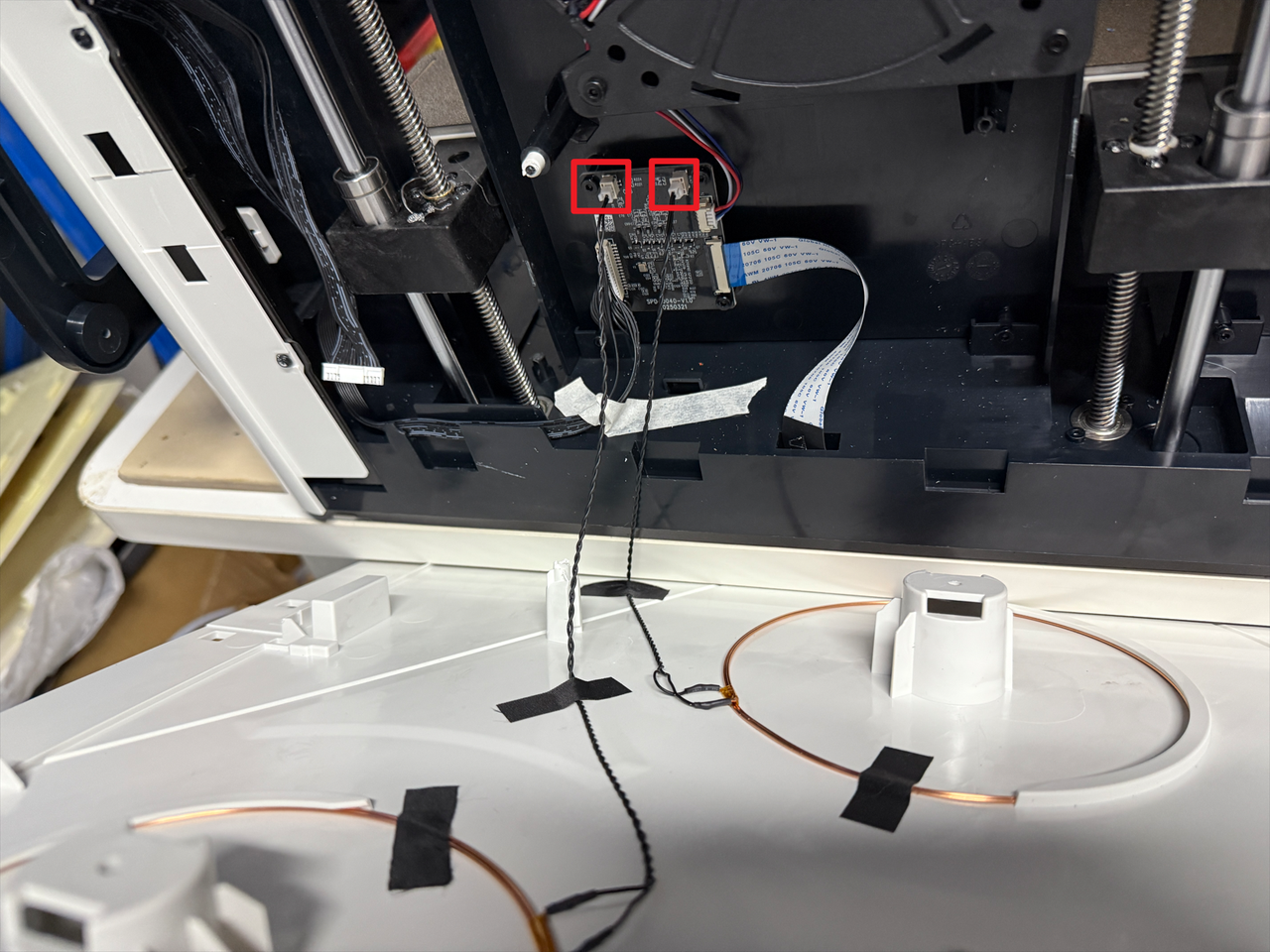
- Disconnect the RFID cable.
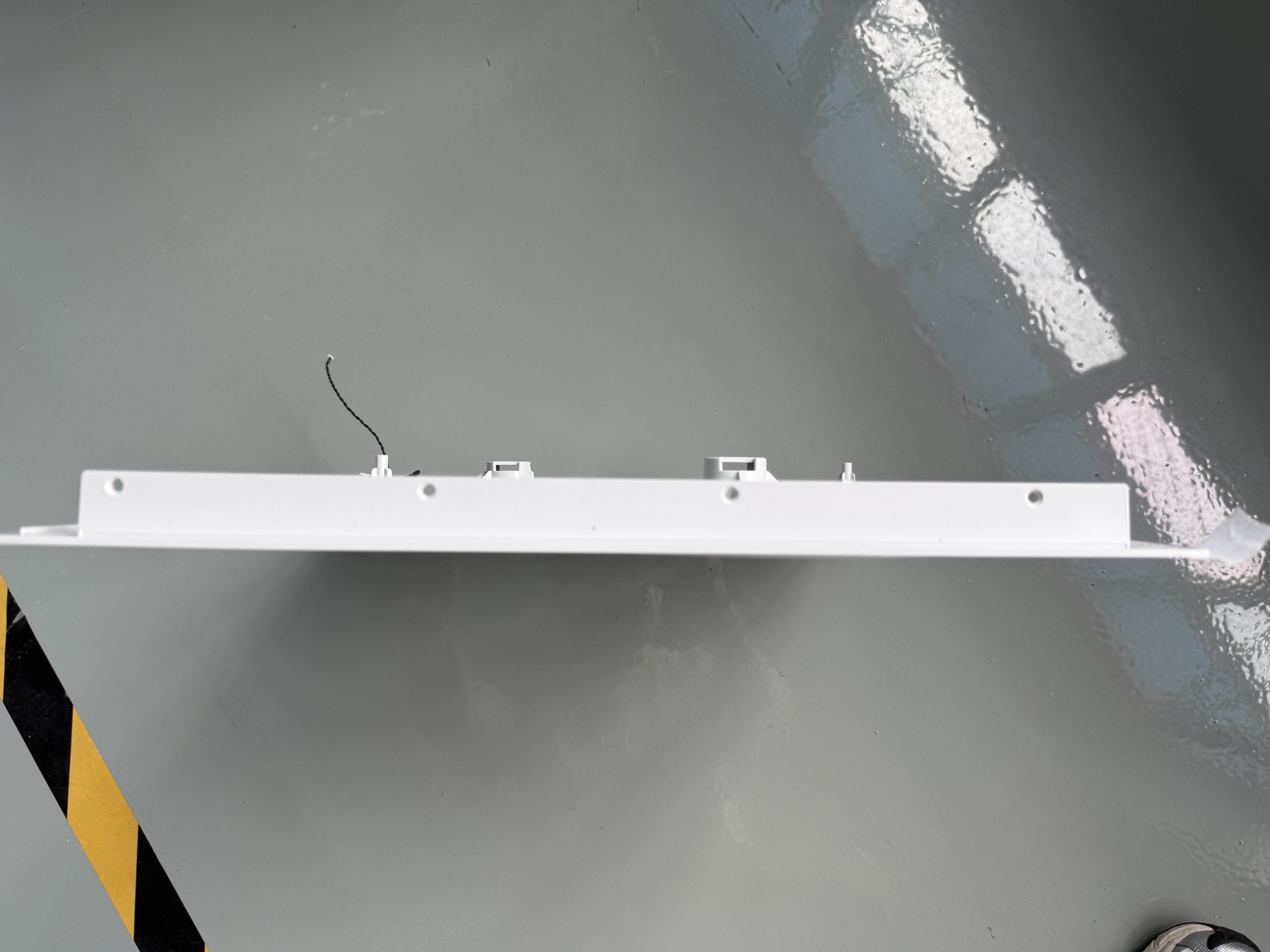
- Remove the left panel.
¶ Step 6. Check the connections of the fan and the RFID adapter board
After successfully removing the left panel, please check whether the fan and FFC extension cable are securely connected and free from any damage.
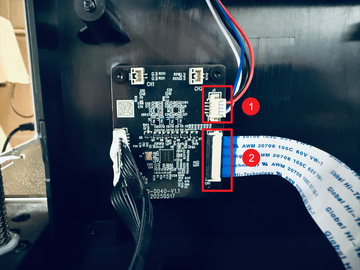
If any connections are loose, please reconnect the cables securely.
If there are no issues with the cable in the previous steps, please remove the right side cover to check the FFC extension cable connection on the mainboard side.
¶ Step 7. Remove the right panel
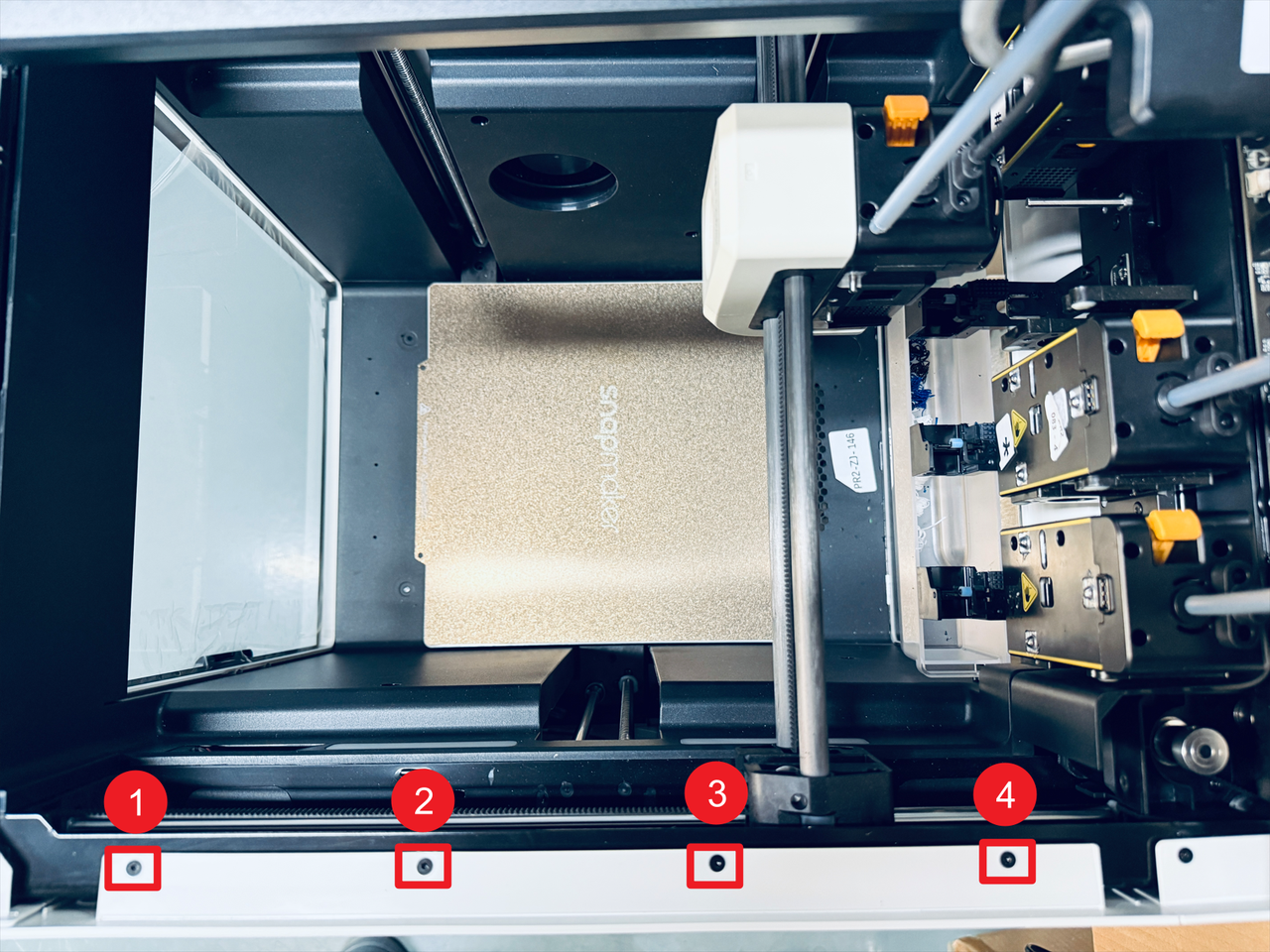
- Slightly shift the top black cover as shown in the image, then remove the four marked screws.
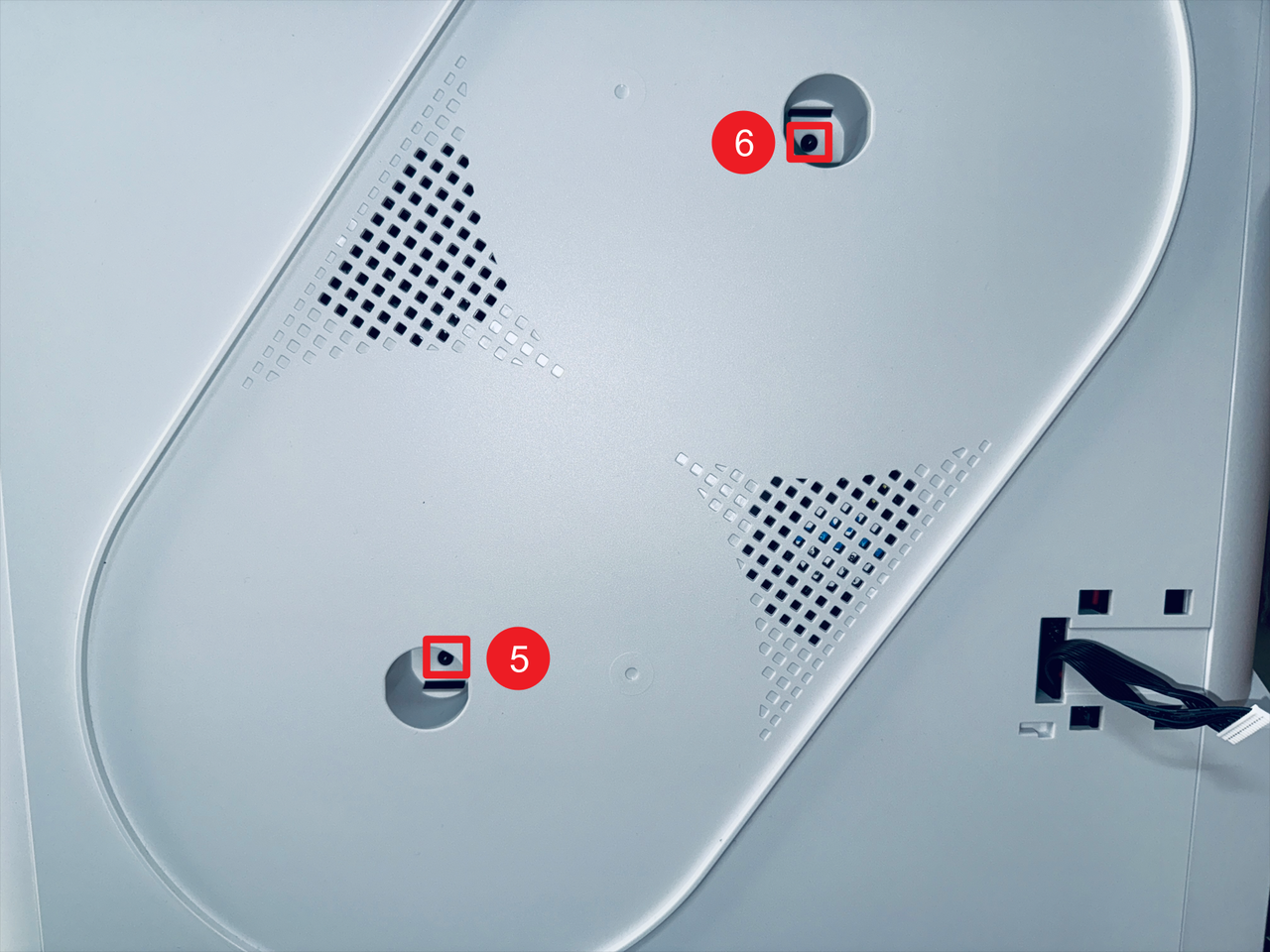
- Remove screws 5 and 6 located inside the spool holder holes.
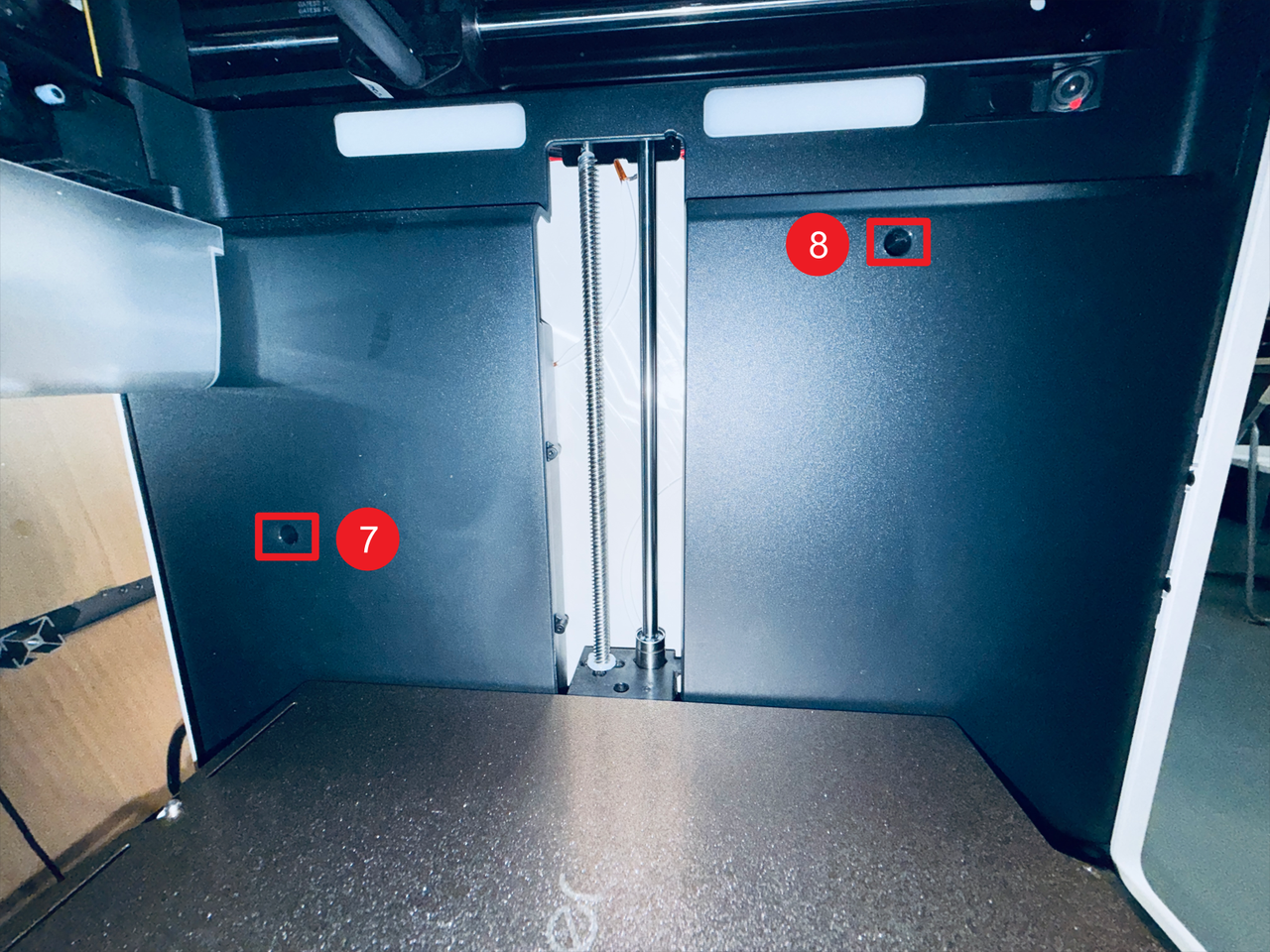
- Then remove screws 7 and 8 on the right inner panel.
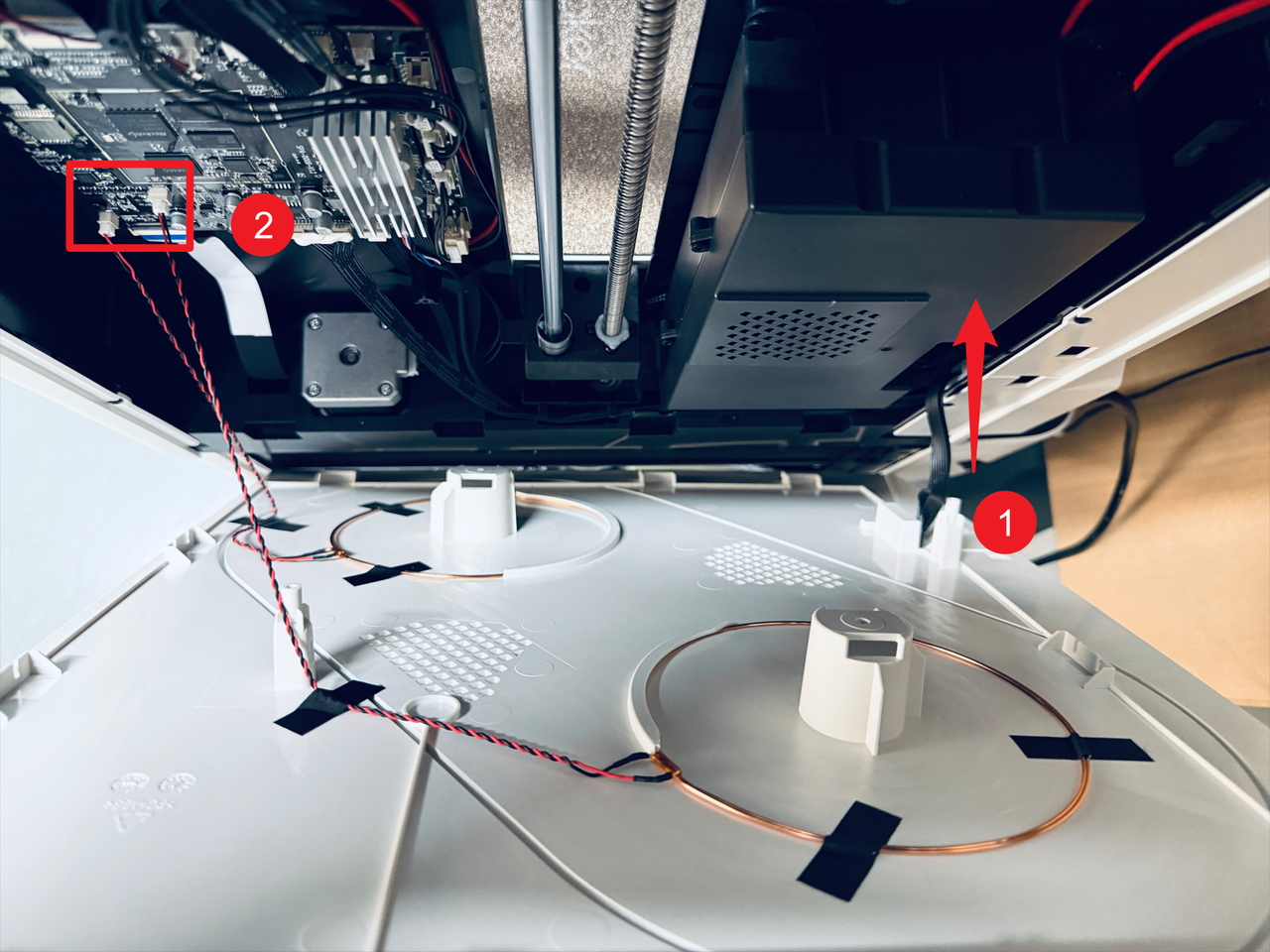
- Pass the filament feeder cable through position 1 and disconnect the two RFID cables at position 2, then remove the right panel.
¶ Step 8. Check the connection between the FFC extension cable and the mainboard
After successfully removing the right panel, please check whether the FFC extension cable is properly connected to the mainboard and not damaged in any way.
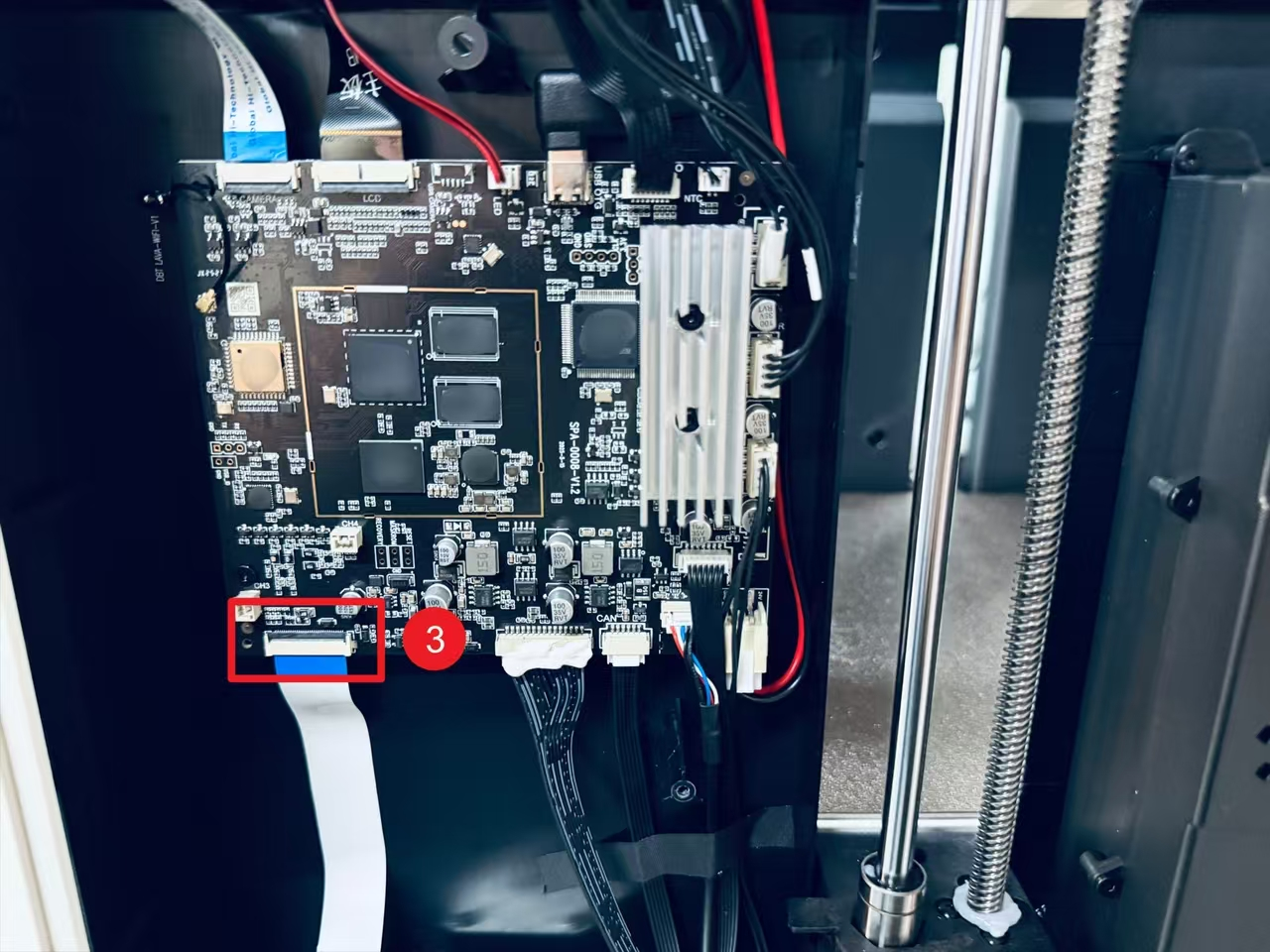
If the connection is fine, the issue may be a faulty auxiliary cooling fan. Please gather all the test results from this troubleshooting guide and contact Snapmaker Support for further assistance, providing as much detail as possible.
¶ Reach out to Snapmaker Support
After following the troubleshooting steps, if you find it difficult to resolve your issue, kindly submit a support ticket through https://snapmaker.formcrafts.com/u1-troubleshooting-request and share your troubleshooting results with some pictures/videos.
Our dedicated support team will be more than willing to assist you in resolving the issue.