¶ Compatibility
This article applies to the following model and module. Please take note when referencing:
Model: U1
¶ Issue Description
The first layer does not adhere
¶ Possible Causes
- Build plate not clean
- Nozzle clogged with residual filament
- Poor heated bed leveling
- Insufficient model bottom contact area
- Incorrect print parameters
- Poor filament quality
¶ Solutions
¶ Step 1. Clean the Build Plate
Oil, dust, or leftover material on the build plate may affect model adhesion. Keeping it clean will help improve the first layer adhesion quality.
Follow these steps to clean the build plate:
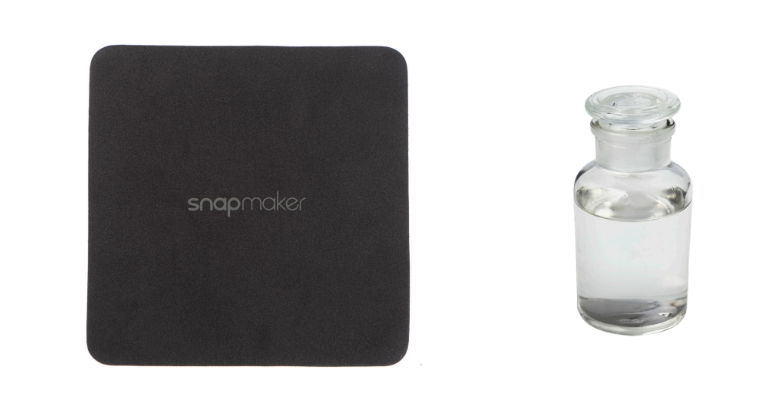
- Wipe the platform with a lint-free cloth and a small amount of ethanol to remove stains or residues.
- For thorough cleaning, remove the detachable magnetic platform if applicable.
¶ Step 2. Clear Nozzle Residual Filament
Excess material on the nozzle can affect extrusion. Keeping the nozzle clean helps improve first layer adhesion.
Follow these steps to clean leftover filament from the nozzle:
-
Preheat the nozzle to the working temperature (PLA: 200°C; ABS: 230°C).
-
Gently remove surface residue using a brass brush.
-
Execute the "Extrude" command to check if the filament feeds smoothly.
-
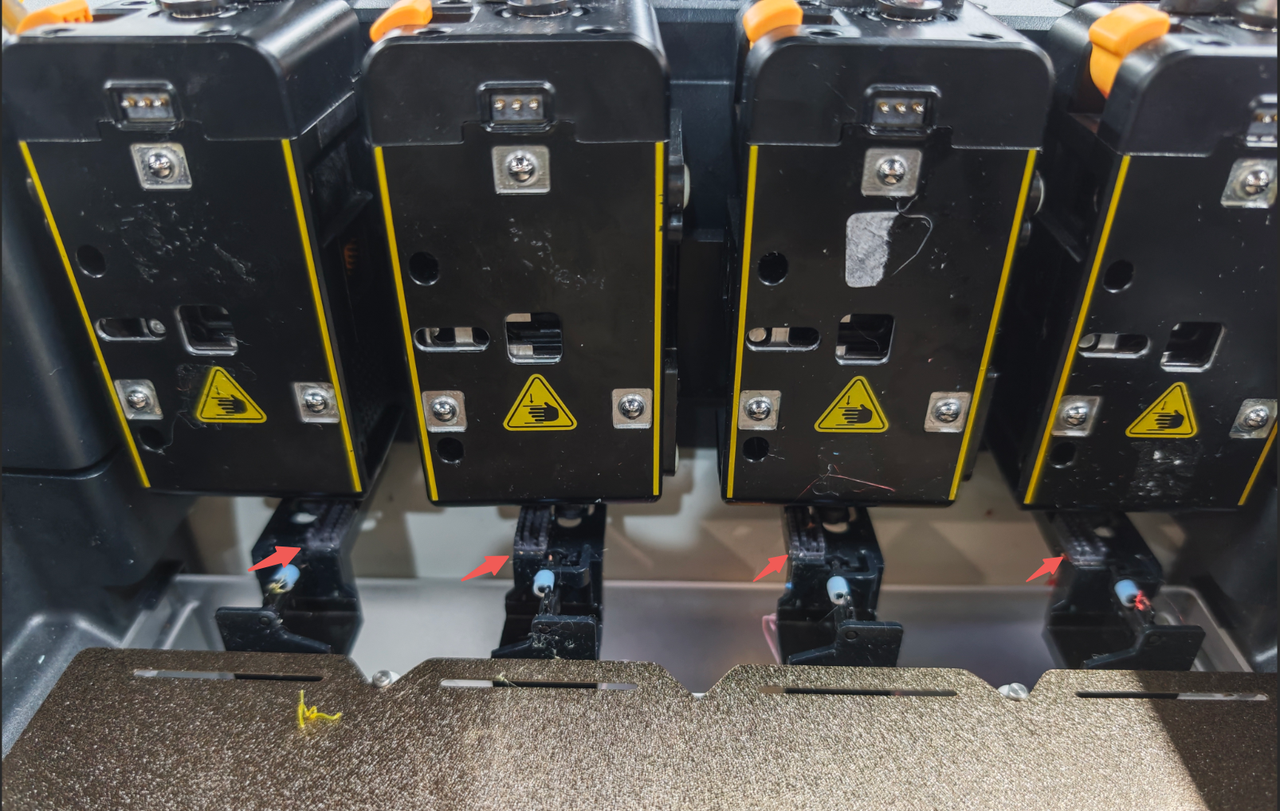
Inspect the nozzle cleaning brush on the nozzle wiper. If it’s worn, it may affect the nozzle cleaning performance.
¶ Step 3. Perform Heat Bed Leveling
Uneven distance between the nozzle and the platform may result in weak first layer adhesion. We recommend performing another heated bed leveling to see if it resolves the issue.
Since the U1’s bed leveling relies on the toolhead’s built-in sensor acting as a distance sensor to detect slight deformations of the hot end, please check the following before starting:
- Ensure the two fixing screws on the heater block are tightened.
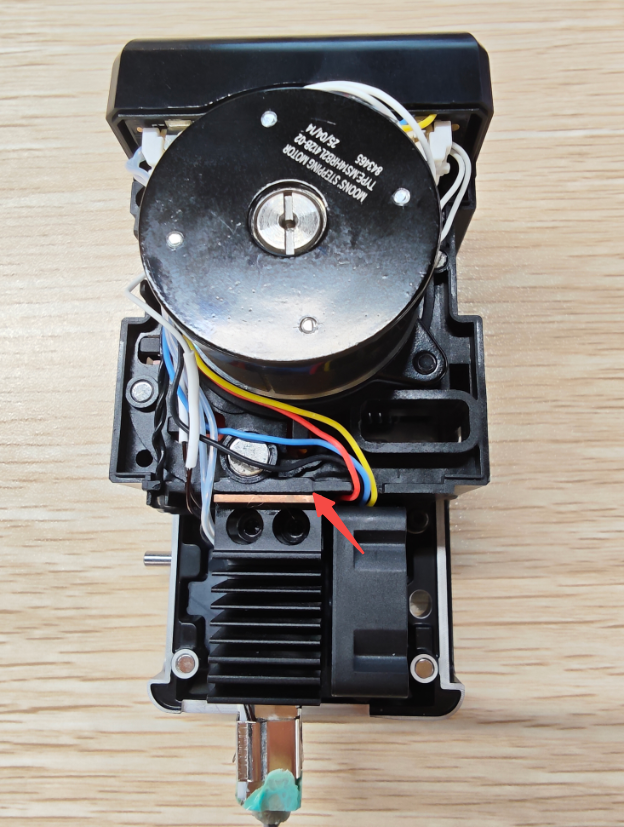
- Check that no foreign objects are present between the heatsink fins and the copper induction piece on the toolhead.
- Verify there is sufficient gap between the heatsink fins and the copper induction piece to allow deformation during calibration.
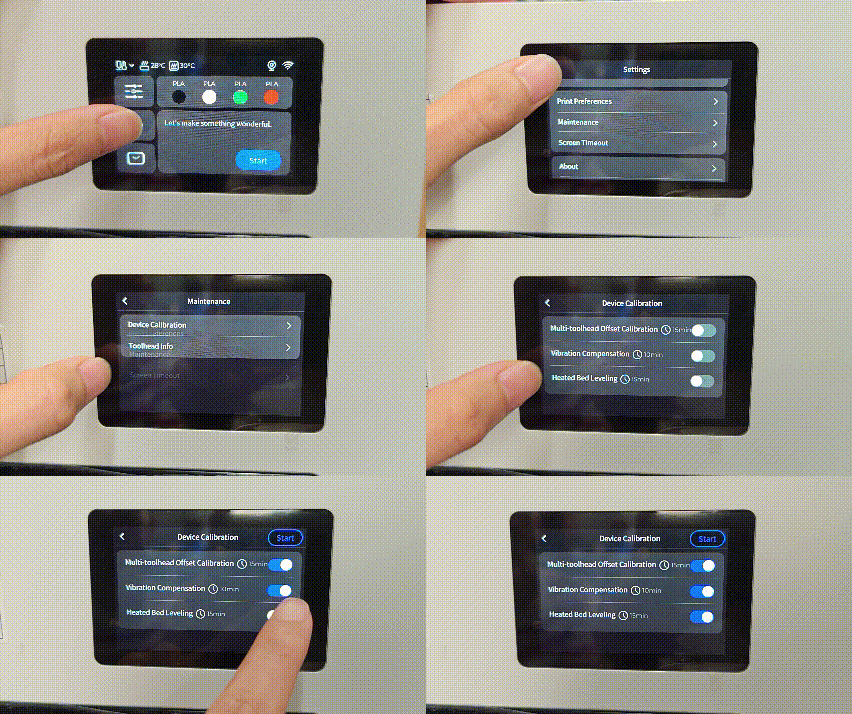
Navigate to: Settings > Maintenance > Device Calibration on the U1 display, and follow the prompts to complete heated bed leveling.
¶ Step 4. Optimize Model or Slicer Settings
If the bottom surface of the model is too small, it may reduce adhesion to the build plate.
- Check the bottom contact area of the model in the slicer. If it is too small, enable the "Brim" or "Skirt" function to improve adhesion.
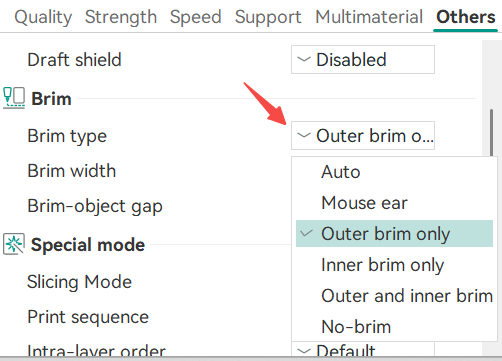
- For small or complex models, adjust the orientation to increase the bottom contact area.
¶ Step 5. Set Appropriate Print Parameters
If the temperature and speed settings in the slicer are not suitable for the filament being used, it may also cause poor first layer adhesion.
- Appropriately increase the heat bed temperature.
- Reduce the first layer printing speed.

¶ Step 6. Check Filament Quality
Moisture absorption or prolonged storage may degrade filament performance.
- Inspect the filament for brittleness, discoloration, or other abnormalities.
- Dry the filament in a drying box (45–55°C) for 4–6 hours.
- If the issue persists, replace with a new, unopened filament spool.
¶ Reach out to Snapmaker Support
After following the troubleshooting steps, if you find it difficult to resolve your issue, kindly submit a support ticket through https://snapmaker.formcrafts.com/u1-troubleshooting-request and share your troubleshooting results with some pictures/videos.
Our dedicated support team will be more than willing to assist you in resolving the issue.