¶ Compatibility
This article applies to the following model and module. Please take note when referencing:
Model: U1
¶ Applicable scenarios
When you need to detach the toolhead from the swapper while the printer is powered off.
¶ Procedure
¶ Toolhead-1
-
Facing the back of the printer.Align the toolhead hole with the positioning pin and keep it against the right inner wall.Push the toolhead and swapper inward to the stop, then left until the pin fits into the hole on the backing bracket and the toolhead detaches.
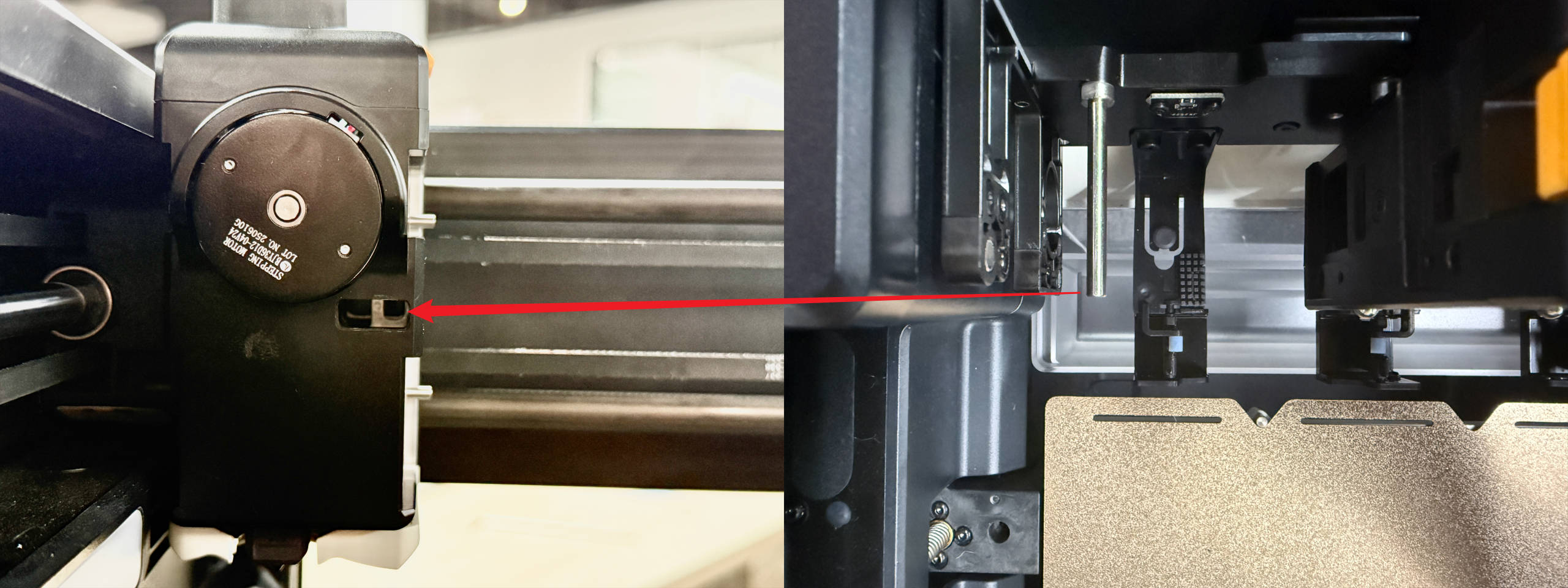
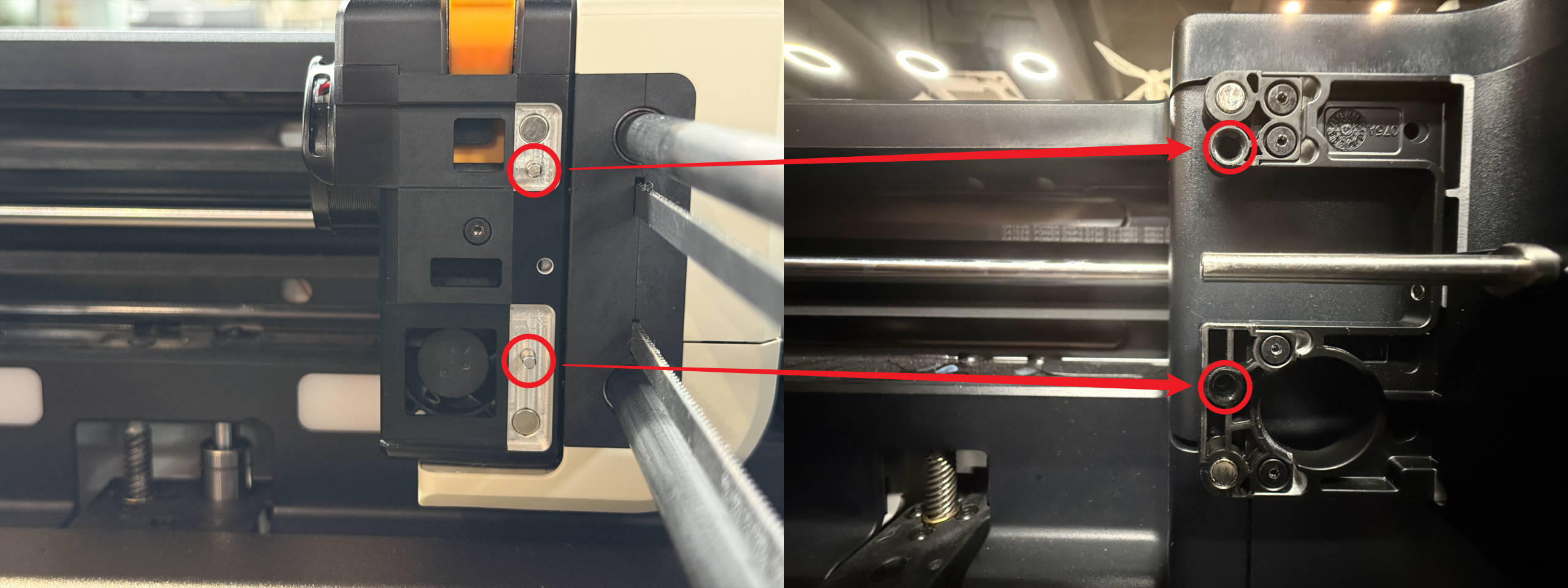
The complete operation steps are demonstrated below:
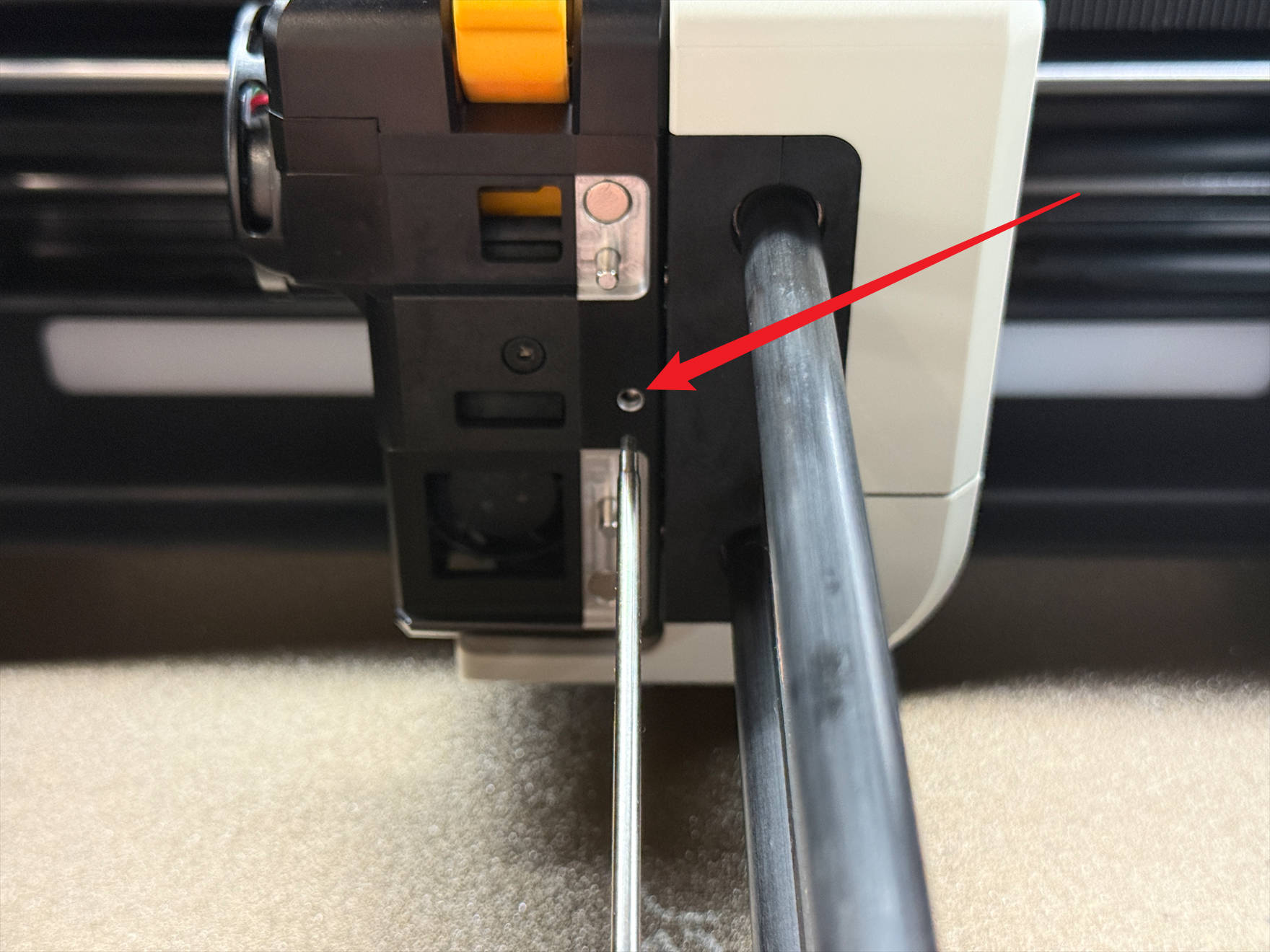
- Alternatively, you can also insert an H2.0 hex key into the indicated hole to release the toolhead.
¶ Toolhead-2/3/4
-
Facing the back of the printer.Align the toolhead hole with the positioning pin and keep it against the left inner wall.Push the toolhead and swapper inward to the stop, then right until the pin fits into the hole on the backing bracket and the toolhead detaches.
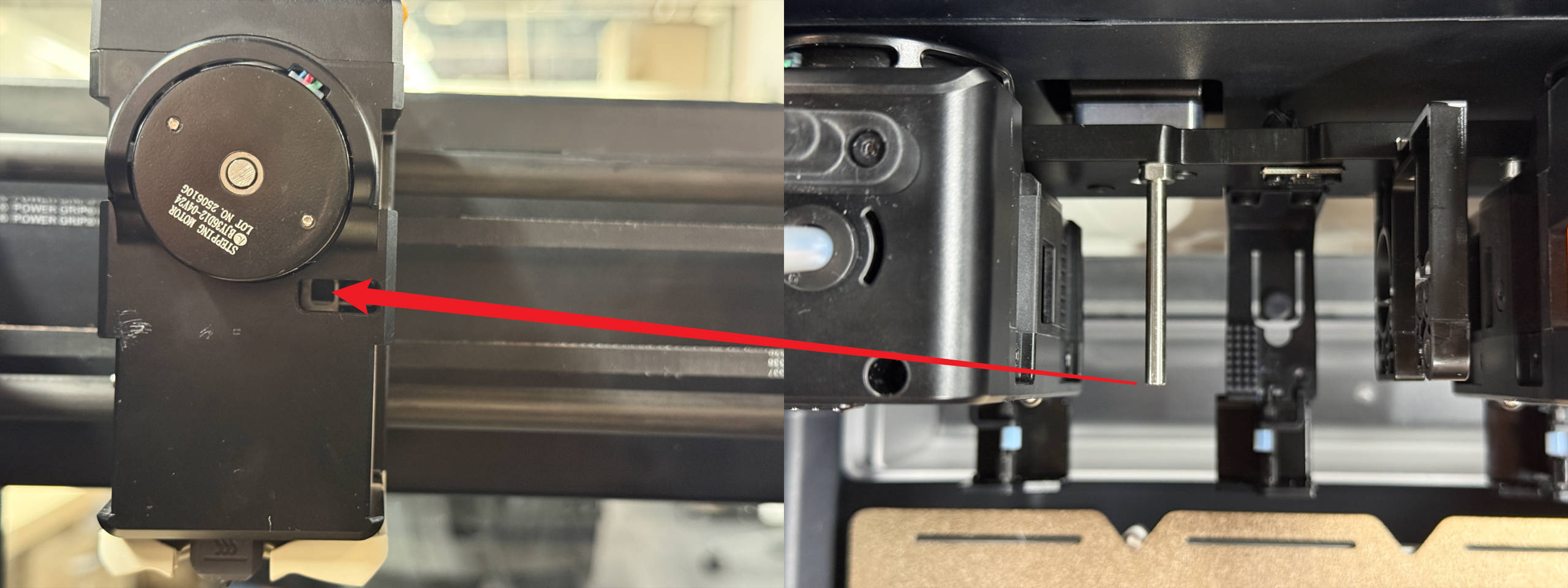
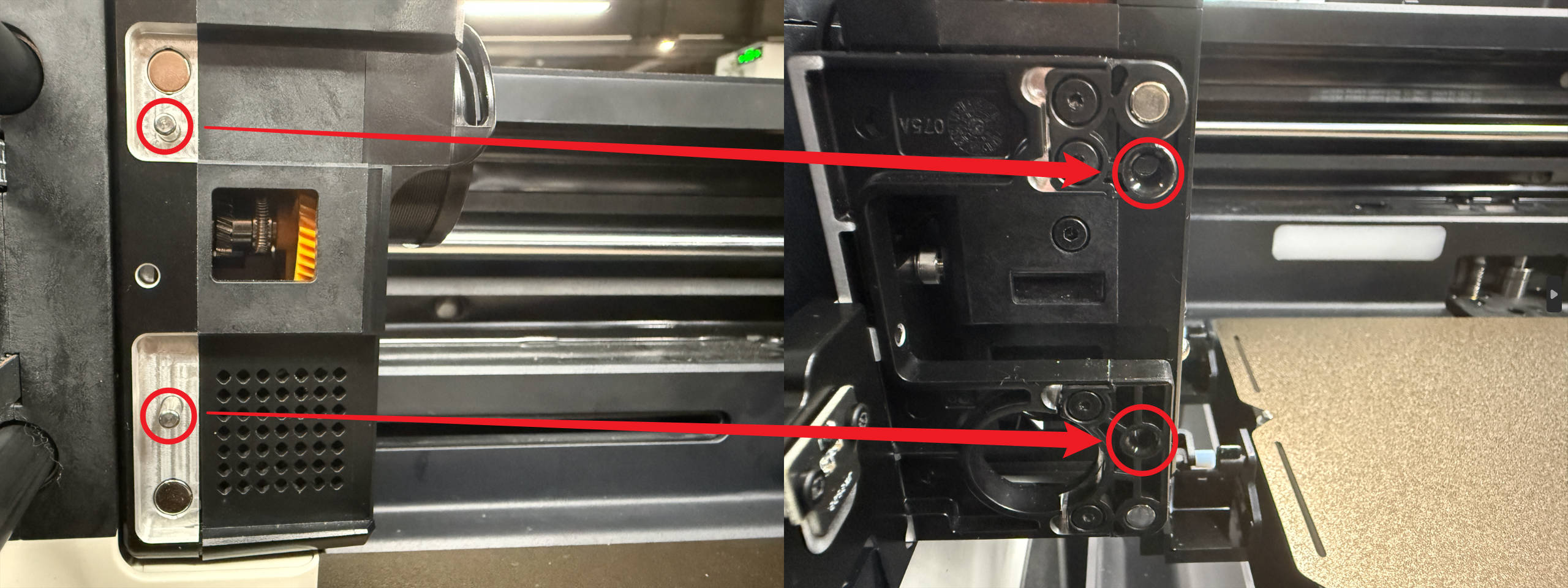
The complete operation steps are demonstrated below:
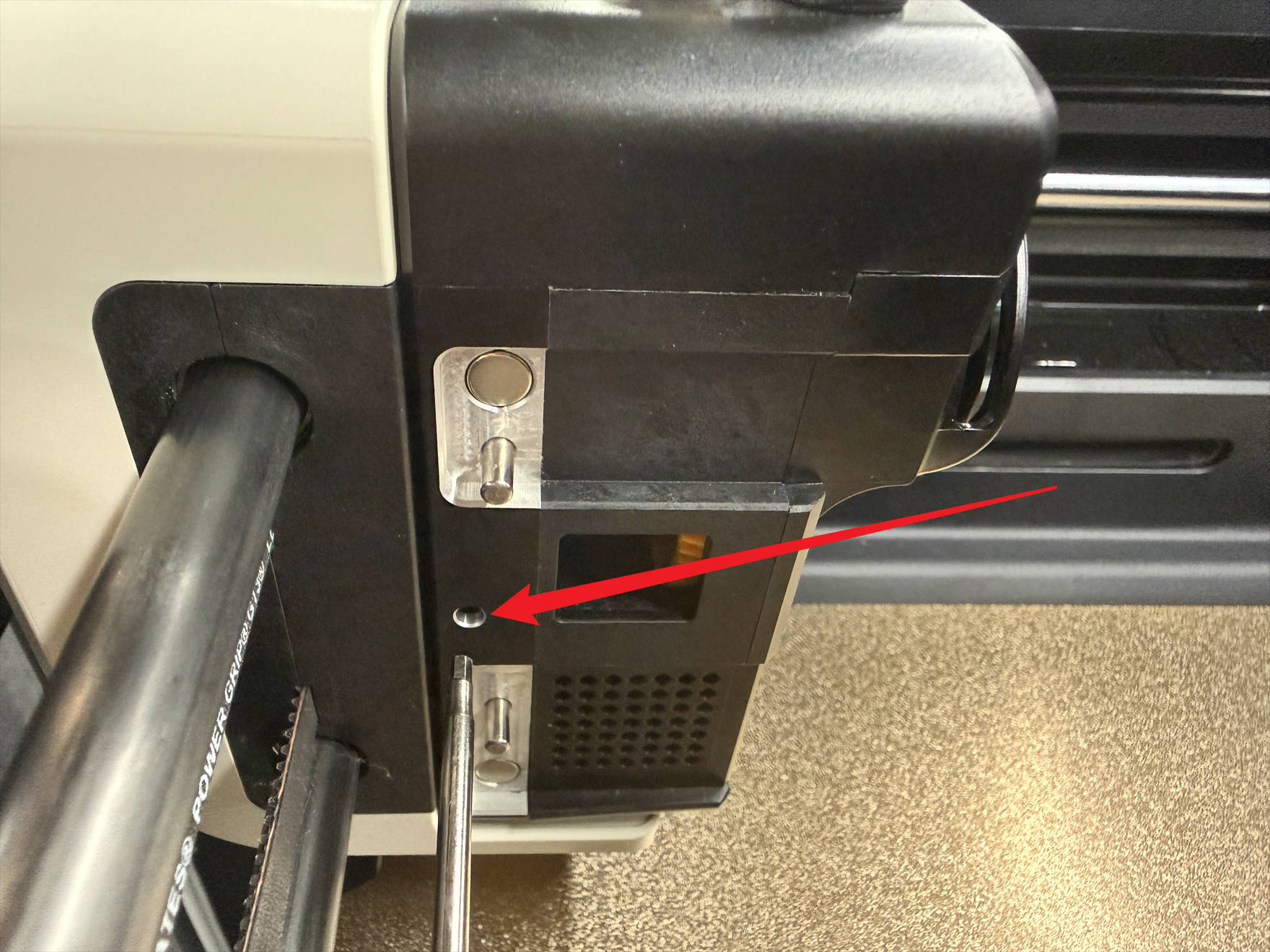
- Alternatively, you can also insert an H2.0 hex key into the indicated hole to release the toolhead.
¶ Reach out to Snapmaker Support
After following the troubleshooting steps, if you find it difficult to resolve your issue, kindly submit a support ticket through https://snapmaker.formcrafts.com/support-ticket and share your troubleshooting results with some pictures/videos.
Our dedicated support team will be more than willing to assist you in resolving the issue.