¶ 💡 Compatibility
This article applies to the following model and module. Please take note when referencing:
- Model: U1
¶ 📝 Issue Description
-
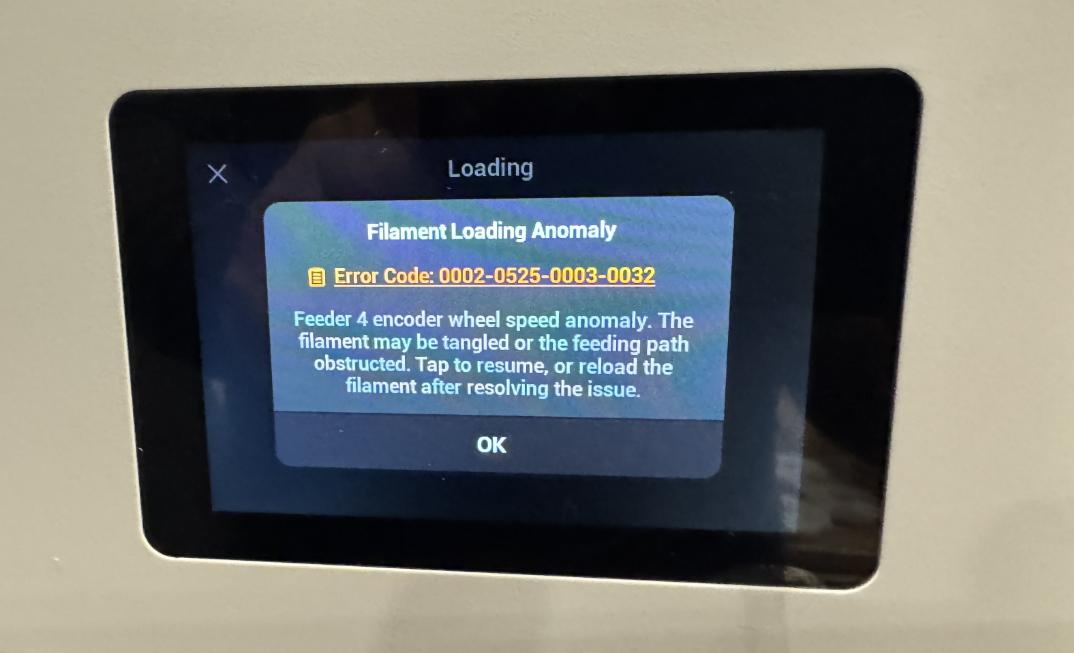
During automatic filament loading, the touchscreen displays the error message “Filament Loading Anomaly”
-
During manual filament loading, the touchscreen displays the error message “Filament Loading Anomaly”
¶ ⚠️ Error Codes
0002-0525-0000-0032
0002-0525-0001-0032
0002-0525-0002-0032
0002-0525-0003-0032
¶ 🔎 Possible Causes
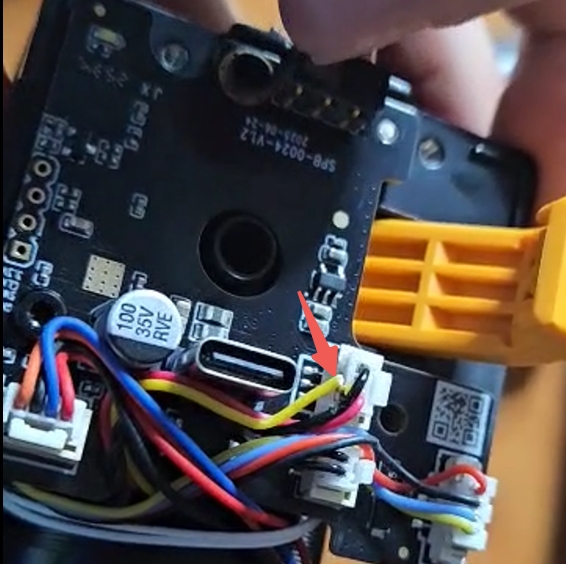
Excessive force applied when securing the toolhead USB cable, causing the Filament Runout Sensor cable to break
¶ 🛠️ Troubleshooting Steps
¶ 1. Automatic Filament Loading Check
When the filament has successfully entered the filament feeder, the toolhead waits at the front of the machine for the filament to enter the toolhead, triggering the Filament Runout Sensor. If a filament loading error appears at this stage, check whether the Filament Runout Sensor cable is broken.
¶ 2. Manual Filament Loading Check
During manual filament feeding, ensure the filament has been inserted into the toolhead. If a filament loading error still occurs during printing, check whether the Filament Runout Sensor cable is broken.
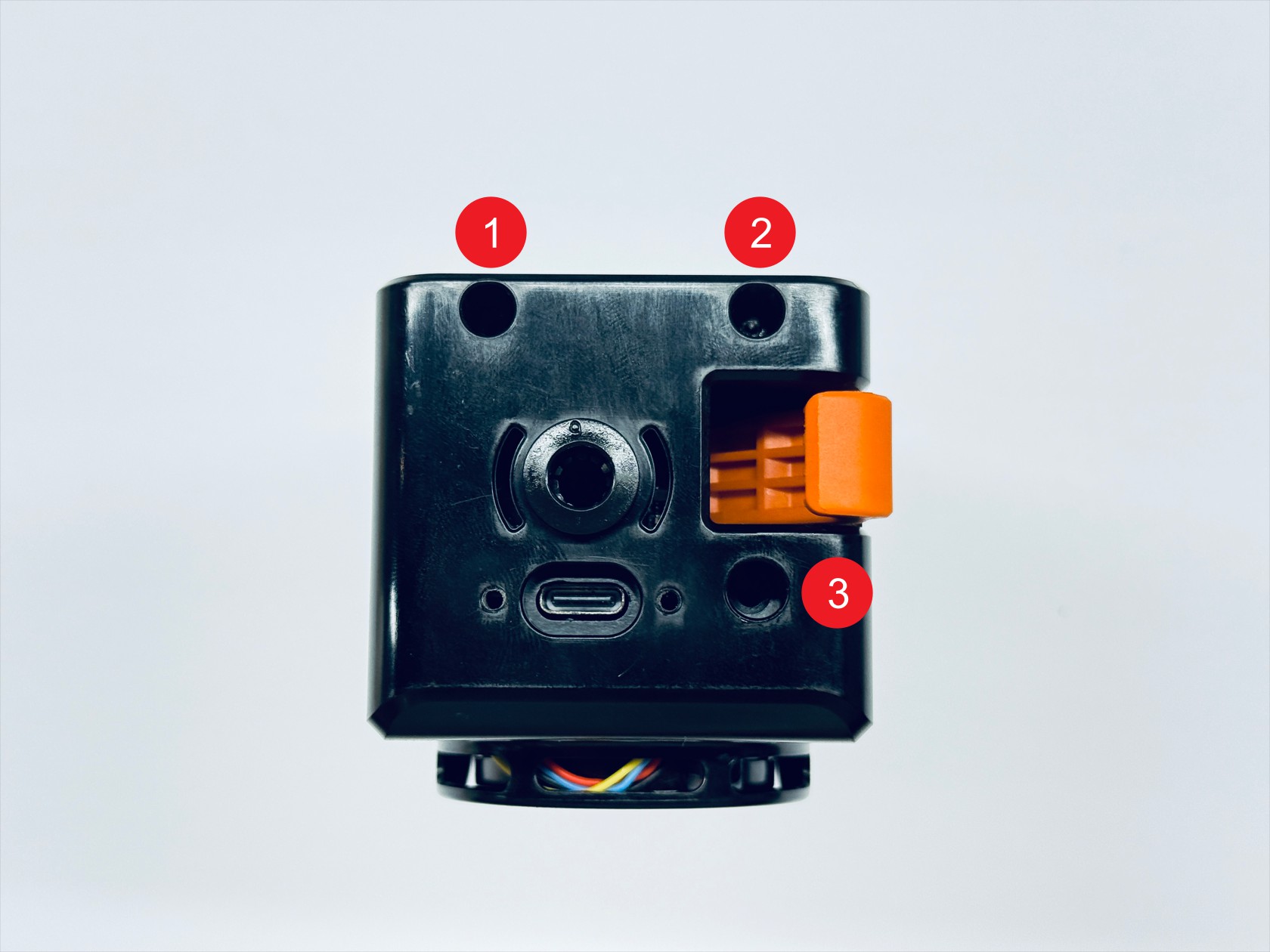
Use a 2.0 mm hex key to remove the three mounting screws, then take off the print head top cover and check whether the filament runout switch cable is damaged or broken.
¶ ✅ Solutions
-
Provide a photo of the broken Filament Runout Sensor cable and the serial number (SN) from the machine’s Settings > About page, then contact technical support
-
Avoid overtightening the USB cable when installing
¶ 💬 Reach out to Snapmaker Support
After following the troubleshooting steps, if you find it difficult to resolve your issue, kindly submit a support ticket through https://snapmaker.formcrafts.com/u1-troubleshooting-request and share your troubleshooting results with some pictures/videos.
Our dedicated support team will be more than willing to assist you in resolving the issue.