¶ Precedure
Pressure advance means that the printer pre-emptively adjusts the extrusion pressure as needed to achieve better print results.
This is often related to the actual moving speed of the nozzle. When the nozzle is about to decelerate, the extrusion pressure should usually be reduced to avoid filament accumulation; when the nozzle is about to accelerate, the extrusion pressure should usually be increased to avoid insufficient extrusion.
¶ 1. Print the "PA Line Model" to Test the Best Pressure Advance Value for Your Filament
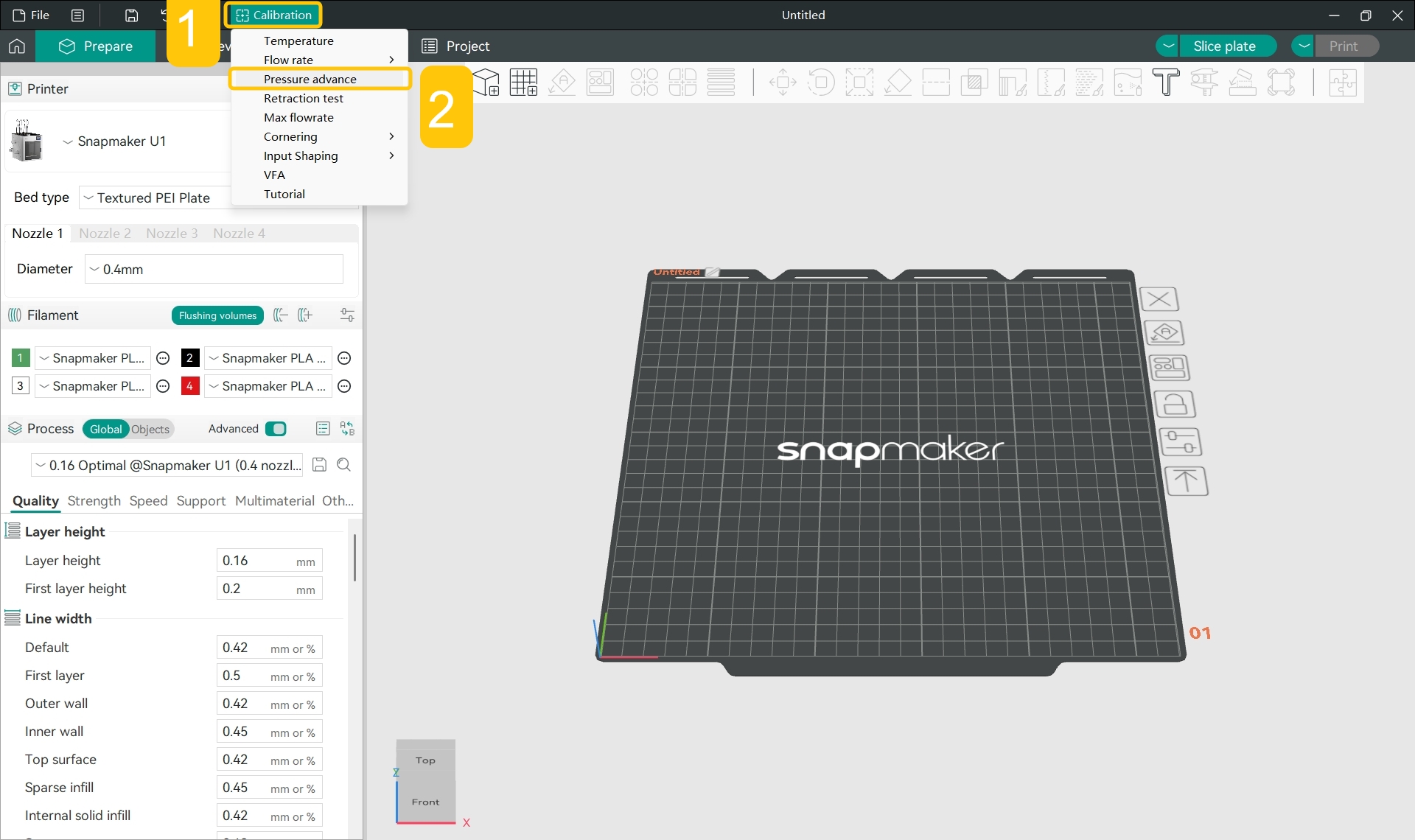
- In the top menu bar, click
Calibration>Pressure Advance.
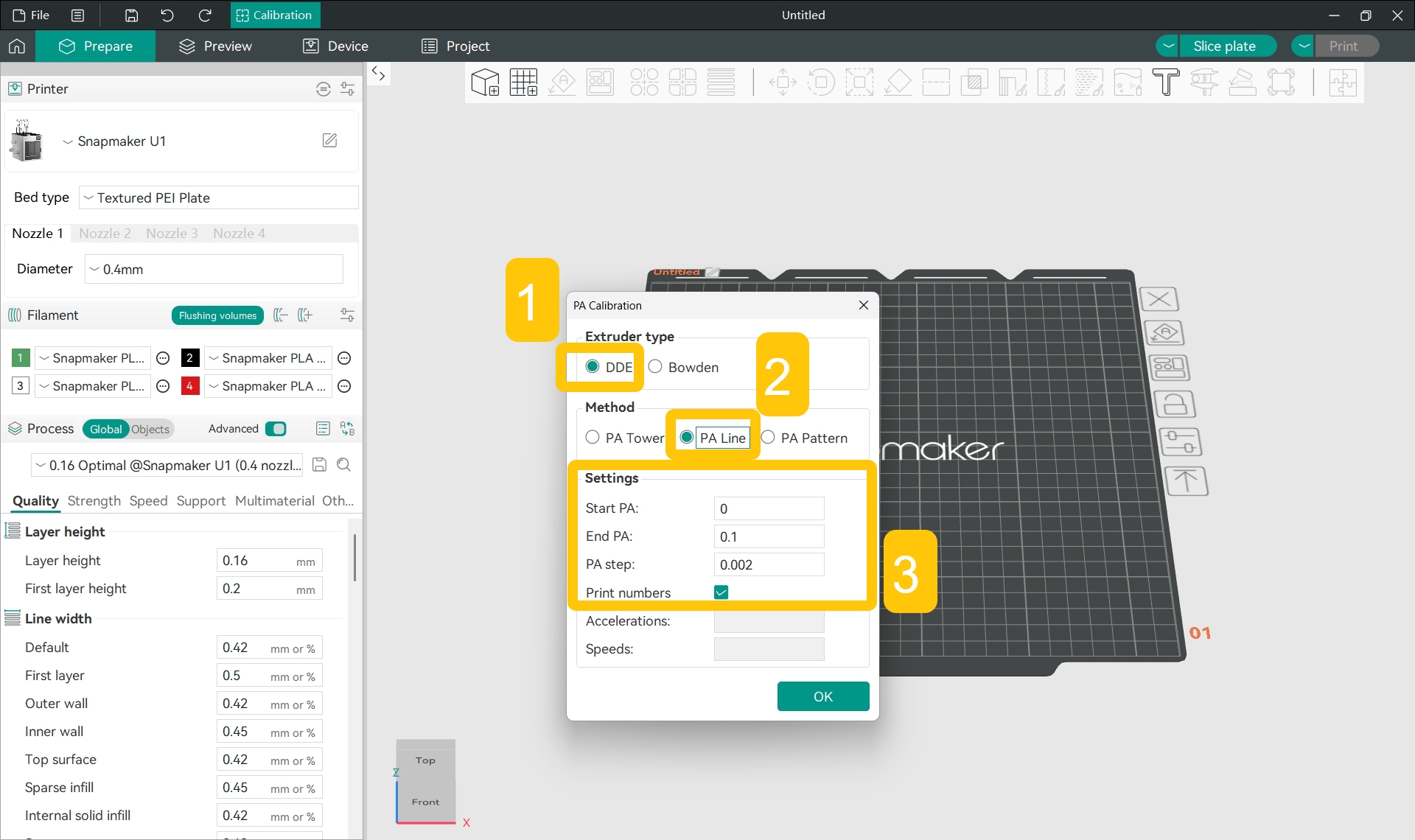
- In the pop-up window, set up the pressure advance test:
- Select DDE (Direct Drive Extruder);
- Select PA Line mode;
- Set start PA, end PA, and PA step;
- Click
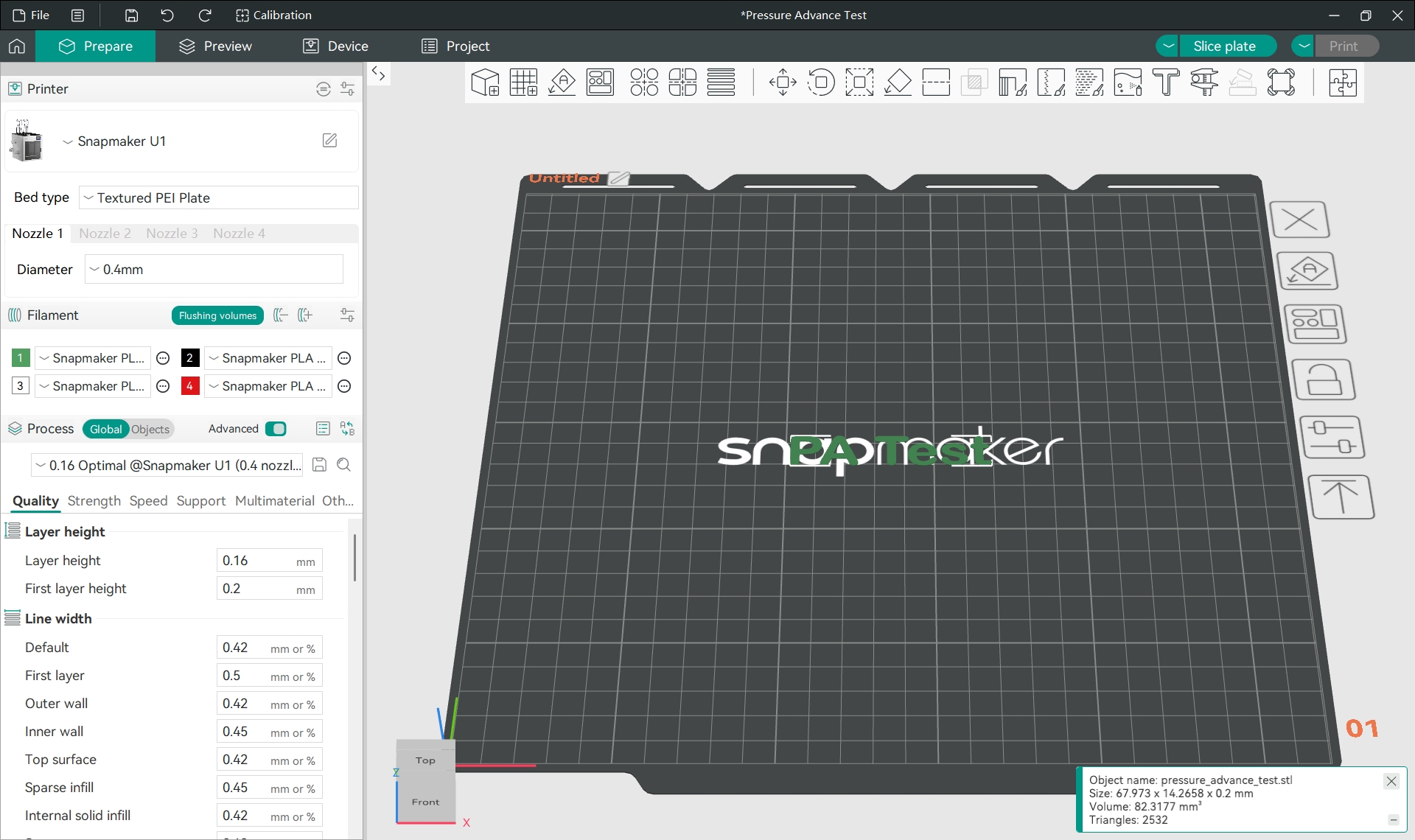
OK, and the software will generate the "PA Test" text.
Snapmaker Orca has default start PA, end PA, and PA step values for PA Line mode, and you can directly use the software's preset values for testing and calibration.
Snapmaker U1 uses a direct drive extruder (DDE).
PA Test stands for Pressure Advance Test.
- In the
Filamentsection of the left sidebar, click the specific filament name and select the filament type you used for printing from the drop-down menu.
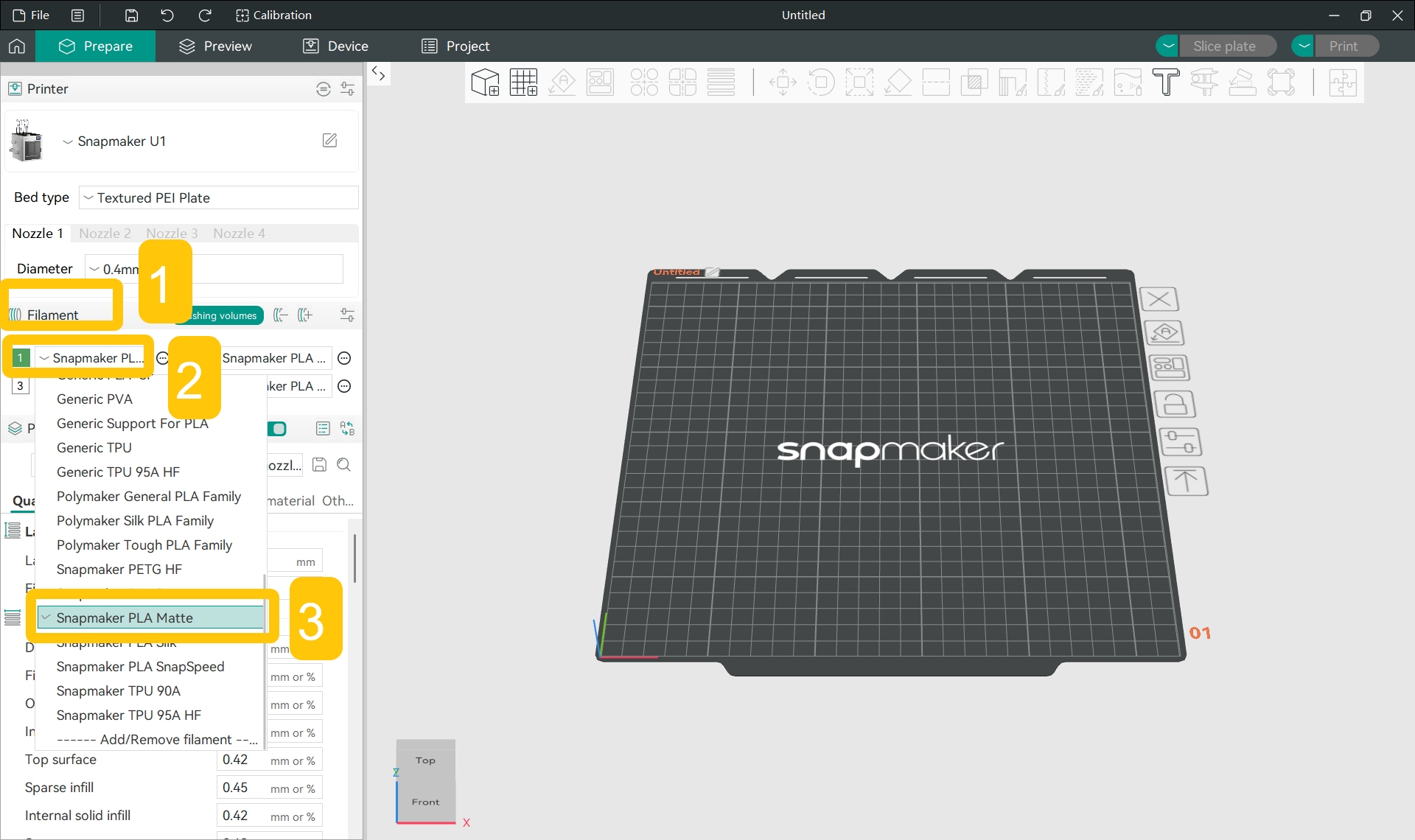
- In the
Filamentsection of the left sidebar, click the...>Editnext to the specific filament.
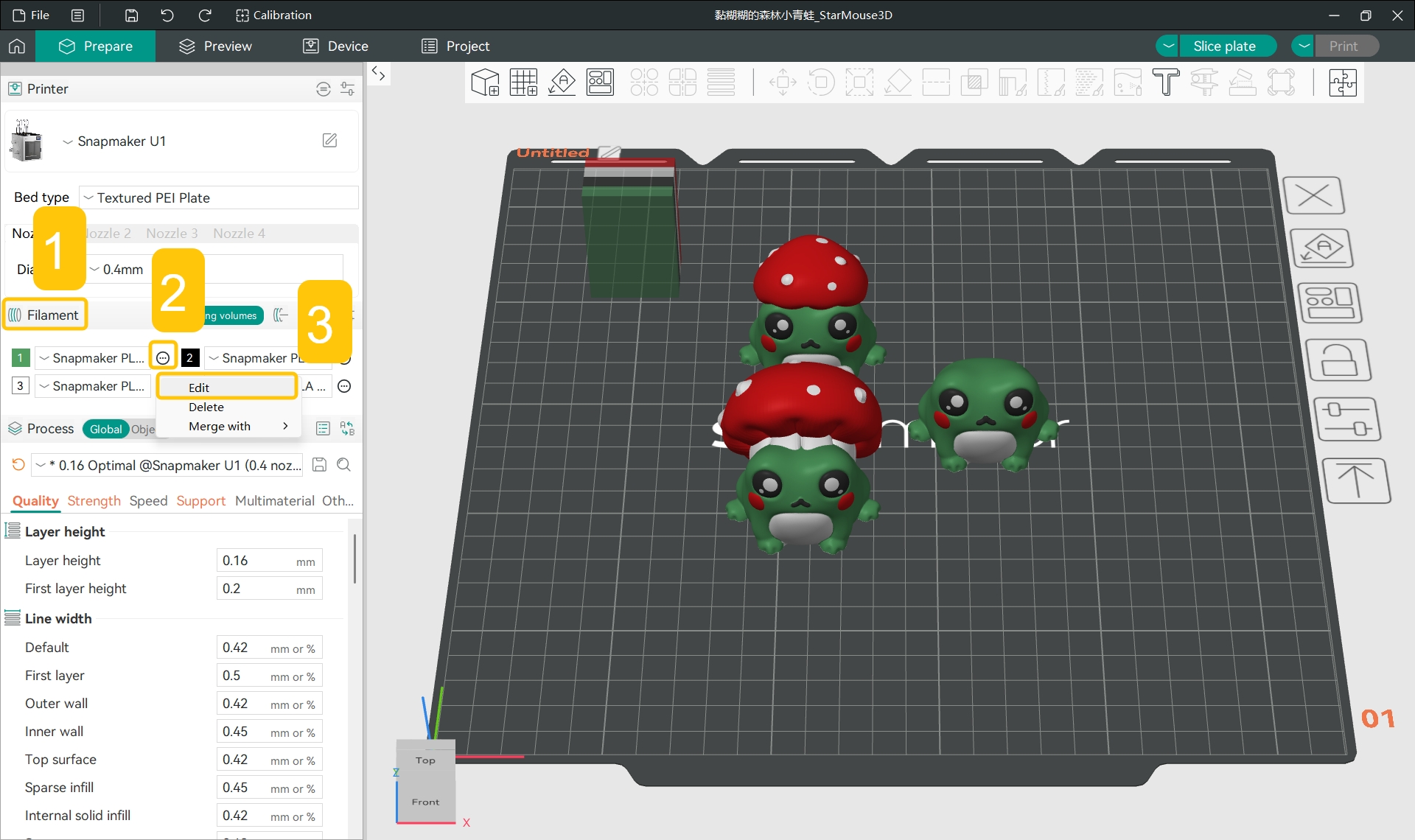
- In the pop-up window, find
Filament>Flow ratio and Pressure Advance>Enable pressure advance.
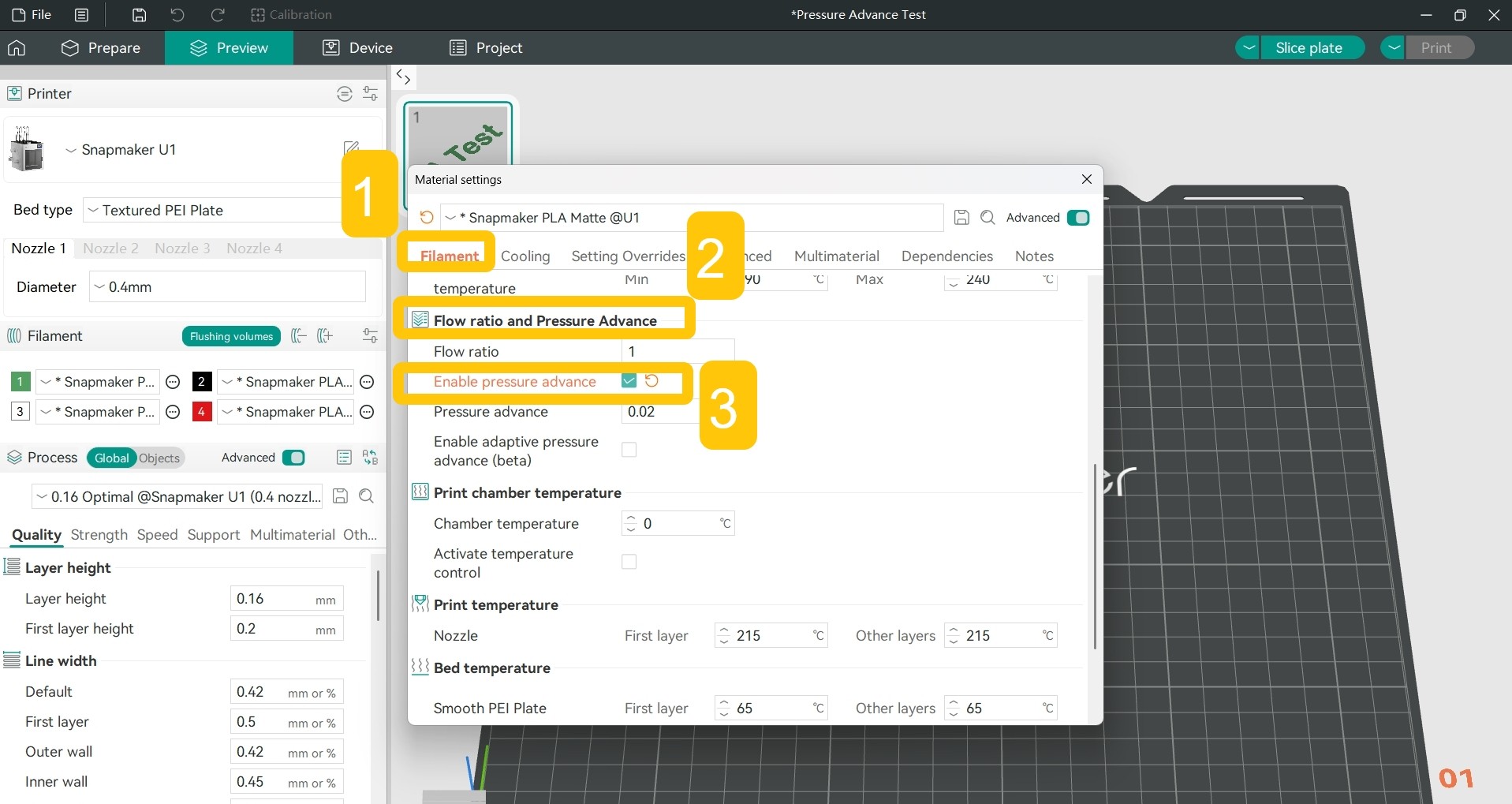
- Click the checkbox to enable pressure advance.
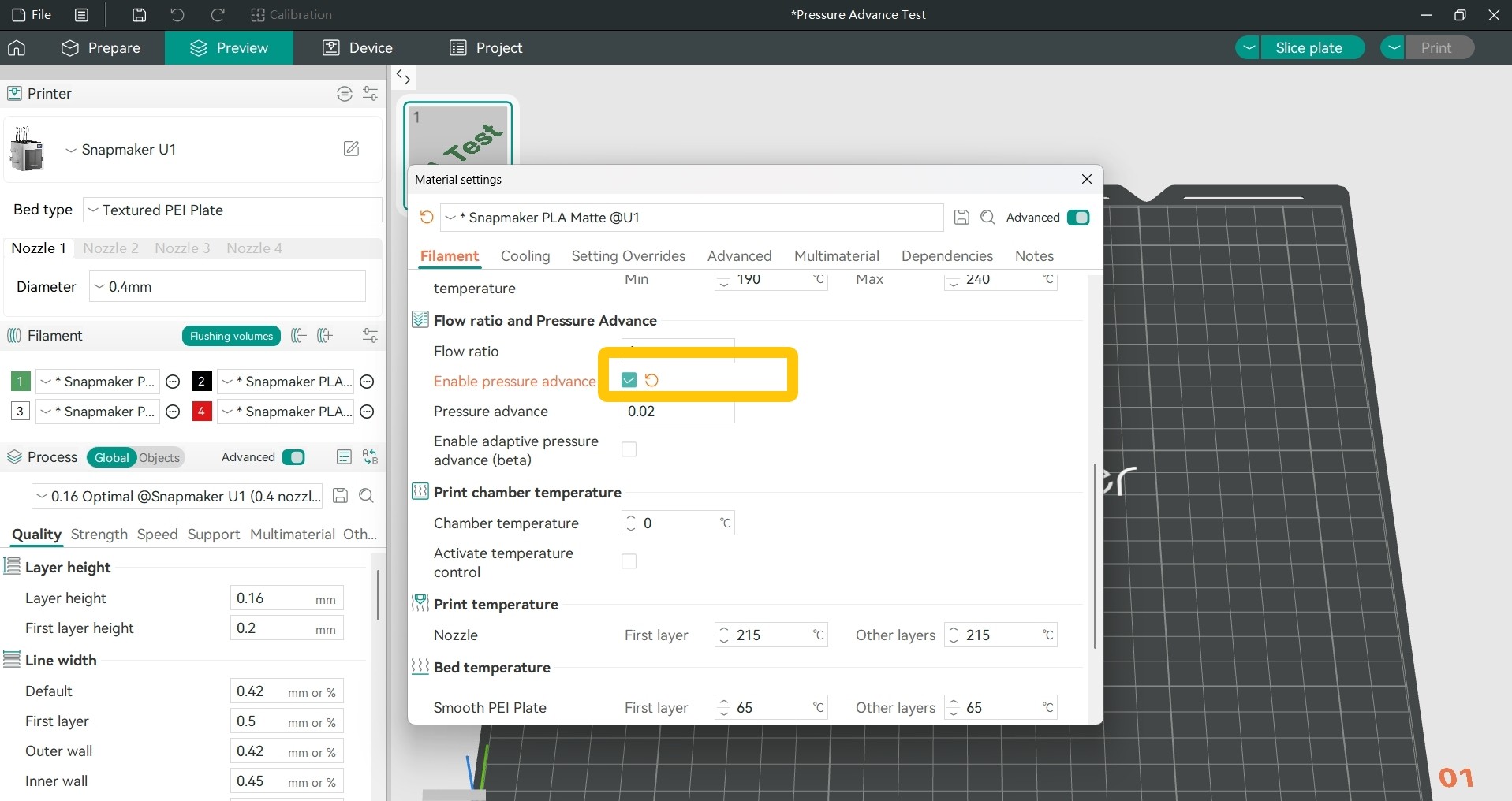
-
Slice the model, and you can see the generated PA line model in the
Previewtab.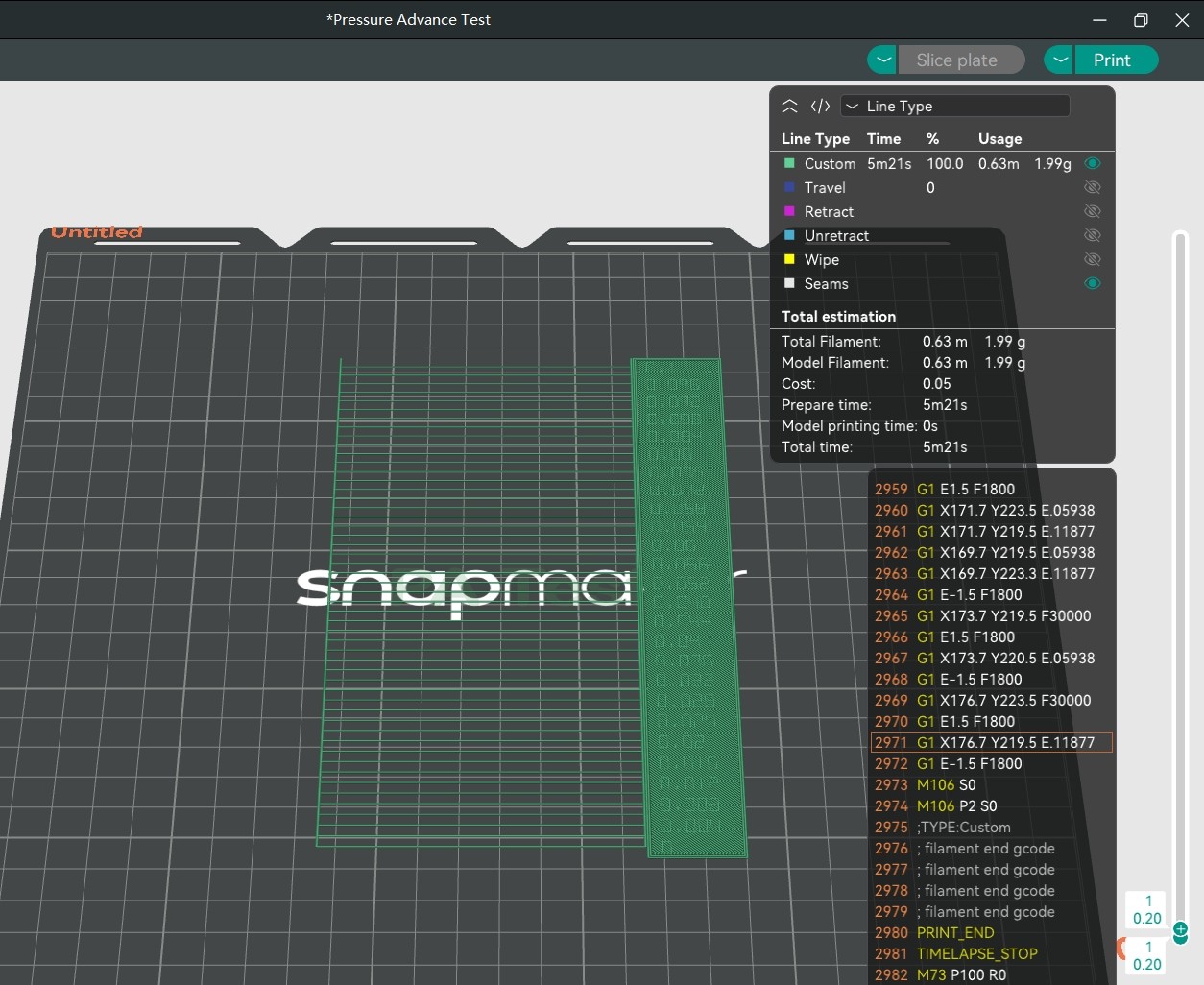
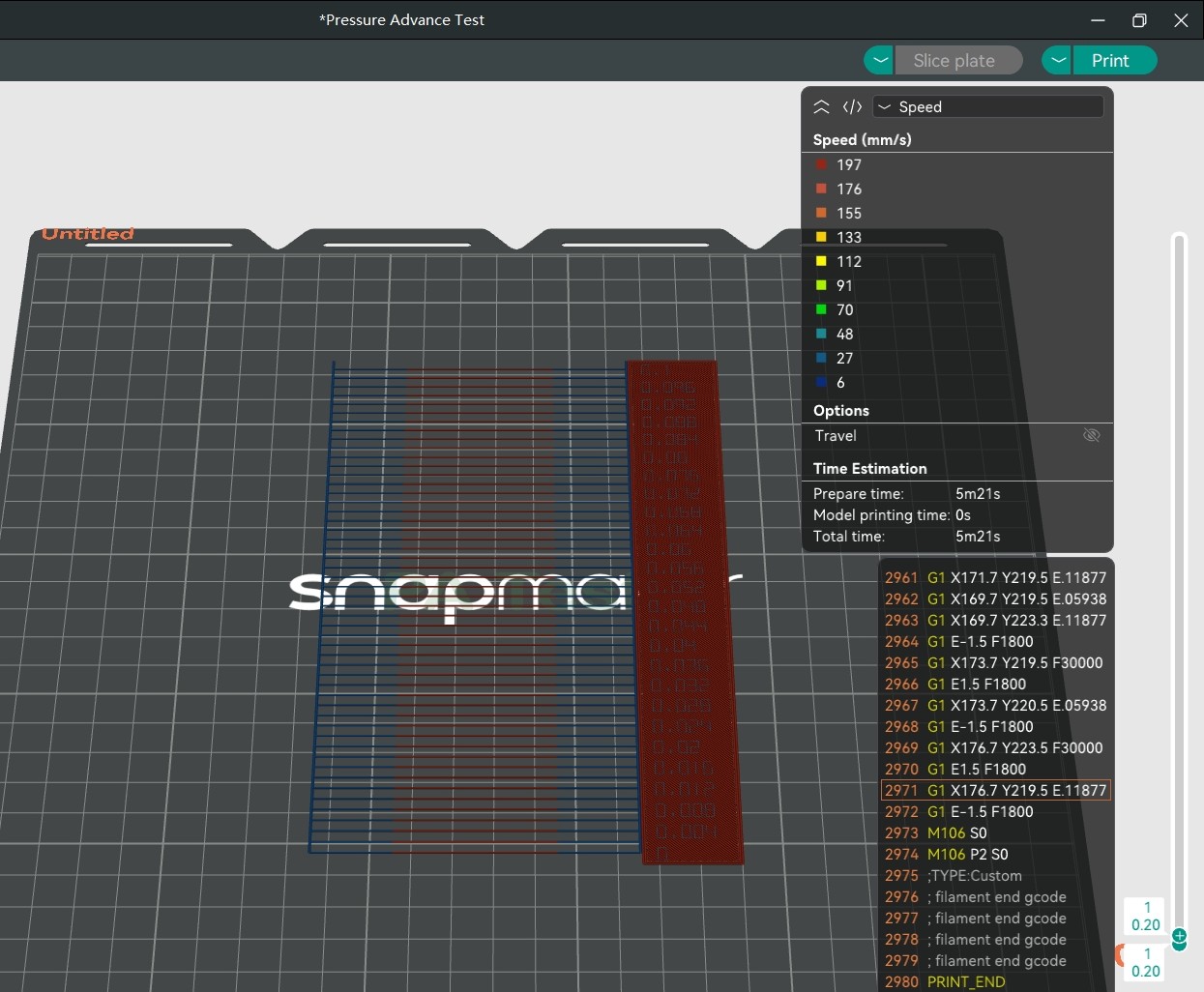
Each line generated by PA Line mode looks the same, but each line has a different pressure advance value. Switch to
Preview>Speed, and you can find that every line accelerates first, then decelerates. Since the pressure advance value is related to the actual moving speed of the nozzle, the acceleration and deceleration lines can be used to calibrate the pressure advance effect.
Just observe which printed line is the most uniform to determine the appropriate pressure advance value.
-
Use the U1 to print the PA line model.
-
Observe the printed PA line model. Select the line with a uniform thickness from start to end, and the number corresponding to its right side is the best pressure advance value.
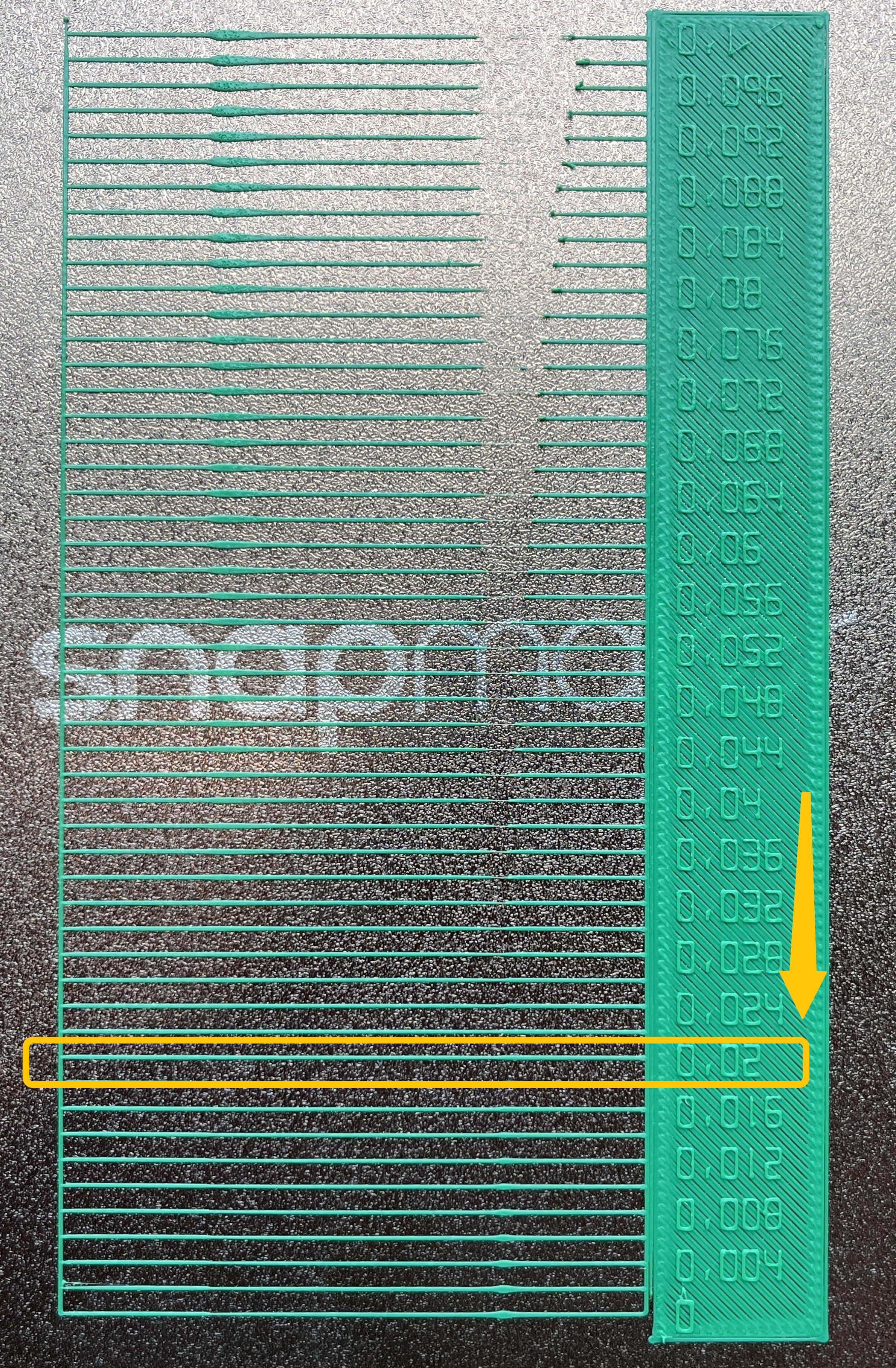
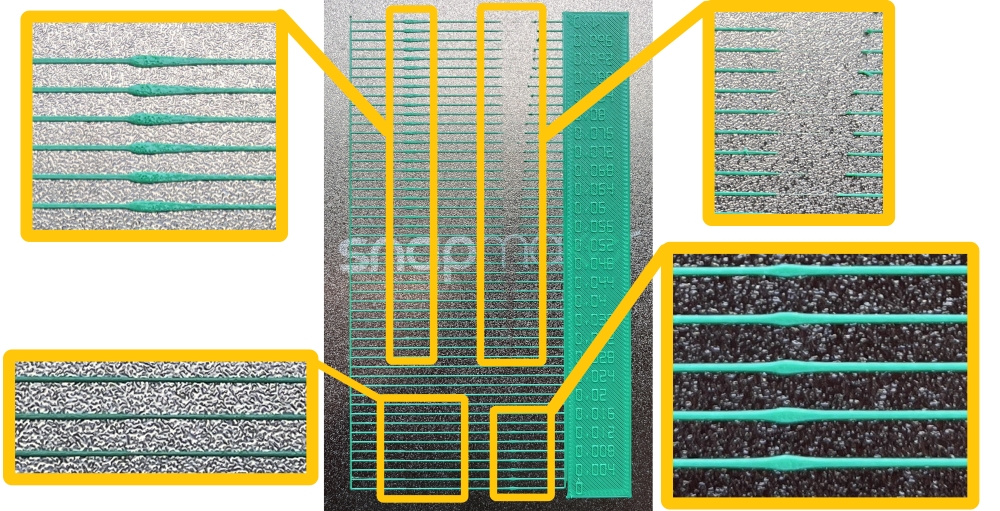
You can see that when the pressure advance value is too small, the line is too thin at the acceleration point and too thick at the deceleration point; when the pressure advance value is too large, the line is too thick at the acceleration point and too thin at the deceleration point.
¶ 2. Set the Best Pressure Advance Value for Your Filament
- In the
Filamentsection of the left sidebar, click the...>Editnext to the specific filament.
- In the pop-up window, find
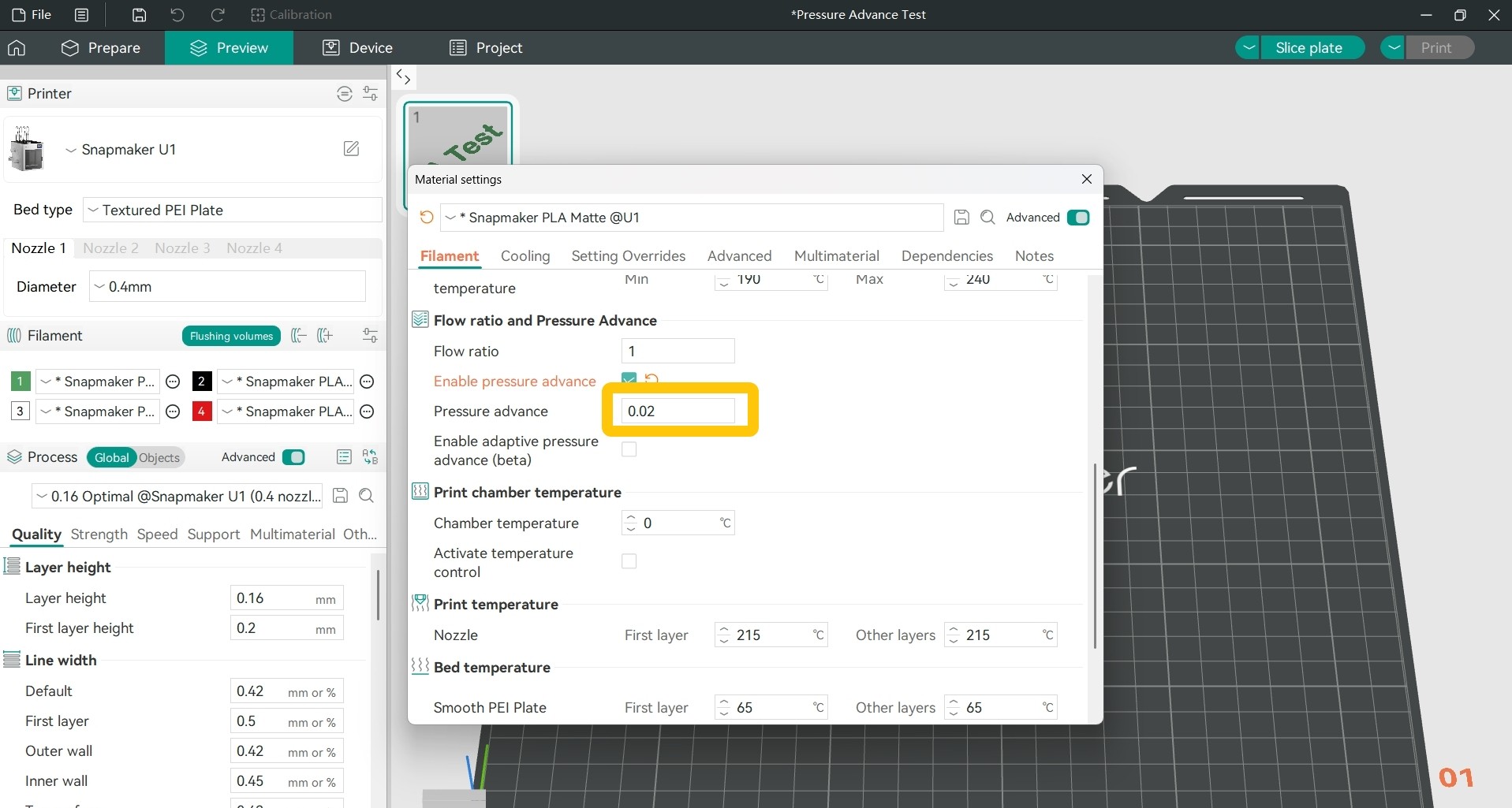
Filament>Flow ratio and Pressure Advance>Pressure Advance.
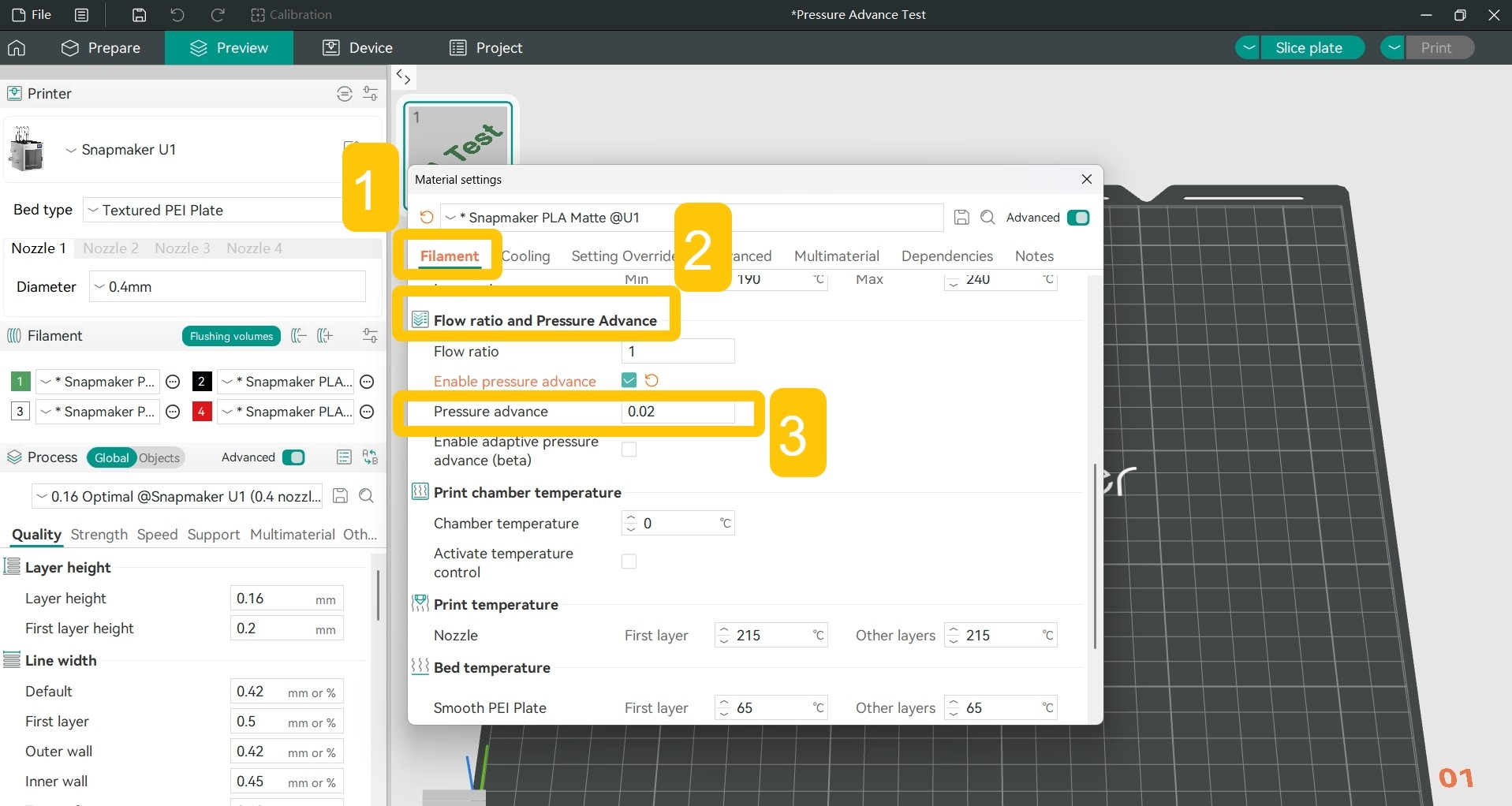
- Set the pressure advance value based on the test result.