¶ Procedure
¶ 1. Print the "Flow Rate Calibration Model" to Test the Best Flow Correction Value for Your Filament
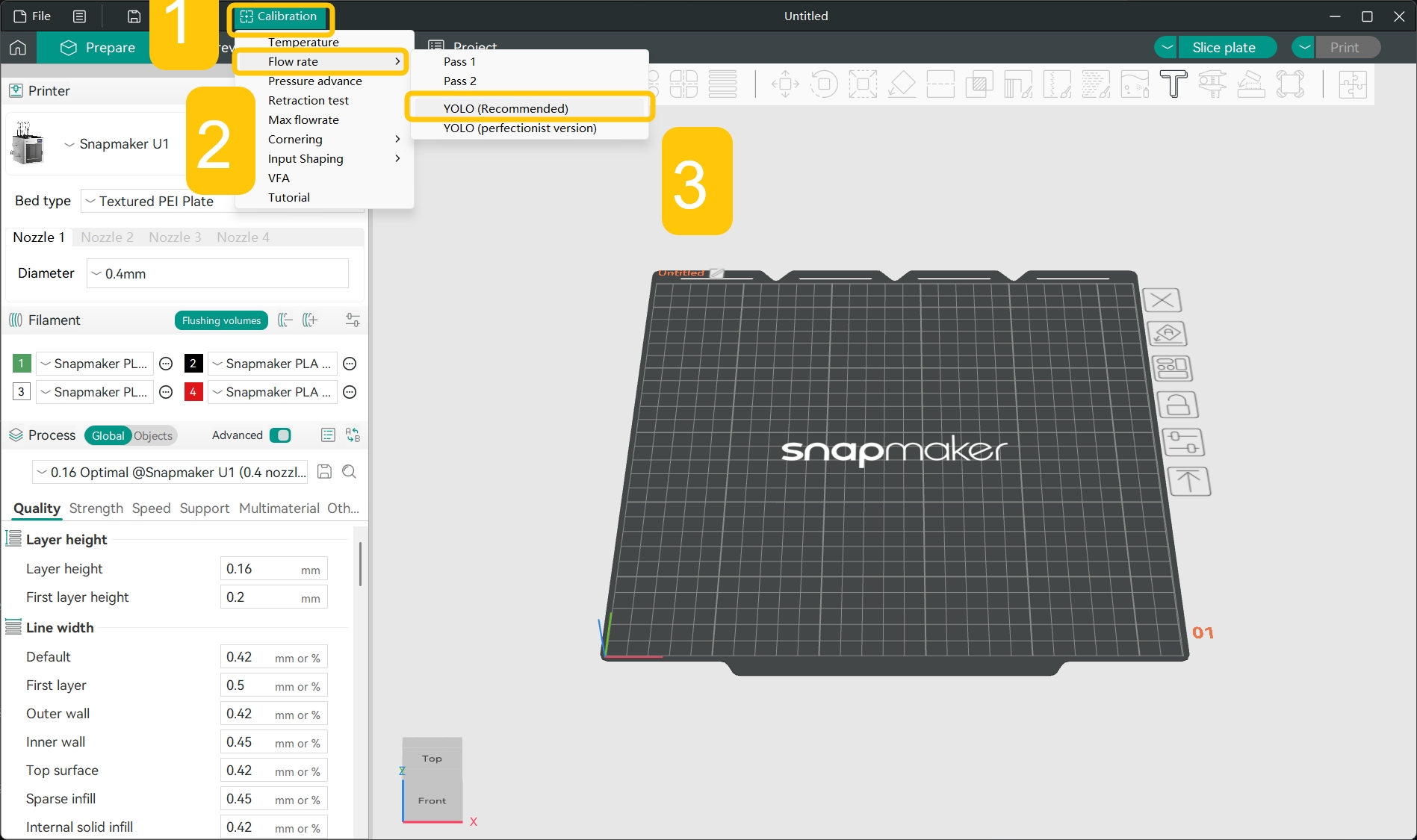
- In the top menu bar, click
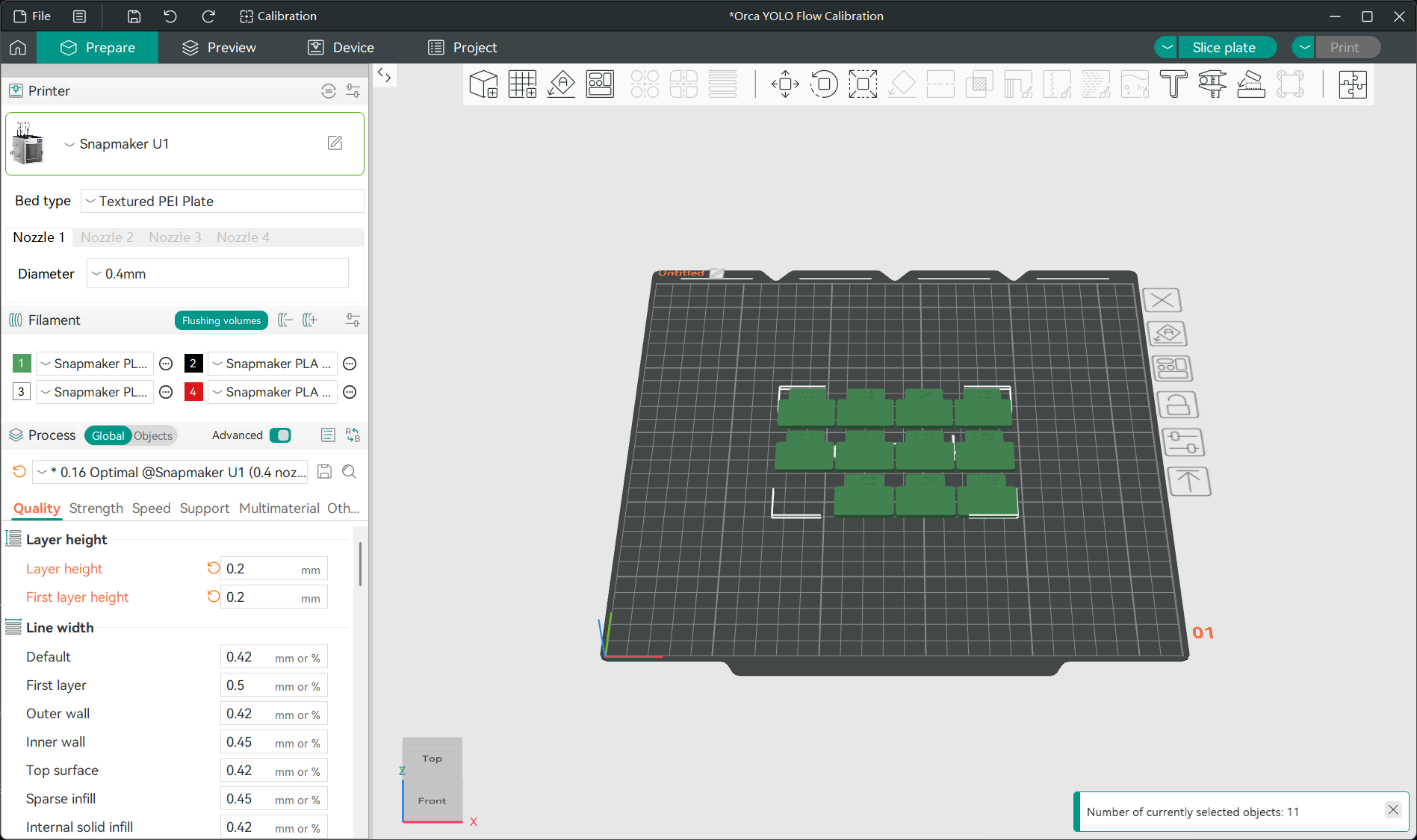
Calibration>Flow rate>YOLO (Recommended)to automatically generate a flow calibration model.
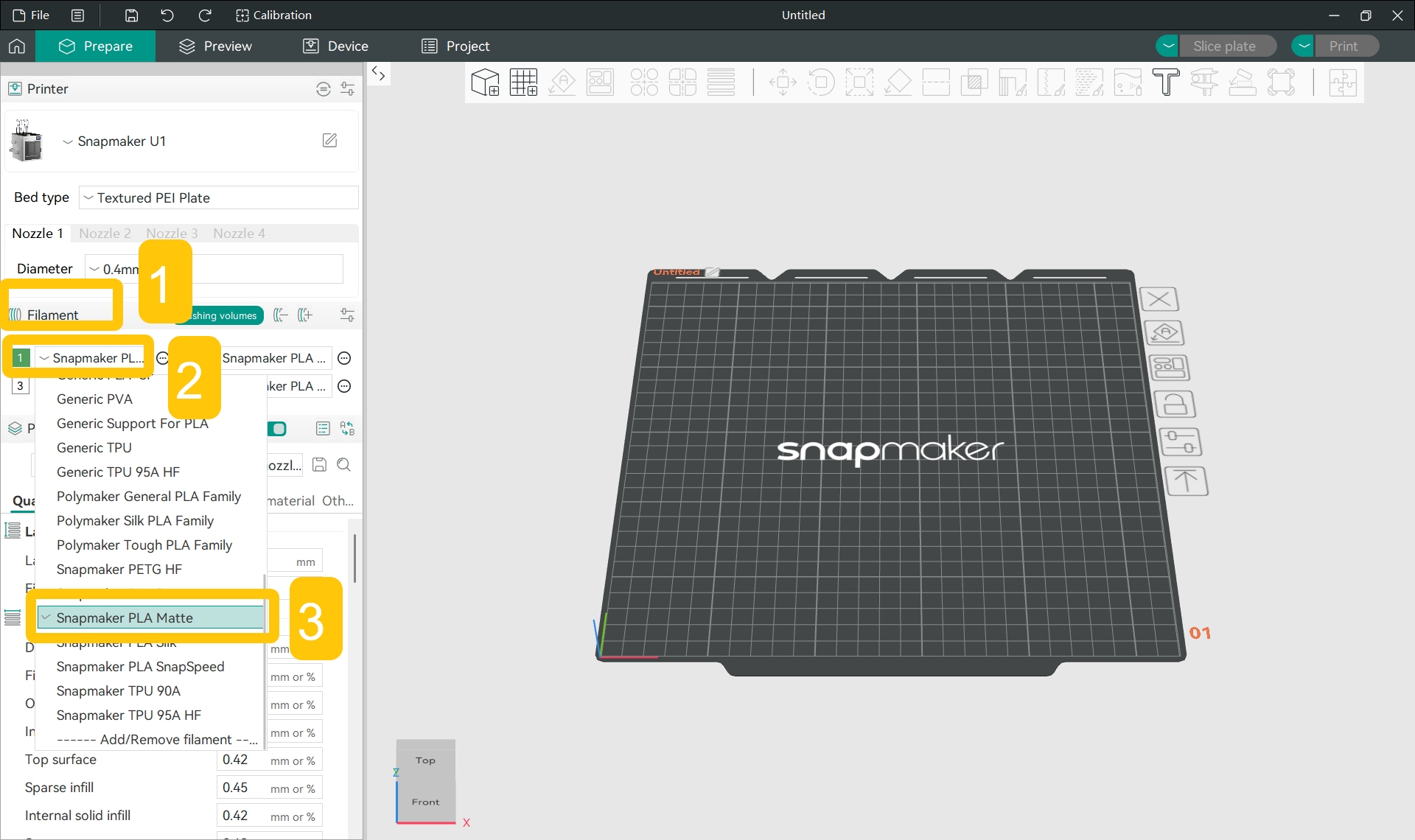
- In the
Filamentsection of the left sidebar, click the specific filament name and select the filament type you used for printing from the drop-down menu.
- Slice the model and print it.
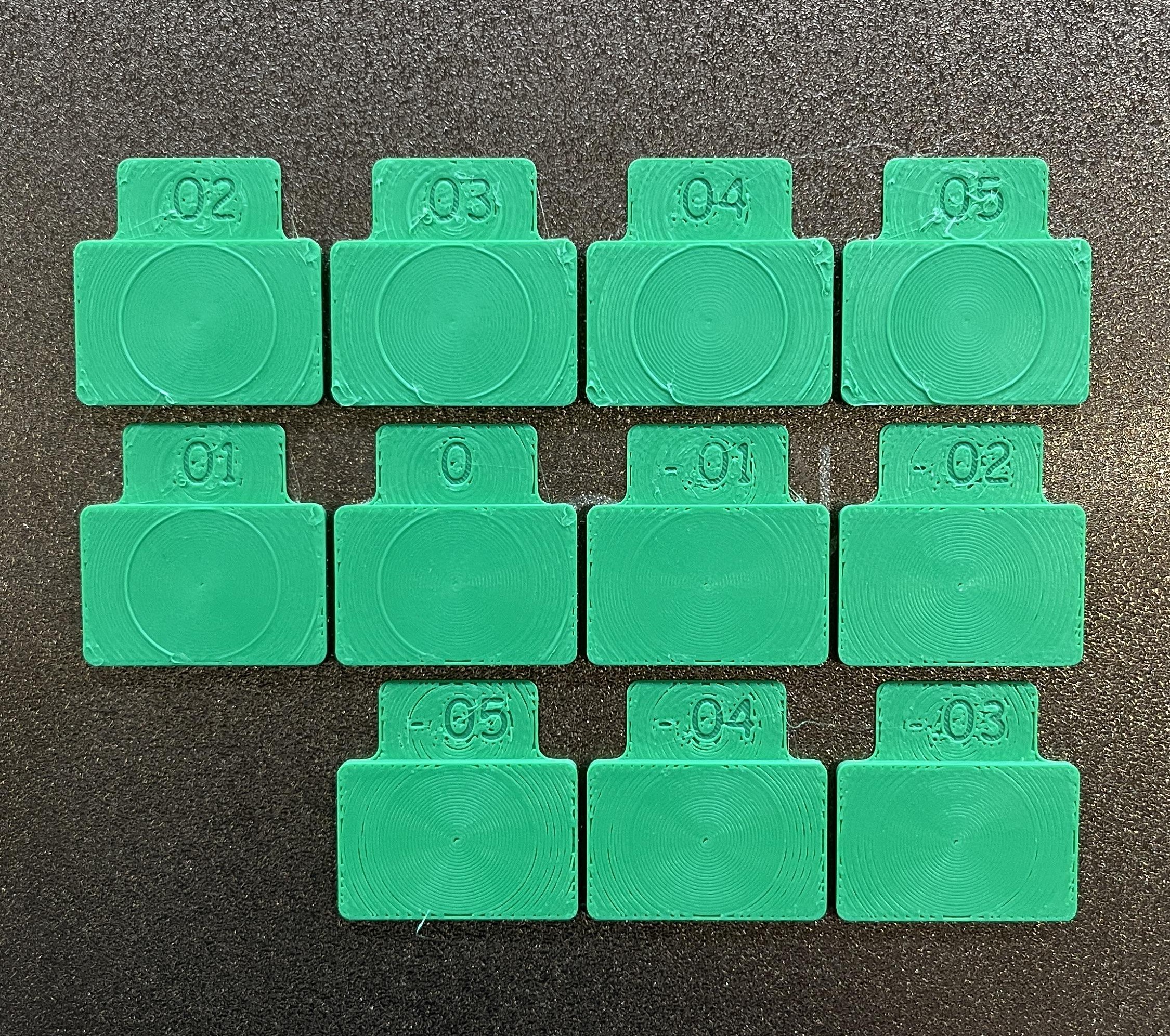
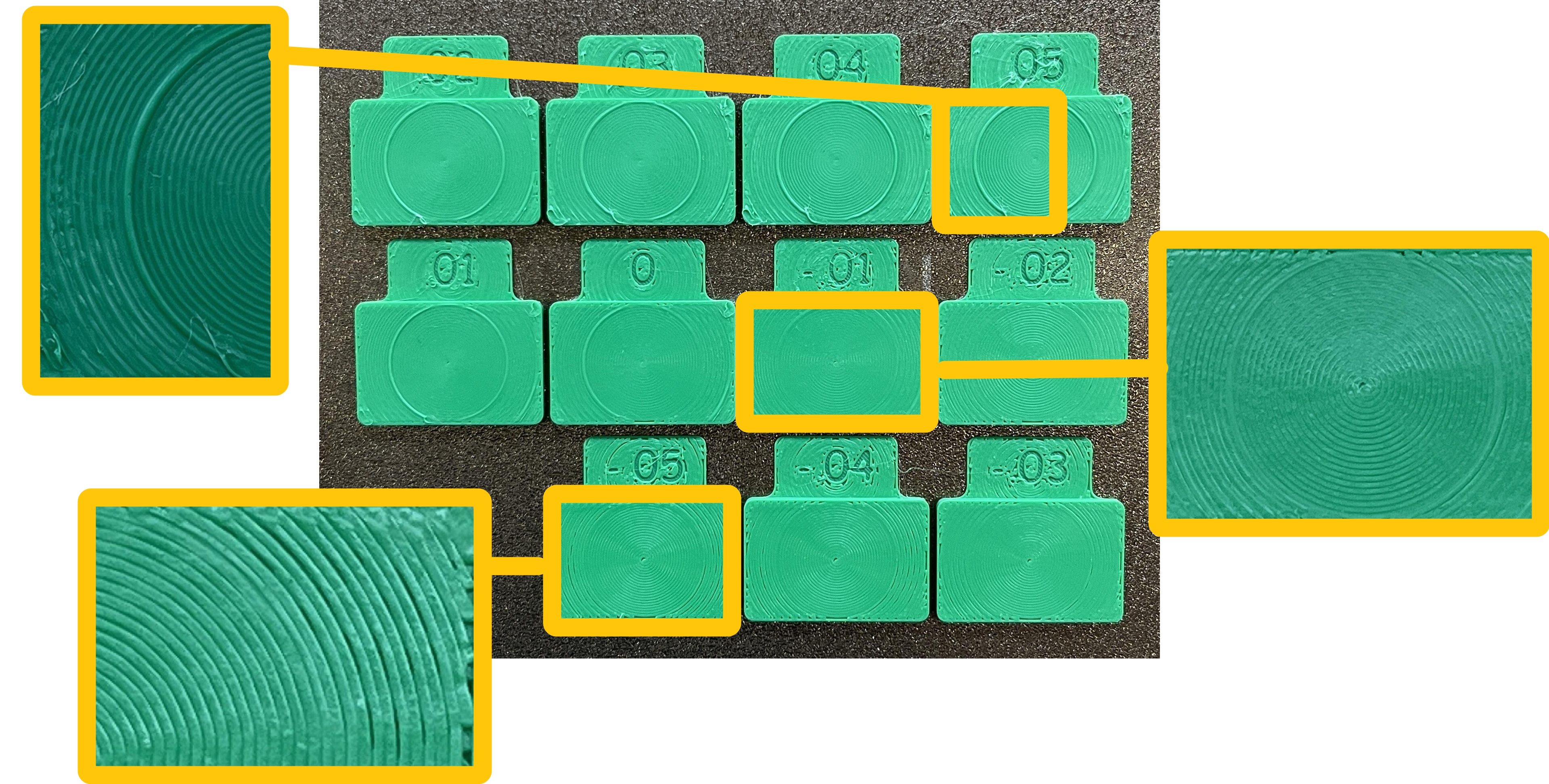
- Observe the print result, and select the block with a surface that has the fewest bulges and gaps. The number on that block is the best flow correction value.
For example, in this case, the block marked -.01 (i.e. 0.01) can be considered the flattest, giving the best flow correction value.
¶ 2. Set the Best Flow Correction Value for Your Filament
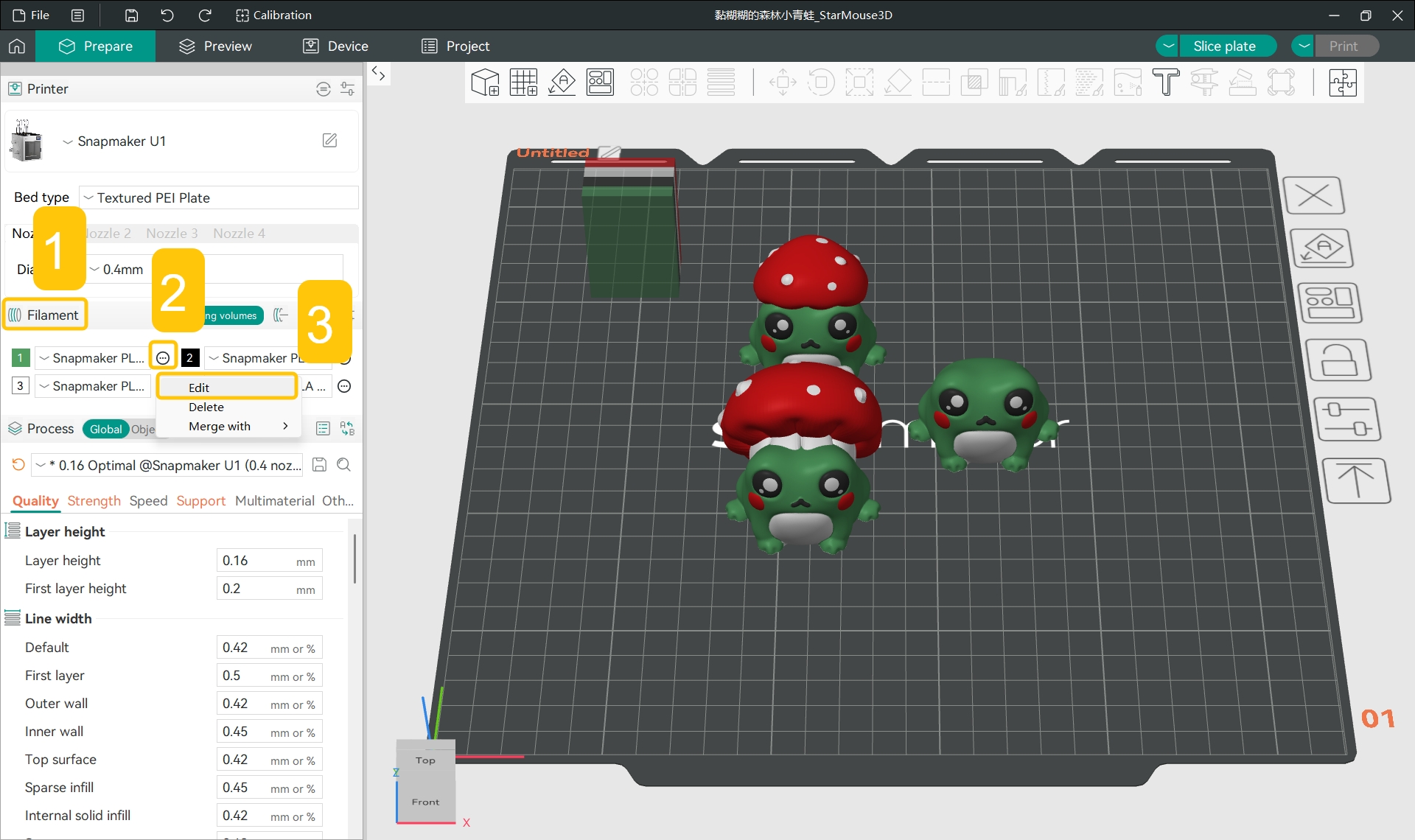
- In the
Filamentsection of the left sidebar, click the...>Editnext to the specific filament.
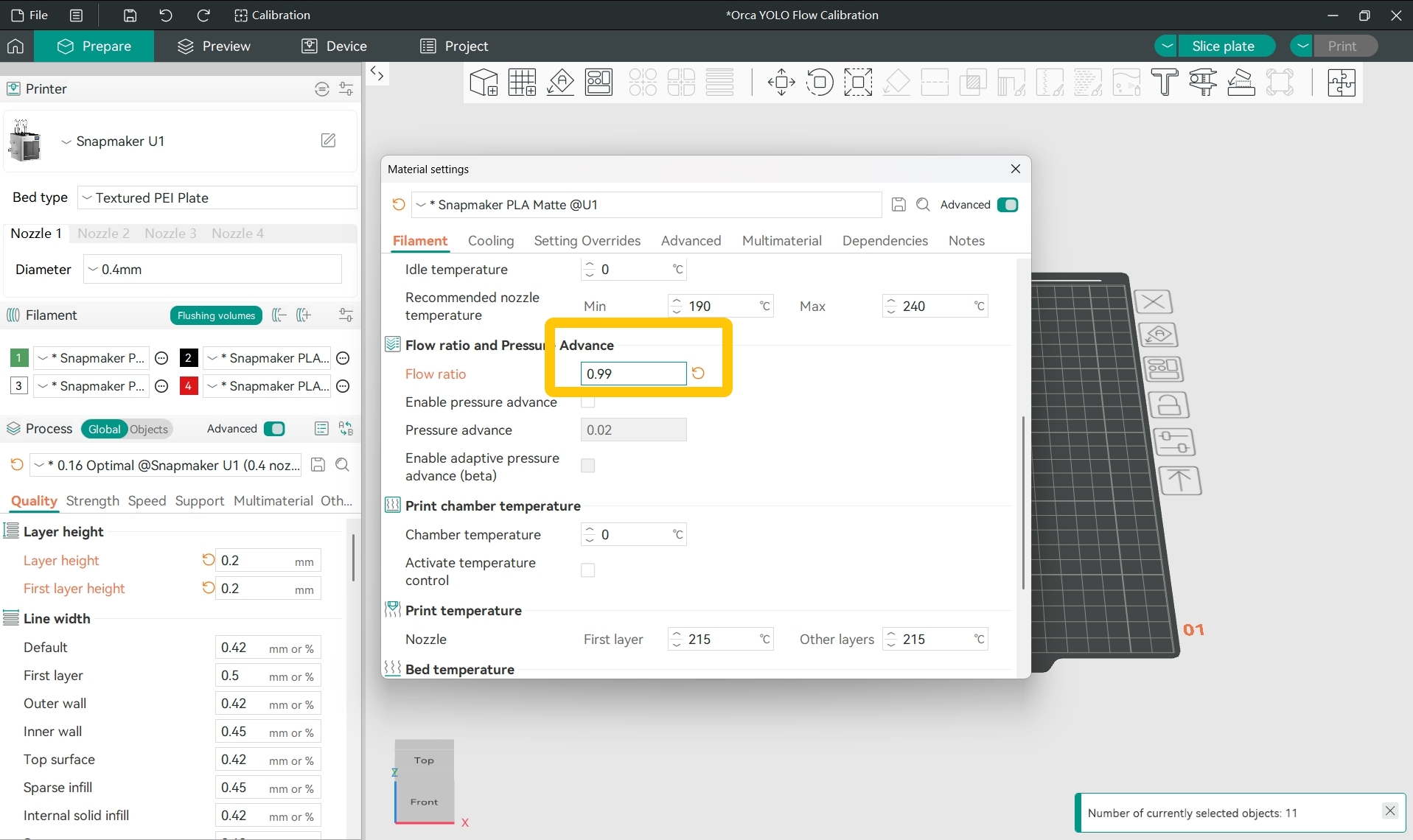
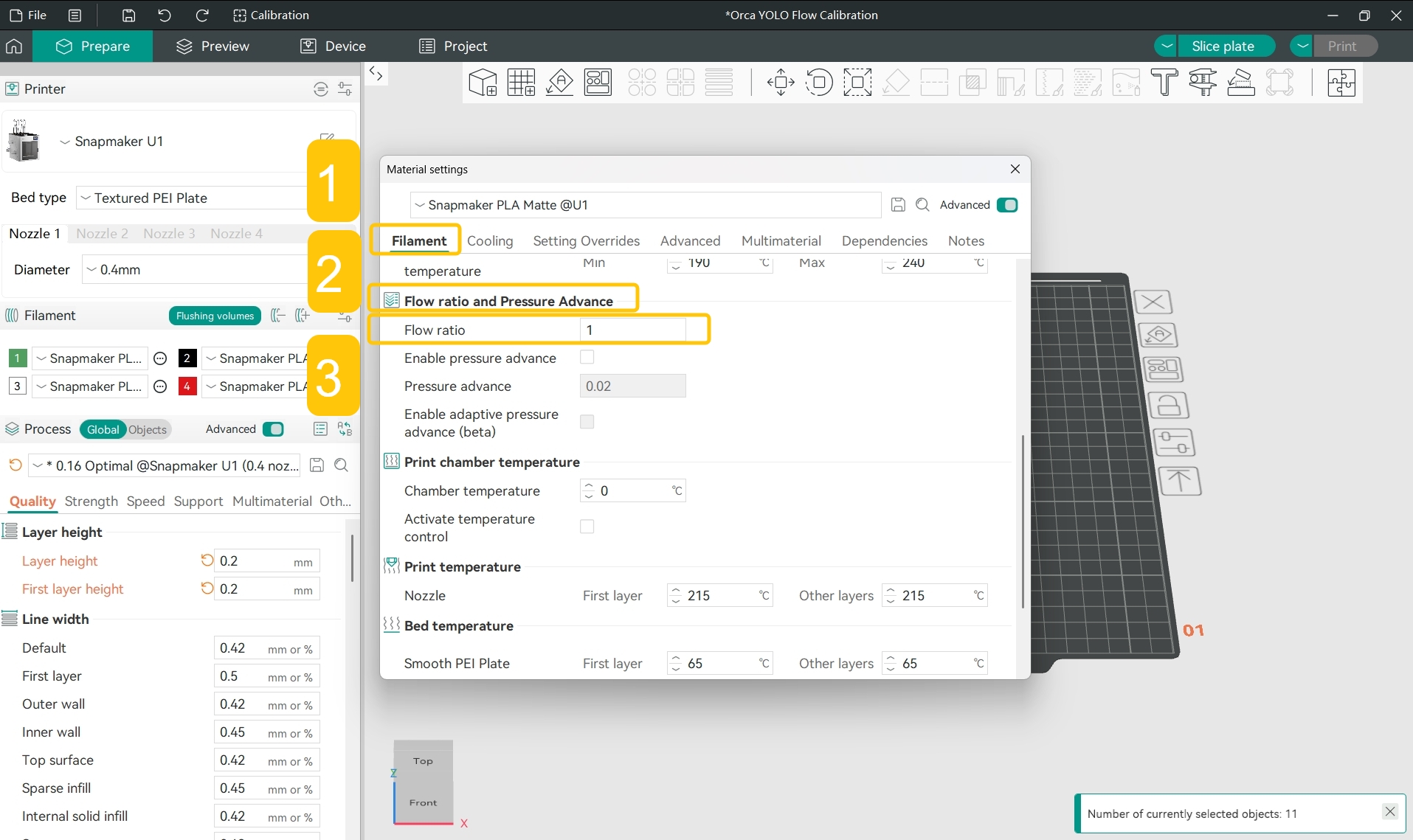
- In the pop-up window, find
Filament>Flow ratio and Pressure Advance>Flow ratio; you can see that the current flow ratio is 1.
- Calculate what the adjusted flow ratio should be:
For example, if the current flow ratio preset in the software is 1 and the flow correction value is -0.01, the adjusted flow ratio should be 0.99, i.e.:
- Set the flow ratio to the adjusted value.