Start your printing journey!
Whether you prefer fine-tuning print settings on your computer or starting a print job from your phone, Snapmaker Space, Snapmaker Orca, and the Snapmaker App give you the flexibility to explore, download, and print with confidence—so you can bring your ideas to life.
¶ How to Choose
¶ 1. Quick Print
You can start a print job directly using either of the following options:
For multi-color models with separate plates, we recommend using the pre-sliced print profile provided on the platform whenever possible. You can start printing right away without manually splitting the model or assigning colors.
¶ 2. Customize Print Settings
If you need to change settings such as model size, layer height, or supports, you can open the model in Snapmaker Orca using either of the following options:
The model will be imported into Snapmaker Orca, where you can customize the print settings to suit your needs, then slice the model and start printing.
¶ How to Print
¶ Snapmaker Space
- Open the Snapmaker Space in your browser to browse or search for models you’re interested in.
- Open the model details page and select a print profile.
- Choose how you want to work with the model:
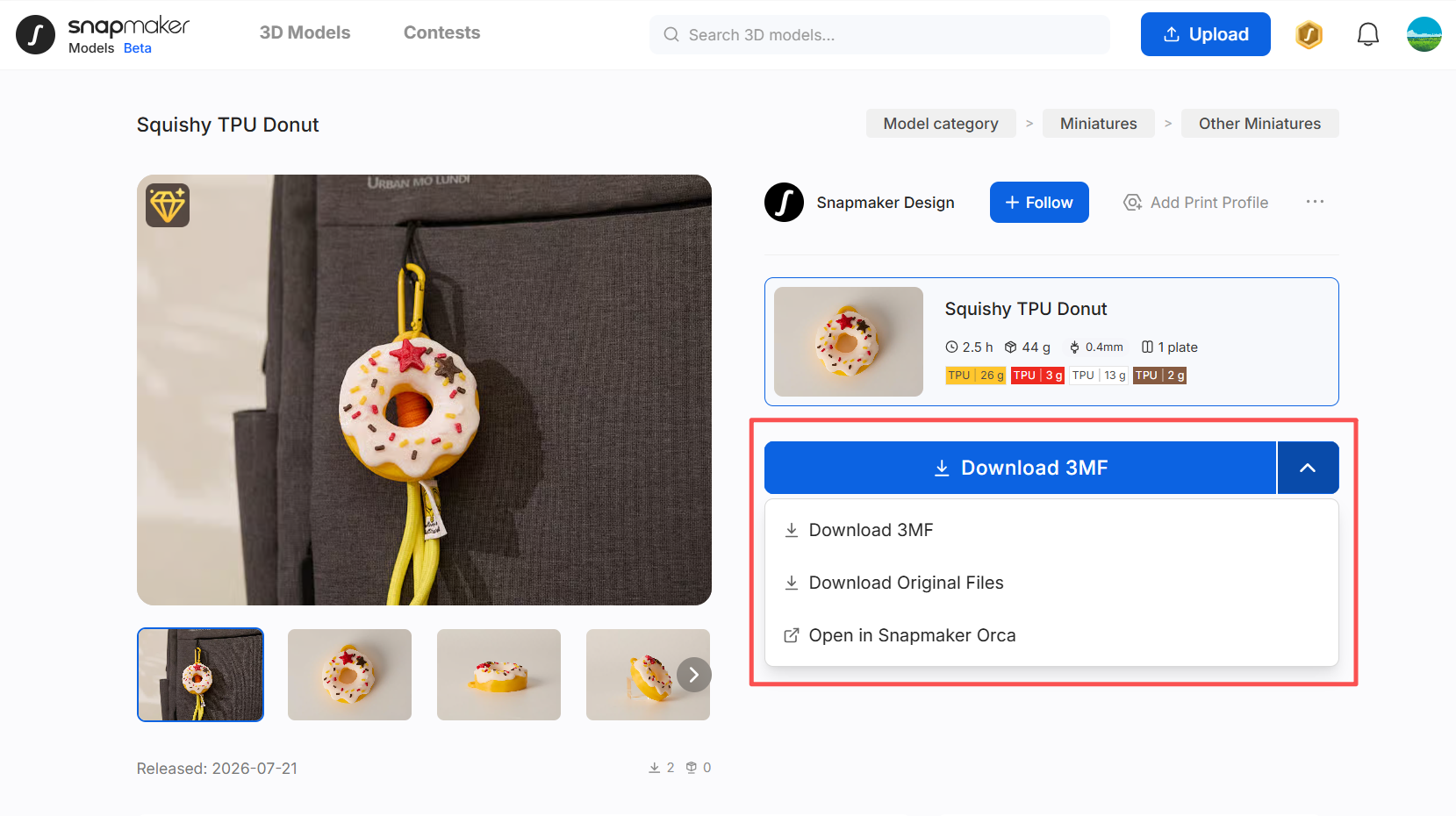
Download 3MF
Download the 3MF file to your computer. A 3MF file typically contains the model information along with print settings, making it easier to proceed with slicing and printing.Download Original Files
Download the original files. Some creators provide the original model files, such as STL files. You can open or edit these files in modeling software and make further adjustments as needed.Open in Snapmaker Orca
Open the model in Snapmaker Orca. If you have Snapmaker Orca V2.3.6 or later installed, click this button to quickly move on to slicing and printing.
The new version is coming soon. Stay tuned!
¶ Snapmaker Orca
Snapmaker Orca V2.3.6 or later integrates a large selection of featured models from the model platform, so you can browse, configure, slice, and print without leaving the software.
- Open Snapmaker Orca and click
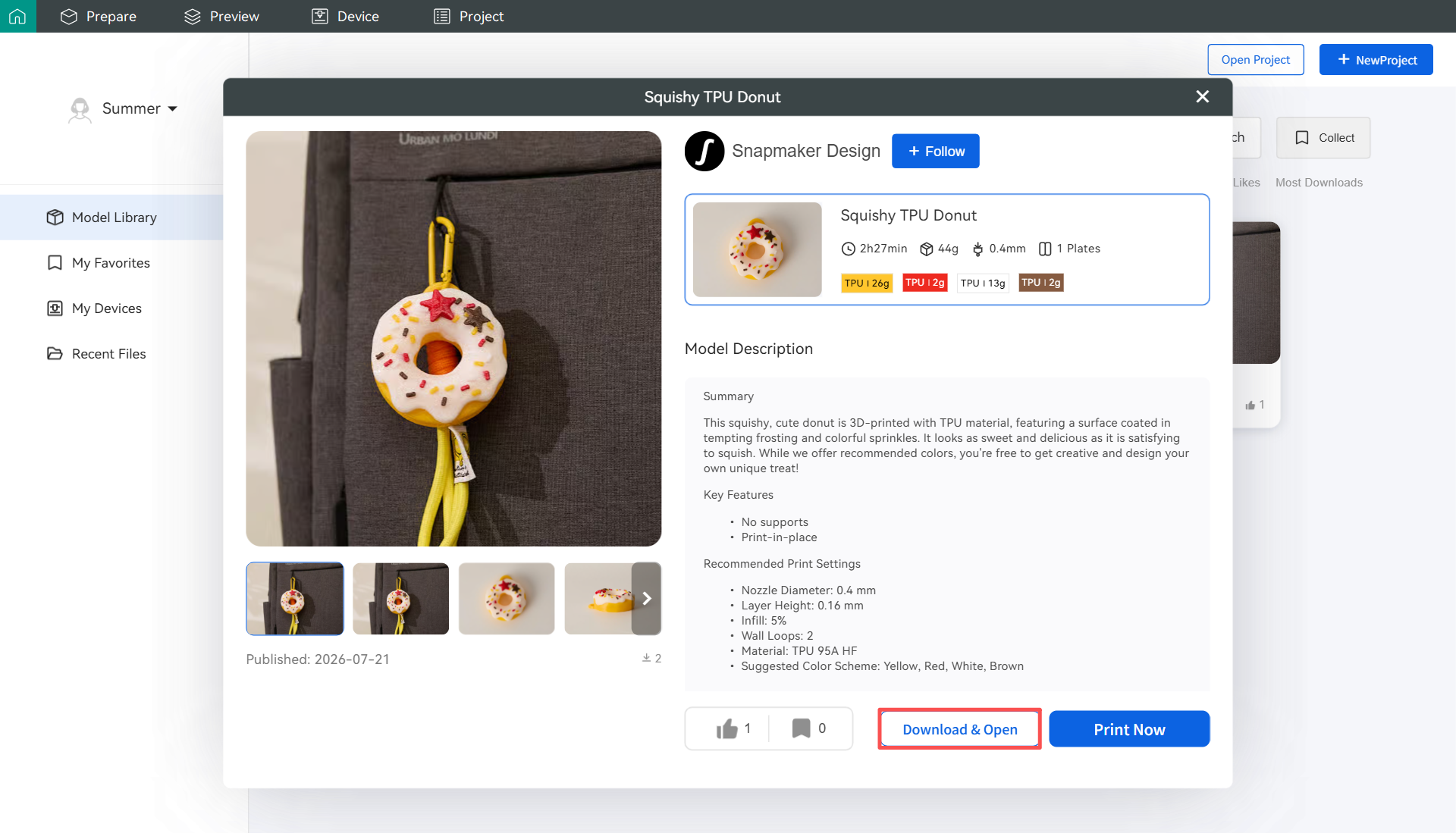
Model Libraryin the left navigation bar to browse and select a model you’re interested in. - Open the model details page and select a print profile.
- Choose how you want to work with the model:
- Click
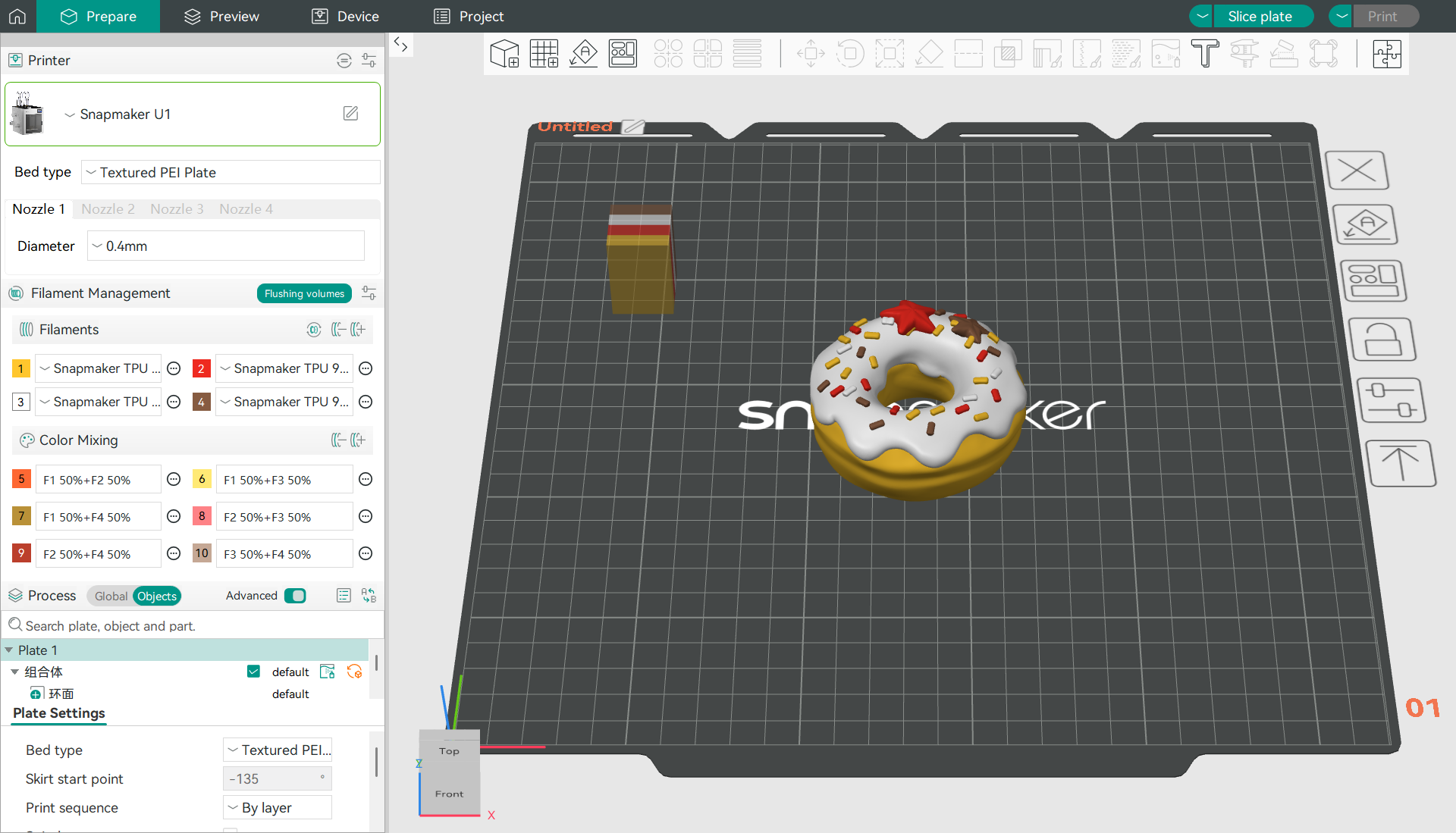
Download & Opento import the model directly into the Prepare page. You can adjust the model and print settings, then slice and print it.
- Click
Print Nowto enter the Print Preprocessing page, where you can review the model information, select the printer and filament, and configure your print preferences.
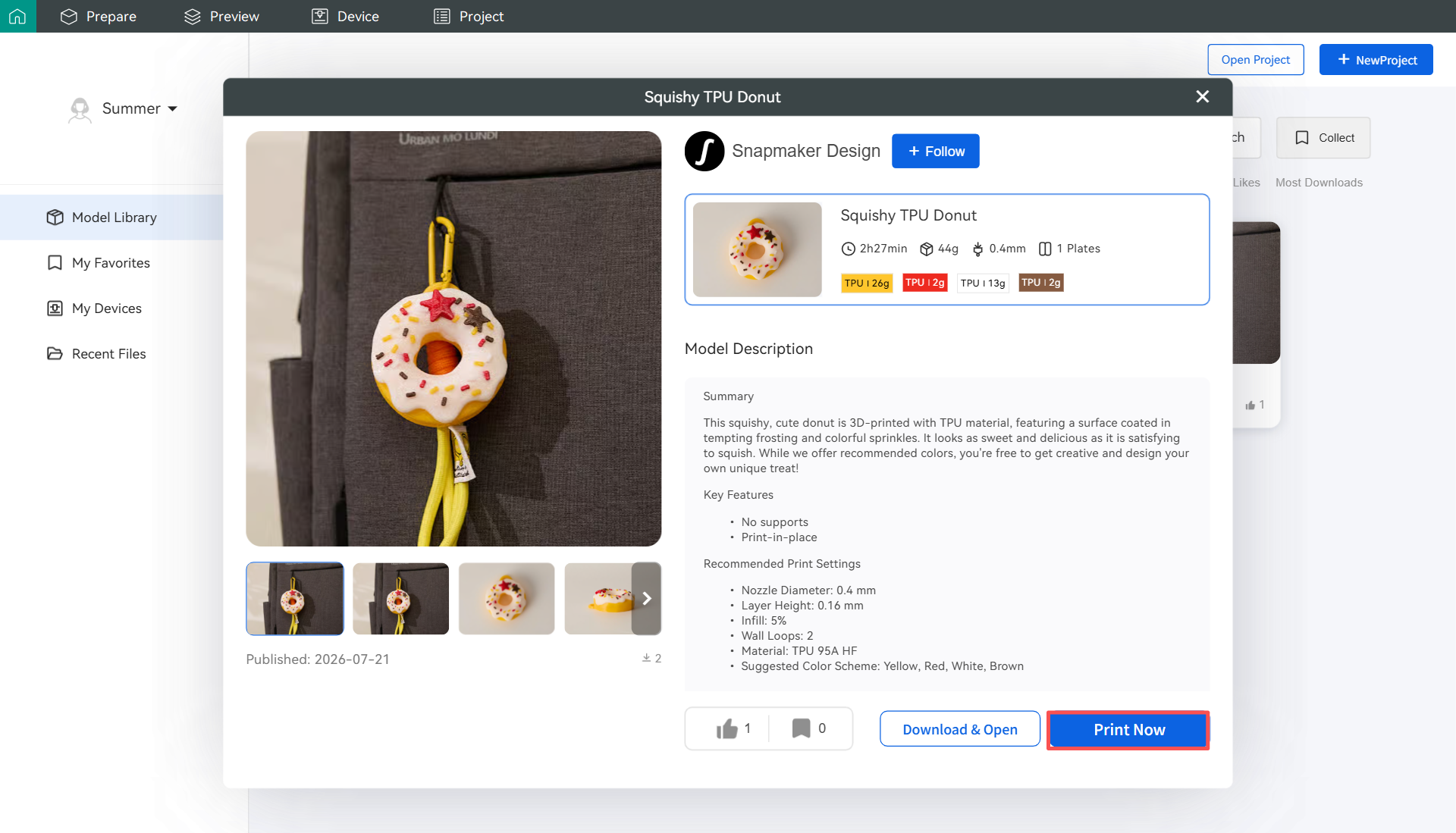
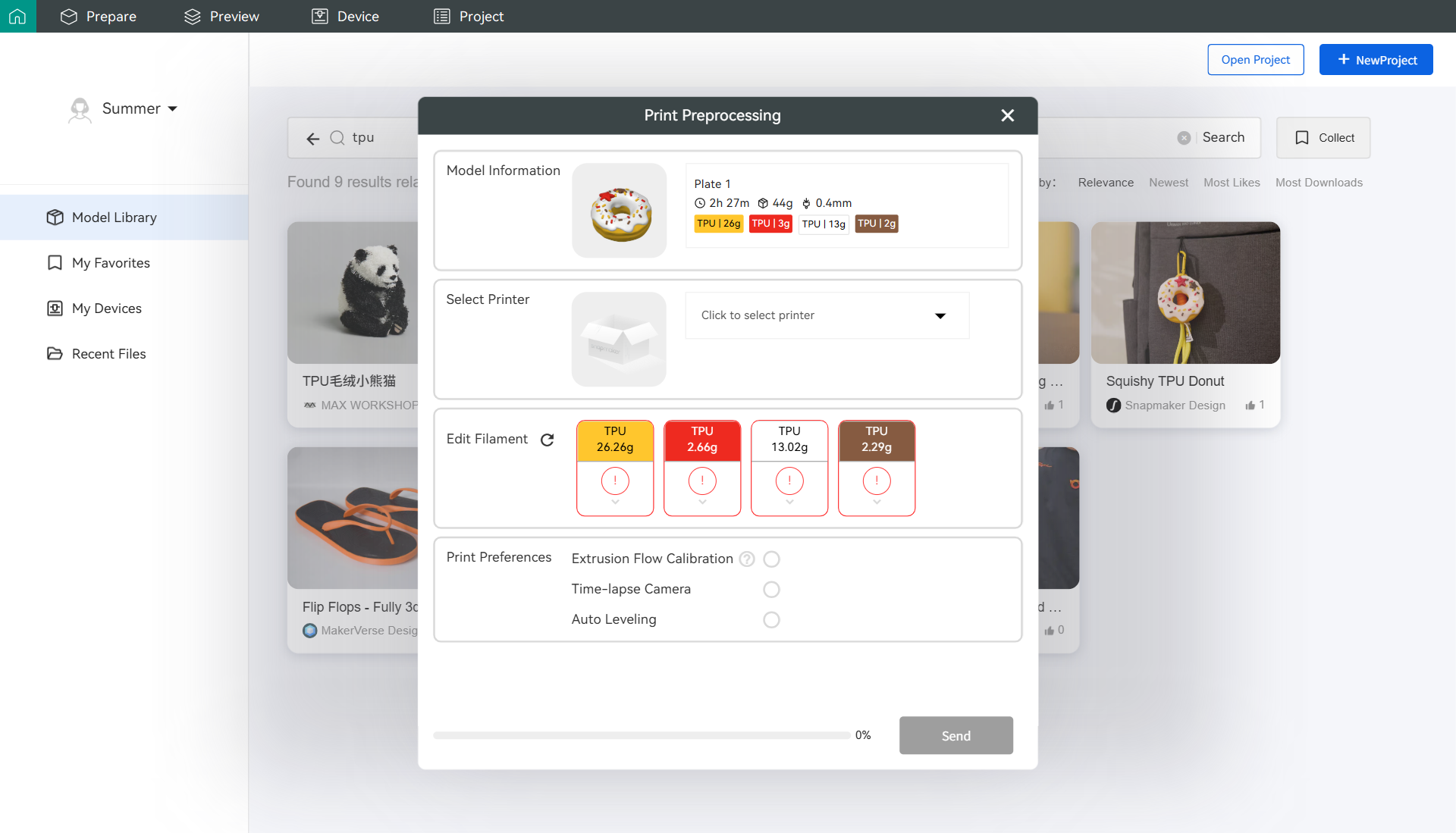
During print preprocessing, make sure the selected printer and filament information matches your actual setup to avoid printing issues.
¶ Snapmaker App
The Snapmaker App also provides the full model platform experience. Install Snapmaker App V2.4.0 or later to browse and select models anytime, anywhere.
The new version is coming soon. Stay tuned!
- Open the Snapmaker App and tap
Modelsin the bottom navigation bar to browse and select a model you’re interested in. - Open the model details page and tap
Start Print. Follow the prompts to select a print profile, then tapNext. - Confirm the Build Plate > Printer > Filament Setup > Print Preferences in order, then tap
Start Print.
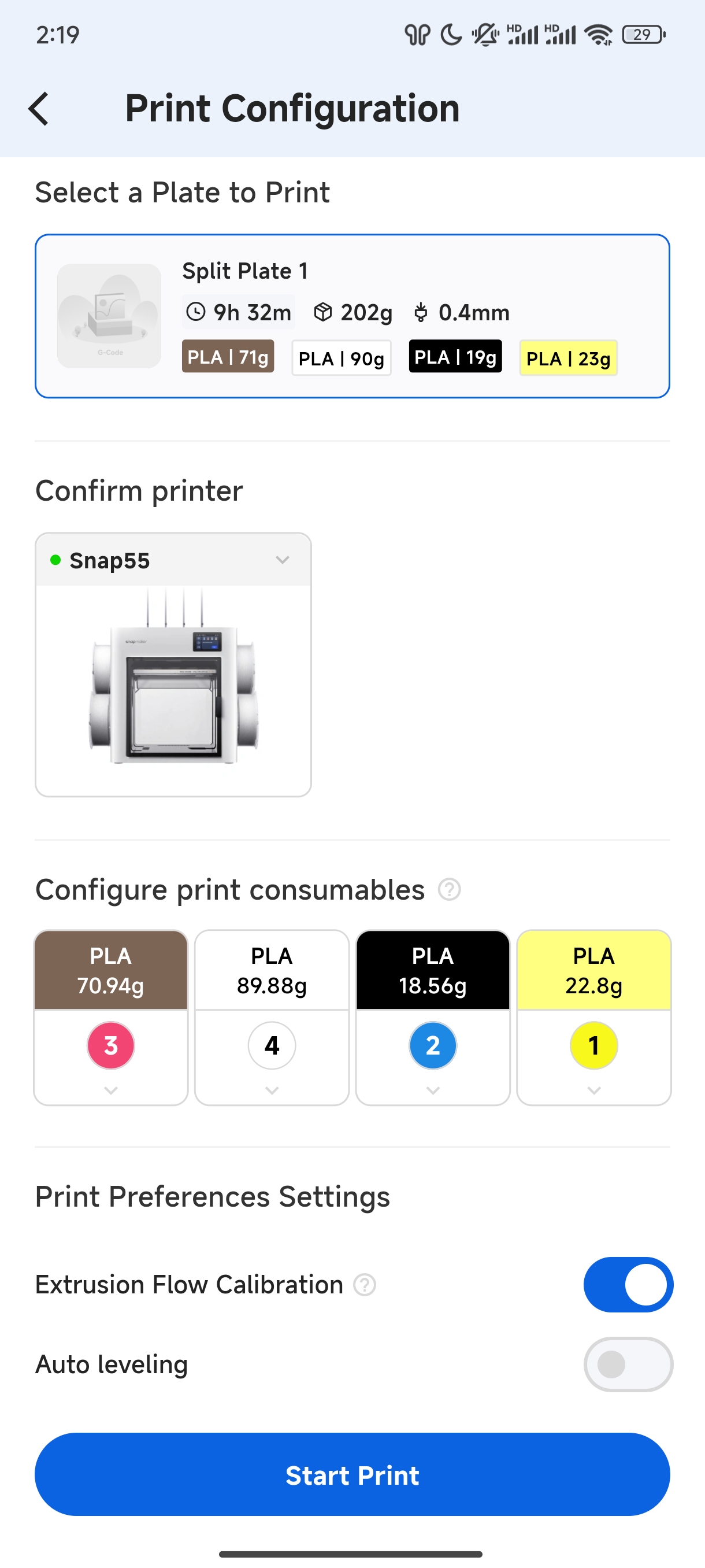
Before starting a print job from your mobile device, we recommend checking the connection between your mobile device and printer to ensure that the print command is sent successfully.