This version is a hotfix update based on V2.3.1.
¶ Bug Fixes
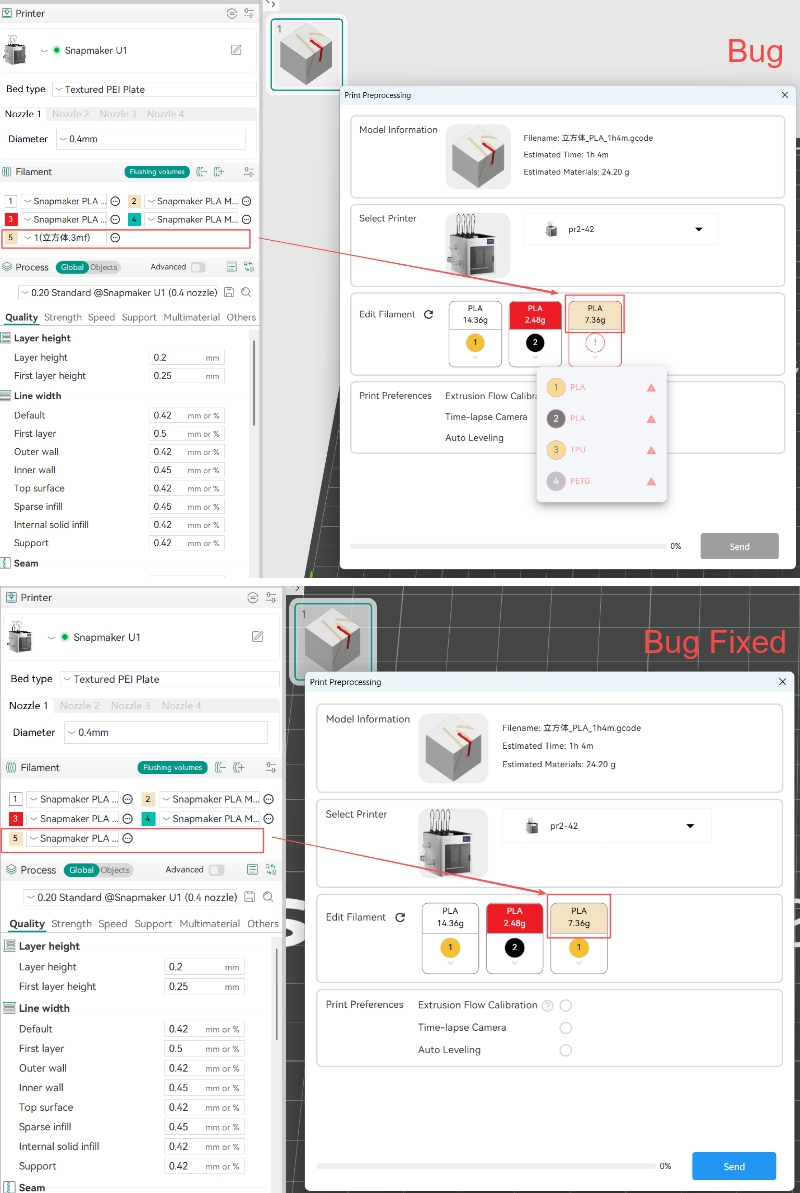
- Fixed an issue on the Print Preprocessing page: when more than 4 preset filaments were available, users could not select the excess filaments to match with the mounted filaments on the device.
¶ How to Update
¶ 1. Restart the software
Restart Snapmaker Orca.
¶ 2. Automatic update detection
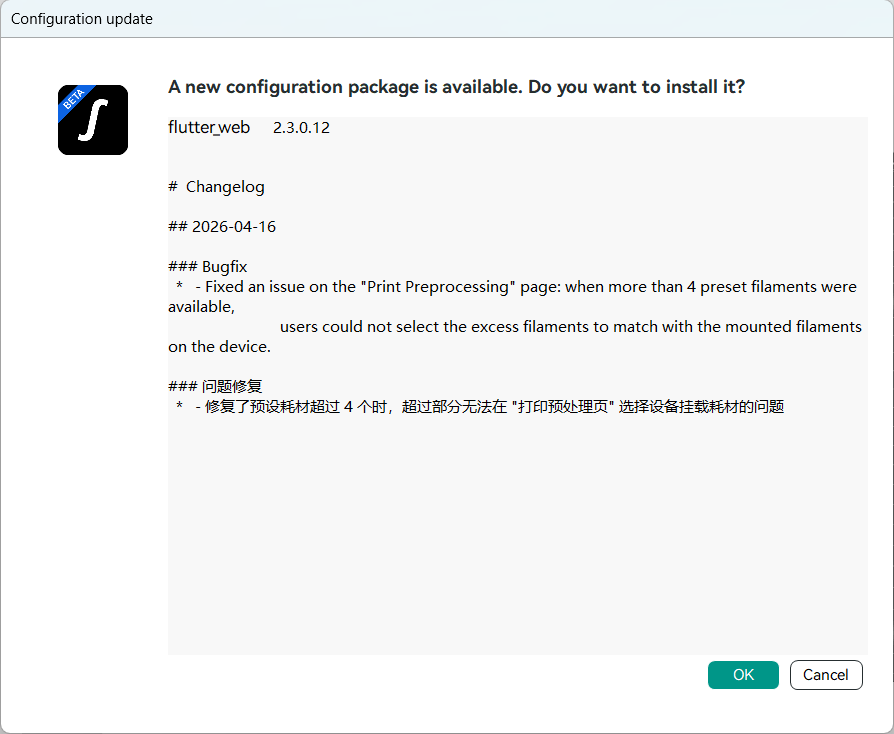
If the Configuration update dialog appears, click OK. After the configuration package is installed, restart the software to complete the update.
¶ 3. Manual update check
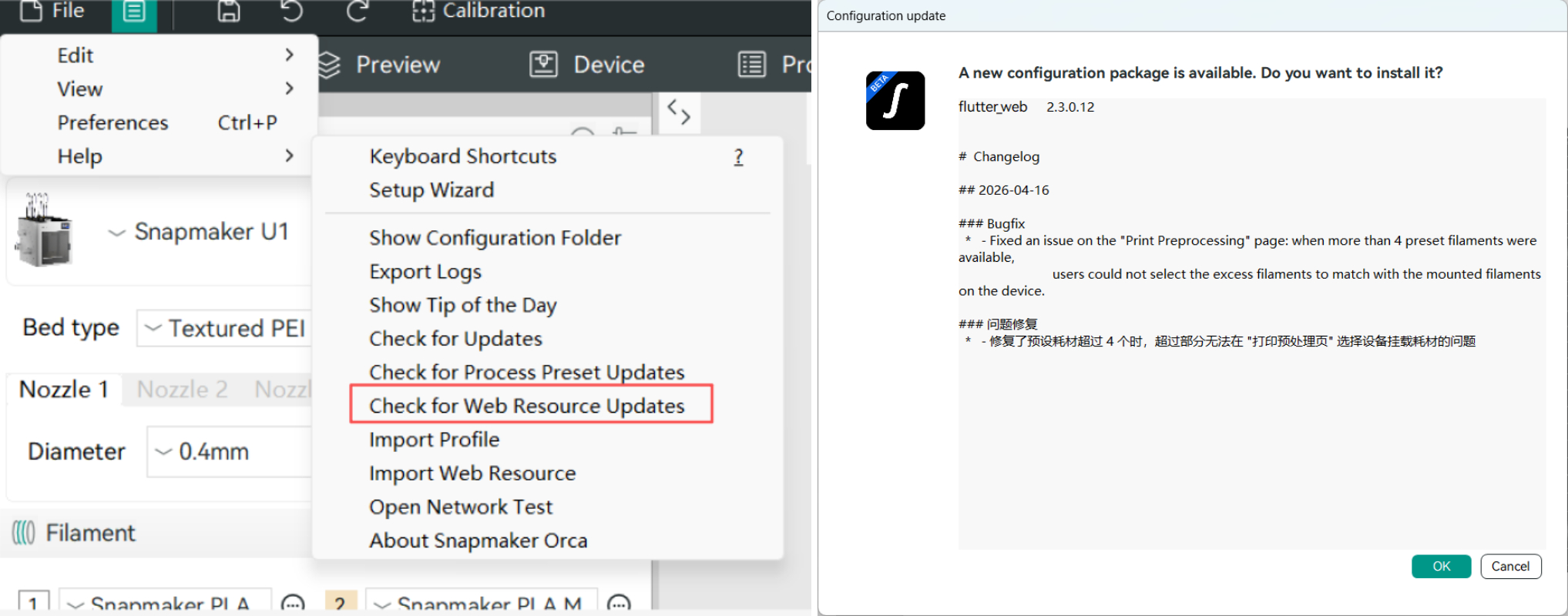
If the update prompt does not appear automatically after restarting, go to the top navigation bar and click Help > Check for Web Resource Updates. In the Configuration update dialog, click OK. After the configuration package is installed, restart the software to complete the update.