¶ Compatibility
This article applies to the following model and module. Please take note when referencing:
Model: U1
¶ Issue Description
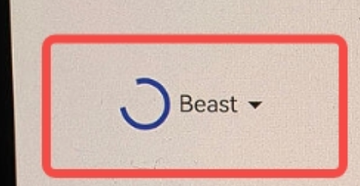
After logging into the Snapmaker software, the user avatar in the upper-left corner remains in a continuous loading (spinning) state.
¶ Possible Causes
- Downloading the user avatar takes longer than expected due to network latency.
- The software lacks proper timeout handling, causing the loading animation to persist.
¶ Solutions
- Although the avatar keeps loading, the login is actually successful and does not affect normal use.
- The issue has been identified and is scheduled to be fixed in version 2.2.0 Beta.
¶ Reach out to Snapmaker Support
After following the troubleshooting steps, if you find it difficult to resolve your issue, kindly submit a support ticket through https://snapmaker.formcrafts.com/u1-troubleshooting-request and share your troubleshooting results with some pictures/videos.
Our dedicated support team will be more than willing to assist you in resolving the issue.